HIPAA compliant texting: What you can send patients & how to communicate securely
HIPAA compliant texting is possible when a text holds no protected health inform...

Last Updated: Oct 16, 2026

Occupational therapy EMR software centralizes clinical notes, scheduling, and billing in one system, replacing disconnected paper or spreadsheet workflows.
OT-specific features like configurable SOAP templates and structured treatment plans cut the time therapists spend on documentation.
Evaluation codes 97165 to 97167 are untimed and picked by deficit count, while 97168 covers re-evaluation rather than a fourth complexity level.
HIPAA compliance and secure patient data handling are baseline requirements when you choose an OT system, not optional add-ons.
Pabau supports OT practice workflows through configurable clinical notes, digital intake forms, automated scheduling, and integrated billing in one platform.
Occupational therapists lose a large slice of the working day to documentation instead of patient care. Productivity targets in outpatient settings make it worse. AOTA documentation guidance is clear that thorough records keep care safe, claims payable, and continuity intact. Those hours still come out of treatment planning and hands-on session time.
An occupational therapy EMR is meant to buy the hours back. It only does that when it fits how OT practices work: functional assessments, progress tracking across sessions, outcome measurement, and multi-payer billing.
This guide covers the features that decide whether an OT system helps or hinders, and how CPT coding shapes what your notes must capture. It also covers where practice management software like Pabau fits for practices working across several disciplines.
An occupational therapy EMR is a digital system that captures, stores, and manages patient health information for OT practice. It combines clinical documentation, scheduling, and billing in one connected workflow. The distinction from a general EHR matters here. Purpose-built occupational therapy software handles OT documentation structures, including functional goal tracking and outcome measure fields, not just generic clinical notes.
Without a purpose-fit system, practices hit the same predictable problems. Notes written in separate documents lose continuity between sessions. Billing codes get typed by hand into a second system, which raises the error rate. Scheduling sits in a spreadsheet with no link to the clinical record. Each one costs time and adds compliance risk.
| Problem without an EMR | Impact on the practice | What an EMR does instead |
|---|---|---|
| Disconnected paper or Word notes | Lost documentation, audit risk | Structured digital templates with session history |
| Manual billing entry | Coding errors, delayed claims | CPT and ICD-10 codes pulled from the clinical record |
| Separate scheduling system | No-shows, double bookings | Integrated calendar with automated reminders |
| No secure patient portal | HIPAA exposure, manual intake | Digital forms and encrypted patient access |
The Centers for Medicare and Medicaid Services (CMS) requires therapy documentation to meet medical necessity standards before it reimburses. An occupational therapy EMR enforces those standards at the point of care, instead of asking therapists to recall them under clinical pressure.
Not every system marketed to therapy practices serves OT workflows well. Five features separate a useful OT system from a scheduling tool with a notes field bolted on.
Occupational therapy documentation follows the SOAP format, meaning subjective, objective, assessment, and plan. The content inside it varies a lot by caseload. A pediatric OT working on sensory processing records different observations than an adult OT running hand therapy or cognitive rehabilitation. Look for templates you can adapt by service type, rather than clones of one generic therapy note. Guides such as our Halstead maneuver walkthrough show how a hand therapy assessment finding gets documented.
Pediatric OTs documenting motor coordination often score bilateral integration with the alternate hand wall toss test, comparing results against published age norms.
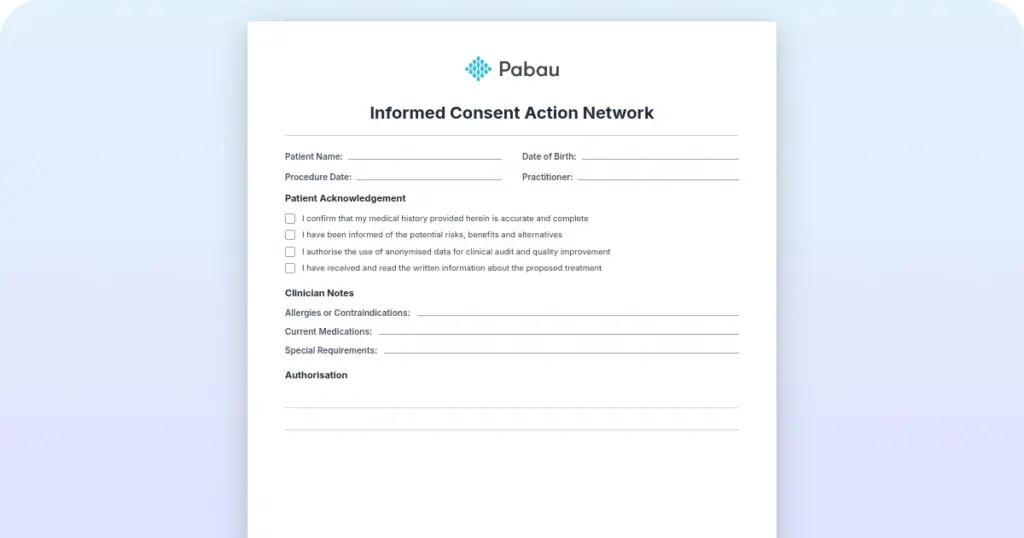
OT initial assessments are thorough. Collecting occupation history, functional goals, home environment detail, and medical background before the session saves 15 to 20 minutes of clinical time per new patient. Forms the patient completes at home should populate the clinical record on their own, so nobody retypes them at the front desk.
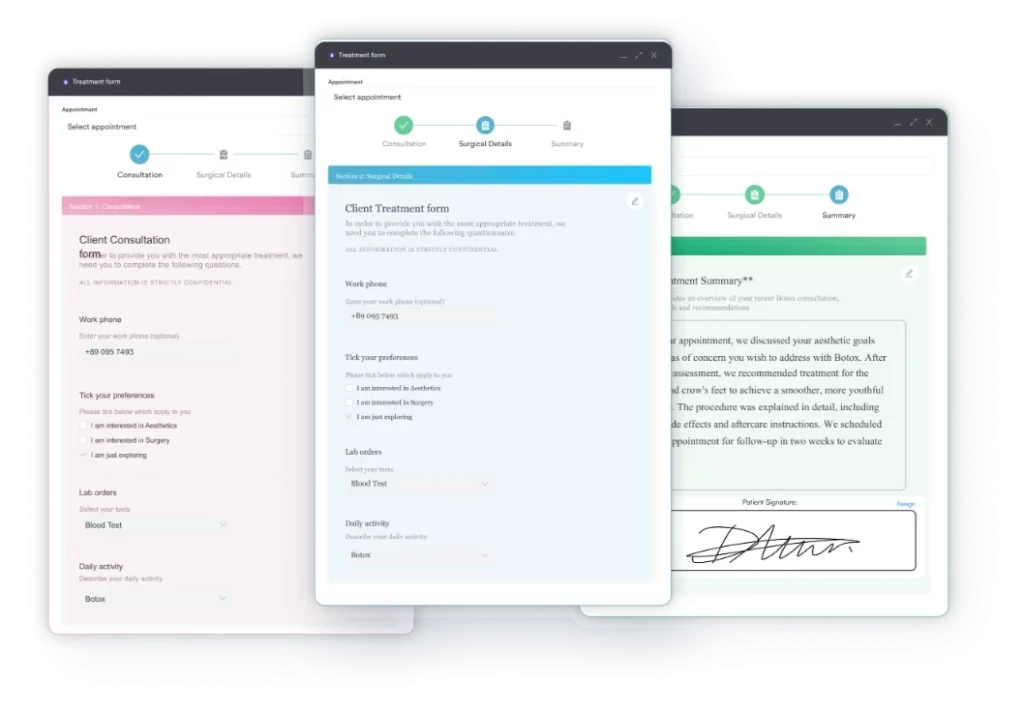
Functional goal documentation is a CMS audit target for OT claims. Every treatment plan needs measurable, time-bound goals tied to functional outcomes. The system should let therapists record those goals, track progress between sessions, and produce reports that show a clear clinical trajectory. Neuro OTs treating stroke patients often log a visual acuity test alongside those goals, since vision loss shapes which daily tasks are realistic.
Outcome tools need structured scoring fields rather than free-text paragraphs. The Canadian Occupational Performance Measure and the Functional Independence Measure both score numerically. The record has to hold those numbers where a report can pull them.
Standardized re-testing is what evidences a goal, and Beery VMI scoring interpretation explains how to read scores across re-assessments.
OT billing uses a defined set of CPT codes, and they do not all behave the same way. Codes 97165 to 97167 cover the three evaluation levels, which are low, moderate, and high complexity. Code 97168 is the re-evaluation code, not a fourth complexity level. Codes 97110, 97530, and 97535 cover therapeutic intervention types.
Which evaluation code applies depends on how many performance deficits you record. Low complexity covers one to three, moderate covers three to five, and high complexity covers five or more. Evaluation codes are untimed. The intervention codes bill in 15-minute units, so the note has to carry the minutes as well as the content.
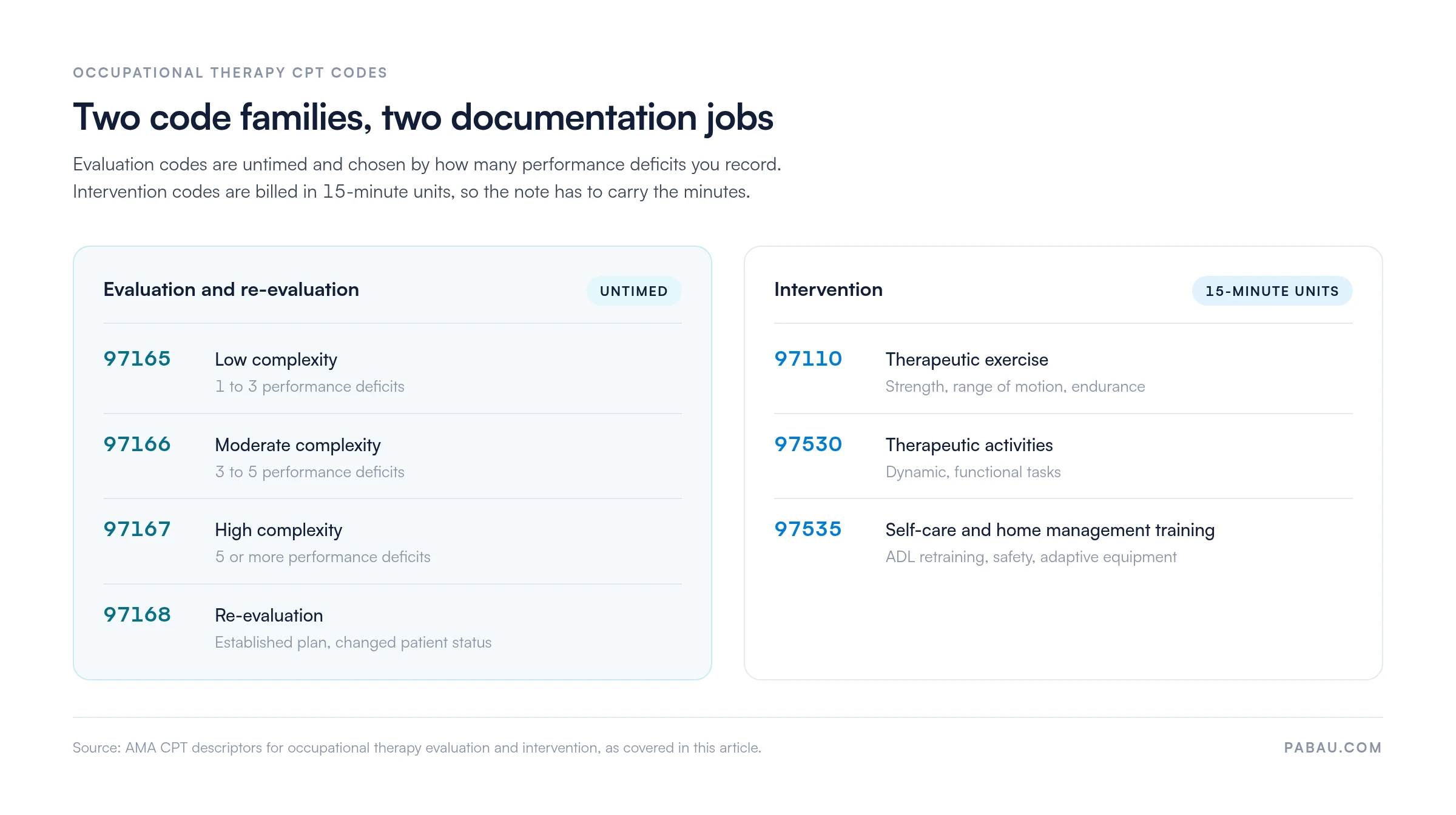
The practical test for any OT system follows from that split. It should map the documentation you already wrote to the right code. It should also flag the detail a note is missing that would support a higher evaluation level. Catching it before submission is what brings the denial rate down.
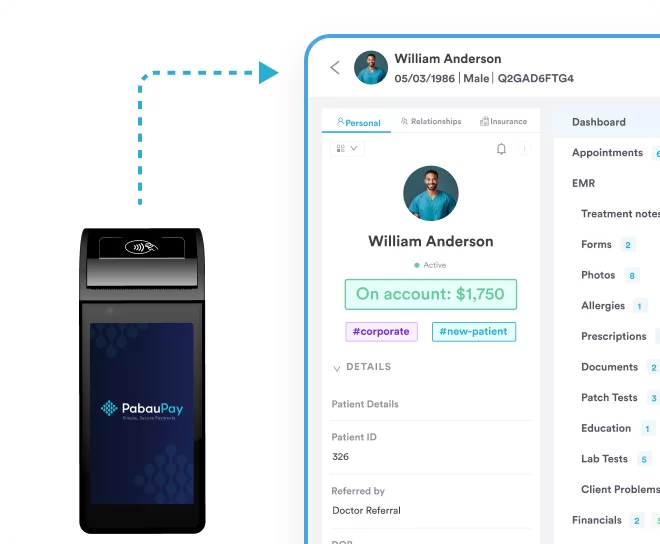
Practices with recurring sessions see high no-show rates when reminders go out by hand, and pediatric and neurorehabilitation caseloads feel it most. Automated SMS and email reminders bring no-shows down without adding front-desk work. Multi-location scheduling matters for practices running sessions across hospital sites, outpatient rooms, and home visits.
Audit your documentation workflow before you choose an OT system. Track the minutes per session your therapists spend on notes, billing prep, and admin. That baseline lets you measure what you saved after go-live instead of trusting a vendor estimate.
Many occupational therapists work alongside physical therapists, speech-language pathologists, and other allied health professionals. A private OT practice may add physical therapy or speech services as it grows. A platform that only handles OT workflows leaves each discipline in its own system. There is no shared patient record and no scheduling visibility across the team.
That fragmentation adds admin cost at exactly the point where the practice should be getting more efficient. Multi-disciplinary practices need a platform that handles OT documentation natively and covers the workflows of co-located specialties. Configurable clinical templates are what make that possible, which is where general platforms have an advantage over single-specialty OT tools. A patient referred after a positive vertigo test from physical therapy may need an OT home safety review for fall risk.
OT teams often share patients with a physical therapy service. One shared physical therapy EMR stops the two teams working from different versions of the same history. A therapist who notes a medication change or a functional decline updates the view for every practitioner on that patient. A shared record might carry a hip flexor strain test result from physical therapy alongside the OT’s functional goals.
Treat compliance as the entry requirement rather than a line on the feature checklist. Any platform holding protected health information, known as PHI, has to clear it first. Under HIPAA, every system that stores or transmits patient data must meet Security Rule requirements. That means access controls, audit logs, encrypted transmission, and a breach notification protocol. Software that treats this as an afterthought moves the liability onto the practice owner.
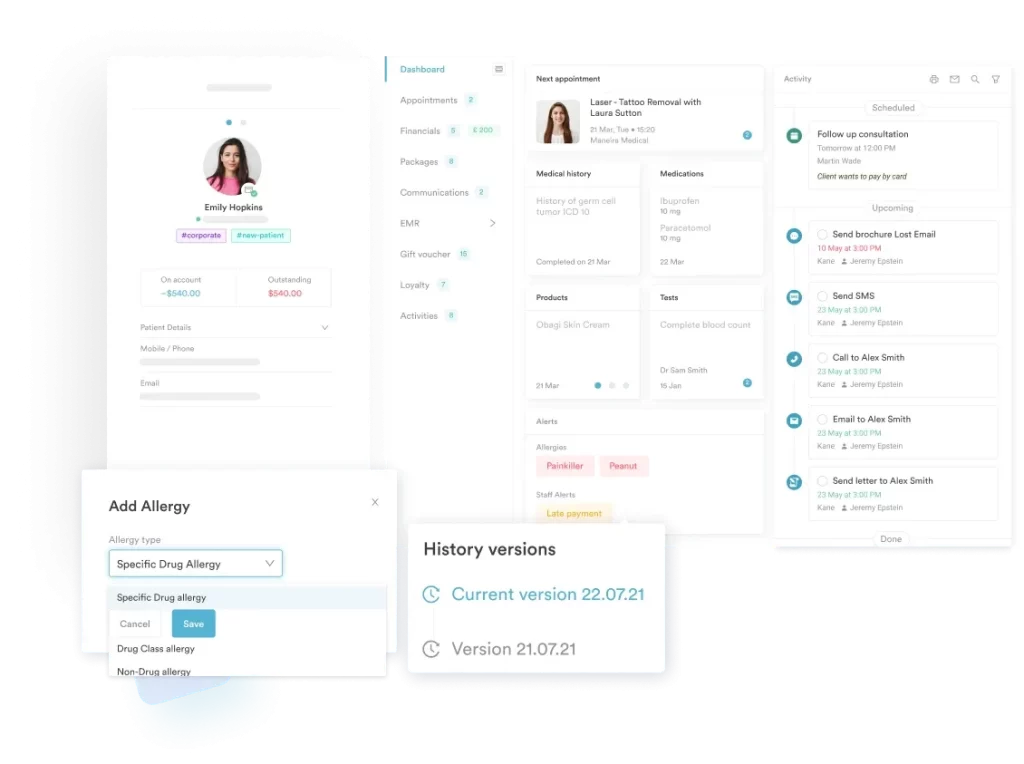
UK-based OT practices work under GDPR rather than HIPAA. The obligations differ in language but match in intent. You need a lawful basis for processing, patient rights of access and erasure, and a data processor agreement with any third-party platform. Practices treating patients in both markets need a system that handles both frameworks.
AOTA’s documentation guidelines also set minimum content requirements for OT clinical records, covering evaluation reports, intervention plans, and discharge summaries. A system that builds those requirements into its templates lowers the risk of a documentation deficiency during a payer audit.
There is no single best system for every OT practice. A solo OT in private practice has different requirements than a hospital outpatient department or a multi-location pediatric therapy group. These five criteria should frame the evaluation.
If you would rather start from a shortlist, our guide to the best occupational therapy software compares the platforms OT practices evaluate most often. The ONC certification database at healthit.gov also lets you check whether a US system holds recognized certification for interoperability and security.
Review your OT billing rejection history before you switch platforms. Common denial reasons include missing functional limitation documentation, the wrong evaluation level, and therapy cap exceptions that were never filed. Your new system should prompt for those at the documentation stage, not after the claim goes out.
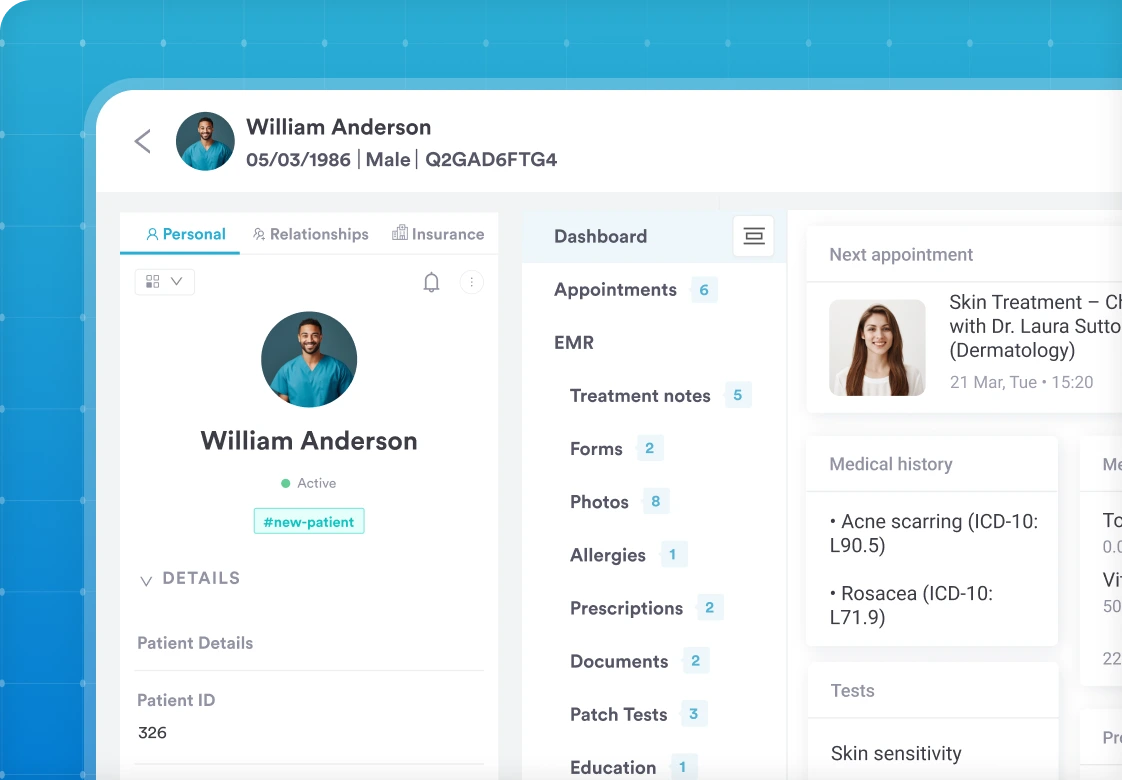
Most OT practices keep documentation in one place, scheduling in another, and billing in a third. Notes get retyped, codes get transposed, and nobody sees the whole patient in one view. Pabau brings all three into one system.
Configurable note templates cover SOAP formats, treatment plans, and progress records structured for OT caseloads. Pabau Scribe, our AI scribe, drafts the note from the session, so write-ups stop following therapists home. Intake questionnaires and consent forms are completed before the patient arrives and post straight into the client record.
Online booking and multi-practitioner calendars send automated SMS and email reminders, which cuts the no-shows that hit recurring OT caseloads hardest. Billing, invoicing, and payments sit in the same platform as the clinical record, so a coded session never needs re-entering. Telehealth is included, which suits follow-ups, home program reviews, and patient education.
Every Pabau subscription includes every feature, and a practice running sessions across several sites manages all of them from one instance. Pabau covers OT alongside physical therapy, mental health, and other allied health workflows, so adding a service line does not mean adding a second system.
Pabau holds a 4.7 out of 5 rating on Capterra from more than 600 verified reviews. Reviewers point to the scheduling tools and the fit for multi-service practices. Several mention a learning curve during setup, which is what structured onboarding is there to handle.

Pabau gives occupational therapy practices one platform for clinical notes, scheduling, patient intake, and billing. See how it fits your caseload.

Documentation load is the operational problem that defines OT practice, and the wrong system deepens it. A system that fits your caseload, your billing model, and your compliance obligations puts those hours back into treatment.
The trade-off worth remembering is specialization against reach. A single-specialty OT tool may document your caseload beautifully and then block you on the day you add physical therapy or mental health services. Weigh where the practice is heading, not only where it is now.
Start by writing down what your current workflow costs you per session, then hold every shortlisted system against that number. Book a demo to see how Pabau handles OT notes, CPT coding, and multi-disciplinary records in one place.

Need an OT documentation form you can hand out today? ADL assessment tool gives you a structured activities of daily living form to score and file with the note.
Comparing platforms for an OT practice? Pabau’s occupational therapy software page sets out how the platform handles OT scheduling, notes, and billing.
Trying to get therapy claims paid first time? Physical therapy billing walks through the coding and documentation rules that decide whether a therapy claim clears.
Scoring a sensory assessment? Sensory Profile 2 scoring interpretation explains how to read the quadrant scores in a pediatric OT report.
Assessing a patient’s home environment? Home safety assessment checklist covers the hazards to record before you write a discharge plan.
An EMR in occupational therapy is a digital system for documenting patient health information, treatment plans, session notes, and outcomes for OT practice. It usually includes scheduling, billing, and compliance features in one platform, replacing paper records and disconnected admin tools.
Yes. Any occupational therapist in the US who creates, receives, or transmits protected health information electronically is a covered entity under HIPAA. That means the software has to meet Security Rule requirements. Look for encrypted storage, audit logging, access controls, and a signed Business Associate Agreement with the vendor.
It should include configurable SOAP note templates, initial evaluation forms with functional history and goal sections, and treatment plan documentation. Progress note templates with goal tracking fields and discharge summary formats matter too. Ideally each one is configurable by caseload, since pediatric, adult, and vocational OT document different things.
An EMR is a single-practice record system focused on clinical documentation inside that practice. An EHR is built to share data across multiple providers and care settings. For most private OT practices an EMR is enough. Larger outpatient or hospital-affiliated therapy groups may need EHR-level interoperability to exchange records with referring physicians.
Some can. OT-specific platforms such as WebPT and Ensora Health support PT, speech, and OT documentation in the same system. Practice management platforms like Pabau handle multi-disciplinary workflows through configurable templates. That suits OT practices that also offer physical therapy, mental health services, or other allied health treatments.