Tebra Pricing in 2026: Modules, Add-Ons, and Real Costs
Most independent practices evaluating EHR software run into the same wall when t...

April 30, 2026


Buy now, pay later is now available in Pabau

Primary care software in 2026 ranges from lightweight tools for small clinics to complex systems built for large health networks.
Solutions like Carepatron and Spry PT are great for small, simple practices, while Elation Health and Athenahealth serve clinics needing standard EHR and billing workflows.
All-in-one platforms like Pabau suit clinics that want ready-to-use tools for patients, labs, billing, and documentation in one place.
Choosing the right primary care software in 2026 can feel overwhelming, especially when every platform promises to do everything.
In reality, only a handful are actually built for how modern primary care clinics work.
In this guide, we compare the 10 best primary care software solutions, breaking down their features, pricing, and reviews so you can quickly see which platforms fit your workflows, scale, and budget, and which don’t.
| Name | Best for | Stand-out feature | Price starting point | Overall ratings |
| Pabau | Growing and multi-location primary care clinics | All-in-one EMR + practice management with AI tools | From $69/month (US) | 4.7/5 |
| Praxis EMR | Clinicians who want highly personalized charting | AI that learns each provider’s documentation style | ~$219/provider/ month | 4.3/5 |
| Elation Health | Small to mid-sized primary care practices | Clean, clinical-first EHR workflows | ~$349/provider/ mont | 4.4/5 |
| Athenahealth | Mid-to-large clinics needing RCM support | Integrated EHR with revenue cycle management | ~$140/provider/ month | 4.0/5 |
| Spry PT | Physical therapy and rehab clinics | AI-powered SOAP notes and billing | Visit-based pricing | 4.6/5 (Capterra) |
| Carepatron | Small or early-stage clinics | Simple setup with strong free plan | Free / ~$10/month | 4.5/5 |
| Epic Systems | Large health systems and networks | Enterprise-grade interoperability and reporting | Custom (high six figures+) | 4.2/5 |

When it comes to choosing a platform that truly handles both the clinical and administrative sides of a primary care clinic, Pabau stands out.
Pabau is a full-featured software platform designed to help primary care clinics manage both patients and operations in one place.
It keeps everything in one place: patient records, appointments, billing, lab results, and prescriptions, and more (exactly what strong EHR integration is meant to support). Plus, Pabau helps clinics stay HIPAA compliant, keeping patient data secure and private.
Here’s a quick look at the key tools that make Pabau such a strong fit for modern primary care clinics.
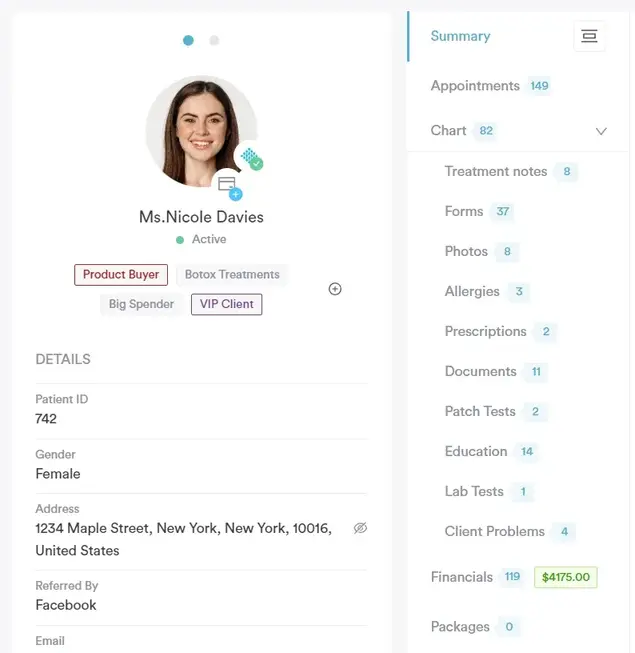
The patient records in Pabau bring all your patient data into one clear, easy-to-use profile. You can view visit history, notes, lab results, and documents in one place, without jumping between systems.
The records make it easier to spot trends, avoid mistakes, and give patients more consistent, informed care at every visit.
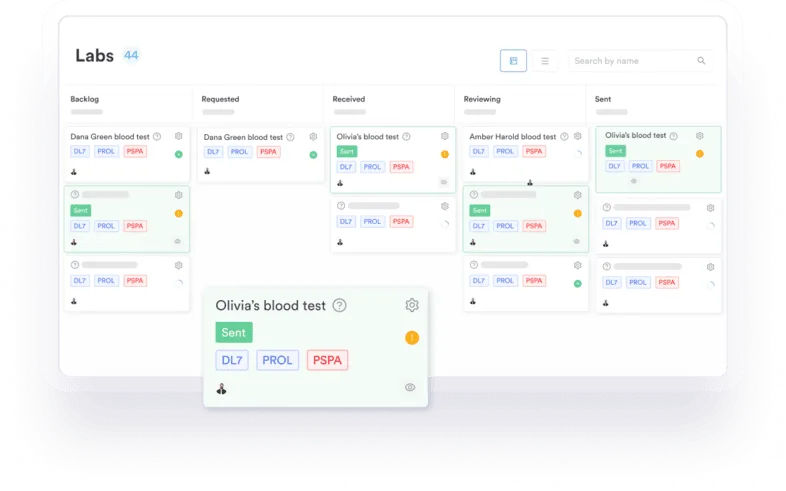
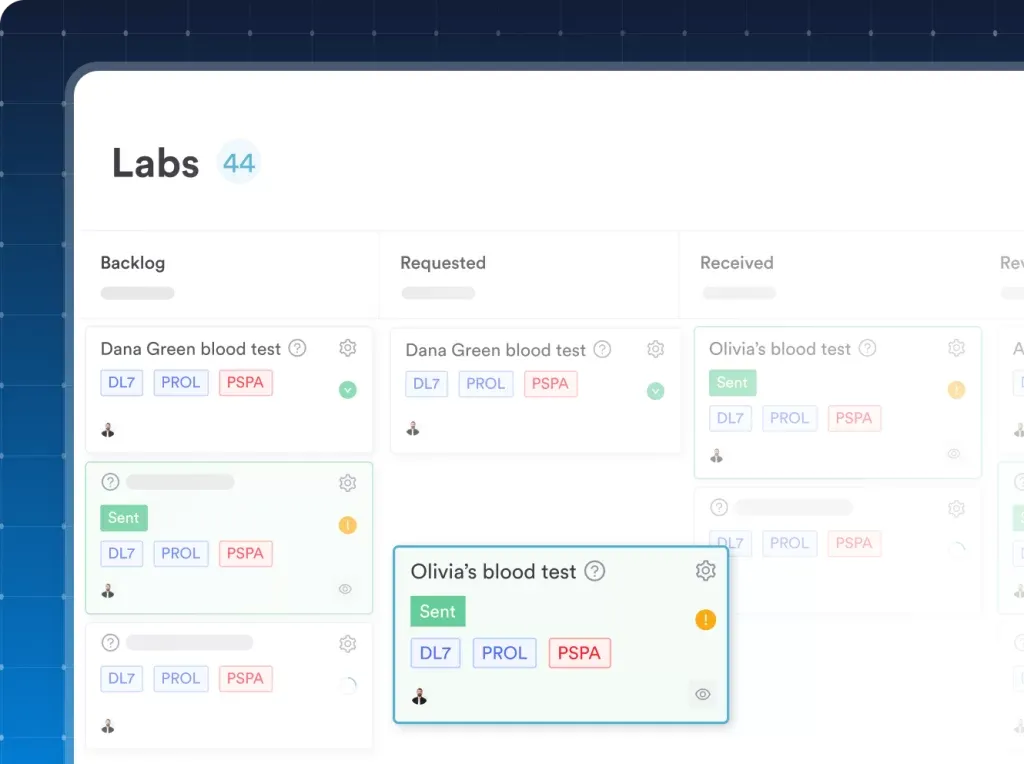
The labs management feature in Pabau lets you order, receive, and review lab tests without leaving Pabau.
Results are linked straight to the patient record, so nothing gets lost or overlooked. You act on results faster, without chasing paperwork or emails.
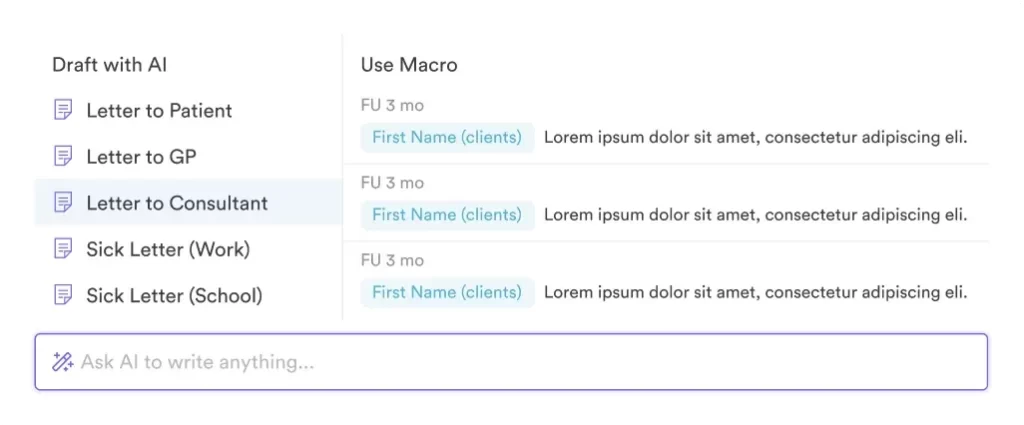
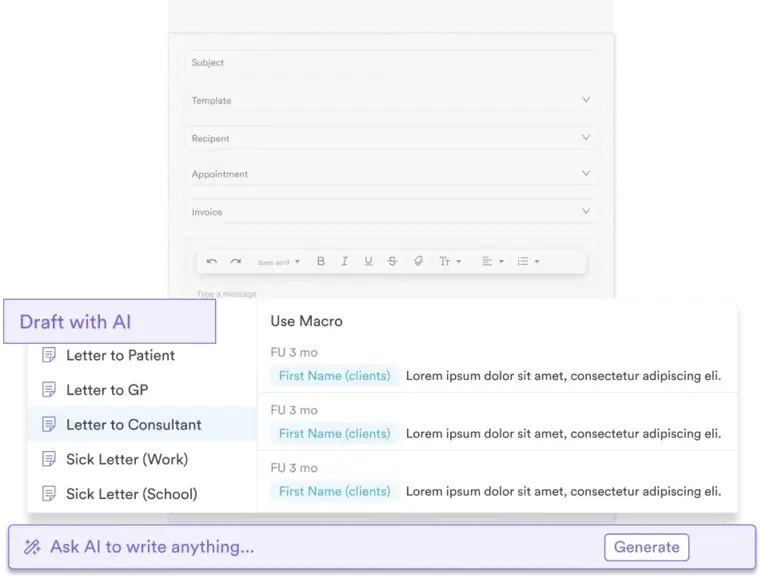
Easily create, send, and store all your patient letters, referrals and communication in one place.
You can use smart templates that pull details straight from the patient record, so you don’t have to type the same info again.
With built-in referrals and AI-powered letter writing, it’s faster to keep patients and partner providers fully informed.
Pabau makes it easy to capture detailed patient information quickly and accurately. You can type notes or use dictation during consultations, while the AI Scribe automatically summarizes key details, including medical terminology.
This ensures your notes are complete, organized, and ready for treatment planning or follow-ups without slowing down your workflow.
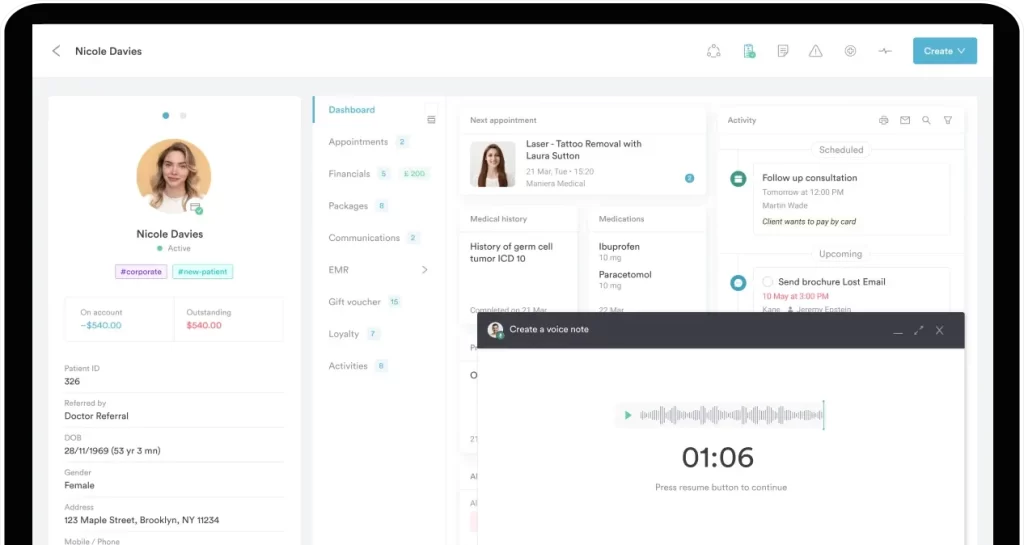
Pabau starts at $69/month in the US and £53/month in the UK, with multiple tiers designed to fit primary care clinics of all sizes. Check out the tier breakdown on Pabau’s pricing page.
| Tier | Startup | Solo | Team | Medium | Group | Enterprise |
| Number of users | 1 | 1 | 2-3 | 4-5 | 6-15 | 15+ |
| Unlimited number of clients | up to 100 | ✔ | ✔ | ✔ | ✔ | ✔ |
All tiers include essential features, giving every practice the tools they need to run smoothly.
This includes:
Telehealth and Echo AI are available as pay-as-you-go add-ons, so you only pay for what you use.
Want to boost your clinic’s growth? Check out our 10 strategies to grow your primary care practice for practical tips you can start using today.
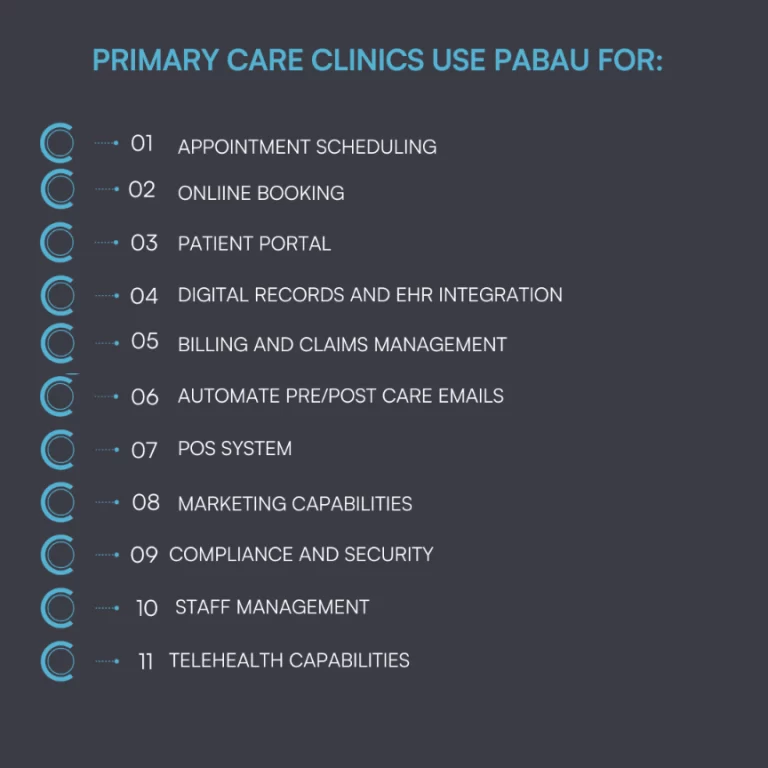
“Pabau is a very comprehensive practice software that aligns well with cosmetic and medical practices that want to work professionally and grow.” – Gertjan B., nurse practitioner (G2)
“I can tailor treatment notes, forms, and workflows to match exactly how our clinic practices, which helps keep our documentation consistent and efficient. The AI dictation feature has been a huge time-saver, accurately capturing my notes and reducing the amount of typing I have to do.” – Michael B., registered nurse (Capterra)

Praxis EMR is a customizable, AI‑driven electronic medical record system that adapts to each clinician’s workflow rather than forcing rigid templates.
It stands out for its concept processing technology that learns how providers chart over time, helping speed documentation and reduce repetitive work.
The system suits practices that want more control over their clinical documentation and personalized charting.
Praxis EMR typically starts at about $219 per provider per month if you choose a long‑term ownership plan paid over 60 months, or around $259 per provider per month for a 48‑month plan after which the provider owns the software license outright.
Ongoing support, updates, and upgrades are usually available for an additional about $70 per month.
Exact pricing can vary by practice size and needs, and clinics are encouraged to request a custom quote from the vendor.
Wondering what a great EMR for medical practices looks like? Check out our guide to the seven best EMR software for medical and aesthetic clinics.
“Praxis is intuitive, seamlessly integrates various components of the EMR like scheduling, patient demographics, medical records, consult notes, labs results, electronic prescriptions, and medication list, among others.” – Larry Q., Physician (Capterra)

Elation Health is a clinical-first EHR and billing platform used by tens of thousands of primary care clinicians, known for clean workflows, strong interoperability, and patient engagement tools.
Elation Health doesn’t show pricing on its website because costs depend on practice size, specialty, and workflow needs.
Review sites say prices usually start around$349 per provider per month for cash-based practices and about $399 per provider per month for insurance-based practices. Clinics should contact Elation for a custom quote.
“I appreciate how user-friendly Elation is, as it streamlines the process of finding patient’s medical records and scheduling visits with our nurse practitioners and makes the task both easy and efficient.” – Kathy M., registered nurse care manager (G2)

Want to go beyond basic practice management software? See our top picks for cloud-based primary care platforms that help clinics work faster and smarter.
Scheduling doesn’t have to be hard. Check out the best scheduling software designed for busy healthcare and aesthetic clinics.
Take your booking system from chaos to seamless. Explore our seven tips to streamline your practice’s appointment booking.

Athenahealth’s athenaOne is a cloud-based, all-in-one EHR and medical practice management solution with integrated clinical charting and billing, Revenue Cycle Management (RCM), patient engagement features, and broad third-party integrations.
athenaOne doesn’t publish standard prices on its own website. Costs are tailored to each clinic based on size, features, and services needed.
That said, industry sources note that basic subscriptions often start around $140 per provider per month for core EHR and practice management features.
There are usually one-time setup, training, and data migration costs on top of monthly fees. Clinics may also face additional fees for add-on services such as telehealth, marketing tools, or premium claims support.
“I like Athenaone because it allows me to have access to my doctor/patient information at all times. It’s great.” – Elizabeth H. (Capterra)
“EMR good for large groups, more cumbersome for small or solo practices.” – David B., owner (G2)
Primary care and GP-focused software should include a few must-have features. Find out what they are.
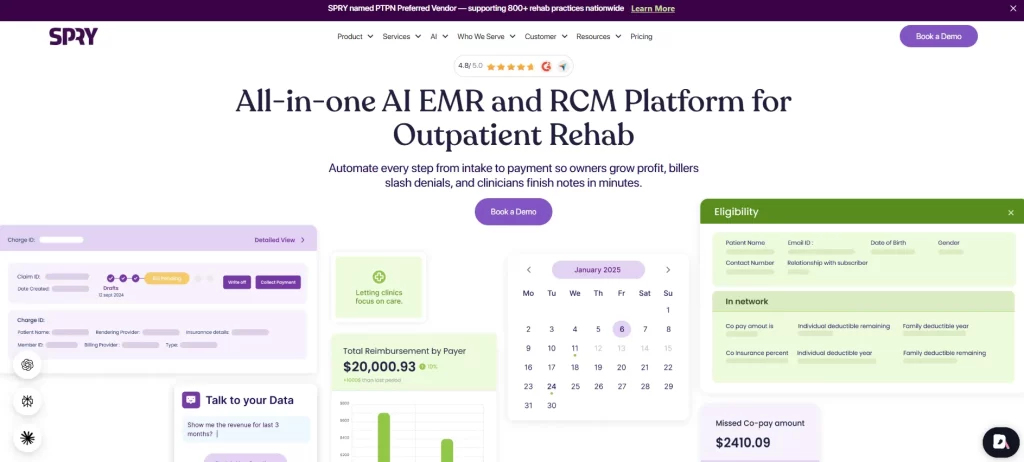
Spry PT is an all‑in‑one EMR and practice management platform built for physical therapy and rehab clinics.
It uses AI to automate notes, billing, scheduling, and claims, helping clinics save time, cut errors, and focus more on patient care.
| Plan | Pricing | What’s incuded |
| What’s included | Based on number of visits per full-time provider; pro-rata available for part-time | Digital intake, online appointment scheduling & patient portal, SOAP templates & customizable forms, appointment reminders and more |
| Spry Pro | Everything in Essentials + based on visits per full-time provider; pro-rata for part-time | AI Scribe (auto transcription to SOAP notes), companion mobile app for therapists, kiosk for patient intake and more |
| Spry Billing Service | 4–6% of collections (based on billable appointments) | Credentialing, bulk eligibility verification, prior authorization, integrated payments, manual bill submission, and more |
Spry PT doesn’t publicly display exact pricing. The costs depend on clinic size and number of visits per provider. Part-time providers can be billed pro-rata.
“The system is simple and easy to use. The documentation interface is clean. I like the integration of billing and EMR with a two interface.” – Steven K., Physical Therapist (Capterra)
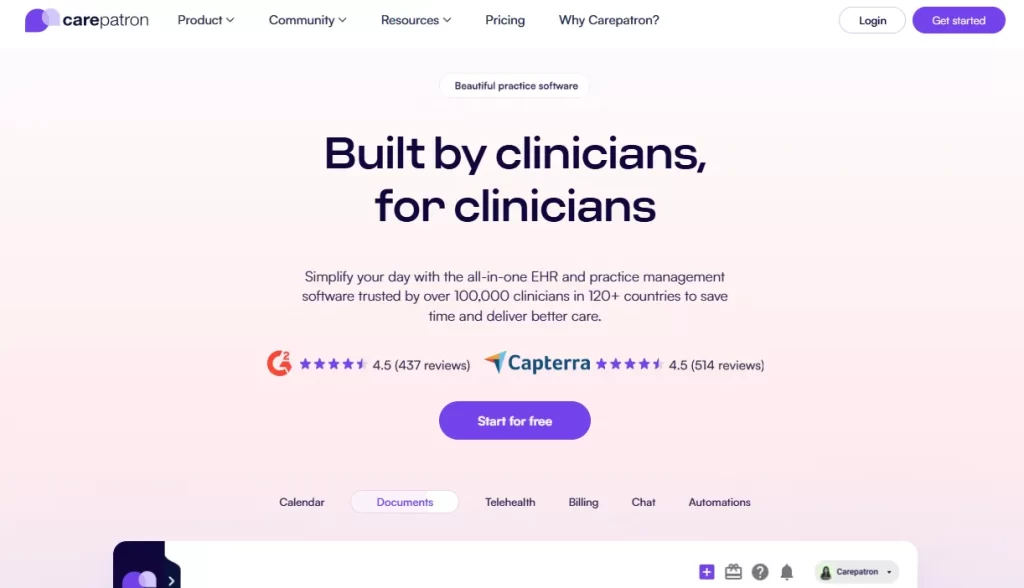
Carepatron is a modern, all-in-one practice management platform designed for small and growing healthcare clinics. It stands out for its simple setup, built-in AI tools, and clean interface.
The platform suits practices that want easy workflows without complex systems or long onboarding.
| Plan | Price (per user, billed yearly) | Key Features |
| Free | $0/mo | Unlimited clients, telehealth, client portal, basic billing & payments, 1 GB storage |
| Essential | ~$10.0/mo | All Free features + calendar sync, reminders, 10 GB storage |
| Plus | ~$13.50/mo | All Essential features + unlimited storage, shared inbox, group scheduling |
| Advanced | ~$17.00/mo | All Plus features + roles & permissions, white-labeling, account manager |
Carepatron competitor Pabau offers tiered pricing based on clinic size and feature requirements, making it easier for clinics to forecast costs and scale without unexpected pricing barriers.
Still weighing PMS vs EMR? Most practices need both, or an all-in-one platform that combines them. Explore the key differences and how platforms like Pabau combine both tools into one seamless, easy-to-manage solution.
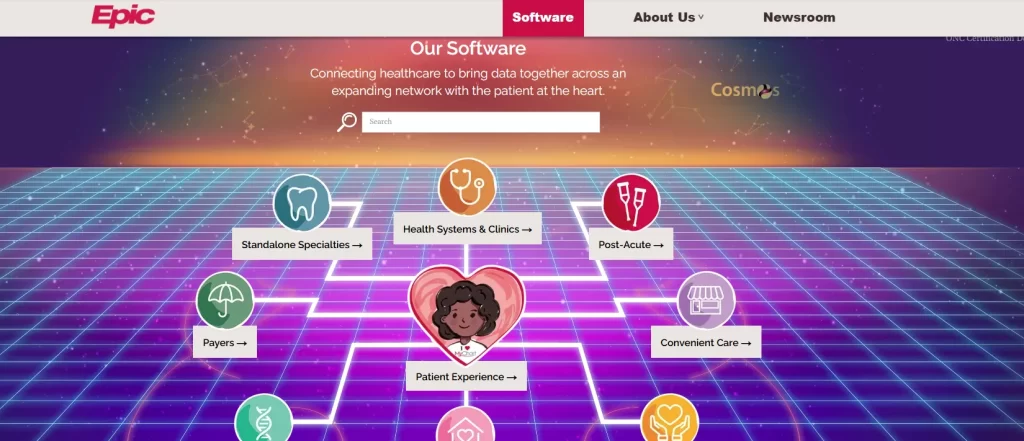
Epic Systems is a large, enterprise-level electronic health record platform used by hospitals and complex healthcare organizations.
The system suits large primary care networks that need advanced workflows, data sharing, and strong reporting across many providers and locations.
Epic Systems does not publish fixed pricing, as costs vary widely based on clinic size, features, and setup.
Review reports state that for small primary care clinics, initial implementation can start around $100,000–$300,000, with ongoing costs that may equal $4,000–$12,000 per month.
Mid-sized practices often spend several hundred thousand dollars in the first year, while large health systems can invest millions upfront, plus high annual support fees.
“Epic is a very comprehensive electronic medical record system and seamlessly integrates all outpatient and inpatient records for patients.” – Shirley T., Professional Development Leader (Capterra)
“User interface can be overwhelming and unintuitive, especially for new staff.” – Dr A., Assistant Consultant NICU (G2)
Choosing the best primary care software starts with understanding your clinic’s real needs.
Here are the features to keep an eye on in a primary care software solution.
Primary care clinics handle a high volume of patient data every day. Your software should store visit history, clinical notes, lab results, documents, and communications in one clear patient profile.
Platforms like Pabau do this especially well by keeping all patient information accessible in a single, easy-to-navigate record.
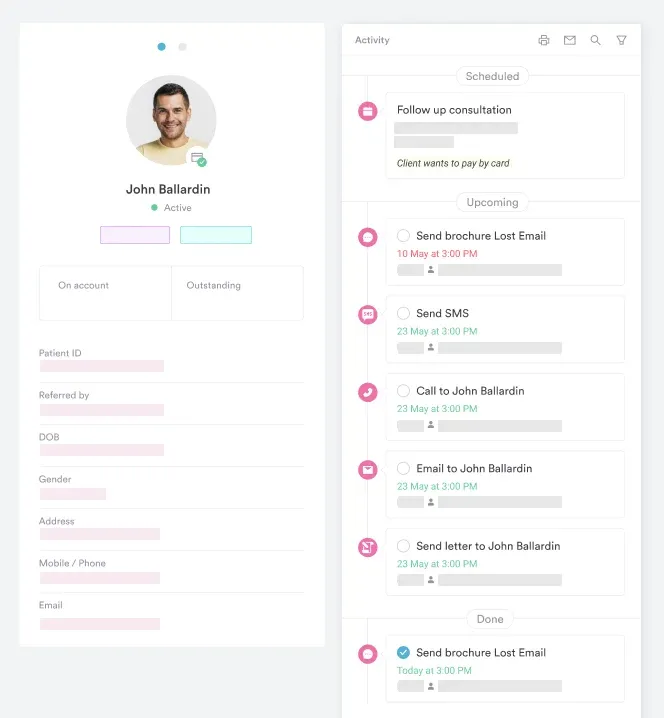
See how Pabau keeps records, labs, notes, and documents in one place with a single, all-in-one platform.
Book your free demo
Lab work is a core part of primary care, so your software should make it easy to order tests, review results, and act fast. Results should link directly to the patient record to avoid delays or missed follow-ups.
Pabau supports this by keeping lab results connected to each patient, so nothing slips through the cracks.
Primary care teams need fast, accurate documentation without slowing down consultations. Look for software that supports templates, dictation, and smart summaries to reduce typing and improve note quality.
Pabau stands out by combining structured notes with AI-powered dictation that captures key clinical details in real time.
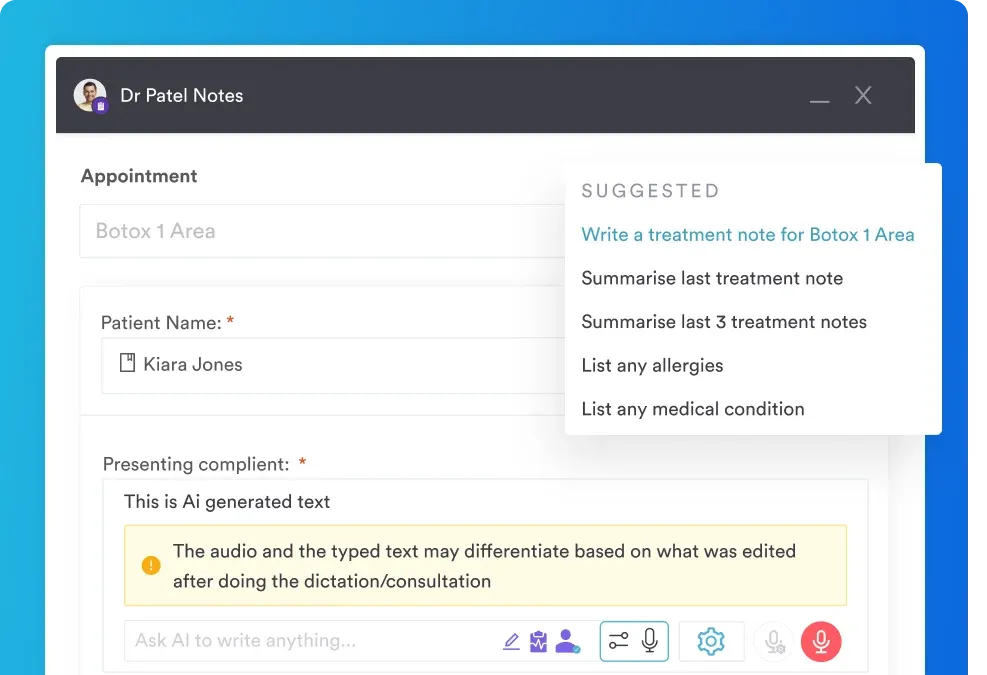
Turn conversations into clean notes. Discover how Pabau captures key clinical details automatically, so your team can focus on patients.
See the Echo AI feature in action.
Clear communication is key in primary care. Your system should make it easy to create, send, and store referrals, letters, and clinical documents using patient data.
With Pabau, smart templates and AI-assisted letters help clinics communicate faster while keeping records complete and consistent.
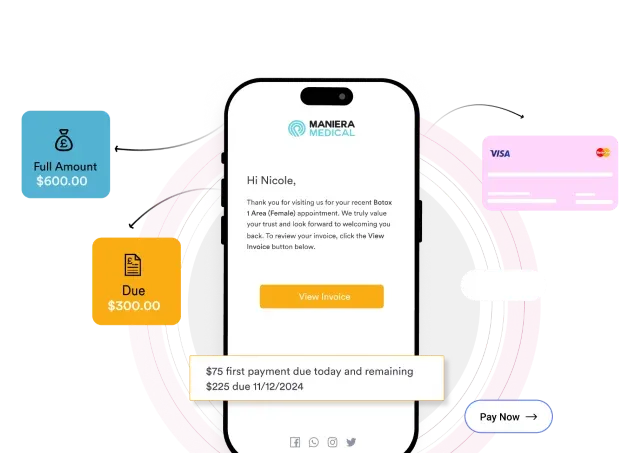
Managing bookings and payments separately leads to errors and wasted time. Direct primary care software should connect scheduling, invoicing, and payments in one workflow.
Pabau brings appointments, billing, and secure payments together, helping clinics stay organized and get paid on time.
Choosing the right primary care software comes down to how well it fits your workflows today and how easily it can grow with your clinic.
Clinics that need simple setups may choose lightweight tools like Carepatron, or hospital-level infrastructure may lean toward enterprise systems such as Epic.
For practices that want a ready-to-use system for patient records, labs, billing, and documentation, Pabau delivers a complete primary care platform without added complexity.
Ready to take the next step? Book a Pabau demo or explore Pabau’s patient experience management platform