Discover free eBooks, guides and med spa templates on our new resources page

New Businesses

PMS vs EMR: Key Differences, Benefits & Challenges in 2025

Jana Dimovska
December 24, 2025
Reviewed by: Teodor Jurukovski

Key Takeaways

Core purpose: A PMS manages the business side of a clinic (scheduling, billing, operations), while an EMR manages the clinical side (patient charts, documentation, medical records).

Primary users: PMS tools are used mainly by front-desk and admin teams, whereas EMRs are built for clinicians delivering patient care.

Data + workflows: PMS organizes appointments, payments, and daily operations; EMRs store and track clinical history, notes, treatments, and compliance documentation.

How they work together: PMS keeps the clinic running smoothly, EMRs keep patient care consistent—most practices need both, or an all-in-one platform that combines them.

If you’re comparing a practice management system vs EMR, here’s the quick answer you need: an EMR handles clinical documentation, while a PMS manages your daily operations. 

Most clinics benefit from using both because together they boost efficiency, reduce admin mistakes, and create a smoother patient flow.

It’s not always obvious where these systems overlap or whether you’re better off integrating them, or choosing an all-in-one platform. So we’ll break it down with simple definitions and side-by-side comparisons to show exactly how each system works and how they differ.

By the end, you’ll know which option fits your clinic best, including how platforms like Pabau combine both tools into one seamless, easy-to-manage solution.

What is an electronic medical record (EMR)?

An EMR is a digital version of a patient’s medical chart that stores clinical information such as history, diagnoses, and treatment notes. 

It helps providers document care accurately and securely, replacing paper records with a centralized, searchable, digital system.

What is practice management software (PMS)?

Practice management software is a system that streamlines the administrative side of a clinic, handling tasks like scheduling, billing, and daily operations. 

It helps practices run efficiently by automating routine workflow processes and centralizing key business functions in one place.

Key differences between EMR and PMS

Feature differences between EMR and PMS

Now that we’ve covered the big-picture differences, let’s look at how EMRs and PMS platforms differ in what they actually do. EMRs focus on clinical care, while PMS systems keep the business side running smoothly.

EMR features

  • Clinical documentation like SOAP notes and treatment plans
  • E-prescribing and lab integrations
  • Secure chart storage
  • Clinical compliance tools

PMS features

  • Scheduling and online booking
  • Payments, invoicing, and POS
  • Marketing and retention tools
  • Reporting and business analytics
  • Staff and resource management
  • Patient communication and reminders

Clinical vs. administrative

What it means

EMRs support the clinical side of your practice, while PMS tools manage the administrative and operational side.

EMR focuses on:

  • Recording medical histories and treatment notes
  • Supporting clinical decision-making
  • Keeping health records accurate and accessible

PMS focuses on:

  • Scheduling, reminders, and patient communication
  • Billing, invoicing, and day-to-day operations
  • Improving efficiency at reception and backend admin

Why it matters

When these systems work well together, you reduce errors, eliminate double work, and give patients a smoother experience.

Who uses it

  • EMR: Providers, clinicians, nurses, aestheticians
  • PMS: Receptionists, admin staff, practice managers

Patient health information vs. practice operations

What it means

The information stored in each system is completely different — clinical data vs business data.

EMR holds:

  • Symptoms, diagnoses, and test results
  • Past treatments, notes, and medical histories
  • Intake forms, consent forms, patch tests

PMS holds:

  • Appointment slots, reminders, recalls
  • Financial records, invoices, revenue reports
  • Patient communications and follow-ups

Why it matters

Keeping these data types separated (but connected) prevents mix-ups and protects patient safety while still powering efficient operations.

Who uses it

  • EMR: clinical teams
  • PMS: operations & front desk

Integration and interoperability

What it means

EMRs are often built to integrate with external healthcare systems (labs, hospitals, specialists). PMS tools focus more on keeping your internal workflows running smoothly.

EMR interoperability may include:

  • Lab integrations
  • Secure data sharing
  • Centralized clinical record-keeping

PMS interoperability focuses on:

  • Working well within a single practice
  • Connecting scheduling, payments, and admin tools

Why it matters

If your EMR and PMS don’t communicate, your team ends up double-entering data which is a major cause of errors and lost time.

💡 Curious how a single platform can replace multiple systems? Book a quick demo of Pabau and see how simple managing your clinic can be.

Healthcare providers vs. administrative staff

What it means

Different teams rely on different systems, depending on their day-to-day responsibilities.

EMR users:

  • Doctors, nurses, aestheticians
  • Anyone documenting or reviewing clinical data

PMS users:

  • Reception teams
  • Front-of-house staff
  • Practice managers

Why it matters

Choosing software that supports both groups prevents bottlenecks and ensures your entire clinic works in sync.

Compliance and regulation

What it means

EMRs carry stricter medical compliance requirements because they manage PHI (protected health information). PMS tools must meet broader data, financial, and privacy standards.

EMR compliance may include:

  • HIPAA
  • HITECH
  • Medical data security controls

PMS compliance may include:

  • GDPR
  • ICD-10 and coding standards
  • PCI DSS for secure payment processing

Why it matters

A system that handles both clinical and operational workflows needs to meet all relevant security and regulatory standards, or otherwise your practice is exposed to risk.

Benefits of practice management systems and EMRs

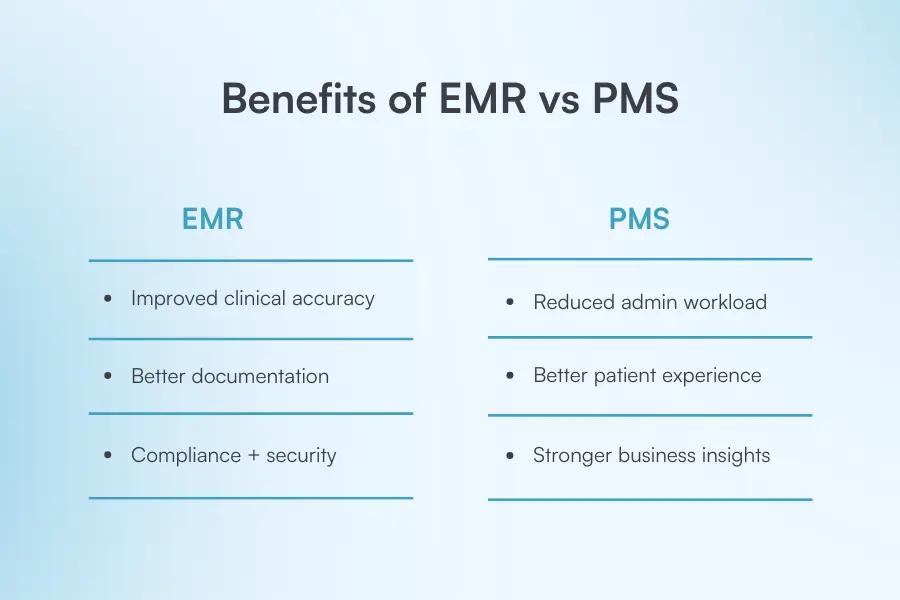
Both EMRs and PMS tools streamline the way clinics operate, but each supports a different part of the patient journey. EMRs improve quality of care through better clinical documentation and accuracy, while PMS tools boost efficiency, reduce admin tasks, and help clinics grow.

Electronic medical record

Improved clinical accuracy

EMRs reduce the risk of documentation errors by storing all clinical notes, history, and medical data in one place. This ensures providers always have the most accurate and up-to-date information.

Better documentation

Templates, structured forms, and pre-built treatment notes make documentation quicker and help standardize care across your team.

Compliance and security

EMRs are designed to safeguard patient data, maintain audit logs, and support regulatory requirements, giving clinics confidence in their compliance processes.

Practice management systems

Reduced admin workload

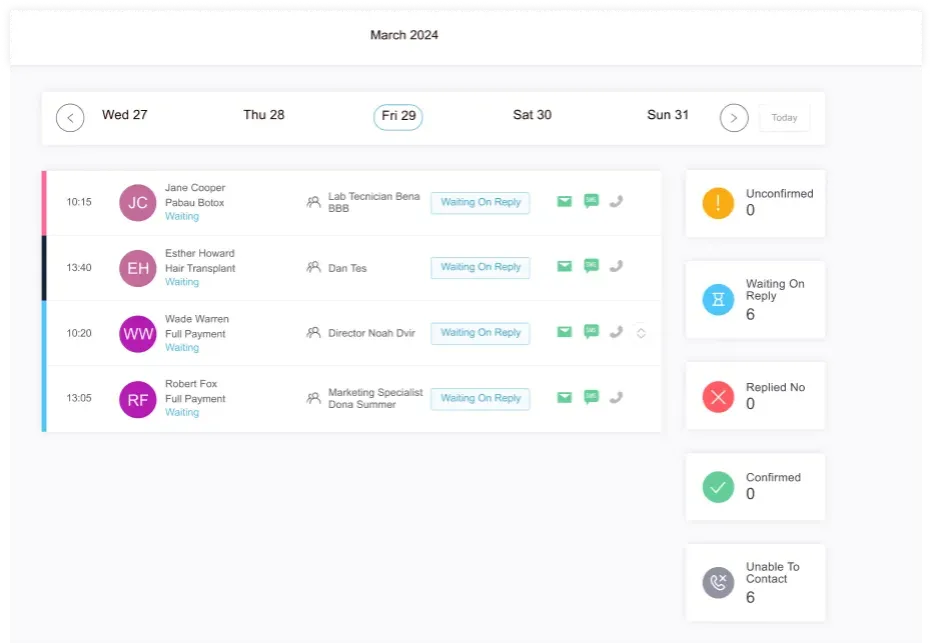
Automations like reminders, online booking, digital forms, and invoicing save hours every day—freeing up teams to focus on care instead of admin.

Improved patient experience

PMS platforms make everything easier for clients: booking online, receiving reminders, signing forms, and checking out quickly. It creates a polished, seamless patient journey.

Stronger business insights

Reports highlight trends, revenue breakdowns, top-performing services, practitioner performance, and more, helping clinics make smarter decisions.

Centralized workflow management

A PMS keeps your schedule, resources, rooms, and staff aligned in one place, ensuring your day runs smoothly with fewer disruptions.

Helps you scale

All-in-one cloud systems support multi-location operations, user roles, standardized processes, and enterprise workflows.

Challenges you might face when using these systems

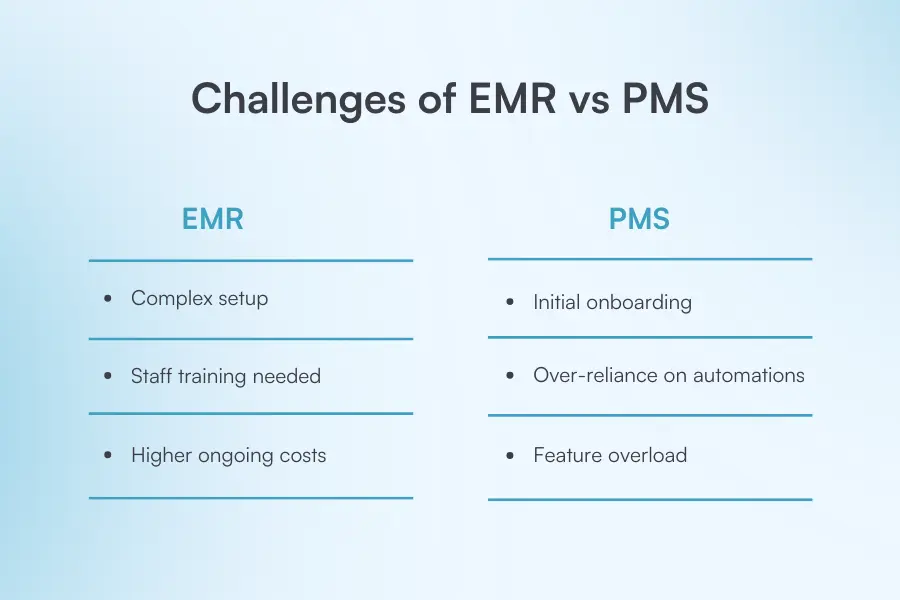
While EMRs and PMS tools make clinics more efficient, they also come with learning curves, implementation steps, and operational considerations that teams should prepare for.

Electronic medical record

Complex setup

Implementing an EMR usually involves importing historical charts, customizing forms, building templates, and mapping clinical workflows. This can take time, especially if your team is moving from paper or outdated systems.

Staff training

Providers, nurses, and aestheticians need time to get comfortable with the new interface and documentation processes. Without proper onboarding, charting can feel slower at first.

Higher ongoing costs

EMRs tend to be more expensive than basic admin systems because they require secure hosting, clinical features, audit logs, data backups, and regulatory compliance.

Practice management systems

Initial onboarding

Reception, admin teams, and managers need time to learn features like scheduling, online booking, payments, and communications. Poor onboarding can lead to workflow disruptions.

Data migration

Moving over appointments, patient profiles, financial info, forms, or consent documents requires planning. If your previous system stored data inconsistently, this step can be time-consuming.

Over-reliance on automations

Automated reminders, emails, or follow-up messages are helpful, but they still require periodic review. Incorrect templates or timing rules can impact the patient experience.

Feature overload

All-in-one PMS platforms offer robust functionality, which is great for growing clinics, but smaller teams may initially feel overwhelmed by the number of tools available.

How to choose which one your practice actually needs

The right system depends on whether you need clinical tools, operational tools, or an all-in-one platform that seamlessly handles both—like Pabau.

Step #1 — Identify the core problems you need to solve

Start by mapping the biggest bottlenecks in your practice. Are you struggling with charting? Disjointed client communication? Manual admin work? This helps you determine whether you need clinical functionality (EMR), operational management (PMS), or a unified system like Pabau that covers both.

Step #2 — Review your team’s workflow

Talk to providers, front-of-house staff, and managers about what slows them down. Clinicians may prioritise charting templates, e-prescribing, and documentation tools, while admin teams care more about scheduling, billing, and online booking.

Step #3 — Evaluate long-term scalability

Think beyond today. Will you add new treatments, bring in more providers, or expand to multiple locations? Choosing a system that scales—like Pabau, which supports everything from solo practitioners to enterprise groups—prevents costly migrations later.

Step #4 — Prioritise patient experience features

Modern clinics rely heavily on smooth digital touchpoints. Consider tools like online booking, digital forms, and a secure client portal to boost satisfaction and reduce admin load.

Step #5 — Compare the efficiency of an all-in-one vs. multiple tools

Stacking separate systems (EMR, PMS, communication tools, billing apps) creates duplication, higher costs, and fragmented data.

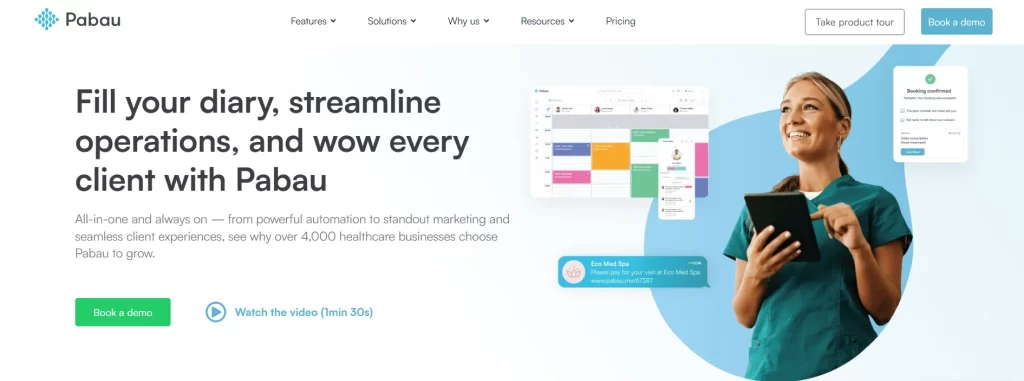
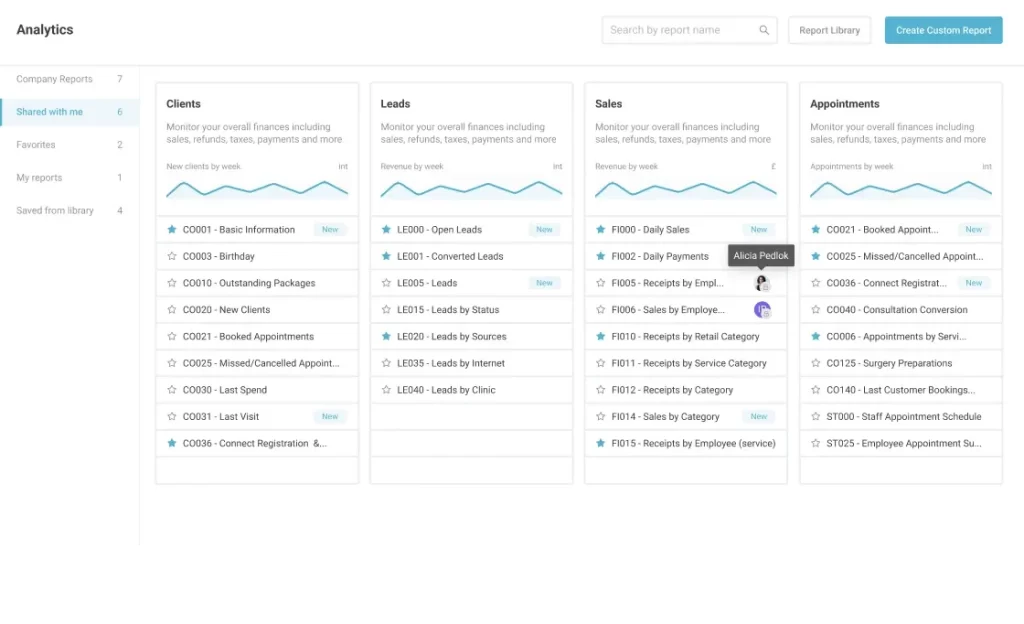
Pabau gives you everything—EMR, PMS, client experience tools, AI assistance, and reporting—in one easy-to-use platform.

Pabau: Practice management software with an EMR built in

If you’ve made it this far, you might be thinking you need both a practice management system and an EMR to run efficiently.

But in reality, managing two separate systems often means double the work, double the cost, and double the risk of data slipping through the cracks.

That’s why many clinics choose an all-in-one solution like Pabau. You get the full picture of your operations and your patient care without juggling multiple platforms.

"The ability to integrate our CRM with the clinical system is particularly useful to us and is going to have a major impact on how we work."

Comprehensive patient & practice management

What it means:

You can manage clinical care and everyday operations side-by-side, all from one system.

Why it matters:

  • No switching between tools for charting, scheduling, payments, and communication.
  • You get a complete view of each client’s journey, from treatment notes to invoices.
  • Admin and clinical workflows sync automatically, saving time for both teams.

Example:

Sending follow-up recalls becomes effortless because treatment history and client data live in one place.

Increased data accuracy and accessibility

What it means:

Both patient records and admin information are updated in real time across the system.

Why it matters:

  • Reduces human error and duplicate data entry
  • Ensures all team members are working from a single, accurate source of truth
  • Minimises the risk of missed details or outdated information

Pabau keeps everything synchronised, from appointments and forms to pre-care emails and billing activity.

Improved patient experience

What it means:

A smoother, more consistent journey for every client who walks through your door.

Why it matters:

  • Faster check-ins and check-outs
  • Shorter wait times
  • Automatic and accurate reminders, pre-care, and post-care
  • Messages are delivered on time because all systems speak the same language
  • Every team member has the right information when the patient arrives

All of this translates into happier, loyal clients who trust your professionalism.

Better financial management

What it means:

Your clinical activity and your revenue cycle live in one integrated system.

Why it matters:

  • Automated billing and invoicing
  • Faster, more accurate payments
  • Better oversight of packages, deposits, and outstanding balances
  • Clear visibility over the full revenue cycle, from appointment to payment

Enhanced team communication and collaboration

What it means:

Everyone (front desk, clinicians, managers) works from the same updated information.

Why it matters:

  • No mixed messages or forgotten tasks
  • Easy internal task assignment with Pabau’s Activity feature
  • Notes and tags help staff tailor their approach to each patient
  • Clinical and admin teams stay aligned on every step of the patient journey

Examples of helpful tags:

  • “Loyal client”
  • “Late arrival”
  • “Product buyer”
  • “Pays upfront”

These small tools have a big impact on the quality of care.

Why practices choose Pabau for both clinical and admin workflows

If you’re exploring EMRs and PMS tools, the next step is choosing a system that doesn’t just “fit”—it simplifies everything. 

And that’s exactly where Pabau stands out. Instead of juggling multiple platforms, you get one connected ecosystem that supports both your clinical and administrative workflows.

Here’s where most practices move forward:

  • When they want fewer tools (and fewer headaches)
  • When they’re ready to automate repetitive tasks
  • When they need a smoother patient experience, end to end
  • When they want insights that actually drive growth

If that sounds like where you’re headed, this is the right moment to explore what an all-in-one platform can do.

Before you go, you may also find this helpful:

👉 How Pabau supports growing and multi-location clinics:

👉 How Pabau protects your data at every layer

Ready to reduce complexity and bring your entire clinic into one streamlined system?

Start here: Book a demo