Medicare charting cheat sheet
A Medicare charting cheat sheet is a one-page reference that lists what Medicare...

6
Last Updated: Oct 21, 2026
Blog / How to choose the best EMR for IV therapy practices
A generic EMR won’t keep up. The best EMR for IV therapy is built around infusion work, tracking doses, protocols, and stock that’s consumed automatically as each treatment is logged.
Weigh six feature areas: compliance and documentation, patient management, workflow efficiency, reporting, e-prescribing, and lab integration.
IV therapy is a regulated medical procedure, so HIPAA-grade security, traceable documentation, and built-in consent aren’t optional extras.
Judge fit over feature lists. Map your workflow, book a hands-on demo of a full treatment, and confirm the system scales across locations and providers.
Pabau, practice management software built for IV and aesthetic practices, keeps records, stock, e-prescribing, and payments in one place.
The moment a client asks about their last drip and your system freezes, you know it’s time to rethink your Electronic Medical Record (EMR).
IV therapy moves quickly. Appointments overlap, stock needs monitoring, and your team has to stay aligned on dosing and protocols. If your software can’t keep up, the day becomes harder than it needs to be.
A good EMR does more than store charts. It should help you:
This guide breaks down how to choose the best EMR for IV therapy in 2026, one that fits the pace of infusion work and helps your practice run smoothly, whether you’re upgrading or starting out. Plenty of IV services sit inside a wider functional medicine practice, and starting a functional practice walks through that setup step by step.
IV therapy is a regulated medical procedure.
You’re working with active ingredients, patient-specific dosing, and clinical protocols that need to be followed with precision, every single time.
That calls for clear documentation and solid compliance. Requirements are set locally, so we cover Illinois IV hydration rules and IV therapy in Dubai in separate guides.
Most generic EMRs aren’t built for that. They’ll handle bookings and basic notes, sure. But when it comes to:
… they fall short. That creates risk not just for your patients, but for your team and your practice’s reputation.
A purpose-built EMR solution changes that. It’s designed to improve efficiency, streamline clinical delivery, and support patient safety.
In fact, a 2024 study of 591 nurses found that implementing an EMR led to a 30% drop in medication administration errors, alongside a measurable reduction in reported stress and workload.
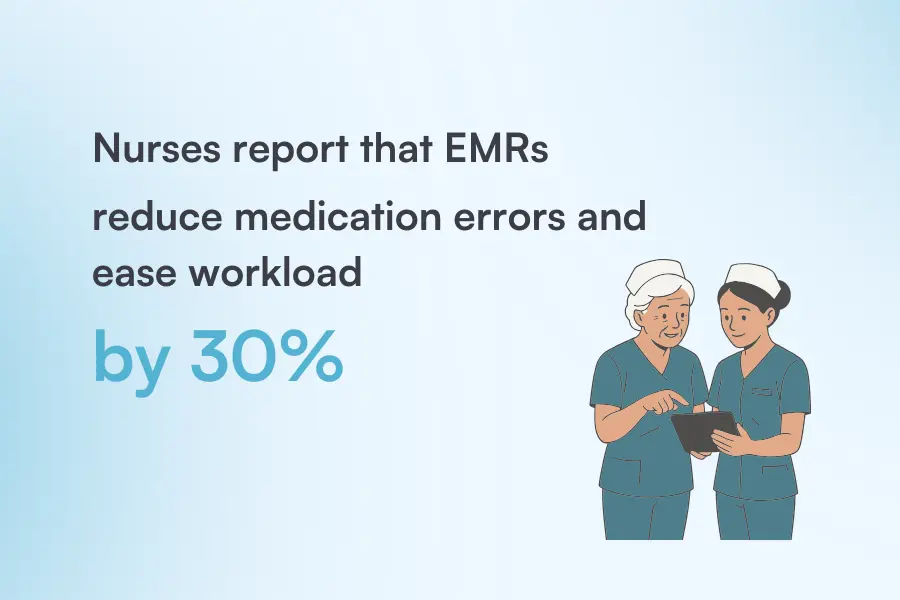
Illustration: Pabau / Source: PubMed
That kind of impact doesn’t just apply in hospitals. Any time you’re delivering medical-grade treatments, your workflow matters, and the tools behind it make all the difference.
You already know generic EMRs fall short when it comes to infusions, dosing, and clinical protocols, and that’s exactly where the practice management system vs EMR distinction becomes useful, because admin tools won’t cover clinical workflow depth.
A dedicated IV therapy EMR works differently. It matches how your practice operates, supports compliance, and clears the clutter that slows your team down.
For practices that also offer aesthetic or medical treatments, choosing plastic surgery practice EMR software can provide tailored features for managing patient records, scheduling, and compliance alongside your IV therapy workflows. The same applies if IV therapy sits within a broader wellness clinic software setup, where drip therapy needs to run alongside other preventive treatments.
It is worth comparing those options against functional medicine EMR software, which covers similar clinical ground.
These are the core features to expect from the best EMR for IV therapy, all built around real IV workflows.

Source: Pabau
Every IV treatment needs clear, traceable documentation without adding friction to your workflow. Look for tools that:
Audit trails and secure storage take the guesswork out of record‑keeping. When someone asks to see how a treatment was handled, you can show it clearly and confidently. It supports your team and makes inspections a lot smoother.
What you are inspected against depends on where you operate, which our guide to New York IV requirements sets out in detail.
And because no two practices run the exact same protocols, customizable templates are a must. The right EMR lets you build the forms and flows that match your specific needs — including a drug card template for dosing reference — not squeeze into a one-size-fits-all setup.
The same principle applies in any specialty: an occupational therapy EMR centers on goal tracking and functional outcomes, just as an IV therapy EMR centers on protocols and dosing.
Once the records are handled, it’s about how you support your clients at every stage of their journey.
That starts with having all the patient information in one place. A good EMR should show you past appointments, allergies, prescriptions, treatment notes, and lab results without needing to jump between tabs or files.
It should also keep communication moving between sessions, with features that:
The patient portal plays a big role in any modern patient management tool.
When clients can log in securely, view their records, and manage bookings without waiting for a reply, it improves efficiency and drives patient engagement. They stay in the loop, feel more in control of their care, and are more likely to follow through on treatment plans. This matters even more for practices running remote consultations, where a telemedicine EHR needs to keep every note and follow-up in sync.
Over time, that kind of experience becomes a reason they stay loyal — and a reason they refer others. French-speaking readers can also see how software helps you ajouter une touche personnelle in your clinic, salon, or spa.
Everyone wants to save time and work smarter. But you can’t be efficient if your software’s dragging its feet.
The right EMR supports your workflow by:
A 2025 review in BMC Health Services Research found that Electronic Health Records (EHRs) with built-in support for workflow, customization, automation, and clean data entry led to fewer medication errors and smoother handovers.
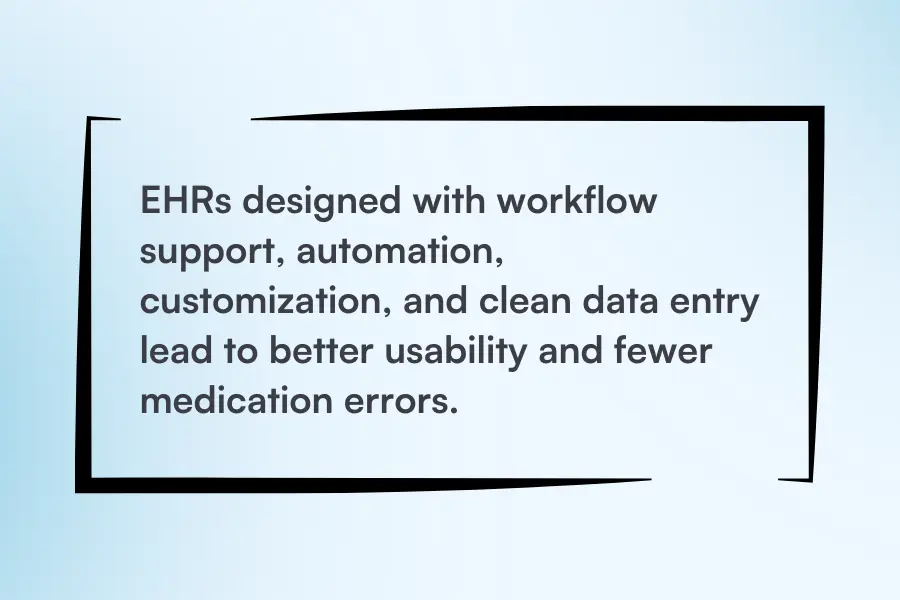
Illustration: Pabau / Source: ResearchGate
Systems without those features slowed teams down and made day-to-day operations harder to manage.
And while the study focused on EHRs in healthcare, the same design principles apply when choosing an EMR for an IV therapy practice.
Every practice runs on patterns… some profitable, some not. Reporting and analytics make sure you can tell the difference.
Those insights only pay off when the reports are specific to your practice. That’s where customized reports come in.
You get answers to questions like:
Revenue and utilization reports bring the business lens into focus. You’ll see how staff time, room usage, and product costs stack up against pricing, helping you optimize what’s working and adjust what’s not.
With the right EMR, those insights turn into faster decisions, clearer priorities, and the kind of automations that boost revenue across every part of your IV service.
Paper prescriptions don’t belong in an IV therapy practice.
They’re easy to misplace, prone to dosage errors, and a headache to manage when you’re delivering high-volume, medical-grade care.
Pabau’s all-in-one software makes e-prescribing effortless, with centralized prescriptions baked directly into your workflow. You can generate and send secure, compliant prescriptions directly from the client record without switching tabs or redundant steps.
Even better, Pabau integrates with Cloud Rx, SignatureRx, or Pharmacierge — UK pharmacy partners — so you can route scripts straight to a partner pharmacy. If you’re in the US, you can add your own preferred e-prescribing provider instead, making it easy to send prescriptions to whichever pharmacy your client uses.
That means:
For example, if you’re prescribing through Cloud Rx, in the dashboard, you’ll see it like this:
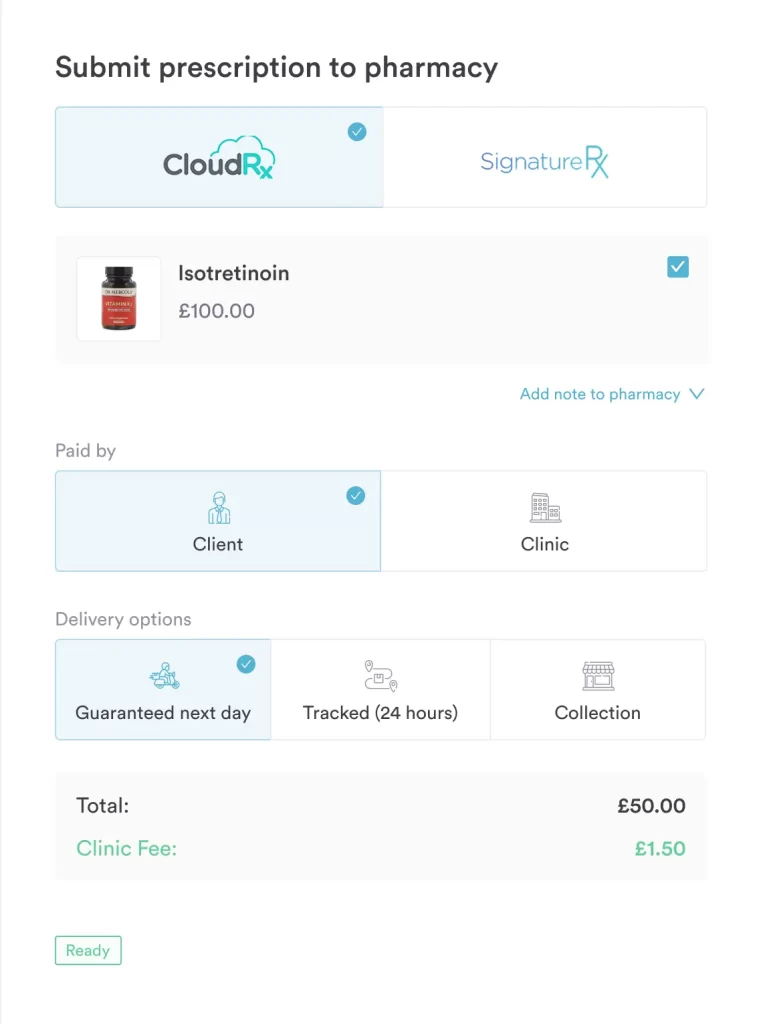
Source: Pabau
Need to tweak a dose, reissue a script, or pull up a full medication history? It’s all there — from AI-assisted drug checks to repeat prescribing, dosage configuration, and centralized patient records for audits. Standard infusions like the Myers cocktail protocol sit in the same record, so contents and dose stay tied to the visit.
In an IV therapy practice where timing and accuracy matter — including billing codes like C1751 for infusion catheters and J1050 for injectable medication — going digital reduces risk, saves time, and keeps treatments moving without bottlenecks.
Lab integrations matter because personalized treatment depends on clear diagnostics.
You’re testing vitamin levels, checking for deficiencies, or reviewing routine bloodwork. The results need to be traceable, simple to share, and ready to act on.
Pabau connects directly with The Doctors Laboratory (TDL), a UK lab network, to streamline that entire process. If you’re outside the UK, you can set up your own custom lab in the system, sending lab requests via email and receiving them in a dedicated lab inbox.

Source: Pabau
You can order tests, sync results, and keep everything tied to the client’s record… right where it belongs.
Here’s what that looks like:
It’s a fully linked workflow that keeps diagnostics flowing into care plans, not lost in inboxes. From request to result, every step stays clear, clinical, and easy for healthcare providers to action.
When you’re comparing IV therapy clinic management software, it’s easy to get swept up by slick demos and shiny dashboards. What matters more is how the system performs once your workflows are in full swing, which is exactly what a structured EHR selection process should test for.
A 2025 BMC study found that hospitals with stronger technological infrastructure and digitally trained staff were more successful in implementing EMRs, even when using the same software. The difference came down to fit.
It’s the same in IV therapy practices. Whether a vendor labels its product an EMR or an EHR, the best EMR or EHR for IV therapy is the one that supports the way your team actually works, not just the one with the longest feature list.
With that in mind, here’s how to evaluate whether an EMR software fits your practice’s unique needs:
Don’t get distracted by the bells and whistles until the core functionality holds up. Patient care, compliance, and communication come first.
There’s more than one reason Pabau is the best EMR for your IV therapy practice. Here’s what sets it apart:
Using Pabau’s features helps support your compliance efforts, but full HIPAA compliance also depends on your internal policies, training, and processes.

Instead of bolting a generic scheduler onto clinical work, Pabau combines infusion-specific charting, automatic stock consumption, e-prescribing, and lab requests inside one record. Log a treatment once and the dose, stock level, and consent update together, so moving to a purpose-built EMR doesn’t mean rebuilding the workflow your IV therapy practice already relies on.
Book a demo
Let’s be honest, choosing an EMR isn’t anyone’s idea of a good time. But settling for one that doesn’t fit? That’s when the problems start.
The right EMR does more than tick the compliance box.
It reduces admin, improves accuracy, and gives patients a smoother experience from the moment they book to the moment they walk out.
And that only happens when your software is built to handle the specifics of IV therapy.
One that understands dosing, protocols, stock flow, follow-ups, and the rhythm of treatment days when the schedule is stacked and nobody has a second to waste.
If that’s what you’re aiming for, Pabau will get you there. Book a demo to take a closer look.

Switching systems soon? EHR migration: A practical guide for practice owners walks through how to move records, staff logins, and templates without downtime.
Weighing whether to convert your records? EMR conversion: A practical guide for practice managers breaks down the practical steps for practice managers moving between systems.
Want the evidence behind the switch? EHR benefits for private practices rounds up what the research actually shows about outcomes.
Curious what a modern client portal should do? What is a patient portal? covers the features worth prioritizing before you pick one.
Handling patient data day to day? EHR security explains the HIPAA requirements and risks every practice should plan for.
The best EMR for IV therapy is one built around infusion workflows rather than a generic records system. It should log doses and protocols, track stock automatically, handle consent and documentation, and support e-prescribing and lab orders in one place. Pabau brings all of that together for IV and wellness practices.
An EMR holds treatment history within your own practice, while an EHR is built to share records across multiple providers. For most IV therapy practices the label matters less than the fit — the right system is the one that supports how your team actually works.
A purpose-built one does. Look for software that records exactly what was infused, tracks doses and batch numbers, and consumes inventory automatically as treatments are logged, so your stock counts stay accurate without manual checks.
Yes. Practices that pair IV drips with wellness memberships or aesthetic treatments do best on a single system that covers records, scheduling, consent, and payments across every service. That mix is exactly what Pabau is built for.
List your must-have features, map your workflow from check-in to follow-up, and book a demo that walks through a complete IV treatment. Prioritize ease of use, and confirm the software scales across locations and providers as your practice grows.