How to Start Private Practice in California as a LCSW (Step-by-Step)
Pabau helps new LCSW practices stay organized and compliant with integrated clie...

April 6, 2026


Buy now, pay later is now available in Pabau

Focus on actionable metrics: Monitor the KPIs that impact revenue, patient care, and operational performance.
Avoid common mistakes: Don’t rely on manual reports, track too many metrics, or ignore cross-department data.
Use an all-in-one platform like Pabau: Centralized software streamlines reporting, automates insights, and helps manage patients, staff, and operations in one place.
Running a medical practice without clear reporting is like driving blindfolded—you can’t see what’s working or where improvements are needed.
So, if you’re wondering which medical practice management reports are important in 2026, this guide breaks down the reports that matter most and shows how modern practice management systems like Pabau helps you generate them accurately, effortlessly, and in real time.
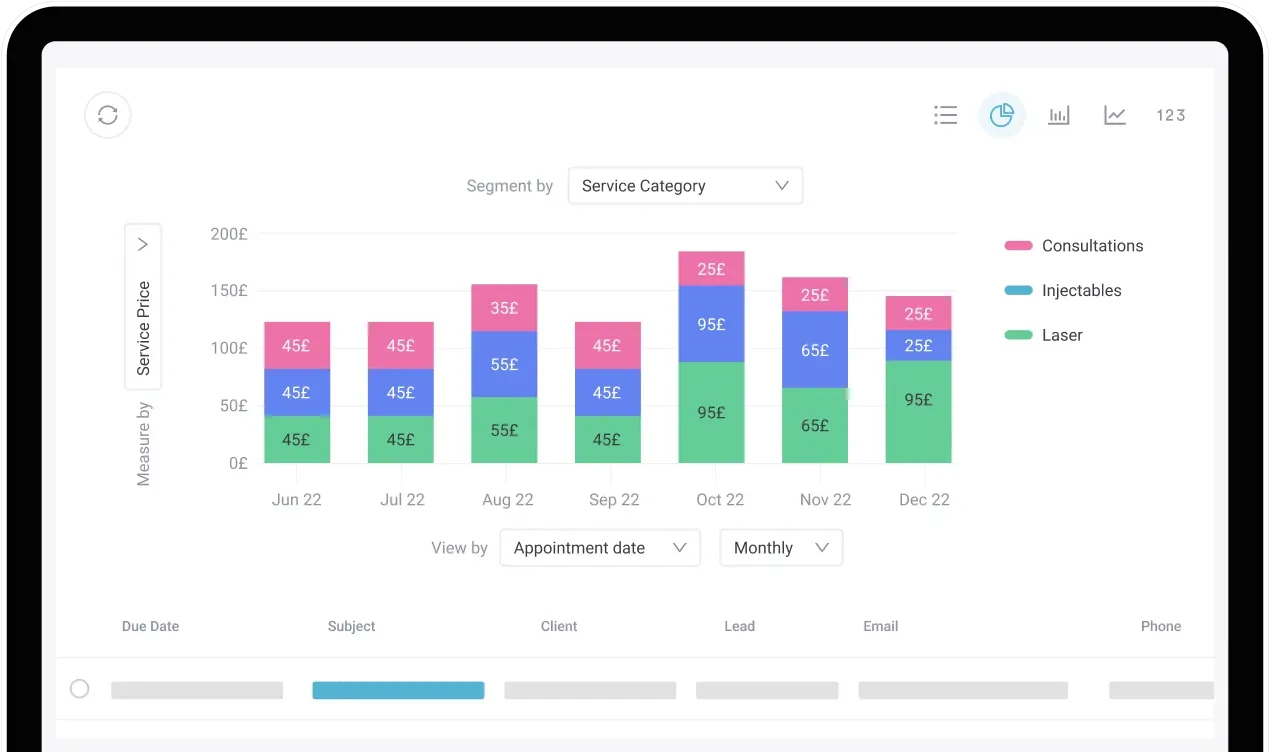
Medical practice management reports are documents that track, analyze, and summarize your healthcare practice’s performance.
They take all the complex data—from billing and appointments to important patient data, including patient retention, and staff productivity—and turn it into clear, actionable insights.
With these reports, practice managers and owners can spot trends, streamline workflows, improve patient care, and make smarter decisions that keep the practice running smoothly and profitably.
Without accurate reporting, even high-volume practices lose money without realizing it.
And because of rising overhead and tighter insurance reimbursements, relying on “gut feeling” is no longer a tactic that practice managers should use.
In 2024, total hospital expenses rose 5.1%, well above the overall inflation rate of 2.9%. While expense growth has begun to ease in 2025, it still remains at a relatively high level.
Here’s what you risk without reliable data:
You can also explore our comprehensive guide on How to Grow a Medical Practice for more strategic scaling tips.
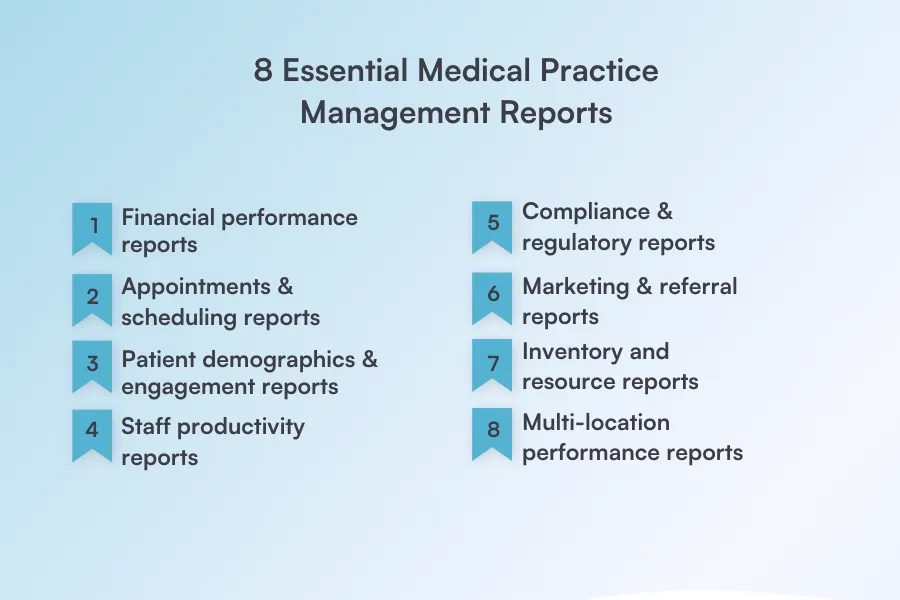
To help your practice thrive, you need a clear, consolidated view of every aspect of its operations.
So let’s discuss the eight essential reports that you’ll need in your practice:
Financial performance reports give you a clear picture of your practice’s revenue, expenses, outstanding balances, and profitability—whether by service, provider, or location.
Some of the key metrics you’ll be able to track are net revenue, accounts receivable, average revenue per patient, and more.
By analyzing these metrics, you can identify underperforming treatments and adjust pricing, promotions, or marketing strategies to maximize profitability.
How does practice management software help? A robust practice management software, like Pabau, automates financial reporting by pulling data directly from billing, payments, and treatment and patient records—eliminating manual spreadsheets and giving you real-time insights in just a few clicks.
Appointment and scheduling reports show how efficiently your calendar is being used, helping you spot gaps, bottlenecks, or overbooked slots.
It will give you insights into your practice’s no-show rate, cancellation rate, and appointment utilization.
By tracking these metrics, you can adjust online booking rules or appointment reminders to reduce last-minute cancellations and improve patient flow.
Pabau gives you clear insights into how many appointments ended in no-shows or cancellations, highlights empty staff slots, manages your waitlist, automates appointment reminders, and lets you set deposits or no-show policies—helping you reduce missed appointments and keep your schedule running efficiently.
Patient demographics and engagement reports help your practice understand who your patients are and how they interact with your clinic. You’ll find out how many clients are new versus returning patients, age groups, and their treatment history.
By analyzing these insights, you can create targeted follow-ups or personalized campaigns for high-value patient segments, improving retention and patient satisfaction.
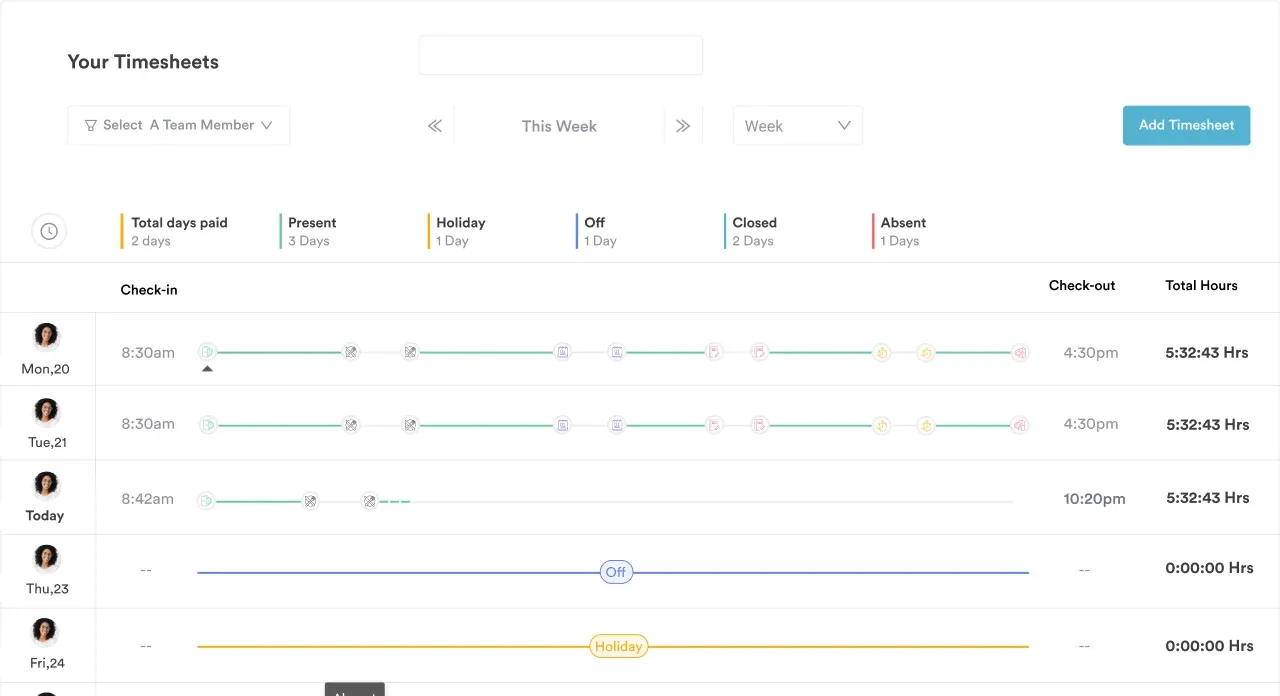
Staff productivity reports measure provider performance, workload balance, and overall efficiency.
Some key metrics you’ll be able to track include appointments per provider, revenue per clinician, and idle time.
With these metrics, you can identify burnout risks, pinpoint training needs early, and ensure your team is working at peak efficiency.
How the practice management software Pabau helps: Pabau gives practice managers complete visibility into their team’s performance. It tracks appointments per provider, revenue per clinician, idle times, and workload distribution in real time.
Compliance and regulatory reports help ensure your clinic meets legal, insurance, and data-protection requirements.
By tracking metrics like consent completion rates, you can stay audit-ready, reduce the risk of penalties, and maintain trust with patients and regulators without scrambling for health records.
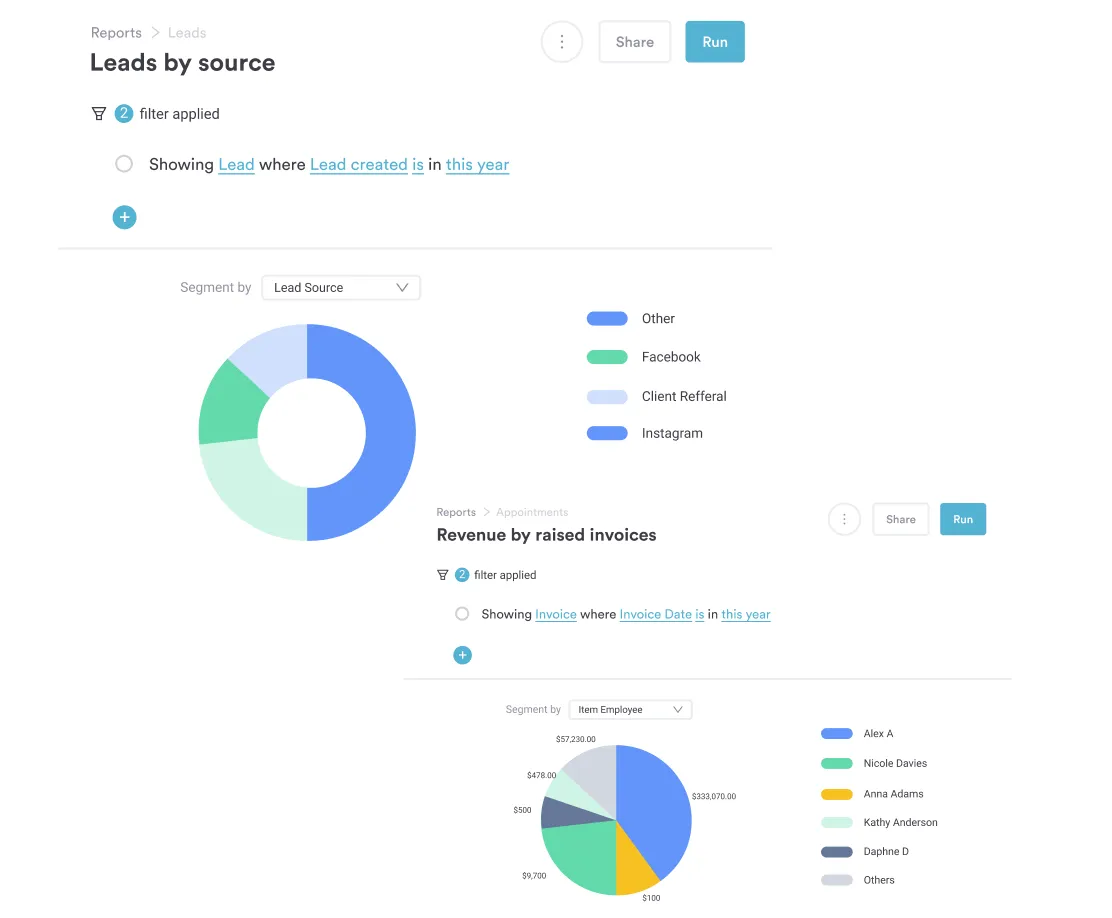
Marketing and referral reports show where your patients are coming from and which campaigns drive the most bookings. This includes referral sources, campaign ROI, and lead-to-booking conversion rates.
Having these reports on hand lets you identify high-performing channels, optimize marketing spend, and focus on strategies that deliver the best results.
Pabau connects your marketing efforts directly to bookings and revenue, so you can see which treatments drive the most appointments, attract the most valuable patients, and generate the highest revenue. With clear insight into performance at a treatment level, you can make smarter, data-driven decisions to focus on what’s working and grow your return on marketing investment.
Inventory and resource reports track stock usage, turnover, expired items, and stock usage per treatment.
By monitoring these metrics, you can prevent over-ordering, reduce waste, and ensure that essential consumables are always available when needed.
For instance, Pabau integrates inventory tracking directly with treatments and billing, giving you real-time visibility into stock levels, usage patterns, and reorder needs. This helps you optimize supply management, reduce costs, and avoid disruptions to patient care.
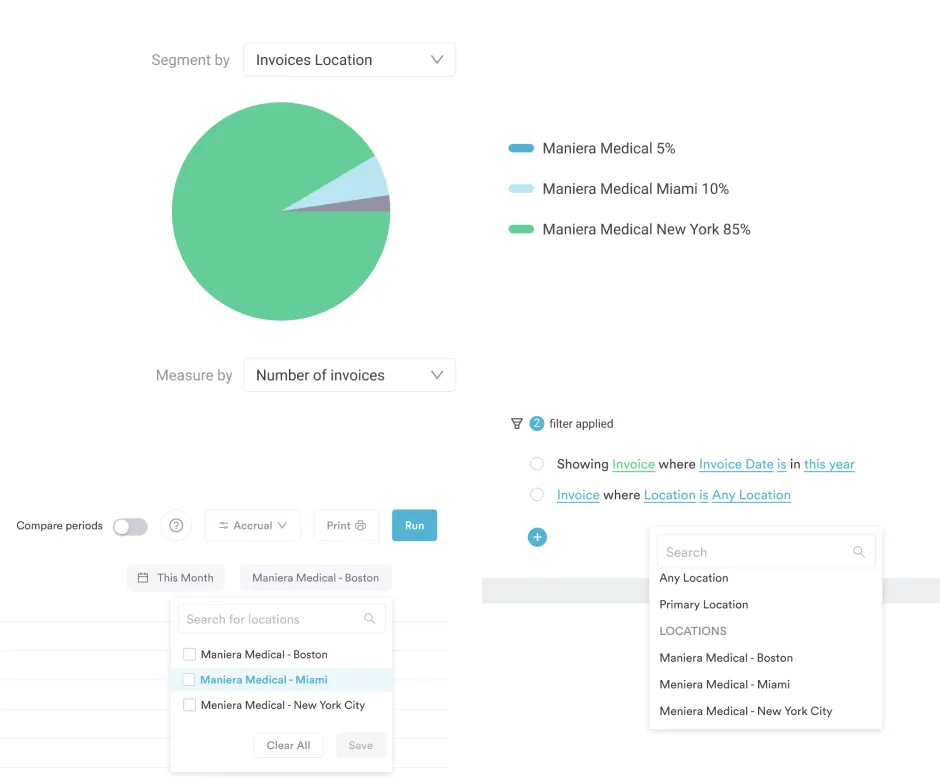
Multi-location performance reports are essential for growing practices managing multiple clinics. They track key metrics such as revenue per location and provider performance by site.
By analyzing these reports, practice owners can benchmark high-performing locations, identify areas for improvement, and replicate success across their entire network.

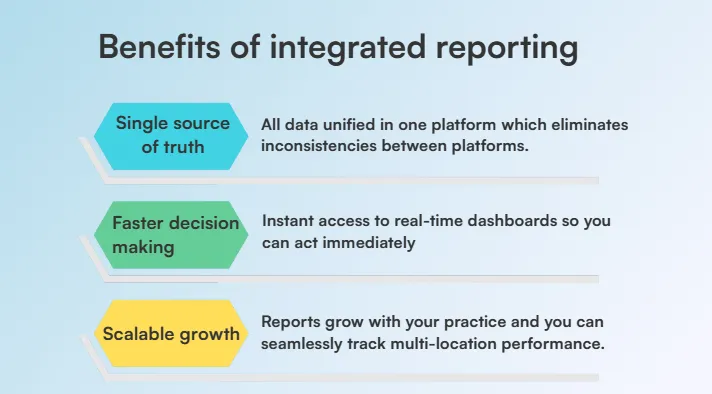
Disconnected systems or manual data exports are often inaccurate and time-consuming.
Practice management solutions with built-in reporting eliminate these issues, providing accurate, real-time insights. It saves time, reduces errors, and delivers actionable data that helps your team make smarter, faster decisions—without any manual data crunching.
So here are the main benefits:
With an all-in-one practice management healthcare software, all reports pull from the same real-time data, eliminating inconsistencies between Electronic Medical Records (EMRs), medical billing, and appointment scheduling systems.
This ensures your team is always working with accurate information, reducing errors and improving overall operational efficiency.
Automated reporting dashboards give practice owners and managers instant access to key metrics. They won’t need to wait for the end-of-the-month reports.
By acting on insights immediately, your practice can respond faster to trends, optimize workflows, and make smarter strategic decisions.
With medical practice management software that supports multiple locations, reporting grows with your practice.
As operations expand, you can easily track performance, oversee all locations, and make informed, data-driven decisions at every stage of growth.
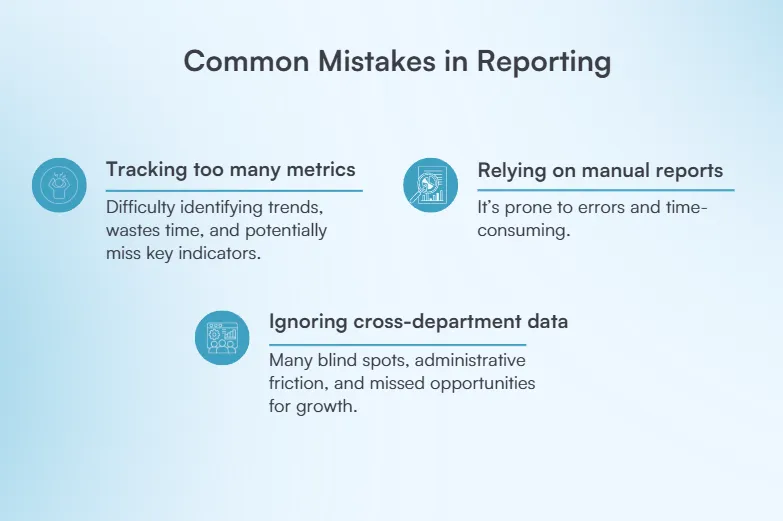
Even experienced practice owners can fall into reporting traps that may limit the growth of their clinic.
Let’s see which ones you can avoid:
When practices try to monitor too many KPIs at once, it becomes difficult to identify trends, prioritize improvements, or make actionable decisions.
Teams may waste time on irrelevant data while missing key indicators that directly impact revenue, efficiency, and patient outcomes.
By narrowing your focus to a few critical metrics, you can simplify reporting, improve clarity, and ensure your team acts on the data that truly drives growth and quality health care.
Focus on KPIs that directly impact revenue, efficiency, and patient outcomes. Learn more about med spa KPIs and how to track, analyze, and grow your business.
Manually compiling data from multiple systems—EMRs, billing software, and appointment schedules—is not only time-consuming but also highly prone to errors.
Small mistakes in data entry or missed updates can snowball into inaccurate insights, which may lead to poor decision-making, missed revenue opportunities, or inefficient workflows.
Additionally, waiting for month-end or quarterly reports delays critical actions, leaving your practice reactive rather than proactive.
Switch to an automated reporting system. This way, practices can streamline data collection, ensure accuracy, and access real-time insights that empower faster, smarter decisions across the entire organization.
When clinical, financial, and operational data are kept in separate systems, it creates blind spots that make it hard to get a complete picture of your practice’s performance.
Decisions made in isolation—like adjusting staff schedules without understanding patient volume trends or running promotions without knowing treatment profitability—can lead to inefficiencies and missed opportunities.
Integrating data across departments provides a holistic view, allowing you to identify bottlenecks, optimize workflows, and make informed, strategic decisions that improve both patient care and revenue.
Use medical practice management software that integrates clinical, financial, and operational data in one platform. This gives you a complete, real-time view of your practice, helping teams collaborate, spot inefficiencies, and make smarter, data-driven decisions.
Use medical practice management software that integrates clinical, financial, and operational data in one platform. This gives you a complete, real-time view of your practice, helping teams collaborate, spot inefficiencies, and make smarter, data-driven decisions.
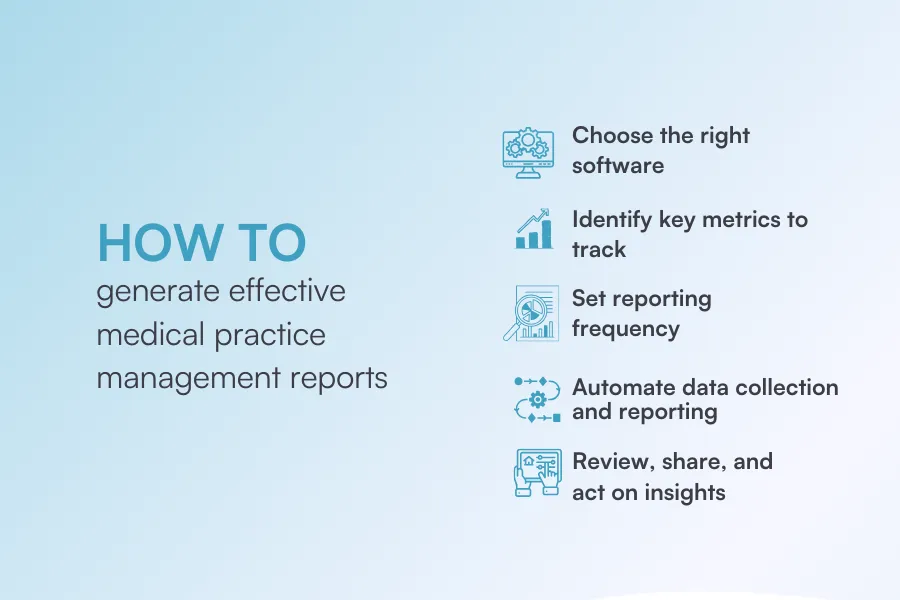
Generating effective medical practice management reports requires the right combination of tools, metrics, and processes.
Here’s where to start:
The foundation of effective reporting is choosing an all-in-one practice management software.
One that centralizes Electronic Health Records, billing, scheduling, and marketing data, offering real-time dashboards and automated reports. Just like the practice management software Pabau offers.
Features such as customizable KPIs, multi-location tracking, and drill-down analytics make it easy to generate accurate, actionable insights without manual spreadsheets.
Discover how Pabau simplifies reporting.
Focus on the KPIs that truly drive your practice’s success, such as revenue per provider, patient retention, appointment utilization, and treatment profitability.
A robust software will let you select and customize these metrics, ensuring your reports highlight only the most actionable insights for your team.
Decide how often you need each report:
Automation will help in this case, so the reports you need are delivered on time without manual intervention.
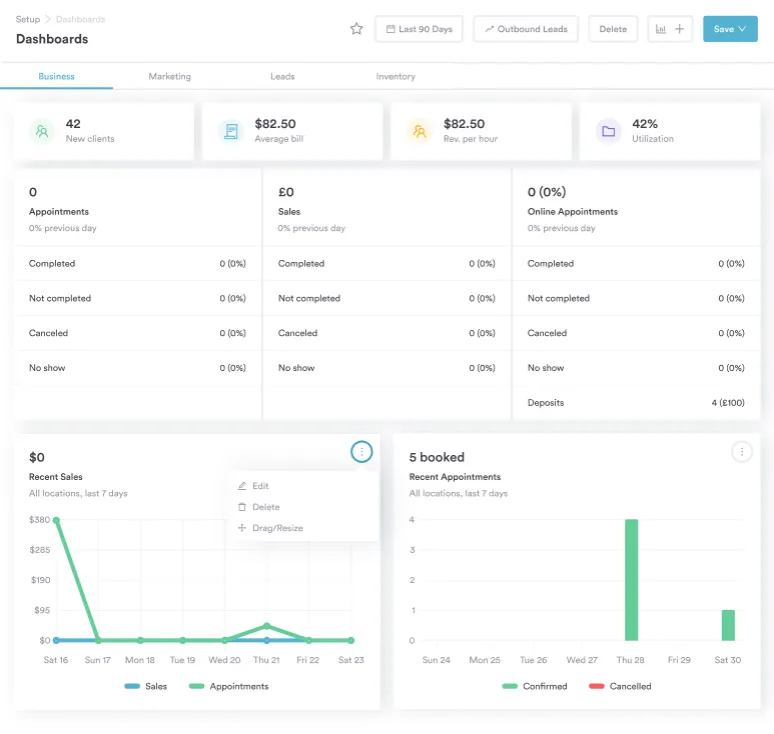
To make your reports truly effective, follow these best practices:
Reports are only valuable if the insights they provide lead to actionable changes.
Regularly review trends, compare performance across locations or departments, and share dashboards with your team.
Use the data to identify inefficiencies, optimize workflows, and make informed decisions that improve health care, boost revenue, and enhance overall practice efficiency.
Managing a medical practice doesn’t mean juggling multiple systems, from patient records and staff schedules to financial and operational reports.
Pabau brings everything together in one unified platform, giving you complete visibility over your practice.
With real-time dashboards, automated reporting, and integrated patient and staff management, you can streamline workflows, improve collaboration, and make data-driven decisions—without switching between multiple tools or spreadsheets.
From tracking KPIs to monitoring staff productivity and patient engagement, Pabau ensures your entire practice runs smoothly and efficiently.
Book a demo with Pabau and see it in action.