How to Start Private Practice in California as a LCSW (Step-by-Step)
Pabau helps new LCSW practices stay organized and compliant with integrated clie...

April 6, 2026


Buy now, pay later is now available in Pabau

EHR implementation is a structured, multi-phase process, not just installing EHR software. It includes workflow analysis, budgeting, vendor selection, data migration, training, change management, and post-launch optimization.
A complete EHR system implementation checklist includes 9 core steps: defining goals, building a project team, budgeting, vendor evaluation, workflow redesign, data conversion, integrations, staff training, and continuous optimization.
Most EHR implementation failures stem from poor change management, weak training, lack of stakeholder buy-in, and unclear ownership, not the technology itself.
Implementing a new EHR system can disrupt every part of your practice — from clinical documentation to billing and patient communication.
If you’re searching for EHR implementation steps or an EHR implementation plan example, here’s the truth:
Successful EHR implementation requires structured planning, strong leadership, workflow redesign, and ongoing optimization, not just installing software.
This 2026 guide walks you through:
By the end, you’ll understand the full EHR implementation process, and how to execute it with confidence.
An Electronic Health Record (EHR) is a digital system used to store, manage, and share patient health information in real time. Because these platforms vary in architecture and hosting, it is helpful to understand the different types of EHR systems available to ensure you choose the right fit for your facility.
A modern EHR system typically includes:
Unlike basic electronic medical records (EMR), certified EHR systems support interoperability, allowing providers to securely exchange patient information across healthcare settings.
In short:
An EHR is the clinical and operational backbone of your practice.
EHR implementation impacts far more than documentation.
It directly affects:
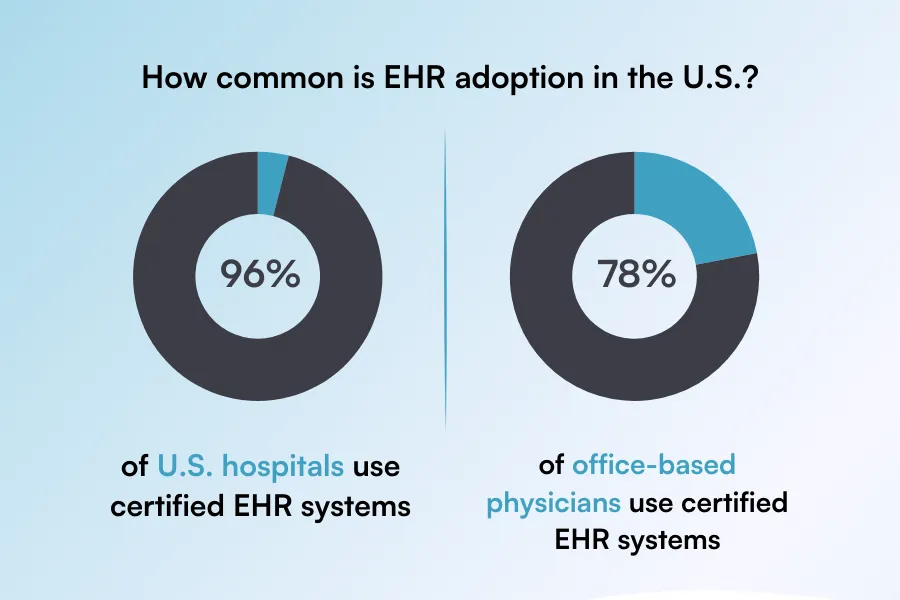
According to the Office of the National Coordinator for Health IT (ONC), over 96% of U.S. hospitals and 78% of office-based physicians use certified EHR systems. Adoption is nearly universal, but implementation quality varies widely.
Poor EHR implementation can lead to:
A well-executed EHR system implementation, however, can:
When integrated with full practice management software, EHR implementation becomes a growth strategy.
Below is a practical EHR system implementation checklist you can adapt to your clinic.
This structure works for:
| Step | Focus Area | Goal |
|---|---|---|
| 1 | Define Objectives | Align system with business goals |
| 2 | Build Implementation Team | Assign ownership |
| 3 | Budget & Timeline | Avoid financial surprises |
| 4 | Select Vendor | Choose scalable solution |
| 5 | Map Workflows | Prevent operational disruption |
| 6 | Data Migration | Ensure clean, accurate records |
| 7 | Integrations | Connect scheduling, billing, messaging |
| 8 | Training & Go-Live | Maximize adoption |
| 9 | Optimization | Improve performance post-launch |
Let’s break them down.
Every successful EHR software implementation begins with measurable goals.
Ask:
Avoid vague goals like “be more efficient.”
Instead, define KPIs such as:
Clear objectives guide vendor selection, training priorities, workflow configuration, and post-implementation evaluation.
Without defined goals, your EHR implementation process becomes reactive — and ROI becomes impossible to measure.
EHR system implementation is a leadership project — not just an IT task.
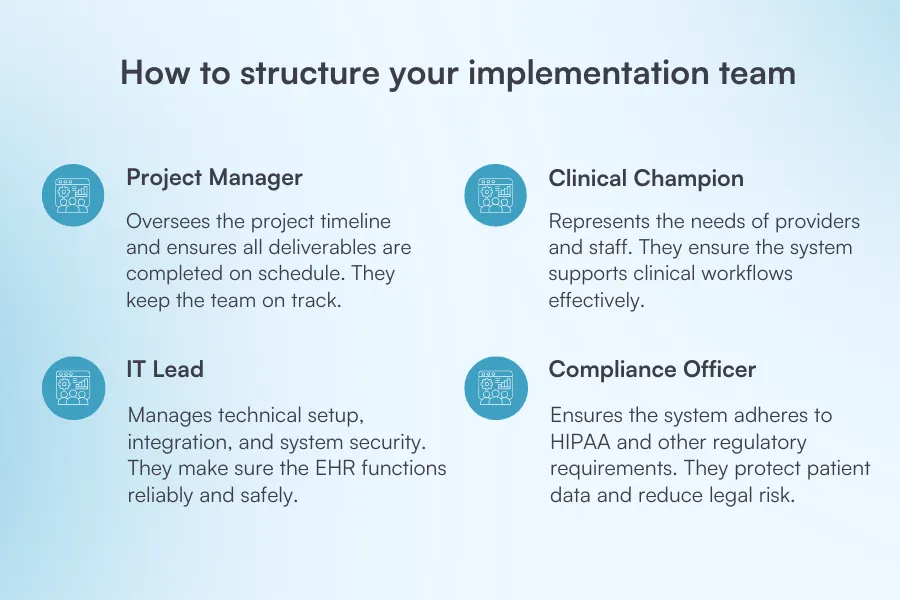
Assign clear ownership:
Practices that include a clinical champion during EHR adoption typically experience less staff resistance and smoother change management.
If you’re launching a new clinic, align implementation with your broader medical practice business plan.
Underestimating costs is one of the most common mistakes in EHR implementation.
Budget for:
Many clinics experience a short-term slowdown during transition. Planning for this avoids financial stress.
Break your timeline into realistic phases:
A structured timeline prevents rushed decisions that cause long-term inefficiencies.
Not all EHR systems are built the same.
Some focus heavily on clinical documentation but lack operational tools. Others combine EHR, scheduling, payments, and reporting into one platform.
Look for:
If you run a med spa, choose software tailored to medspa workflows. A generic hospital-style EHR may not support aesthetic treatment tracking or consent workflows properly.
Primary care clinic? Look for platforms optimized for preventive care tracking, chronic condition documentation, and insurance workflows.
The right vendor should match your specialty, growth plans, and operational complexity—not just your current size.
One of the biggest implementation mistakes is digitizing inefficient paper workflows.
Before configuring your system, document:
For example, integrating patient scheduling software and online booking reduces front-desk workload and minimizes manual data entry.
Workflow redesign ensures your EHR supports efficiency rather than locking in outdated processes.
Data migration is high risk and high impact.
Errors can lead to:
First, decide:
Clean your data before transferring it. Remove duplicates, outdated patient records, and incomplete entries.
Assign a structured verification phase where staff cross-check migrated records against original files. A small upfront investment in accuracy prevents long-term operational problems.
Your EHR should not operate in isolation.
It should connect with:
Disconnected systems lead to double data entry, reporting inconsistencies, and billing delays.
Integrated systems create automation.
For medi-aesthetic clinics, full integration supports compliance documentation while simultaneously enhancing client communication and marketing workflows. This alignment increases efficiency and revenue potential.
Training is where many implementations fail.
Effective training should be:
Avoid generic demos where staff passively watch someone click through screens.
Instead, simulate real-life scenarios:
Provide:
According to user reviews on platforms like G2, one of the most common frustrations with new systems is “insufficient onboarding support.” Strong training reduces resistance, increases confidence, and shortens the adjustment period.
Go-live is not the finish line, it’s only the beginning.
During the first 1–2 weeks:
Collect feedback from both providers and administrative staff. Small workflow adjustments early on prevent long-term inefficiencies.
Optimization is continuous. As your practice grows, services expand, or regulations change, your EHR configuration should evolve with you.
EHR implementation doesn’t end at go-live—it becomes an ongoing process of refinement and improvement that supports your clinic’s long-term success.
Even the most detailed EHR implementation plan can face obstacles. Understanding common EHR implementation challenges early helps reduce risk, avoid revenue disruption, and improve long-term EHR adoption.
Below are the most frequent barriers healthcare organizations experience during the EHR rollout process.
One of the biggest EHR implementation challenges is resistance to change.
Providers and administrative staff may worry about:
Without proper change management, morale drops and EHR adoption slows.
Solution:
When staff understand how the EHR improves patient care and reduces manual tasks, resistance decreases significantly.
A common mistake in the EHR implementation process is failing to conduct a full workflow analysis before configuration.
If the EHR system does not reflect how your clinic actually operates, you’ll see:
This issue often arises when practices don’t fully understand the difference between an EMR, an EHR, and a practice management system.
Solution:
Perform workflow mapping before system setup. Redesign inefficient processes rather than simply digitizing paper workflows.
EHR workflow optimization should always happen before go-live.
Training is one of the strongest predictors of successful EHR adoption.
Many practices make the mistake of offering one general demo session. That’s not enough.
Without role-based, hands-on training:
Solution:
Continuous education strengthens long-term EHR optimization and user confidence.
Modern healthcare systems rely on interoperability.
If your EHR does not integrate with:
Disconnected systems result in:
Solution:
Choose an EHR platform designed for integration and interoperability. Systems with built-in AI automation and centralized dashboards reduce administrative workload and improve operational efficiency.
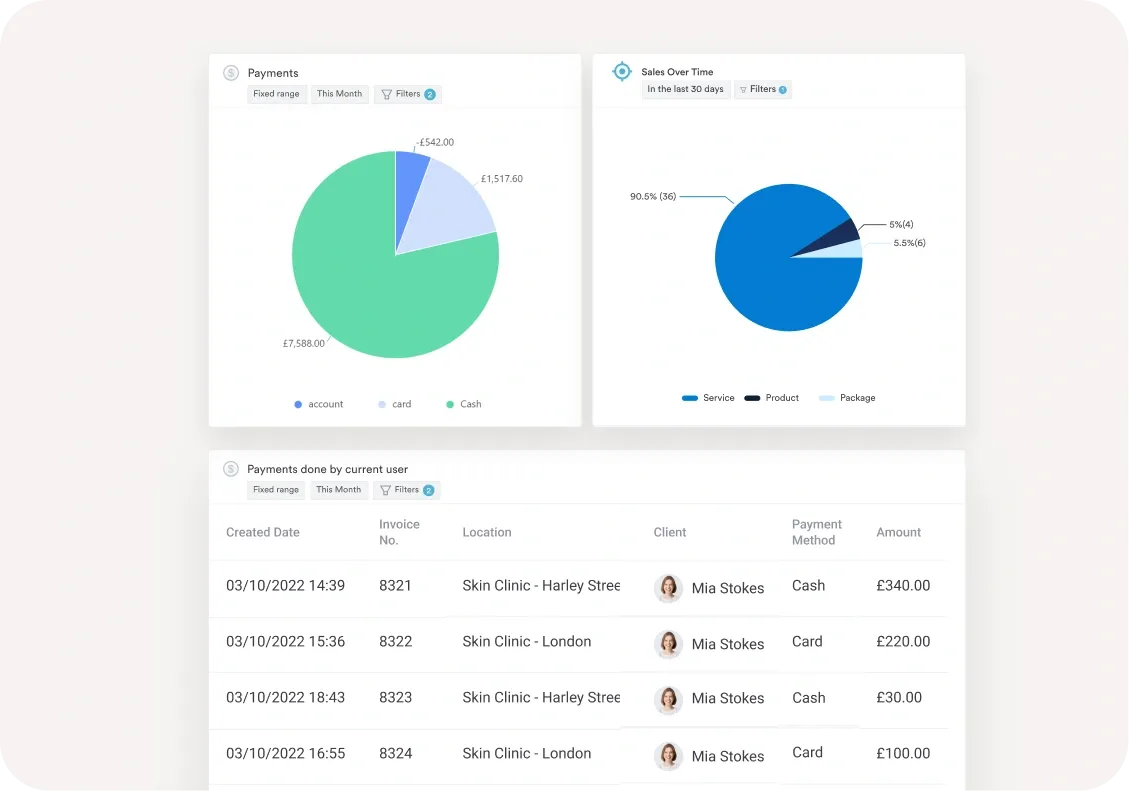
A connected ecosystem improves both clinical performance and revenue cycle outcomes.
Many practices expect instant productivity gains after EHR implementation.
In reality, there is often a temporary adjustment period during EHR conversion.
Initial challenges may include:
No EHR system can fix:
Solution:
Set realistic implementation milestones. Track measurable KPIs and focus on continuous improvement rather than immediate perfection.
Want smoother results and fewer headaches during rollout? Follow these proven best practices. These strategies help ensure your EHR implementation process improves efficiency instead of disrupting it.
Fragmented tools slow growth and create unnecessary complexity. When your scheduling, billing, charting, and communication systems don’t talk to each other, staff waste time switching between platforms and re-entering data.
An integrated clinic management software reduces vendor fatigue, lowers training time, and improves operational visibility. Instead of juggling five systems, your team works within one ecosystem, simplifying reporting, compliance, and daily workflows.
Technology should enhance, but not complicate, the patient journey.
Modern patients expect:
If your EHR doesn’t support these features, patient satisfaction may suffer.
Strong patient management software improves retention, increases convenience, and reduces front-desk workload. When patients can self-serve (book, complete forms, pay invoices), your staff can focus on delivering care.
One of the biggest advantages of digital systems is access to real-time insights.
After implementation, analyze:
This data helps identify bottlenecks and opportunities.
For example, if no-shows are high, automated reminders may need adjusting. If certain services outperform others, marketing can shift accordingly.
Your EHR shouldn’t limit expansion.
Choose software that supports:
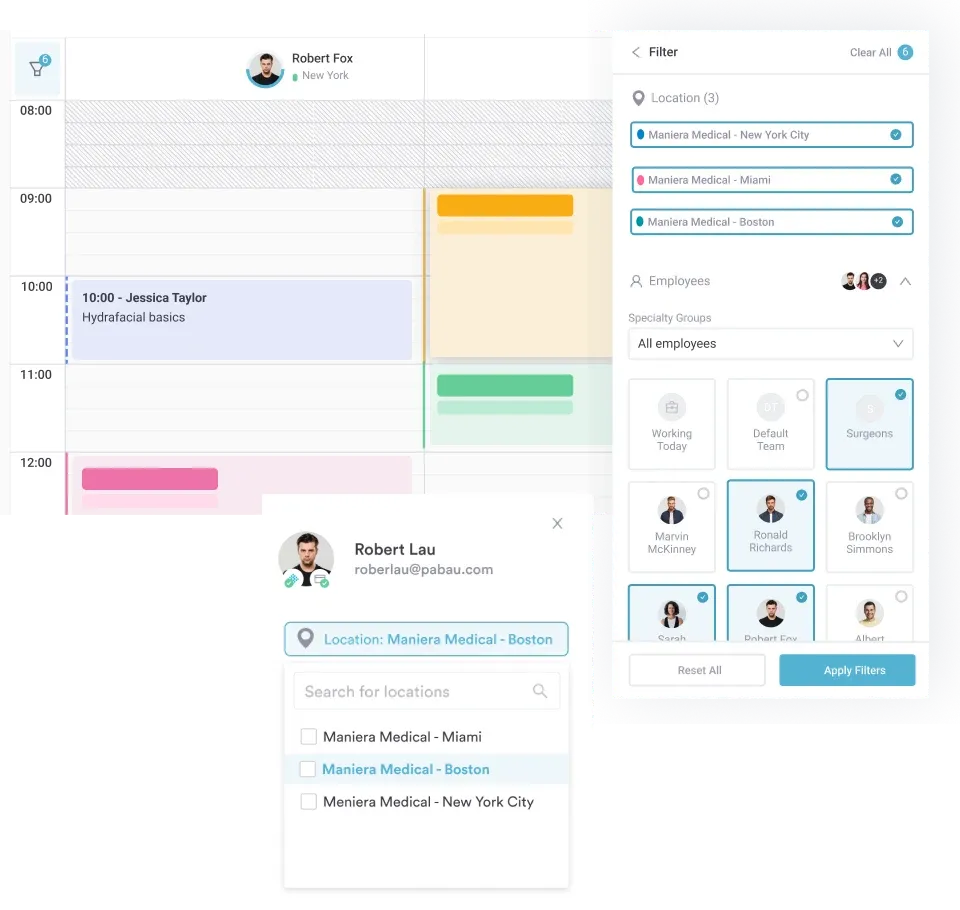
Many practices outgrow their first system within a few years. Solutions designed for large teams or enterprise practices reduce the need for costly future migrations. Planning for scale now saves time and money later.
Modern EHR systems increasingly include automation and AI-driven features that reduce manual work.
Look for tools that support:
Exploring options like the best AI practice management tools can help you maximize efficiency after implementation—turning your EHR from a documentation tool into a true operational engine.
EHR implementation is easier when your clinical and operational tools live in one ecosystem.
Pabau combines:
Built for treatment providers and growing clinics, Pabau supports both clinical workflows and business performance.
If you’re ready to streamline your EHR implementation process, explore how Pabau’s online booking features and patient experience management software can transform your operations.
👉 Book a free demo and see how Pabau simplifies EHR implementation for modern clinics.
Your software shouldn’t just store records.
It should power your growth.