You pour time and energy into every appointment, so when someone cancels last minute or doesn’t show up, it can throw off your schedule and really hit your bottom line.
A clear cancellation policy helps you protect your income, set boundaries, and make sure your time is respected.
Pabau’s Cancellation & No-Show Policy is designed to do just that — help you set clear terms and boundaries, because we know your time is worth every penny.
With this powerful new feature, you can:
Set clear expectations around bookings and cancellations
Protect your practice’s time and revenue effortlessly
Communicate policies transparently to your clients
Maintain control while allowing flexibility when it matters
Keep on reading to learn more about this new feature release!
Why you need a cancellation & no-show protection policy
No-shows and last-minute cancellationsare expensive! Every missed appointment means lost revenue, wasted time, and an empty slot that could’ve gone to someone else.
Without a clear policy in place, clients may not take your time seriously.
This isn’t just about setting rules, it’s about taking control of your time. A solid cancellation and no-show policy puts you in the driver’s seat. It tells clients, “My time matters. My team’s time matters.” And it does.
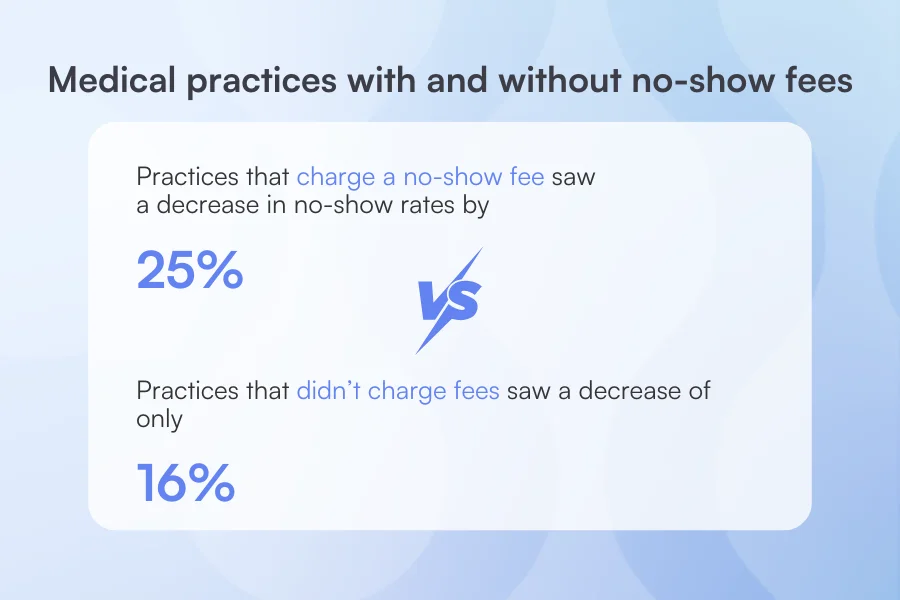
To put things in perspective, a poll surveying medical practices on whether they charge for no-show fees found that practices with a fee policy saw better attendance improvement (25%) than those without (16%).
But the key isn’t just having a policy — it’s having one that’s fair, adaptable, and easy to enforce.
With flexible settings and the power to bend the rules when someone genuinely deserves a break, you stay in charge without turning into a robot. It’s your safety net — firm when it needs to be, human when it counts.
At the end of the day, your time is valuable, and so is your revenue.
With flexible settings and automated enforcement, you’re no longer stuck chasing down fees or wondering what to do when someone cancels too late. Pabau puts you back in control — professionally, confidently, and without the awkward conversations.
How the Cancellation & No-Show Policy works for you
Here’s how you can use Pabau’s Cancellation & No-Show policy to protect your team’s time and keep your schedule running smoothly.
Secure bookings with upfront payments and automated fees
Take deposits or full payments in advance so you’re not left with empty slots and zero revenue.
Or, you could set up a fee system that gets charged
Late cancellation? No-show? Let Pabau apply the fee automatically, so you don’t have to chase payments or feel uncomfortable.
Customize your cancellation policy to work for you
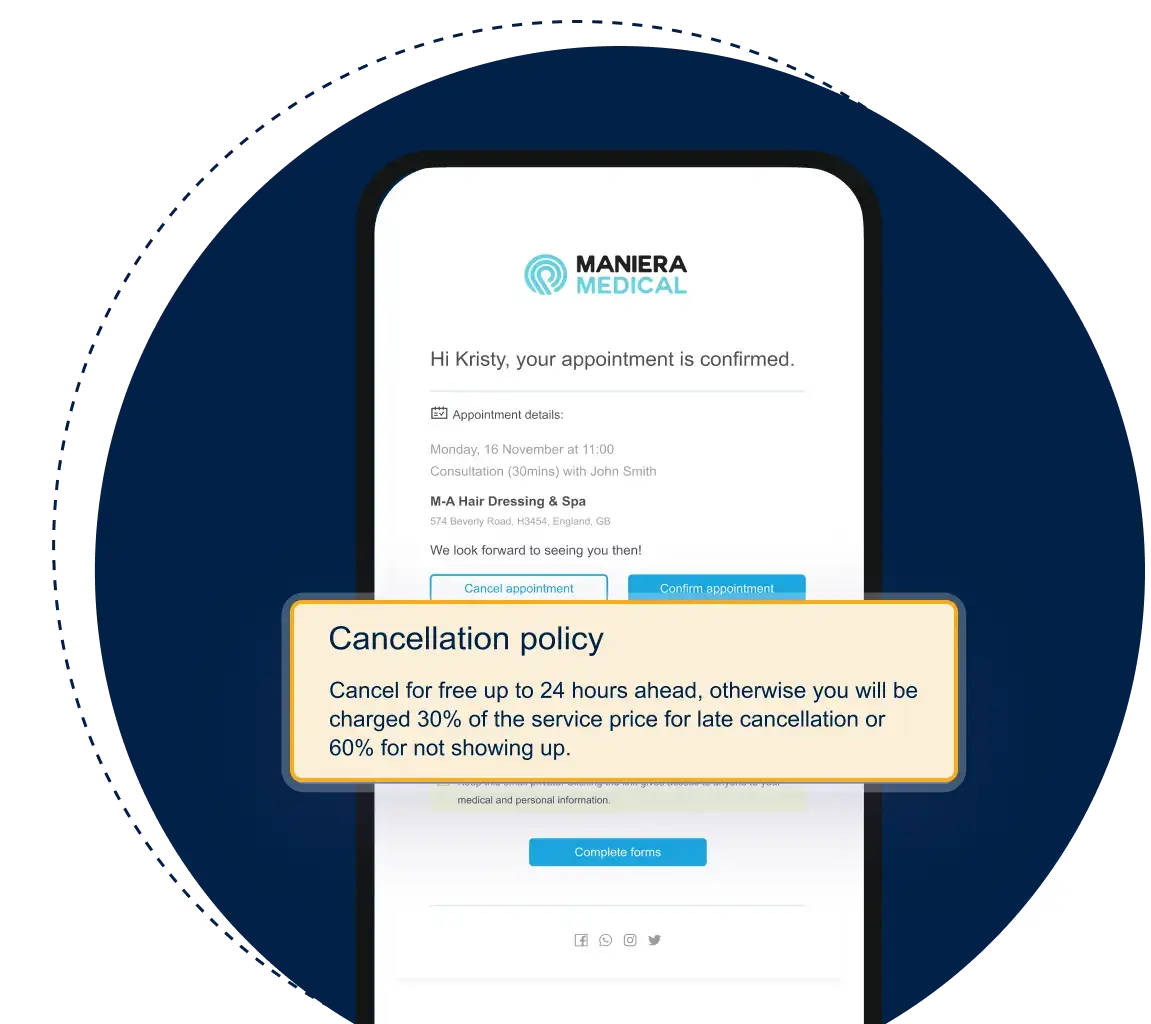
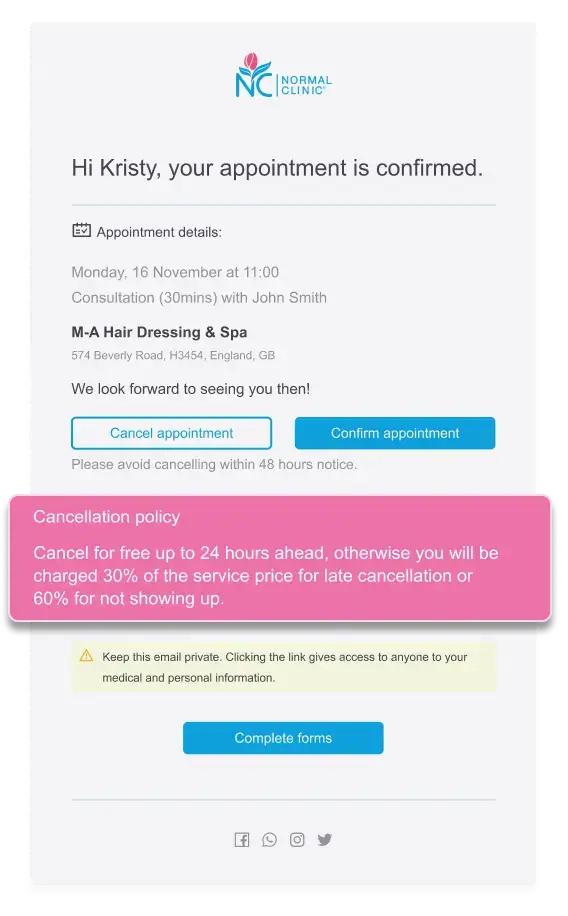
Create a cancellation policy that fits your business — and make sure every client agrees to it before they book. Set the rules — like 24 or 48 hours’ notice — so you’re never caught off guard by last-minute changes.
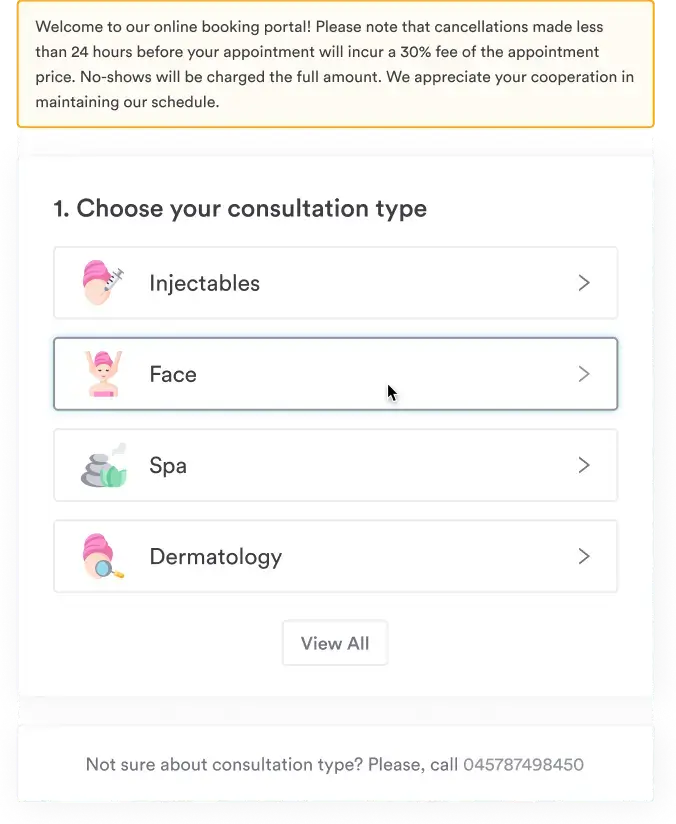
Your policy will appear during online booking, helping reduce confusion, pushback, and no-shows.
Make exceptions when you need to
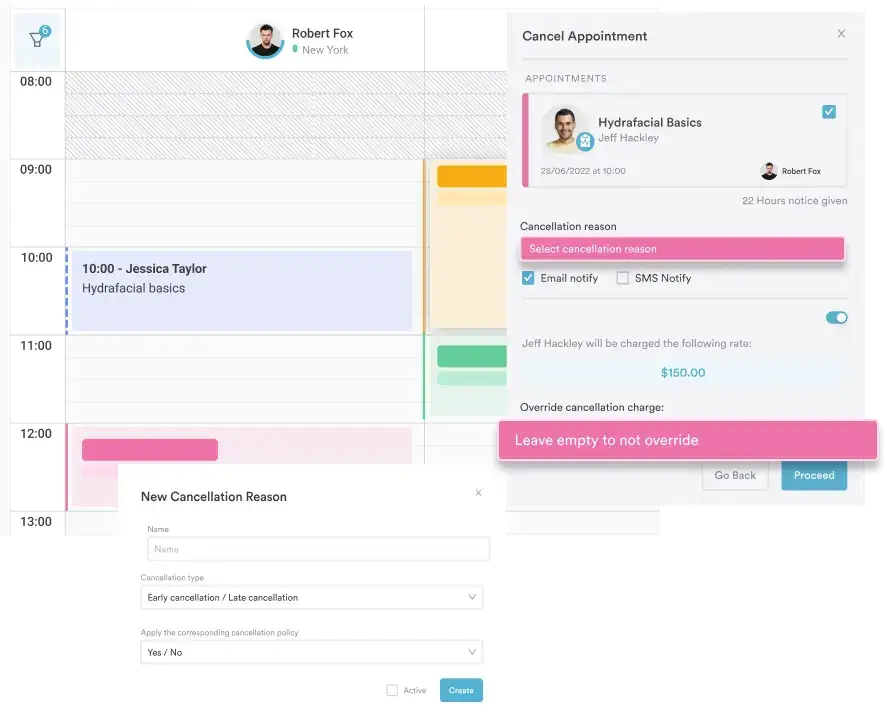
Be flexible when it counts — waive fees for VIPs or genuine emergencies, while still protecting your schedule overall.
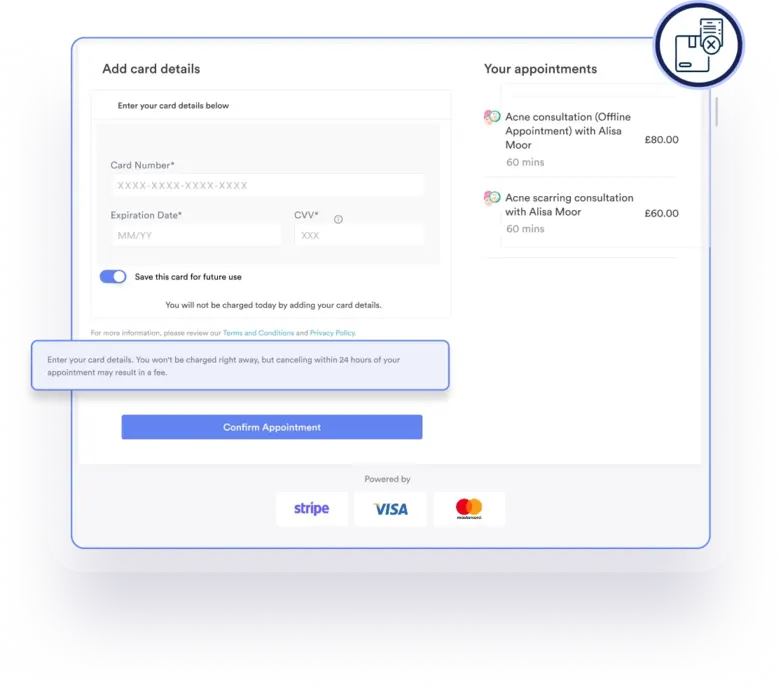
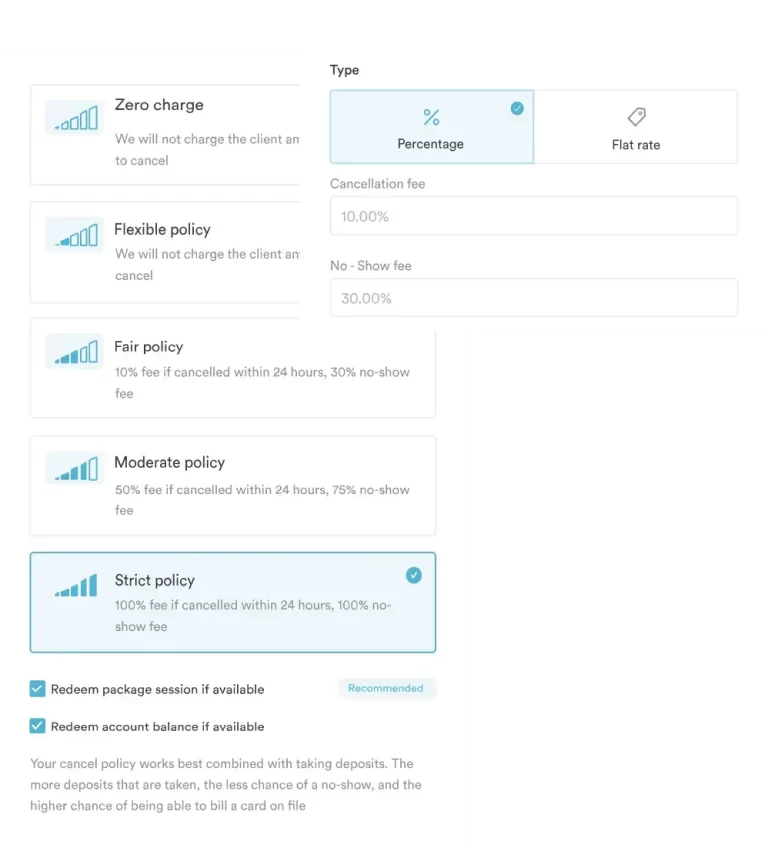
Take a look at the images below to see how this feature looks in action:
The Cancellation and No-Show Policy tools take the stress out of managing no-shows and cancellations. With clear policies and automated enforcement, you stay in control while keeping client relationships intact.
How the Cancellation & No-Show Policy works behind the scenes
Putting your cancellation policy into practice is easier than you think — and it makes a real difference.
Here’s the fully automated process that happens when a client books, cancels, or no-shows with your policy in place:
When a client books, they add their card on file and/or pay a deposit upfront.
If they cancel within the allowed window, no fees are charged and the deposit is refunded.
Cancel too late? Your system automatically applies the cancellation fee and/or keeps the deposit.
If the client doesn’t show, fees are charged according to your policy — no manual follow-up needed.
The deposit is usually applied toward the final payment if the client shows up.
You get clear records of every charge, cancellation, and fee for easy tracking and peace of mind.
This hands-off process keeps your revenue steady and your team focused on what matters — delivering great service.
Types of policies you can implement
Every clinic runs differently — that’s why Pabau gives you the power to choose how strict (or relaxed) your cancellation policy should be.
Here are the policy types you can set:
Zero Policy No fees, no penalties. Best for: Clinics that rely on high volume or want to offer total flexibility as part of their client experience.
Flexible Allows clients to cancel up to a few hours in advance without any charges. Best for: Low-risk services or loyal clients who rarely miss appointments.
Fair Applies a small fee if clients cancel within a short notice period (e.g., 12–24 hours). Best for: Popular services with high demand where cancellations can still be rebooked.
Moderate Applies a more significant charge for late cancellations and no-shows. Best for: Practices with limited appointment slots or longer treatment times.
Strict Applies the full fee if clients cancel too late or don’t show at all. Best for: High-cost treatments, new clients, or appointments that block out large time slots.
You can also decide how to charge the cancellation or no-show fee:
✔️ As a flat fee (e.g. £30 per no-show) ✔️ Or a percentage of the service price (e.g., 50% for late cancellation)
This means whether you’re a solo practitioner or managing a multi-location clinic, you can build a policy that reflects the value of your time and keeps clients accountable, without making it personal.
Tips to get the most out of your cancellation policy
Setting a cancellation policy is only the first step. But, a cancellation policy is only as good as how well you actually enforce it — and that’s where the real power lies.
Here’s how to turn this feature into your revenue guard:
Choose the right cancellation window
24–48 hours usually hits the sweet spot — not too harsh, not too risky.
Use discretion when it counts
Waive fees for genuine reasons with just a click. Stay fair, not rigid.
Make your policy crystal clear
Show it at every step — from booking to reminders — so there are no surprises.
Pick the best payment approach for your practice
Use deposits, cards on file, or both to protect your time and keep it smooth for clients.
Protect your time and revenue with Pabau’s Cancellation Policy
Having a clear cancellation policy isn’t just good practice — it’s essential for med spas where time, resources, and revenue are tightly connected.
Pabau’s Cancellation Policy feature gives you the tools to reduce no-shows, protect your income, and keep your schedule running smoothly.
🎯 Ready to take back your time? Be one of the first to try the new Cancellation Policy feature by signing up here.