Primary & Preventive Care Wellness
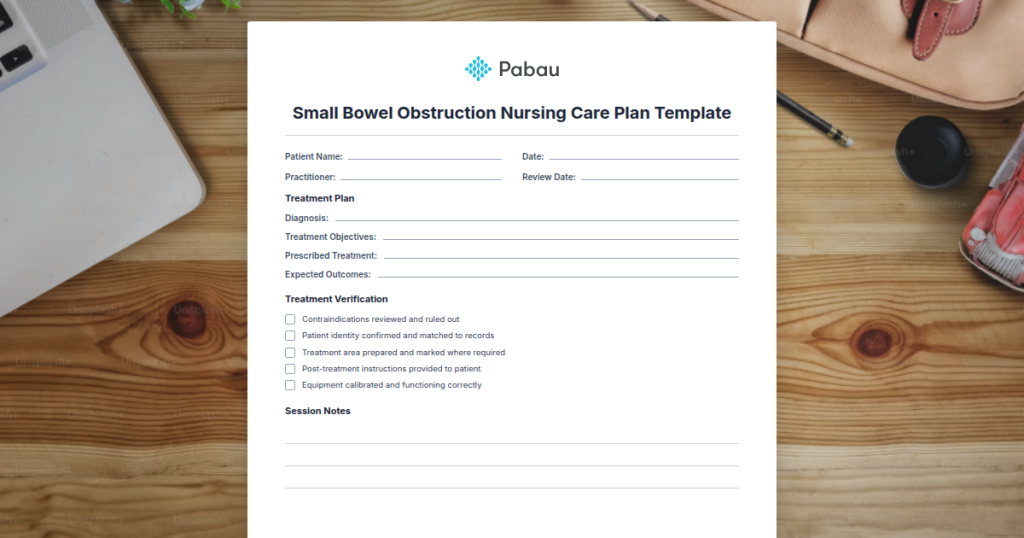
Small Bowel Obstruction Nursing Care Plan Template
A comprehensive small bowel obstruction nursing care plan template provides stru...

March 13, 2026

Discover free eBooks, guides and med spa templates on our new resources page


Buy now, pay later is now available in Pabau

Read case studies from our satisfied clients

Compare Pabau with alternative systems
 Integrations
 Measure Pabau savings
  Our security commitment
  About us
Learn why this holistic care and aesthetic medicine clinic chose Pabau to power patient care and performance.
Read more

Urgent care doctors notes verify medical consultation and treatment for employers and schools
HIPAA-compliant templates protect patient privacy while documenting visit findings and recommendations
Pre-visit digital forms reduce paperwork and accelerate clinic workflows during high-volume periods
Customisable sections capture diagnosis, treatment details, and work/school restrictions in one form
A ready-to-use urgent care doctors note template covering patient details, visit findings, diagnosis, treatment provided, work/school recommendations, and signature blocks for clinician and patient verification.
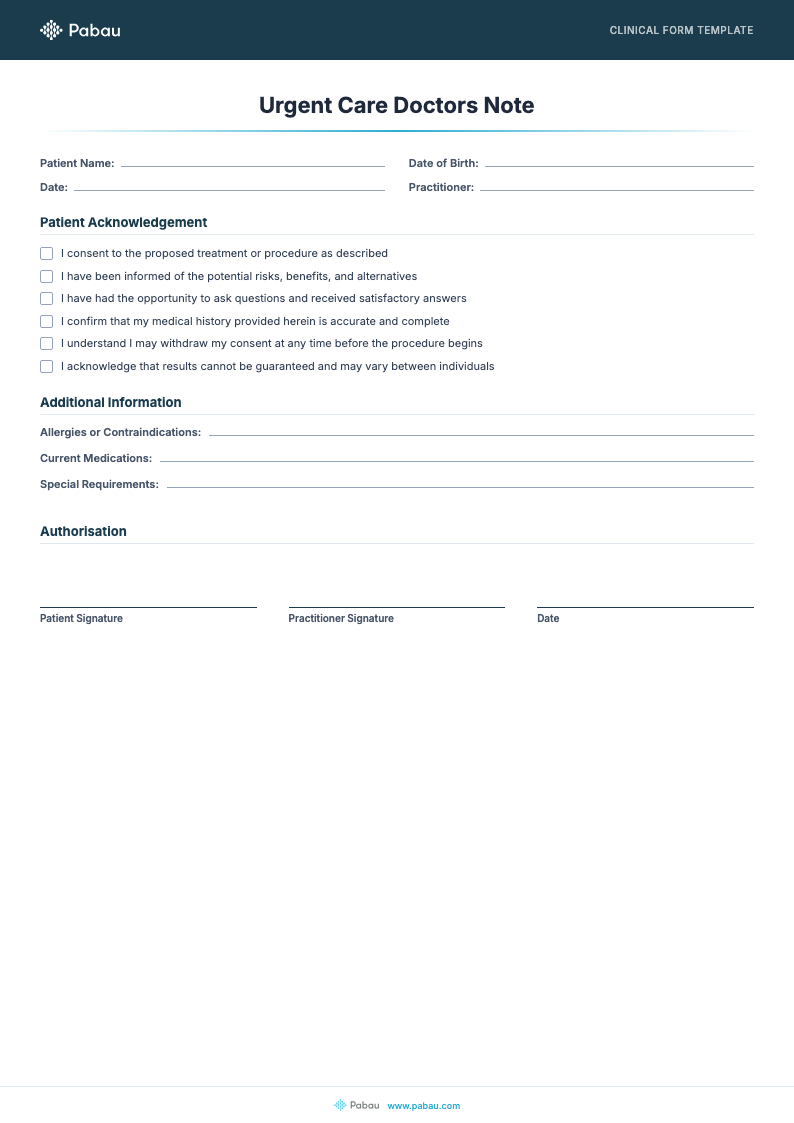
An urgent care doctors note template provides clinicians with a structured form to document patient visits, diagnoses, and treatment recommendations in a format employers and schools recognise. Rather than writing each note from scratch, healthcare providers use pre-formatted templates that capture essential information consistently-reducing administrative time while ensuring compliance with documentation standards.
An urgent care doctors note is a medical document issued by a healthcare provider following an acute care visit. It serves as official verification that a patient received treatment for a short-term illness or injury and documents the clinician’s assessment, findings, and any recommended work or school restrictions.
These notes function differently from standard clinical records. While clinical notes remain in the patient’s medical file, a doctors note is a portable document the patient presents to employers, schools, or insurance companies as proof of medical consultation. The document typically includes: patient identifying information, date of visit, presenting symptoms, examination findings, clinical diagnosis, treatments administered, and specific recommendations about activity restrictions or return-to-work timing.
From a legal and compliance perspective, an urgent care doctors note must be issued only by a qualified healthcare provider-typically a physician, nurse practitioner, or physician assistant licensed in the jurisdiction where care was provided. The document carries the provider’s signature and credentials, making it legally defensible as evidence of care. Under HIPAA regulations, any sensitive patient information included on the note must be handled securely, particularly if shared electronically with third parties like employers or insurers.
Using a structured template streamlines documentation during high-volume urgent care periods. Follow these five operational steps:
Many clinics use AI-assisted clinical documentation to auto-populate diagnosis and treatment sections based on appointment notes, accelerating the completion process without sacrificing accuracy. Digital form systems also timestamp each completed form, creating an automatic audit trail for compliance verification.

Pabau’s digital forms integrate with appointment records and clinical notes, allowing you to generate compliant doctors notes in seconds rather than minutes-and store them securely in the patient record.

Urgent care doctors notes serve multiple healthcare settings where rapid, accurate absence documentation is essential. Private general practices issuing work notes for acute infections (flu, strep throat, bronchitis) use these templates daily. Sports medicine clinics document acute injuries and return-to-play timelines. Occupational therapy practices provide documentation for patients recovering from workplace injuries. Physical therapy clinics issue restrictions after acute phases of care. Occupational health services within larger organisations also rely on standardised note templates for employee fitness-to-work assessments following urgent injuries.
School health services and university medical centres issue urgent care notes when students require temporary class absences. Mental health crisis services document acute episodes and recommend time off work for stabilisation. Emergency departments and walk-in clinics-where volume is high and documentation speed matters-depend on template consistency to maintain quality across dozens of daily notes.
Compliance and legal protection: Standardised templates ensure your notes include all documentation elements required by medical boards and employment law. A well-designed form prompts clinicians to record date, diagnosis, treatment, and restrictions-reducing the risk of incomplete notes that could be challenged during regulatory audits or legal disputes.
Workflow efficiency: Pre-formatted sections eliminate the need to write narrative notes from blank screens. Clinicians complete structured fields in seconds rather than crafting individual paragraphs, freeing time for patient care. During peak urgent care periods-winter flu season or post-holiday rushes-this efficiency difference is measurable in minutes saved per patient across the team.
Consistency and reduced errors: Template-based documentation ensures every urgent care note includes the same essential fields, reducing omissions. Employers and schools recognise the standard format, making the notes easier to process. Consistent field labelling also reduces misinterpretation-when every form clearly labels “Work Restrictions” in the same location, fewer errors occur during employer verification.
Patient transparency: A well-written urgent care note helps patients understand their condition and restrictions. When patients receive a clear, signed document explaining their diagnosis and limitations, they’re more likely to comply with recommendations and less likely to dispute the clinical decision later.
Separate your standard urgent care note template into two versions: one for work absences and one for school documentation. Work notes emphasize return-to-duty timelines and job-specific restrictions, while school versions focus on activity limitations and attendance dates. Tailoring the template to each audience reduces requests for clarification from employers and schools.
When employees submit urgent care notes to employers, HR departments often contact the clinic to verify authenticity. A professional, complete doctors note minimises these verification calls. Include the clinic contact details (phone number, main reception email) prominently on the template so employers can easily reach you if questions arise. Verify that your clinic’s name, address, and the clinician’s credentials (license number, speciality) appear clearly on the form.
Many employers now photograph or scan doctors notes for their records, which means your template must remain legible even after digital reproduction. Use clear fonts, sufficient contrast, and avoid dense blocks of text that blur when scanned. Document retention is also critical-clinics should store copies of issued notes for at least 5-7 years in case employers request verification years after the initial visit.
For patients filing insurance claims related to the urgent care visit, the doctors note serves as supporting documentation of medical necessity. Insurance companies use the documented diagnosis, treatment, and clinician assessment to validate claim amounts. An incomplete or vague note may trigger claim denials or requests for additional information, delaying patient reimbursement.
Ensure your template captures the specific treatment details insurers require: medication names and dosages, procedures performed, any diagnostic tests ordered, and clinical reasoning for the treatment plan. This level of detail accelerates insurance processing and strengthens the medical record defensibility if the claim is later audited.

Need guidance on compliant clinical documentation? Safer Clinical Notes outlines best practices for writing medical documentation that meets regulatory standards and protects patient safety.
Looking to automate form administration? Digital Forms lets you create custom, auto-populated templates that integrate directly with your appointment system.
Want to understand your clinic’s privacy obligations? HIPAA Compliance for Medical Offices explains how to handle patient information securely, including third-party document sharing with employers.
An urgent care doctors note template transforms absence documentation from a time-consuming, error-prone task into a streamlined, consistent process. By standardising the form structure and ensuring every note includes legal essentials-clinician credentials, clear diagnosis, specific restrictions-you protect both patient care quality and clinic compliance. Whether your team manages high-volume walk-in centres or specialised acute practices, a well-designed template becomes an operational asset that pays dividends across workflow efficiency, documentation accuracy, and employer/school verification speed.
Digital form systems take this efficiency further by eliminating paper entirely and automating data capture during appointments. The result: urgent care notes completed in seconds, securely stored with audit trails, and instantly retrievable when patients or third parties request verification-all while maintaining HIPAA compliance and clinical credibility.
Digital template systems allow patients to complete forms on smartphones via web browsers or mobile apps. The form automatically syncs with the clinician’s system, eliminating manual data entry during the visit. Patients simply tap fields, type responses, and sign electronically-taking 3-5 minutes instead of 10+ with paper forms.
Essential fields include: patient name and date of birth, date of visit, presenting symptoms, clinical examination findings, diagnosis, treatments provided, clinician signature and credentials, and specific work/school restrictions with timelines. Legally, the note must be signed by a licensed provider to be valid.
Employers may require employees to submit a doctors note for absences exceeding 24-48 hours, depending on company policy and state/regional employment law. Schools typically request notes for absences over 3 consecutive days. Insurance companies may request notes when patients file claims related to the urgent care visit.
Yes. Downloaded PDF templates can be customised in design software or printed and filled by hand. Many clinic software platforms also allow you to modify template fields, add your clinic logo, and adjust sections to match your specific documentation needs.
Standard templates are available as PDFs for printing and manual completion, or as digital forms integrated into clinic management systems. Digital versions allow automated population of clinic details and clinician information, reducing completion time.
Yes. Download the template, print it, complete handwritten sections, sign, and distribute to the patient. For digital workflows, use the template within your clinic software to complete, sign electronically, and email directly to the patient or store in their digital record.