

Patient portal software
A patient self-service portal for every touchpoint
Pabau’s patient portal software gives each patient one secure login to book appointments, pay invoices, track packages and update their medical history. Loyalty points and before-and-after photos sit there too, in your practice’s colors.
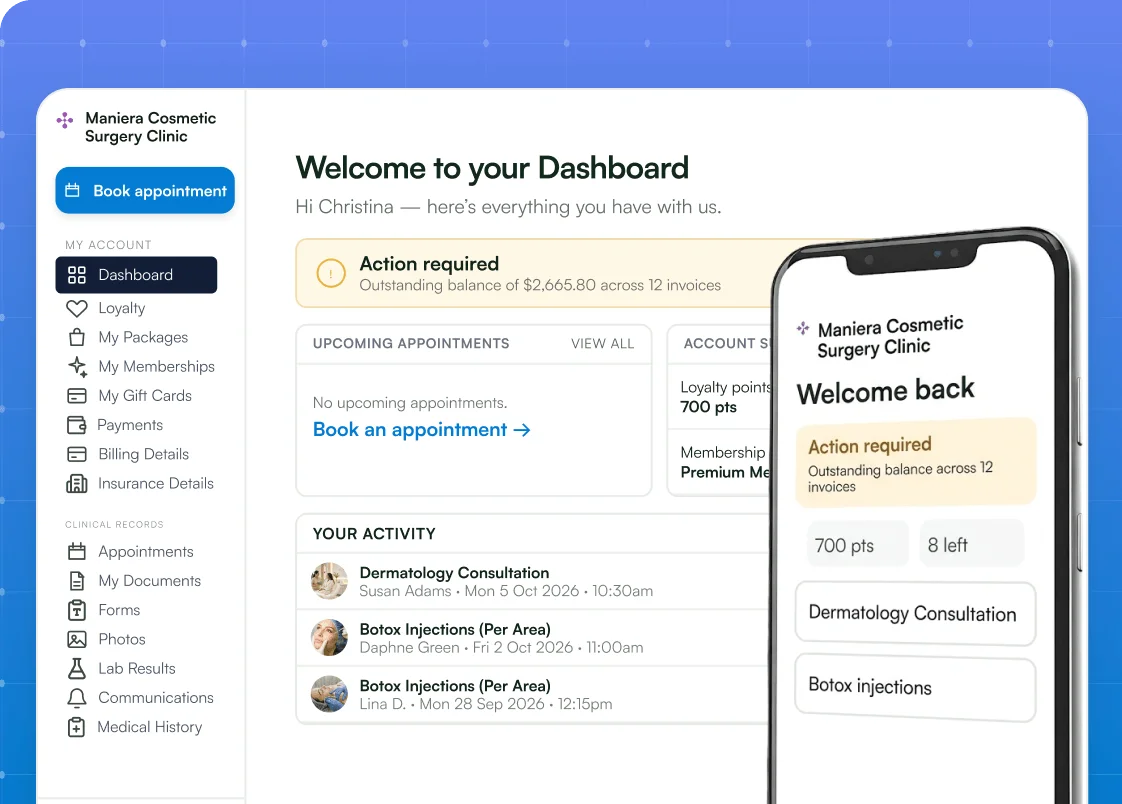


Part of Pabau, the practice management platform behind 4,000+ medical practices and medspas across the UK, US and globally



Patient engagement software that cuts front-desk calls
Pabau’s patient portal answers the calls that tie up reception: when’s my appointment, what do I owe, how many sessions are left? Patients check those answers themselves, from one login, at any hour. With patient engagement software built into Pabau, your front desk spends less time chasing payments and paper forms. Your team gets that time back for the patients in front of them.
How Pabau's patient portal works
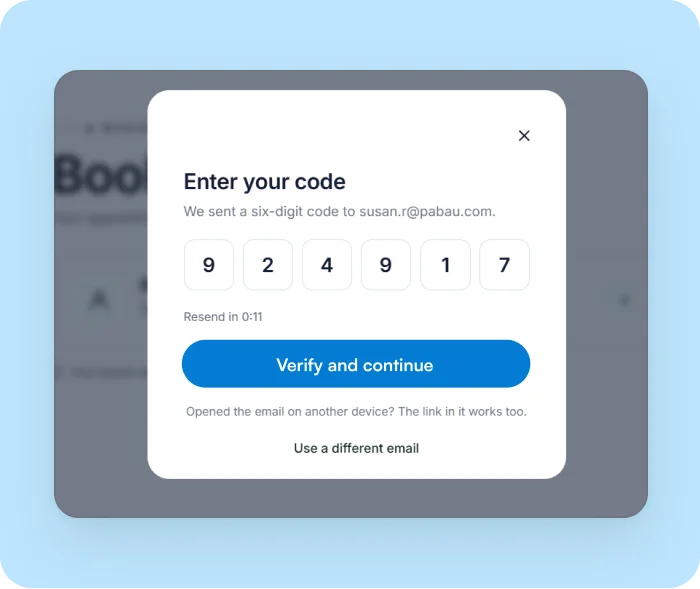
Sign in
The patient portal signs patients in with their email and a six-digit one-time code, so there’s no password to remember. A patient’s first sign-in registers them automatically.
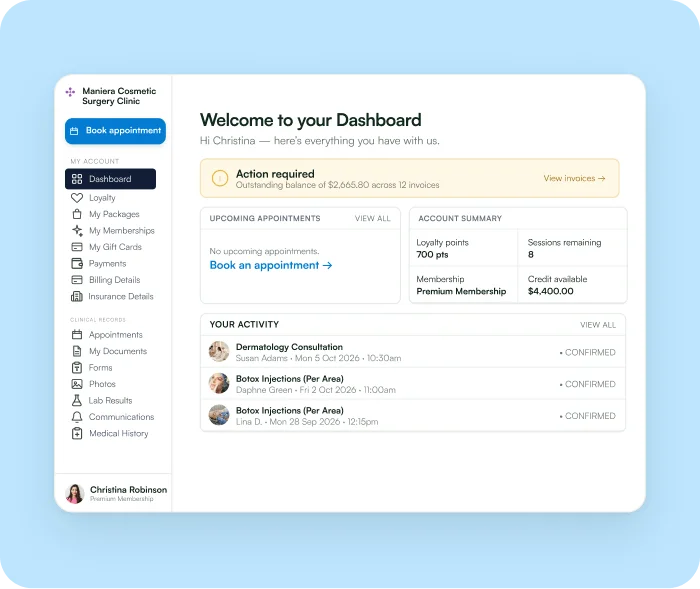
Manage
From the dashboard, patients book appointments, pay invoices, check their packages and open their documents and photos.
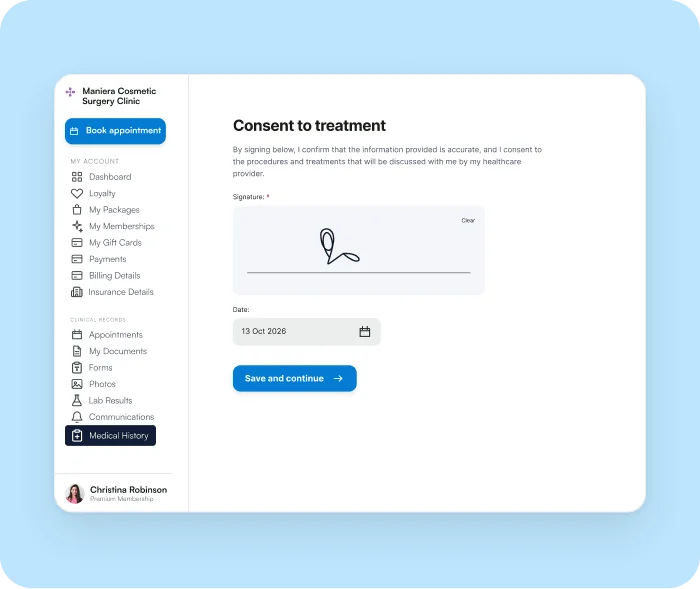
Sync
Changes patients make, such as an updated medical history, go straight to their client card.
Everything patients need at a glance
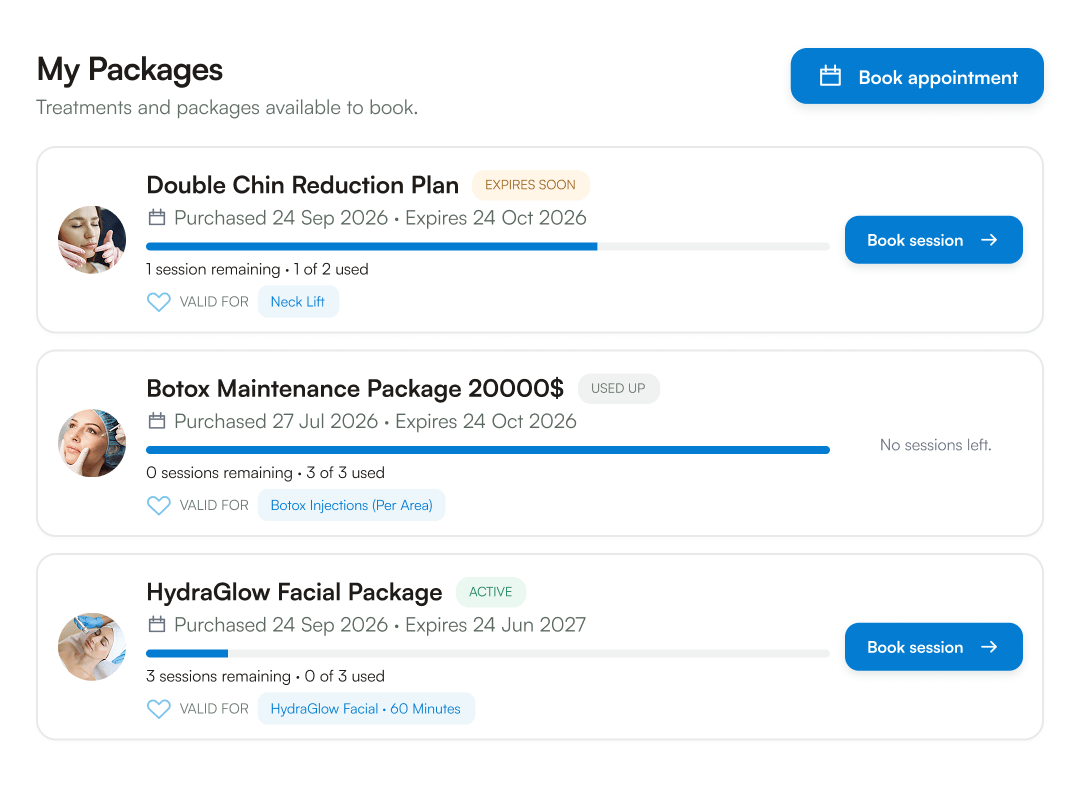
The patient portal dashboard shows each patient their balance, upcoming appointments, loyalty points, remaining sessions and membership, plus any sections you turn on. Each package shows sessions left, the expiry date and a Book session button, so patients come back to use what they’ve paid for.
Get paid without chasing
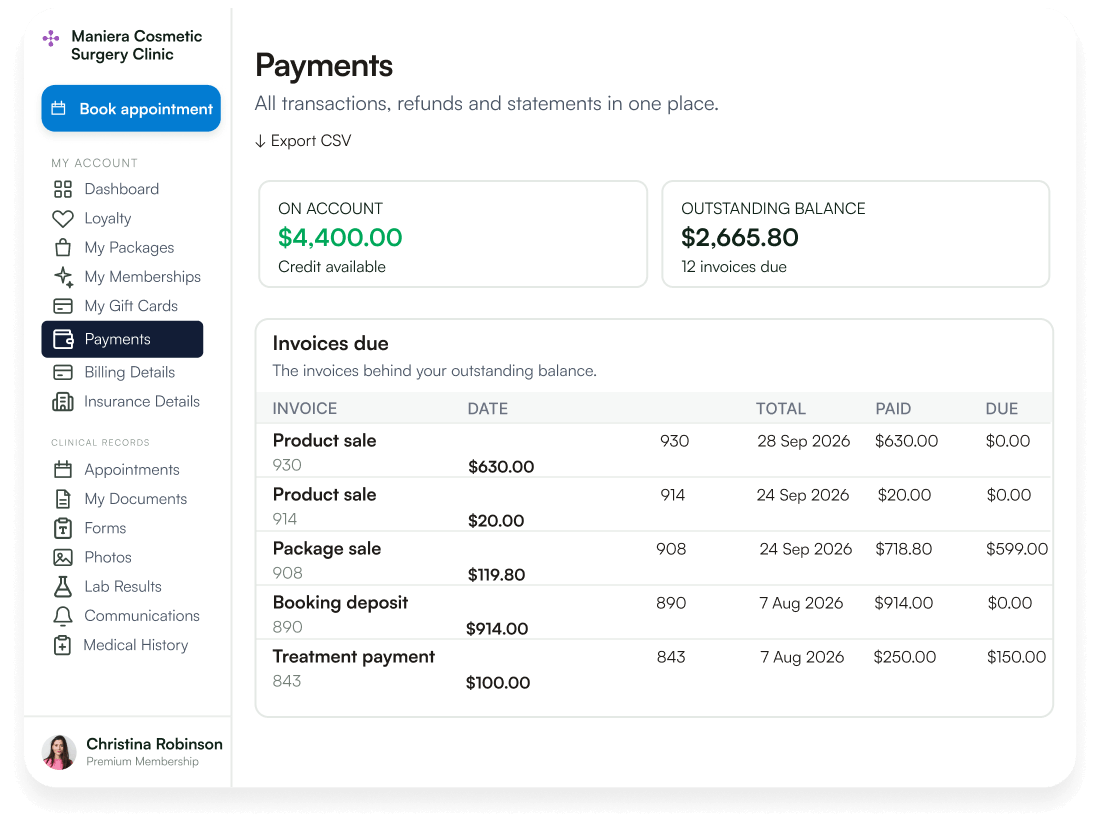
Pabau’s patient payment portal lets patients view, print and pay outstanding invoices online. Patients see their credit, their balance and each invoice behind it, so they can check what a charge covers first. Fewer reminders for your team, faster payments for your practice.
Go paperless with digital intake forms for medical history
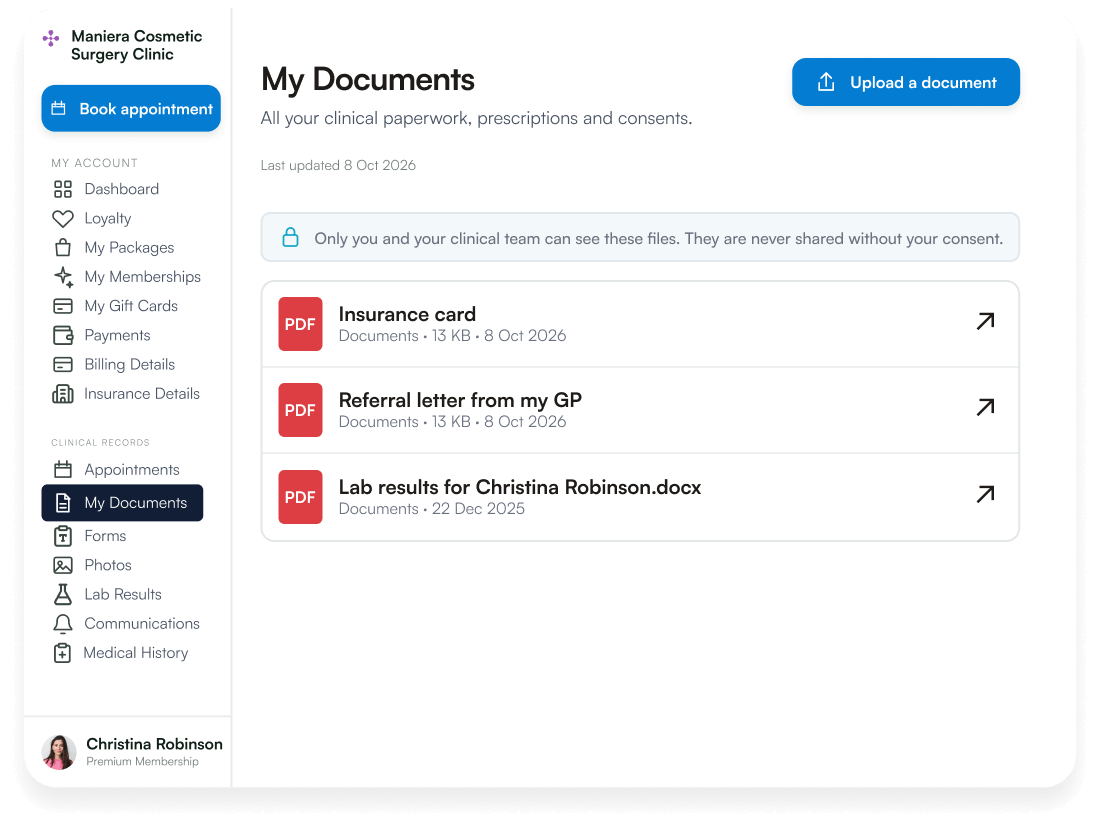
The patient portal lets patients update, e-sign and save their medical history online whenever their health changes. Each signed update syncs straight to the client card, so there are no paper forms to re-enter. Your team sees the latest details before every appointment. Patients can also open consent forms, prescriptions and aftercare guides, and upload their own documents, like a referral letter.
Share lab results securely without extra appointments
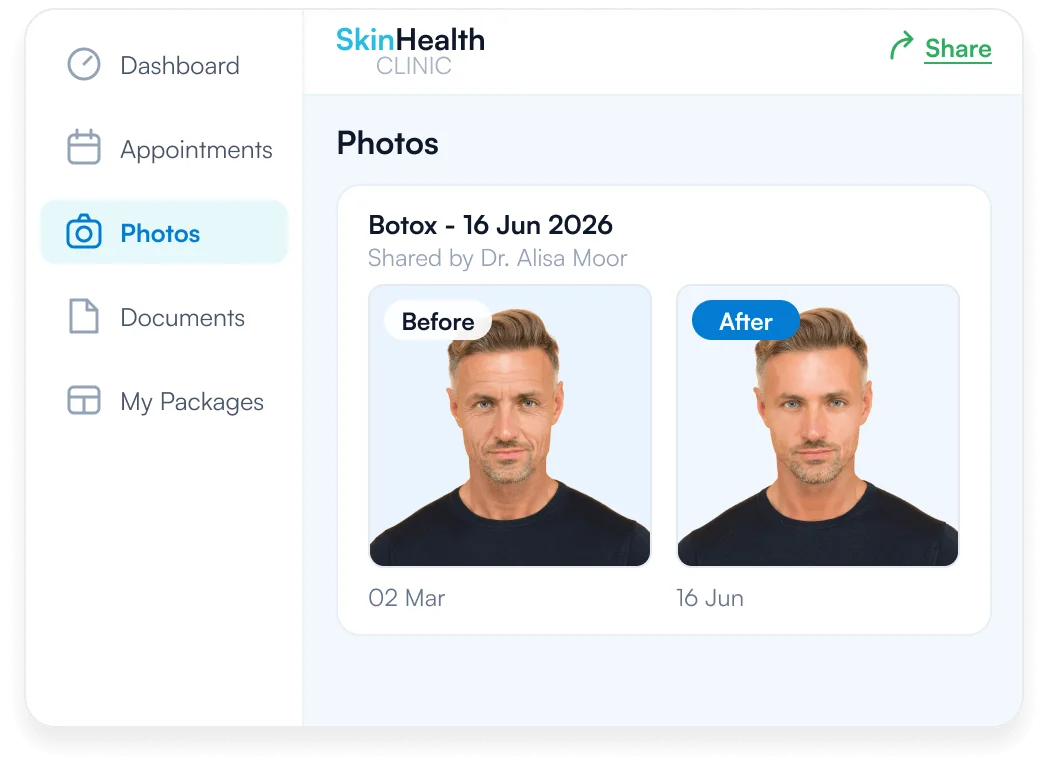
The patient portal shares lab results and before-and-after photos with each patient in one secure place. Photos are grouped by treatment, so patients can follow their progress over time. Only the patient and their clinical team can see them, so results don’t need a follow-up call or an extra booking.
Tailor the patient portal to your needs and branding
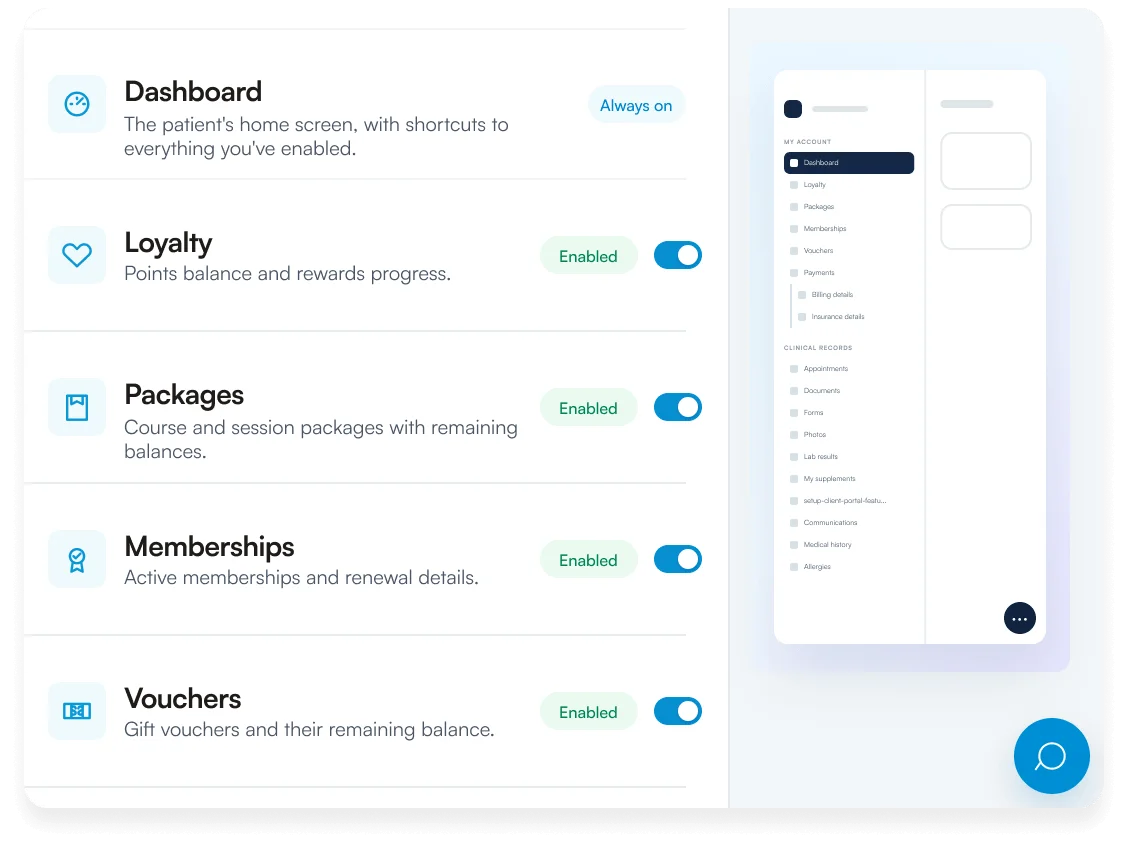
The patient portal settings let you pick the sections patients see and a color palette that matches your online booking page. A live preview shows the patient’s menu as you turn each section on or off. You can also post an announcement at the top of every dashboard and add your terms and conditions and privacy policy.
Track portal sign-ups and active patients on one dashboard
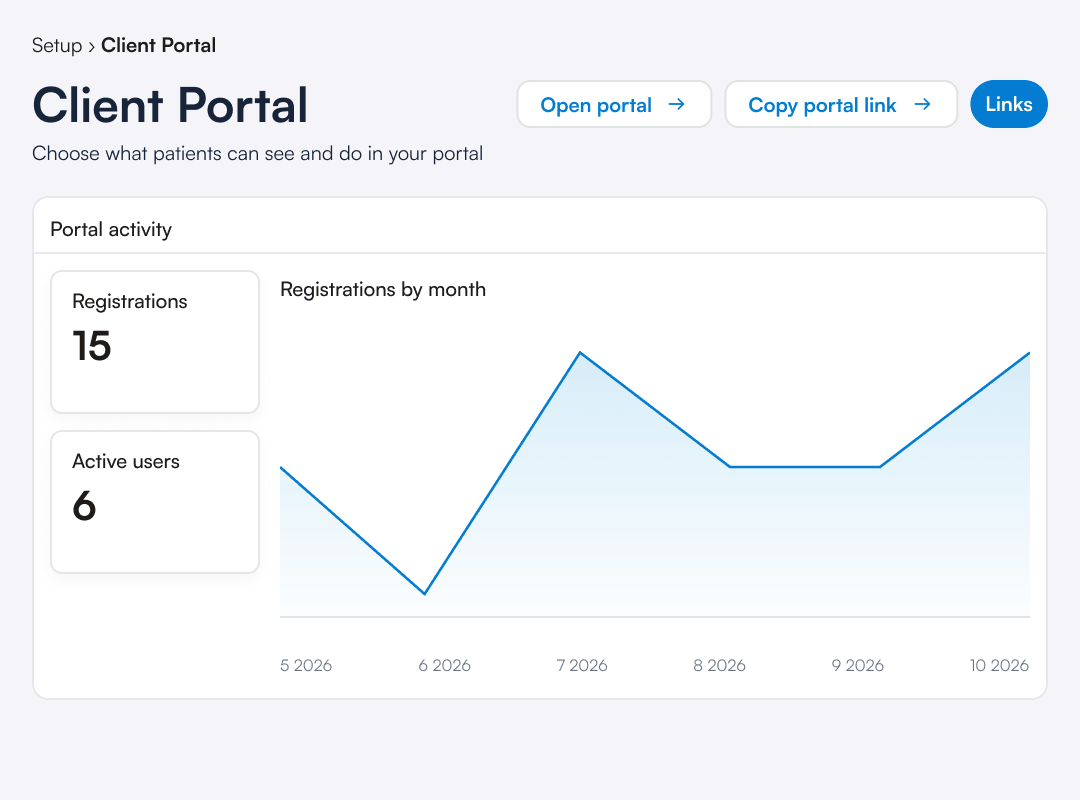
The Portal activity dashboard shows how many patients have registered, how many actively use the portal and how sign-ups grow month by month. To grow sign-ups, add your portal link to your website and appointment confirmations. You can also print a QR code for reception or send direct links to specific pages.
Frequently asked questions
Pabau’s patient portal software gives each patient one secure place to manage their bookings, payments and records. From one login, patients book, pay invoices, check packages, open documents and photos, and update their medical history. They can change their name, date of birth and mobile number themselves. Your practice manages email addresses, because a new one has to be re-verified.
Patients sign in to the portal with their email address and a six-digit one-time code, so there’s no password to remember. New patients don’t need to register first, because their account is created the first time they sign in.
The patient portal is set up in Pabau’s settings, where you switch each section on or off and preview what patients see. Then pick a color palette and add your terms and conditions. Patients reach your online patient portal from your website, your online booking page, or links in your emails and texts. A printed QR code at reception works too.
Yes, patients can open any outstanding invoice in the patient portal and pay it online. They see what each invoice covers, plus their credit and outstanding balance, before they pay.
Yes, patients can update and e-sign their medical history form in the patient portal before any appointment. The signed form syncs to their client card, so your practitioner sees the latest details before treatment.
No, MyChart is the patient portal Epic provides to hospitals and health systems that use its records software. Pabau’s patient portal is built into Pabau’s practice software and serves med spas and medical practices, from solo practitioners to multi-location groups.
The Portal activity dashboard shows how many patients use the portal, with total registrations, active users and new registrations by month. Find it in Pabau under Setup, then Client Portal.
Give every patient their own secure portal
Let patients book, pay and update their records from one login, in your practice’s colors.