Massage Gift Card Template
A massage gift card template is a fill-in-the-blank certificate you customize wi...

23
Last Updated: Sep 11, 2026

Healthcare marketing automation sends patient messages on a trigger, using appointment and treatment data your practice already holds.
Six automations cover most of the payoff: reminders, follow-up, review requests, reactivation, segmented campaigns, and gift cards.
Switch them on in lifecycle order. Appointment reminders come first because they defend bookings you already have.
Four of the six have to read the patient record, so they cannot run from a standalone email tool.
HHS treats appointment reminders as treatment, while promotional sends need written authorization and a signed vendor agreement.
Healthcare marketing automation is software that sends patient messages on a trigger, drawing on the appointment and treatment data your practice already holds.
This guide names the six automations worth running and the order to switch them on in. The order matters, because the earliest ones protect revenue you have already booked.
It also flags which of the six have to read the patient record. Those four cannot run from a standalone email tool, whatever its feature list promises.
A compliance grid near the end sets out what HIPAA and the FCC ask of each type before you turn it on.
Healthcare marketing automation is the use of software to send patient communications automatically, triggered by an event in your practice’s own records.
The event does the deciding. A booking, a completed treatment, a birthday or a long silence each sets a message going, with nobody at the front desk pressing send.
The category covers six kinds of message:
Two systems usually sit behind all of it. A customer relationship manager, known as a CRM, holds the contact and the campaign history. The EMR or EHR holds the clinical record.
Where both live in one practice management system, an automation reads across them. Where they are separate products, somebody has to keep the two in step.
Marketing automation for healthcare runs as a four-step loop. A trigger fires, the system picks who qualifies, the message sends, and the result is written back.
Step four is the one that gets skipped when a standalone email tool is wired to a booking system. Without the write-back, the next send has no record of who already got the message.
Scheduling sits on top of the loop. Holding a send until a chosen hour lets you test whether mornings or evenings earn better open rates, and lets staff prepare campaigns in advance.
Start with appointment reminders, then work outward along the patient lifecycle. The order below runs from defending revenue you have already booked to going after revenue you have not.
Reminders come first because a confirmed booking is the cheapest revenue in the building. Follow-up and review requests come next, since they run off the same appointment data. Campaigns and gift cards come last.
Those two need a patient base big enough to segment and a reputation worth pointing people at. Both take a few months of the first four to build.
| Automation | What triggers it | Needs the patient record? | What it recovers |
|---|---|---|---|
| 1. Appointment reminders | Booking confirmed, then 48 and 24 hours out | Yes. It reads the date, provider and location | Slots that would have gone empty |
| 2. Post-treatment follow-up | A treatment is marked complete | Yes. The wording depends on the treatment given | Repeat visits that never got booked |
| 3. Review and feedback requests | The visit closes | Yes. It has to know the visit happened | Search visibility and new enquiries |
| 4. Lapsed-patient reactivation | No visit for a set number of days | Yes. It counts days since the last appointment | Patients quietly drifting to another practice |
| 5. Segmented campaigns | A date, a season or a list filter | No. A tagged contact list is enough | Quiet weeks in the calendar |
| 6. Gift cards and referrals | A purchase, a birthday or a holiday | No. Purchase history helps, but is not required | First visits from people you never marketed to |
A reminder sequence sends the confirmation the moment a booking is made, then reminders at roughly 48 and 24 hours before the visit.
The confirmation carries the date, time, provider and location. The reminders repeat them and give the patient one tap to confirm, reschedule or cancel.
That last part is what protects the slot. A patient who cancels the day before leaves you time to fill the space. A patient who simply fails to arrive does not.
Keep clinical detail out of both. Name the practice and the appointment, never the treatment, the provider specialty or the reason for the visit.
Send by SMS as well as email where patients have agreed to texts. Texts get read within minutes, while email often waits until the evening.
Follow-up fires when a treatment is marked complete. It carries aftercare instructions first, then a prompt to book the next appointment.
Two messages do most of the work. Aftercare within a few hours of the visit, and a thank-you carrying a rebooking link a few days later.
The timing changes with the treatment. A botulinum toxin patient needs the rebooking nudge at around three months. A course of skin treatments needs one after every session.
This is the automation that turns one visit into a patient. Retention costs far less than acquisition, and the follow-up message is where retention begins.
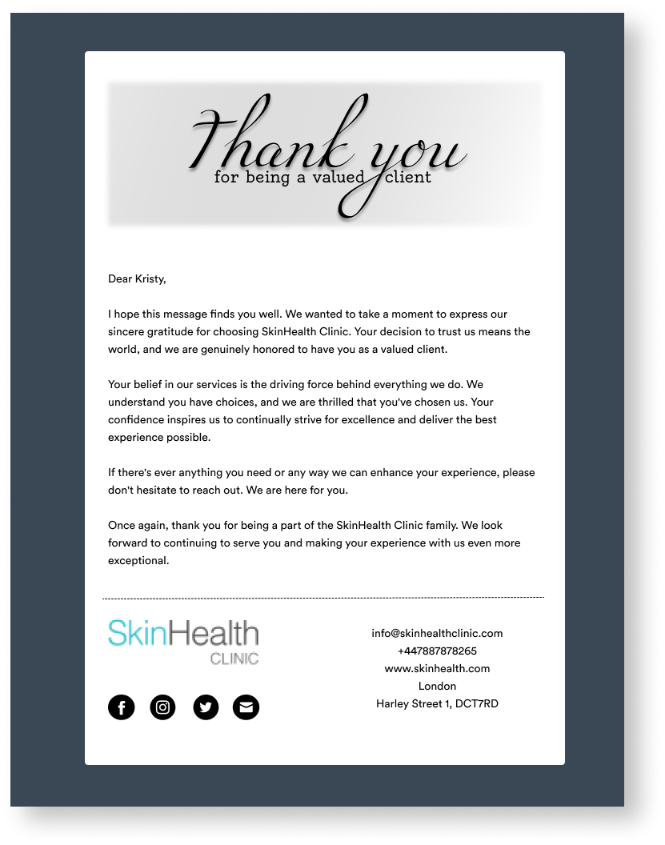
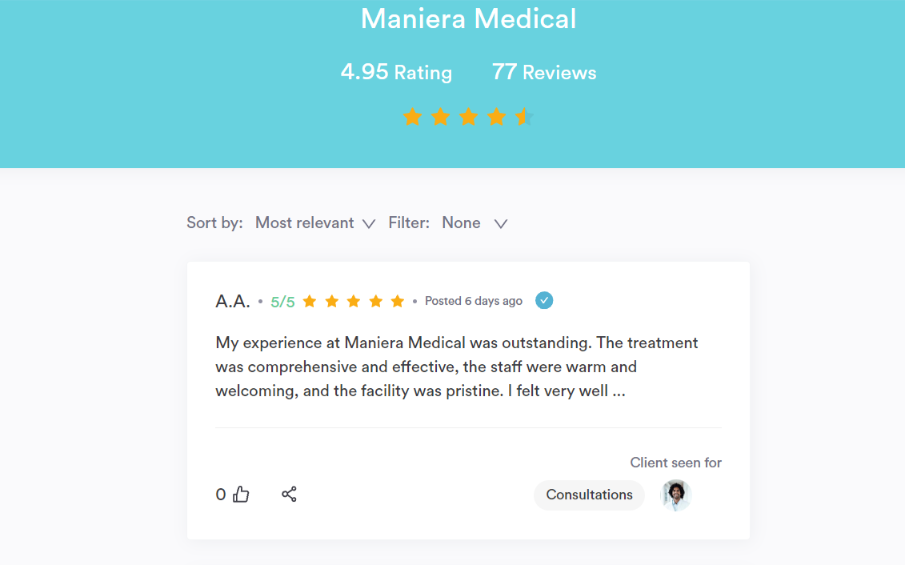
Send the review request once the visit has closed, while the appointment is still fresh in the patient’s mind.
Review platforms discourage asking only the patients you expect to be happy, so send the same request to everyone you treated that week.
Run a private feedback survey alongside it. That is where you ask about wait times, the consultation and the result, in as many questions as you need.
The two run on the same trigger and answer different questions. Reviews build the profile that future patients read. Survey answers tell you what to change next month.
Reactivation fires on silence. Set a threshold in days since the last appointment, and let the system message anyone who crosses it.
The threshold depends on what you treat. Ninety days suits an injectables list. Six months suits a general skin, wellness or physical therapy practice.
Keep the message short and give a reason to come back. A named offer on the treatment they used to book beats a general invitation.
This one has to count days against the appointment history. That makes it the clearest example of an automation belonging inside whatever system holds those appointments.
Segmentation decides who receives a campaign. The filters worth building are treatment history, visit frequency, spend, demographics and time since the last booking.
A blanket send to the whole list costs you subscribers. A filtered send to a few hundred people usually earns more and annoys fewer.
Four segments cover the bulk of a patient list:
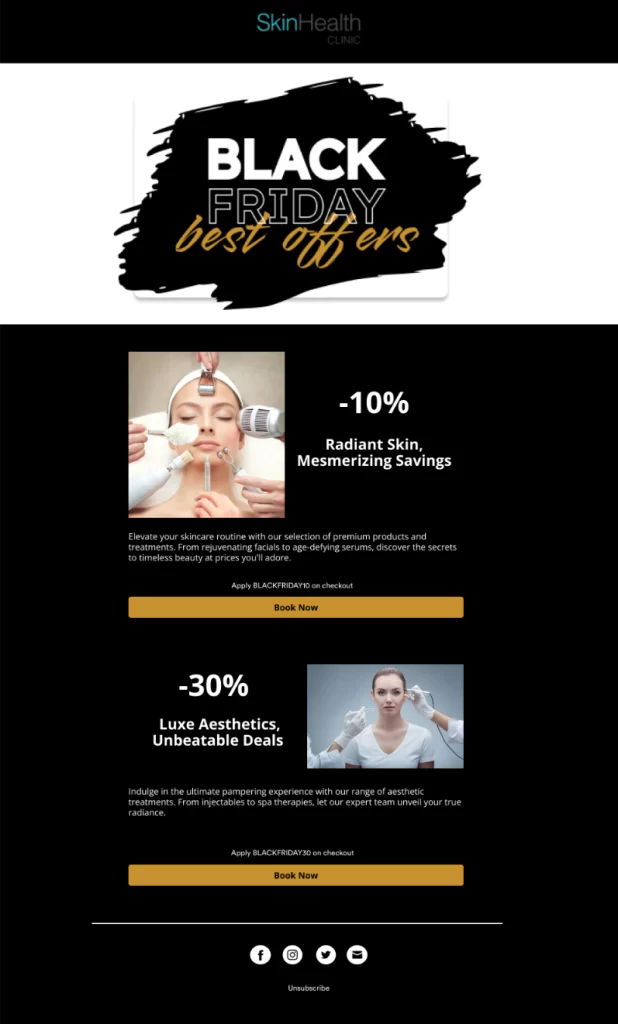
Design does some of the work here. A template library saves you building each campaign from scratch and keeps the branding steady across every send.
Personalization goes past the first name. Sending from a practice address rather than a no-reply address raises the odds that the email gets opened at all.
Gift cards reach people you have never marketed to. The buyer is an existing patient and the recipient is usually a stranger to your practice.
Automate the messages around them. Send a birthday email carrying a gift card, and a reminder before an unused balance runs out of time.
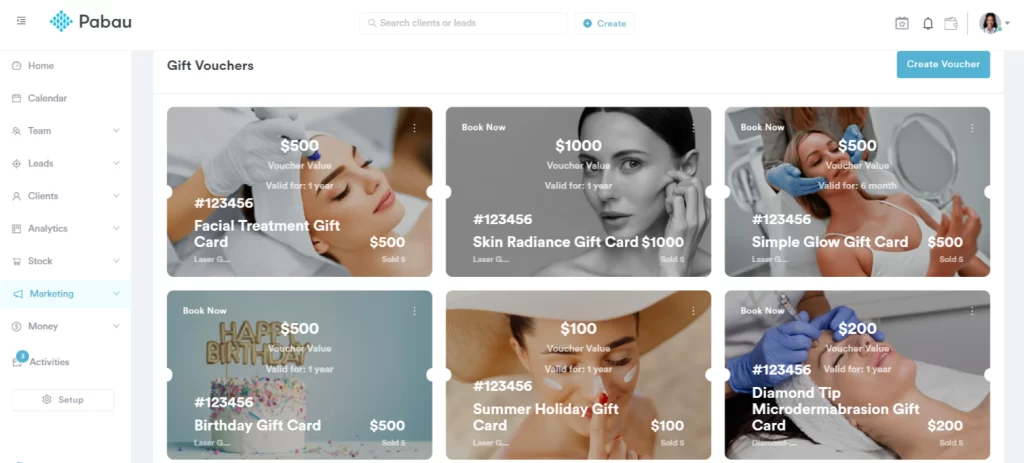
You set the name, the value and the expiry yourself. Selling them through online gift card software as well as at the front desk keeps them available all year.
Referral offers work on the same principle. A message to patients seen recently, carrying something they can pass on, costs less per new patient than an ad.
HIPAA-compliant marketing automation rests on two requirements for a US practice. You need a signed agreement with any vendor handling patient data, and the right permission for each type of send.
The agreement is a business associate agreement, or BAA. HHS requires one with any vendor that creates, receives, maintains or transmits protected health information, known as PHI, on your behalf.
An email platform holding patient names against appointment dates is doing exactly that. So is a cloud service storing the messages you sent.
Permission depends on what the message says. The Privacy Rule defines marketing as a communication about a product or service that encourages the recipient to buy or use it.
Most marketing uses of PHI need the patient’s written authorization first. Three carve-outs sit outside that definition:
HHS has confirmed separately that appointment reminders count as treatment, so they need no authorization. Keeping the wording free of clinical detail is still good practice, even without that requirement.
Texting adds a second rulebook. The FCC requires written consent before a commercial text goes to a mobile number using an autodialer. An informational text can rest on oral consent.
Patients may withdraw that consent at any time and in any reasonable way, even after giving it. Your system has to record the opt-out and stop sending on every channel.
| Automation type | Does it touch PHI? | Consent needed before sending | What your vendor must provide |
|---|---|---|---|
| Appointment reminders | Yes. The message ties a named person to a visit | No HIPAA authorization, per HHS. Texting still needs FCC consent | A signed BAA, encryption in transit, and an audit log |
| Post-treatment follow-up | Yes. Aftercare reflects the treatment given | Treatment communication, so no authorization. Texting needs FCC consent | A signed BAA and access controls over who can read it |
| Review and feedback requests | Yes, where the request references the visit | Varies with wording. Keep it to the visit, not the treatment | A signed BAA and a record of what was sent to whom |
| Lapsed-patient reactivation | Yes. It reads the appointment history | Depends on wording. A recall reads as treatment, an offer as marketing | A signed BAA and segment filters that stay inside your system |
| Segmented campaigns | Yes, where the segment is built from treatment data | Written authorization where the send is promotional | A signed BAA, consent capture, and one-click unsubscribe |
| Gift cards and referrals | Usually promotional rather than clinical | Written authorization where PHI is used to target it | Consent capture and an opt-out honored across channels |
State law can sit on top of both rules. Several states run their own consent and health-privacy requirements, so check what applies where you practice.
None of this is legal advice. Where a send sits close to the line between treatment and promotion, ask your own counsel before you switch it on.
The first test for any healthcare marketing software is whether it can read your patient records. Four of the six automations above depend on that and stop working without it.
After that, six criteria decide the purchase:
Marketing tools for healthcare fall into two camps. General platforms such as HubSpot or Salesforce build strong campaigns and need work before they can see clinical data.
Practice management systems start from the record instead, and vary in how far their marketing goes. Pick the camp that matches which of the six automations you need first.
Practice management software like Pabau keeps the appointment, the treatment note, the invoice and the contact details in one record. An automation can therefore read a patient’s history before it decides what to send.
Every Pabau subscription includes the marketing suite, so the tools are there from the first day. The built-in suite covers a marketing email each month and two automations, alongside gift cards and feedback forms. It also aggregates reviews from Google, Facebook, Trustpilot and Doctify in one place.
Marketing Plus, our additional marketing add-on, raises those volumes. It adds unlimited email and SMS campaigns, unlimited automations, a premium template library, send scheduling, webhooks and unlimited feedback questions.
Because every send runs off the same record as the booking, the reactivation filter counts days against the appointment history itself. The review prompt knows the visit happened. No export to a second system happens first.
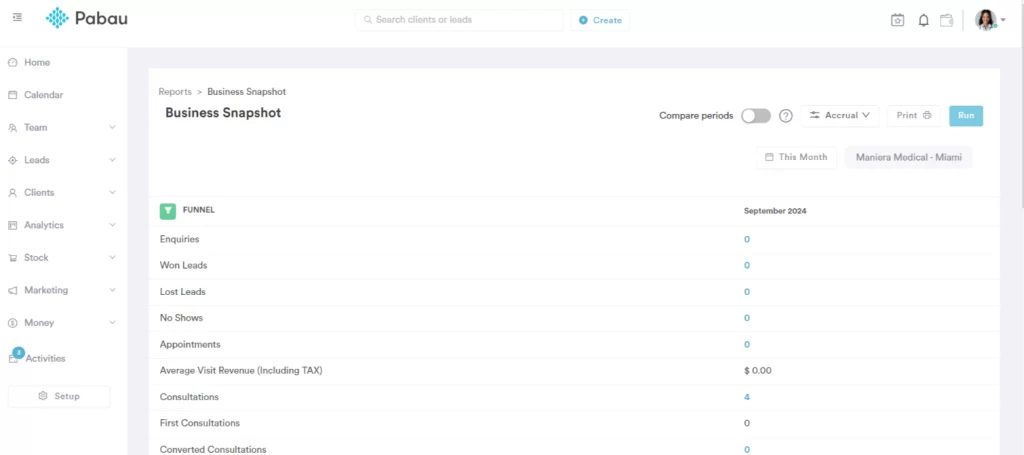
Marketing Plus also adds reports that sit outside the standard set. The Business Snapshot report shows financial performance day by day, so you can compare periods and see what a campaign moved.
Pabau connects natively to more than 30 tools, with Zapier, Make and an open API covering the rest. Those native integrations are included in every subscription.
The core platform has no free trial, and that is deliberate. Automations only pay off once your services, triggers and templates are configured to match how your practice runs, so setup happens through structured onboarding.

Pabau runs reminders, follow-up, review requests and reactivation off the same patient record that holds the booking. Your front desk stops chasing, and empty slots get filled earlier in the week.

The order is the part worth keeping. Reminders defend bookings you already have, and every automation after them spends more effort to earn less.
The record test comes second. An automation that has to know what was treated, or when, cannot sit in a standalone email tool. Somebody would have to maintain a sync between the two.
The trade-off is breadth against depth. A general marketing platform builds better campaigns. A practice management system knows who to send them to, and that half is harder to bolt on later.
Book a demo to see how Pabau runs reminders, follow-up and reactivation off the patient record your practice already keeps.

Need the wording for the first message in the sequence? Appointment confirmation email carries 10 templates you can adapt for your own practice.
Writing the campaign emails next? Med spa email marketing templates gives you ready-made copy for offers, follow-up and reactivation sends.
Checking a vendor before you sign? HIPAA-compliant AI tools sets out what to ask any supplier that will handle patient data.
The best healthcare marketing tools for a small practice are the ones already holding its appointment data. Reminders, follow-up and reactivation recover more than a campaign builder does, and all three need the record. Add a dedicated campaign tool later, once your list is large enough to segment properly.
Yes. Medical marketing software handles protected health information, so the vendor signs a business associate agreement and the platform logs who accessed what. General marketing software rarely offers either. The campaign features look similar on a feature list. The data handling underneath them does not.
An email and SMS sender wired to your appointment data, and little else at first. That covers reminders, follow-up and review requests, where most of the recovered revenue sits. Segmentation, template libraries and campaign reporting start to matter once you are sending to several hundred people.
It depends what the message says. HHS treats appointment reminders as treatment communications, so they need no HIPAA authorization. Promotional messages generally do need written authorization. Texting is governed separately, and the FCC requires written consent for commercial texts, which patients can withdraw at any time.