Referral management software: Track and close every referral
Referral management software in healthcare sends, tracks, and follows up patient...

Last Updated: Oct 26, 2026

An appointment confirmation email is the message a practice sends the moment a booking is made.
It repeats the date, time, provider and location, and gives the patient a way to change the slot.
Ten copy-paste templates follow, sorted by practice type: medical, dental, vaccination, spa and telehealth.
Keep clinical detail out of the email. No diagnosis, no procedure name, no medication and no results.
Send it within seconds of the booking, then follow it with reminders at 48 and 24 hours.
An appointment confirmation email is the message a practice sends a patient right after booking, restating the appointment details and what happens next.
Ten copy-paste templates sit below, sorted by practice type. Medical, dental, vaccination, spa and telehealth each get their own wording. Every one uses bracketed merge fields you swap before sending.
Appointment confirmations do quiet work. They help cut no-shows, they stop the front desk phoning round to check, and they give the patient one place to look up the time.
A confirmation email for appointment bookings has one job. It tells the patient what was booked and gives them a way to move it.
An appointment confirmation email is an automated message telling a patient their appointment is confirmed, and repeating the date, time, provider and location.
It goes out at the moment of booking, whether the patient booked online, over the phone or at the front desk. Patients treat it as the receipt for the booking.
The wording they expect is plain. Put “your appointment has been confirmed” at the top, then the details underneath, then the way to change it.
| Message | When it sends | What it’s for | What it must contain |
|---|---|---|---|
| Appointment confirmation | Immediately after booking | Proving the booking exists | Date, time, provider, location, cancellation policy |
| Appointment reminder | 48 and 24 hours before | Prompting attendance or an early swap | Date, time, location, one-tap confirm or reschedule |
| Follow-up | The day after the visit | Booking the next appointment | Next available dates, booking link, aftercare pointer |
An email appointment confirmation and a reminder do different jobs, though the two get mixed up. The confirmation proves the booking exists. The reminder, sent closer to the day, prompts the patient to attend or free the slot.
A written confirmation of appointment details protects both sides if the time is ever disputed. Confirming an appointment by email also leaves a timestamped record of what the patient was told.
Many practices now ask the patient to confirm appointment attendance with a single tap. That turns a one-way appointment confirmed email into a two-way check on the slot.
Software built for this runs all three off one calendar. Our guide to appointment reminder software covers the reminder leg in detail.
Eight elements do the work in every appointment confirmation email, and the table below gives the wording for each.
Miss one and the patient has to ask. Miss the cancellation line and a late cancellation becomes an argument.
| Element | Why it matters | Example wording |
|---|---|---|
| Subject line | It decides whether the email gets opened at all | Appointment confirmed: [Practice Name], [Date] at [Time] |
| Named greeting | A name reads as a record rather than a mass send | Hi [First Name], |
| Confirmation statement | The reader wants the answer in the first line | Your appointment is confirmed. |
| Appointment details | This is the block patients screenshot and come back to | [Day, Date] at [Time] with [Provider], [Location] |
| Reschedule or cancel action | One tap beats a phone call, and it saves the slot | Confirm appointment / Reschedule |
| Cancellation policy | A late fee only sticks when the patient was told upfront | Cancel free up to [Hours] hours before. |
| Contact details | The patient needs a route back that is not a blind reply | Call us at [Phone Number] |
| Practice name and address | It makes the email recognizable and easy to find later | [Practice Name], [Full Address] |
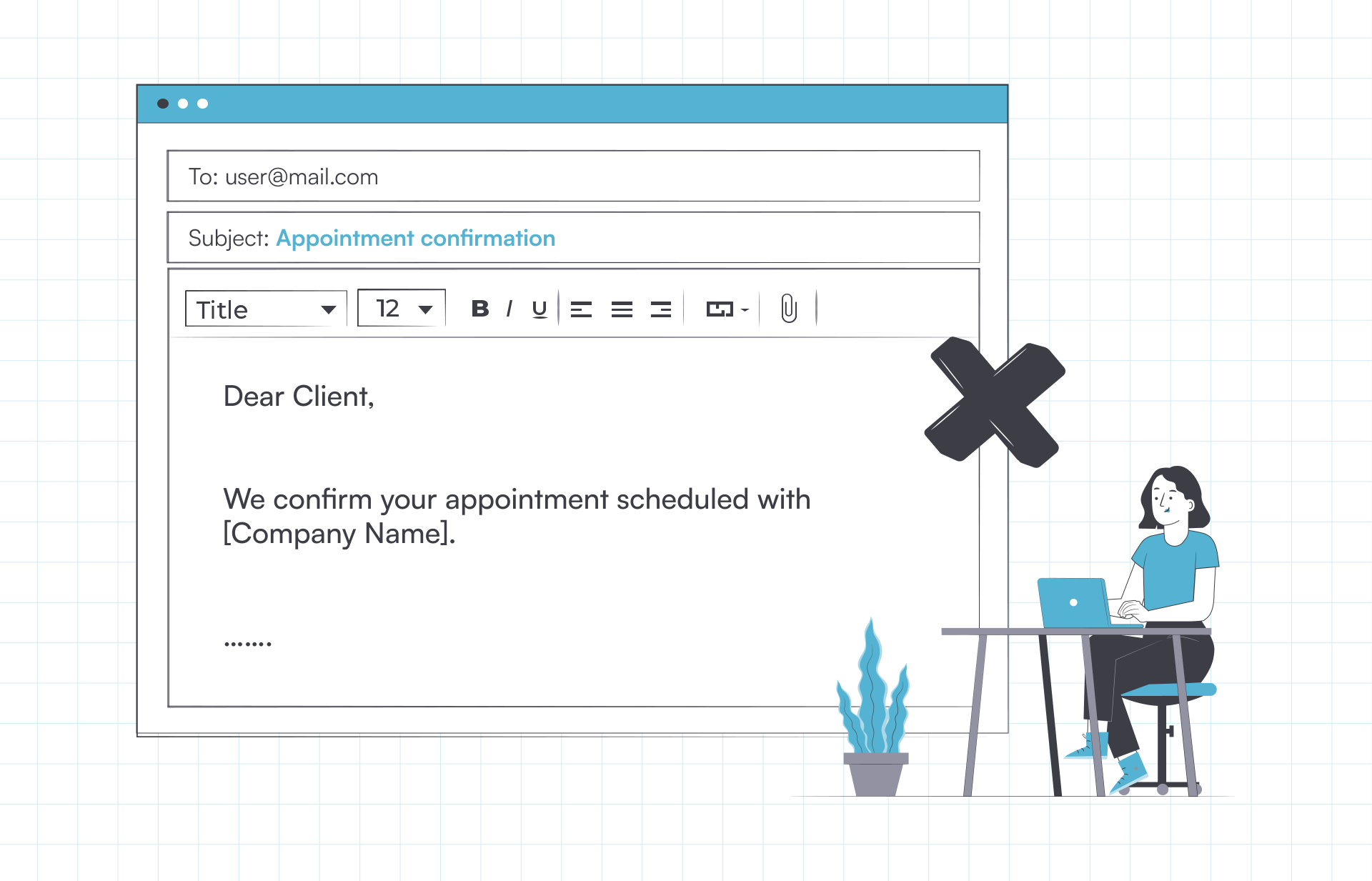
Merge fields are the bracketed placeholders. Your booking system swaps each one for that patient’s own data as the email sends, so you write the wording once.
Add-to-calendar links and directions earn their place too. A map link and a line about parking save a phone call on the morning of the visit.
That table is most of the answer to how to write a confirmation email for an appointment. Order matters as much as contents, and the next section covers the sequence.
The subject line should name the practice, the word appointment and the date, then stop.
Patients scan an inbox for the date. A line like “Appointment confirmed: Riverside Dental, March 4 at 2 PM” answers the question without being opened.
Keep clinical detail out of it. A subject line shows on a lock screen, to anyone standing close enough to read it.
Short subject lines also survive mobile truncation, and phones are where most patients meet your email first.
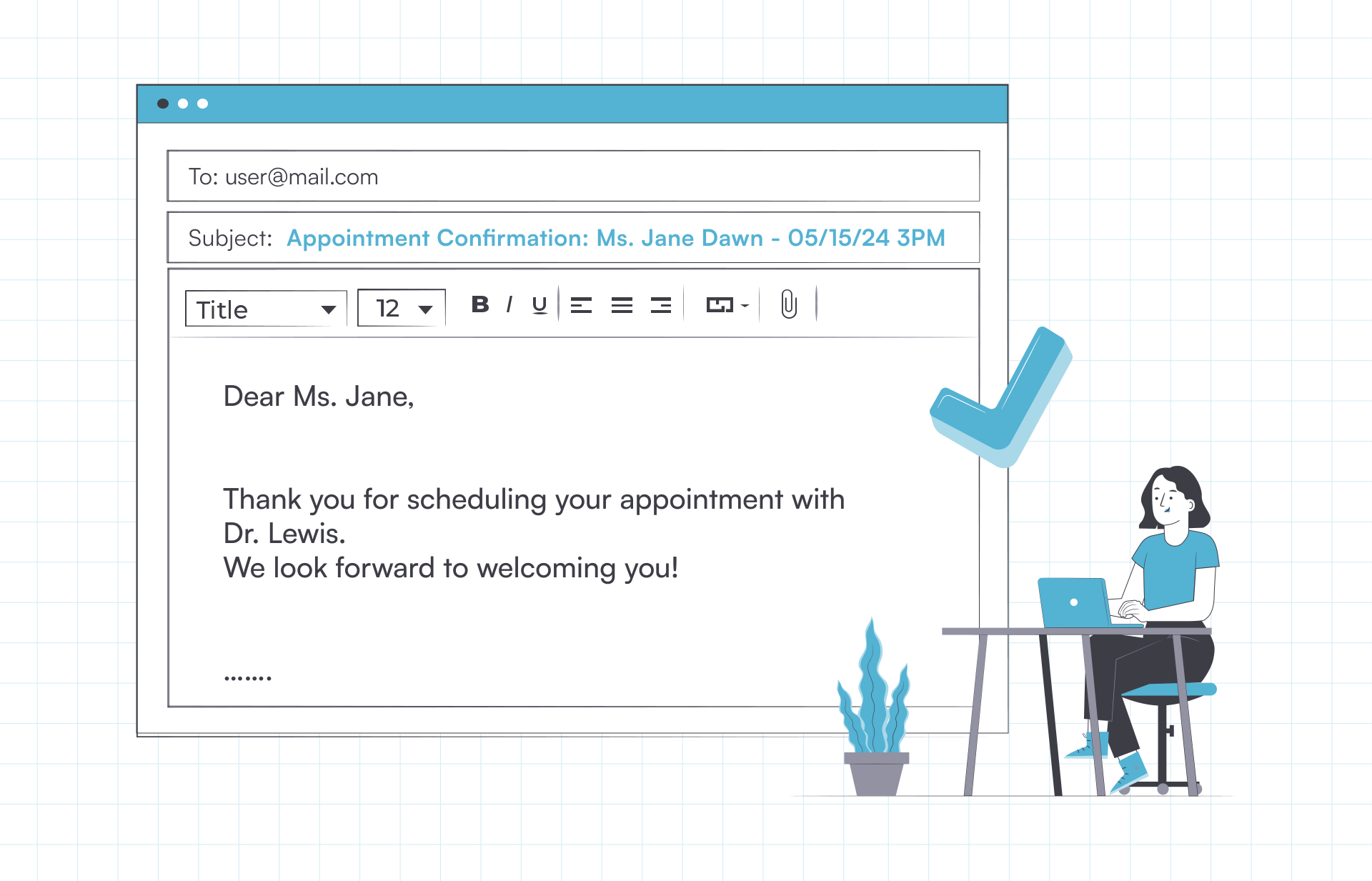
Never put clinical detail in an appointment confirmation email. That means no diagnosis, no procedure name, no medication and no test results.
Confirmations themselves are allowed. The Department of Health and Human Services states that appointment reminders count as treatment, so they need no separate authorization.
Email to patients is allowed too. HHS says providers may email patients where they apply reasonable safeguards, and it names limiting the amount and type of information as one of them.
The open question is what the email is allowed to say. Every template below answers it the same way, by keeping the logistics and dropping the clinical record.
Cutting all of that still leaves a working email. Logistics belong in the inbox, and the clinical record belongs in the chart.
Read your subject line as though a stranger will see it over the patient’s shoulder on a train. If that line would embarrass them, cut it back to the practice name and the date.
Write an appointment confirmation email in eight steps, starting from the booking record and ending with automation.
Deliverability is worth an hour of somebody’s time. SPF, DKIM and DMARC records prove to inbox providers that the email came from your practice.
Without them, confirmations slide into spam. Then patients call to ask whether they are booked, which is the phone call the email was meant to prevent.
Send the appointment confirmation email immediately, within seconds of the booking being made.
A confirmation sent later reads as an afterthought, and by then the patient has closed the tab or hung up the phone.
After that, the cadence below covers the run-up to the visit and the day after it.
| Trigger | Timing | Channel | Purpose |
|---|---|---|---|
| Booking made | Immediately | Confirms the slot and records what was agreed | |
| First reminder | 48 hours before | Leaves time to move the slot before the fee window | |
| Second reminder | 24 hours before | Text | Catches the patient who never opened the email |
| Same-day nudge | 2 to 3 hours before | Text | Covers travel, parking and arrival time |
| Follow-up | The day after the visit | Books the next appointment and sends aftercare |
An appointment confirmation text carries the same facts in fewer words. Keep the appointment confirmation text message to the practice name, the date, the time and a reschedule link. Patients answer those texts, so route replies into one clinic inbox instead of a personal phone.
For an appointment confirmation text example, our medical appointment reminder text message library has one for every trigger above.
Ten appointment confirmation email templates follow, one per setting. Replace every bracketed merge field before you send, and delete any line your practice does not use.
Each appointment confirmation email template carries a subject line and a full body. Each one also obeys the never-list above, so no template names a diagnosis or a procedure.
Treat them as an appointment confirmation email sample to adapt rather than finished copy. Your cancellation window, your address and your tone belong in the appointment confirmation template you end up with.
Every appointment confirmation email example here was written for one setting, so the vaccination wording reads differently from the spa wording.
The default. Use it wherever the visit needs no preparation and no deposit.
Subject line: Appointment confirmed: [Practice Name], [Date] at [Time]
Hi [First Name],
Your appointment is confirmed.
[Day, Date] at [Time] with [Provider Name]
[Practice Name], [Full Address]
Approximate duration: [Duration]Need to change it? Use [Reschedule Link] or call us at [Phone Number].
Cancel free up to [Hours] hours before. After that a [Fee] fee applies.
See you then,
[Practice Name]
For a physician visit where the patient has paperwork or documents to bring.
Subject line: Appointment confirmed: [Practice Name], [Date] at [Time]
Hi [First Name],
Your appointment with [Provider Name] is confirmed.
[Day, Date] at [Time]
[Practice Name], [Full Address]
[Floor or Room]Please arrive 10 minutes early, and bring a photo ID and your insurance card.
Complete your intake form before you come in: [Form Link]
To move the appointment, use [Reschedule Link] or call [Phone Number].
[Practice Name]
The subject line names no specialty. That matters when the department name alone would reveal why the patient is coming in.
For a checkup or hygiene visit, where the medical history line is the part that earns its place.
Subject line: Appointment confirmed: [Practice Name], [Date] at [Time]
Hi [First Name],
Your appointment with [Provider Name] is confirmed.
[Day, Date] at [Time]
[Practice Name], [Full Address]Please tell the front desk about any change to your medical history or medications.
Parking: [Parking Note]
Reschedule any time at [Reschedule Link], or call [Phone Number].
[Practice Name]
For a booked immunization slot, including seasonal flu and travel vaccination sessions.
Subject line: Appointment confirmed: [Practice Name], [Date] at [Time]
Hi [First Name],
Your appointment is confirmed.
[Day, Date] at [Time]
[Practice Name], [Full Address]Please bring a photo ID, and your immunization record if you have one to hand.
Wear a short-sleeved top, and allow 15 minutes afterward for observation.
To move it, use [Reschedule Link].
[Practice Name]
Use this as a vaccination appointment confirmation email sample, and keep the vaccine name out of the subject line. A session name such as flu clinic tells the inbox why the patient is attending.
For a med spa or day spa booking, where a deposit and an arrival window both apply.
Subject line: Reservation confirmed: [Spa Name], [Date] at [Time]
Hi [First Name],
Your reservation is confirmed.
[Day, Date] at [Time] with [Therapist Name]
[Spa Name], [Full Address]Please arrive 15 minutes early to change and finish your consultation form.
Deposit paid: [Amount]. Balance on the day: [Amount].
Cancel free up to [Hours] hours before at [Reschedule Link].
[Spa Name]
For any visit the patient has to prepare for, from fasting bloodwork to arriving without makeup.
Subject line: Appointment confirmed: [Practice Name], [Date] at [Time]
Hi [First Name],
Your appointment is confirmed for [Day, Date] at [Time] with [Provider Name].
Before you come in, please:
[Instruction One]
[Instruction Two]
[Instruction Three]We are at [Full Address]. [Parking Note]
Questions? Call [Phone Number] or reply to this email.
[Practice Name]
For a booking already part-paid, where the balance needs stating before the day.
Subject line: Appointment confirmed: [Practice Name], [Date] at [Time]
Hi [First Name],
Your appointment is confirmed for [Day, Date] at [Time].
[Practice Name], [Full Address]
Deposit received: [Amount] on [Payment Date]
Balance due on the day: [Amount]Prefer to settle in advance? Pay here: [Payment Link]
Deposits are refundable up to [Hours] hours before your appointment.
[Practice Name]
Name the amount and the date paid, never the card. Card digits belong on the receipt in your payment system.
For a video consultation, where the link and a technical check matter more than the address.
Subject line: Appointment confirmed: [Practice Name], [Date] at [Time]
Hi [First Name],
Your video appointment with [Provider Name] is confirmed.
[Day, Date] at [Time], [Time Zone]
Join here: [Video Link]Test your camera and microphone a few minutes early, and find somewhere quiet and private.
If the link will not open, call [Phone Number] and we will call you back.
[Practice Name]
For a moved booking, where the old slot needs canceling as clearly as the new one needs confirming.
Subject line: New time confirmed: [Practice Name], [New Date] at [New Time]
Hi [First Name],
Your appointment has moved, and the new time is confirmed.
New: [Day, Date] at [Time] with [Provider Name]
Previous: [Old Day, Old Date] at [Old Time] (now canceled)
[Practice Name], [Full Address]If this time does not suit either, pick another at [Reschedule Link].
[Practice Name]
For the next visit in a course of treatment, booked at the end of the last one.
Subject line: Next appointment confirmed: [Practice Name], [Date] at [Time]
Hi [First Name],
Thank you for coming in on [Previous Date]. Your follow-up is confirmed.
[Day, Date] at [Time] with [Provider Name]
[Practice Name], [Full Address][Provider Name] asked that you bring [Item] to this visit.
To move it, use [Reschedule Link] or call [Phone Number].
[Practice Name]
A confirmation only works if it leaves at the moment of booking, and typing them by hand guarantees it will not. Practice management software like Pabau, an all-in-one system for practices, sends the email the second the appointment is created. The calendar, the patient record and the message all sit in one place.
Online booking feeds it. When a patient books themselves in, the confirmation goes out with the appointment details already filled in. Merge fields pull the provider, the time and the address straight from the calendar entry.
The wording lives in one template. You set the cancellation line once, and every booking uses it, so no staff member has to remember the policy. Your front desk stops phoning people to confirm and starts answering the phone for something worth their time.
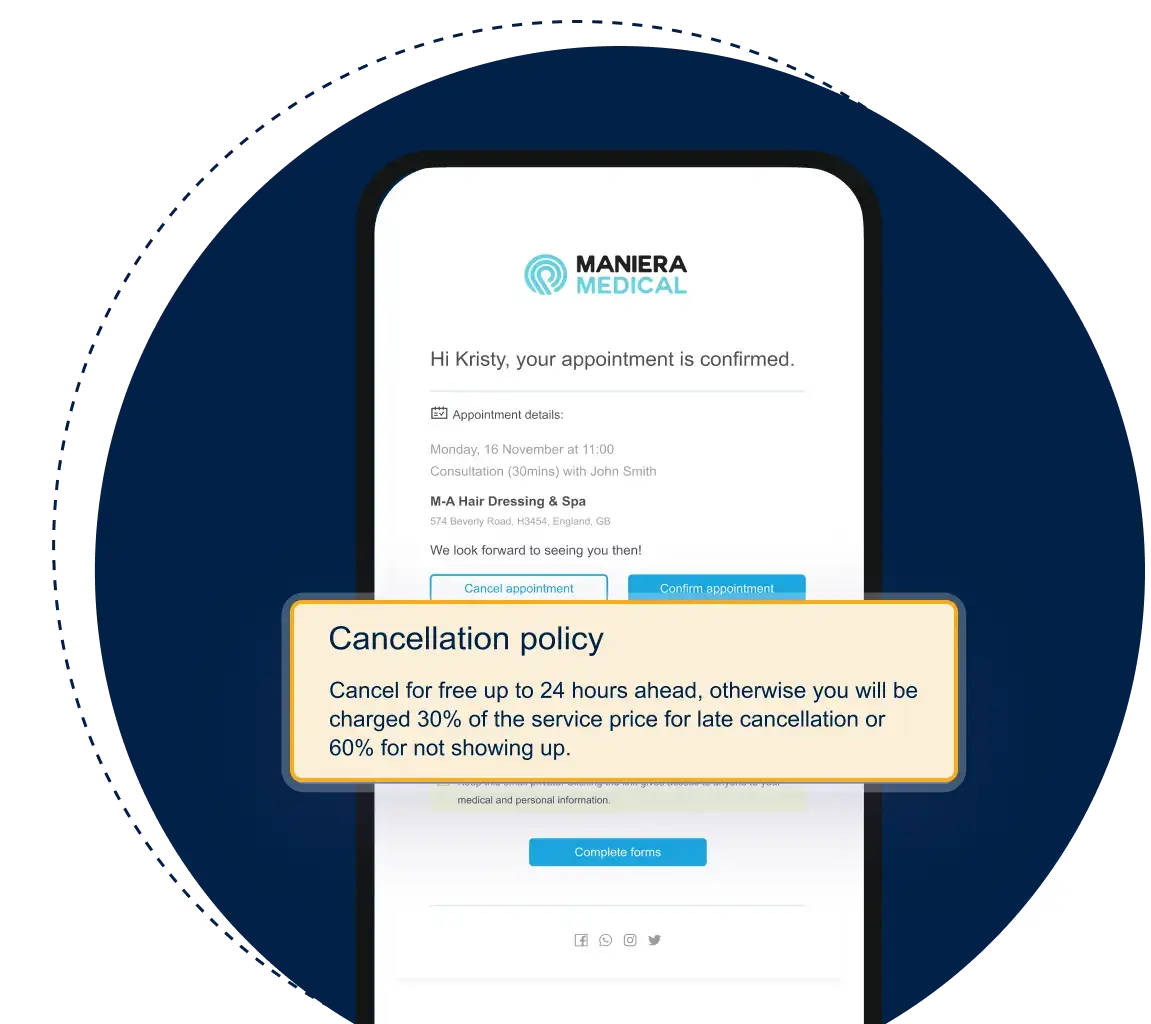
Patients get buttons instead of a phone number. They confirm or reschedule from the email and the calendar updates itself. When someone does drop out, waitlist software offers the slot to the next patient in line, so the slot gets filled instead of sitting empty.
The Client Portal takes it further. Patients rebook, complete forms and check their next appointment from one account, without emailing your team to ask.

Pabau sends the confirmation email automatically at the moment of booking, with your cancellation policy built in. Patients confirm or reschedule themselves, so your front desk stops phoning to check.

The template you choose matters less than the two rules around it. Send it within seconds of the booking, and keep the clinical record out of it.
Two failures account for most of the damage. The email arrives the next morning, or the subject line names the treatment where anybody nearby can read it.
The trade-off worth keeping in mind is brevity against completeness. Carry the logistics in full, leave the clinical detail in the chart, and patients learn to trust what lands.
Book a demo to see Pabau send confirmations at the moment of booking, so your front desk stops phoning patients to check.

Need the text message version too? Medical appointment reminder text message samples carries 50 plus texts you can send alongside these emails.
Want a reminder you can print or hand over? Appointment reminder template gives you a ready-made reminder to adapt for your own practice.
Looking for software to send these automatically? Appointment reminder software compares the systems that fire confirmations and reminders on their own.
Still losing slots to patients who do not turn up? How to improve your patient no-show rate sets out what to change beyond the reminder itself.
Want routine questions answered without staff time? Conversational AI in healthcare explains where automated replies fit around booking and confirmation.
Reply with one short line confirming you will attend, and repeat the date and time so both sides have it in writing. “Confirming my appointment on March 4 at 2 PM, thank you” is enough. Add whatever the practice asked for, such as a completed form or a reference number. If you cannot make it, say so in the same reply and ask for the next available slot.
An appointment confirmation letter is the printed or attached version of the same message, used where a practice needs a formal record. It carries the same details as the email. Practices still use letters for insurers, employers and patients who do not use email. The wording turns more formal, but the required contents do not change.
The confirmation proves the booking exists and goes out at the moment of booking. The reminder goes out shortly before the visit and prompts the patient to attend or free the slot. Both carry the date, time and location. Only the reminder needs a same-day action button.
Yes, because a US practice sending appointment confirmations is handling protected health information, so the Privacy Rule applies. HHS confirms that appointment reminders count as treatment and need no separate authorization. It also allows email to patients where the practice applies reasonable safeguards. Limiting what the email says is one of those safeguards.
It is a fixed wording your team follows every time, so every booking produces the same message. The script sets the subject line, the greeting, the details block and the cancellation sentence. Staff fill in the brackets and send. The 10 templates above work as scripts you can adopt as they stand.