EHR ROI: How to calculate and maximize your return
EHR ROI is the financial return a practice earns on its electronic health record...

Last Updated: Oct 15, 2026

Tools covered: Pabau, Phorest, and Zenoti, ordered by the spa profile each one fits rather than a flat feature count.
Pabau is our top pick for spas that want reconciliation built in, because deposits and terminal payments land on the same appointment record.
Phorest suits a salon already running on salon software that needs a nightly feed into Xero or QuickBooks.
Zenoti fits multi-site groups whose finance team already works in NetSuite or Sage Intacct.
Only Pabau publishes a starting price, at $104 a month. Phorest and Zenoti both quote on request.
A spa can take a deposit online on Monday, a card payment at the front desk on Thursday, and a gift card redemption in between. By Friday that is three sets of numbers, and they rarely agree.
A payment reconciliation integration is the connection that makes them agree. It matches what your booking system recorded against what your card processor captured and what your bank actually settled, without anybody re-keying a spreadsheet.
Three tools do this well for spas. Pabau is our own practice management software, and it sits here alongside Phorest and Zenoti. What decides it is the spa profile you run, not the length of the feature list.
The order runs by profile fit. Pabau for a practice that wants reconciliation built in. Phorest for a salon bolting it onto software it already uses. Zenoti for a multi-site group standardizing on one system.
These three are not competing for the same spa, so each one wins clearly for a particular setup.
The order below runs from the practice that wants one system to the group that already has a finance team. The score on each card is our own assessment of spa reconciliation, not an aggregate review rating.
Deposits taken online and balances taken on a terminal reconcile against the same appointment, with no export step.
Pabau is an all-in-one practice management system for medical aesthetics, wellness, and spa businesses. Scheduling, client records, online booking, stock, and marketing sit in one place. Payments are part of that platform rather than a separate tool you have to match against it later.
Here is what that looks like for a single appointment:
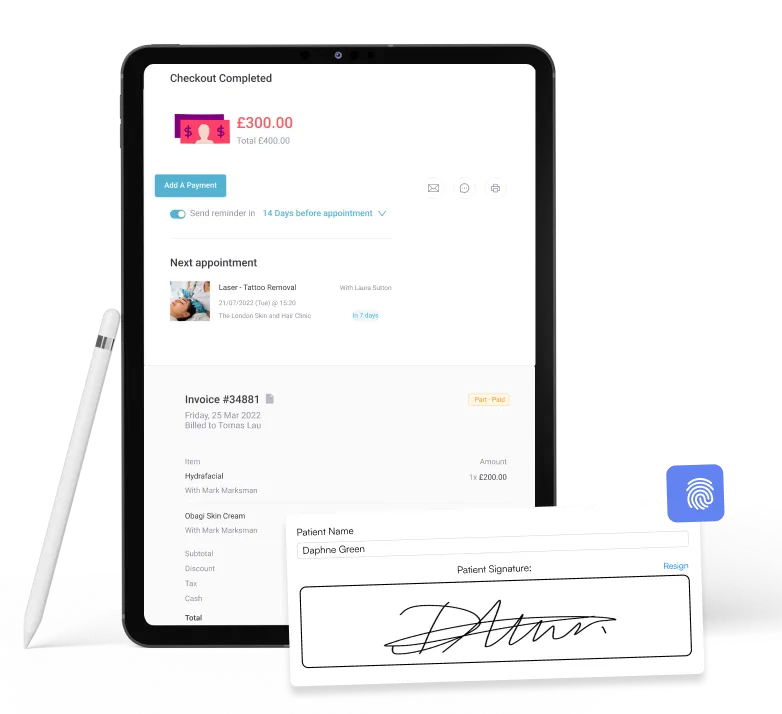
Beyond the card terminals, the Pabau integrations that matter for reconciliation are Xero for your ledger and Stripe for online payments. Both come with every subscription, so there is no higher tier to unlock first. QuickBooks is not a native connection, so you would bridge it with Zapier, Make, or the Pabau API.
There is one clear trade-off. Pabau replaces your spa software rather than plugging into it. If you are committed to the booking system you already have, that is the thing to weigh before anything else.
Pabau publishes a starting price of $104 a month for one user, and the rest scales with your user count and number of locations. Every plan carries every feature, so reconciliation is never behind a tier.
You can see the full breakdown on Pabau’s pricing page.
A nightly push of the day's sales and payments into Xero or QuickBooks, with no export step for your bookkeeper.
Phorest is salon management software, and it is strongest where a spa already runs its calendar, register, and client list inside it. Reconciliation arrives as a by-product of the accounting integration, once that is switched on.
PhorestPay handles the card processing. The matching work then happens outside Phorest, in your ledger. Phorest feeds each day’s sales and payment data into Xero or QuickBooks through an API. You map each payment type to a ledger account once during setup.
That sync runs at 1am local time, every morning, and Phorest does not need to be open for it to happen. For a salon owner who reconciles weekly with a bookkeeper, that is usually enough. Use any other accounting package and you are back to exporting transactions by hand.
The Pabau and Phorest comparison covers where each one fits, and the Phorest pricing breakdown has the full plan detail.
Phorest publishes no plan prices. Every tier is quoted on request, and the two med spa plans, Core Aesthetics and Elevate Aesthetics, are quoted the same way. The only published figure is an SMS bundle at $99.
The deepest accounting mapping of the three, and the only one that reaches NetSuite and Sage Intacct.
Zenoti is built for spa and salon groups running several sites, and its reconciliation story is really an accounting story. Zenoti Payments processes the cards. The value sits in how carefully the platform hands that data to a finance system.
It connects to Xero, QuickBooks Online and Desktop, NetSuite, and Sage Intacct, with a separate report set for each. Locations, chart of accounts, customer details, and tax codes all map across. That is a genuine difference. No other tool here reaches NetSuite or Sage Intacct.
That depth is the point, and it is also the cost. Mapping journal entries and a chart of accounts across a dozen locations is work for somebody who does finance for a living. A single-site spa will spend more time configuring it than reconciling by hand. Our Pabau and Zenoti comparison goes into where the line falls.
Zenoti publishes no pricing at all. Its pricing page is a quote form, so the figure depends on how many sites you run and how much you process. Budget for an implementation cost on top of the subscription.
If you are still matching payments by hand, it helps to be precise about where the hours and the money go. The hours usually show up at month end, and the cash discrepancies show up at year end, both later than owners notice.
A single week’s takings can arrive through five different rails. Card at the desk, Apple Pay and Google Pay, an online deposit, a gift card redemption, and a buy now, pay later plan.
Each one reports in its own format and on its own settlement clock. Card batches close overnight. Buy now, pay later providers pay out on their own schedule, minus their fee. Gift cards are the awkward one, because you banked the cash months ago and only earn the revenue when someone redeems it.
None of that is a problem while the volume is small. It becomes one the week you add a second treatment room.
Three records have to agree, and on day one they never do. Your booking system says what was charged. Your merchant account says what was captured. Your bank says what actually landed.
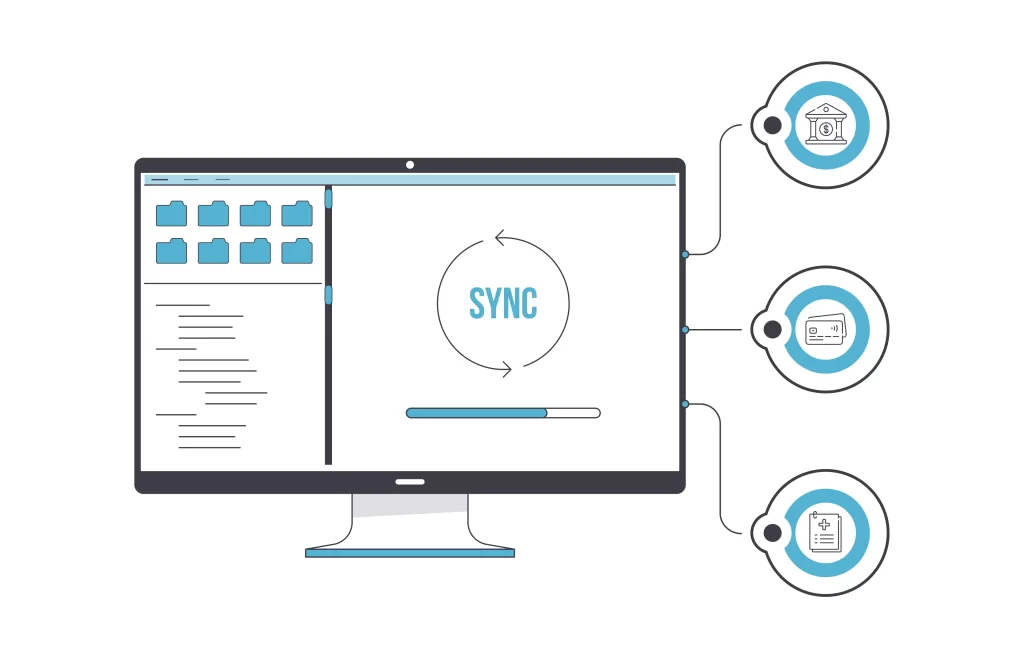
The differences between them are predictable, which is exactly why they get missed. A Friday card batch settles on Monday. Processor fees come off the gross, so the deposit never equals the sale total. A chargeback reverses a treatment from six weeks ago and lands in this week’s figures.
Chase each of those by hand and you are reconciling three timelines, not three numbers.
Manual reconciliation is the task that gets deferred first and costs the most when it does. It gets pushed to the end of the week, then to the end of the month, then to whenever the accountant asks. By that point nobody remembers which no-show kept its deposit.
Say you processed a $100 refund at the register and typed $10 into your accounting software. That $90 sits there quietly until a month-end total refuses to balance, and then somebody spends an afternoon finding it.
Package deals make it worse, because one payment covers six appointments spread over three months. Every unmatched visit either under-reports the month’s revenue or generates a commission dispute at payroll.
An integration saves hours, and it also changes when you find out something is wrong. A mismatch surfaces the same afternoon instead of four weeks later.
An integration reads each transaction from your spa point of sale software, your booking system, and your merchant account. It writes all three into one ledger, and nobody types anything twice.
It does that through an API, a standard way for two systems to hand data to each other. It carries the fields you would otherwise copy by hand: date, amount, client, service, payment method, and the processor’s reference.
The practical result is that your register stops being a separate source of truth. If your spa POS software and your client records already share a database, this step is already done. That is what platforms with a shared database give you, rather than integrated tools that still read from separate sources.
The software compares every imported record on date, amount, client, and payment method, then flags anything left without a partner on the other side. You review the exceptions instead of reading the whole list.
That flip of reading 400 matched lines to find the two broken ones is how errors get missed. However, reviewing two flagged lines takes a minute.
The exceptions worth reviewing in a spa are always the same four:
A good integrated payment solution gives you five things: live totals, flexible filters, discrepancy flags, a clean export, and a payout view. Anything less and you are still building the report yourself.
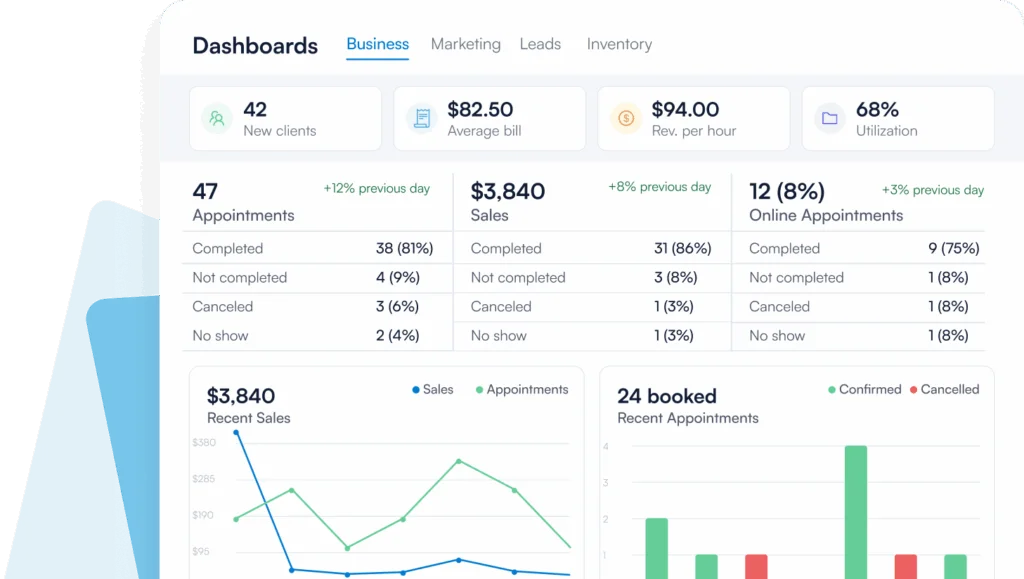
The payout view is what turns a cash flow forecast into something you can rely on. Knowing that Thursday’s takings reach the bank on Monday tells you what you can commit to.
Reconciliation stops being a weekly job and becomes a daily glance at a flagged list. That is the time saving, and it lands on the person you least want stuck in a spreadsheet, which is usually your front desk manager.
The cash side is more specific to spas. Deposits on cancelled bookings get kept or refunded on purpose instead of by accident. Gift card liability stays visible rather than turning up as a surprise at year end.
Commission is the quiet one. If package payments are not matched to the visits they cover, therapist commission is calculated on the wrong month. Fixing that after payroll costs far more goodwill than fixing it before.
In a med spa running several disconnected tools, reconciliation is where the friction surfaces. Adding another integration to a stack of five tools treats the symptom and leaves the cause in place.
Pabau takes the other route. Bookings, deposits, invoices, card payments, and reporting run on one database, so there is no second system to match against. Pabau Pay feeds the same client record that the online deposit already updated.
In practice, that removes the month-end export entirely. Instead of exporting three files and lining them up, you open the Pabau Wallet. It shows what the terminals took and when the payout reaches your bank. Xero picks up the ledger side automatically.
Every Pabau subscription includes every feature, so payments and reporting are not a tier you upgrade into. Structured onboarding with a dedicated coordinator covers setup, so the payment types and ledger mapping get configured properly the first time.

Pabau matches every online deposit and card payment to the appointment that generated it. Your booking records, card takings, and bank feed agree without a manual export. See the whole payment flow in a demo built around your spa.

If you want reconciliation handled inside the system that already holds the appointment, choose Pabau. Phorest earns its place when it already runs your salon and your accountant works in Xero or QuickBooks. For several sites and a finance team, Zenoti reaches the ledgers the other two do not.
The trade-off worth remembering is that every bolt-on integration is another connection to maintain. Each one has its own settlement timing, its own failure mode, and its own support queue. Fewer moving parts counts for more than a longer integration list.
Whichever way you go, decide it before your next busy season rather than during it. Book a demo to see how Pabau matches deposits, terminal payments, and bank settlements to one client record.

Sending clients home with clear aftercare steps? brow lamination aftercare card covers the first 48 hours, week-one care, and when a client should call the practice.
Documenting a colon hydrotherapy session properly? colon hydrotherapy template covers intake, contraindication screening, consent, aftercare, and session records in one HIPAA-aligned package.
Using essential oils safely in treatments? essential oil guide covers safe application, blending basics, and contraindications for spa and aesthetic practices.
Planning to open or grow an esthetics practice? esthetician business plan template covers market analysis, financial projections, marketing strategy, and daily operations for the launch.
Need a quick reference during reflexology sessions? foot reflexology chart lists six common trigger points from the toes to the heel with linked symptoms.
Yes, for the payments Pabau takes. Deposits from online booking and card payments from a Pabau Pay terminal are matched to the appointment automatically. There is nothing to reconcile between them. You would still connect Xero if you want the ledger side handled outside the platform.
Processing moves the money, and reconciliation proves it moved correctly. A processor takes the card payment and settles it to your bank. Reconciliation checks that the amount, the date, and the appointment on your side match what the processor and the bank actually recorded.
Daily if the work is automated, weekly as a minimum if it is not. Card batches settle overnight, so a daily check catches a missing capture while staff still remember the appointment. Leave it a month and you are reconstructing the day from memory.
They separate the cash from the revenue, which is what trips most spas up. You bank the money when the gift card or package is sold, but you earn it visit by visit. Your system needs to draw down the balance per appointment, or your monthly figures will not match your bank.
Yes, in almost every case. The integration matches transactions and shows you the exceptions. Your accounting software still owns the chart of accounts, the tax return, and the year-end figures your accountant signs off.