Healthcare policy management software: Pabau vs dedicated tools
Healthcare policy management software helps a healthcare organization write, app...

Last Updated: Oct 29, 2026

Going paperless removes paper from every step, while paperlite only removes some of it.
Digital records let any practitioner pull up allergies and treatment history in seconds, from either location.
Clients who complete forms before they arrive shorten every appointment, so you can sell more slots.
Digital records give you dated proof that aftercare advice was sent, which protects you if someone complains.
Practice management software like Pabau replaces paper forms, consents, records, and scheduling in one place.
There’s something romantic about pen and paper.
The gentle scratch as your thoughts turn into words, each sentence punctuated by a tap of the pen.
It makes us think of William Shakespeare, Jane Austen, and Ernest Hemingway scrawling away, crafting masterpiece after masterpiece.
Then you remember what paper is actually like to work with.
Pens stop writing for no reason. Paper tears if you look at it wrong. And most handwriting is barely legible by the time anyone needs to read it back.
Despite that, plenty of practitioners still keep their medical records on paper, especially early on.
That isn’t much of a problem while your practice is small. It gets untenable as you grow.
The more services you offer and the more clients you see, the harder paper records are to manage. Across two locations, it stops working altogether.
You can run software alongside paper. That usually means entering everything twice, or trusting a record that only tells half the story.
This is why so many practices are going paperless, to save time and space.
Some companies use the two words interchangeably. There is a clear difference between them.
A paperless system takes paper out of every part of your process. Client records, medical history, and billing all live digitally.
Nothing has to be printed, and nothing has to be filed.
Paperlite is the middle ground. It’s like the vegetarian who makes an exception on holiday, or after a couple of drinks, or because it’s Friday.
A paperlite setup removes some of the reliance on paper. Not all of it.
You still get some of the efficiency, limited by however many manual steps you keep. Every step you keep is a step someone has to remember.
That is the part worth weighing before you commit. Paperlite tends to charge you twice: once for the software, and again in the staff time spent keeping the paper copy in step.
When you run a practice, you need to reach client records quickly. Not just for convenience, but for the safety of your patients.
If someone reacts badly to a treatment, you don’t want to be flicking through a filing cabinet to find their allergies.
That gets harder as you grow. A busy skin clinic running two sites has two filing cabinets, and the file you need is always in the other one.
Digital records take the friction out. You can open anything you need in seconds, wherever you happen to be.
You don’t realize how long a paper form takes until you’re standing there, waiting for someone to finish it.
Appointments stretch because clients fill in their paperwork on arrival.
Go paperless and they complete those forms before they turn up. Your team already has the answers, so treatment starts on time.
The effect compounds at volume. A physical therapy practice seeing 30 clients a day gets hours back every week from intake alone. Practitioners documenting assessments such as the full can test save that same time when the notes are digital instead of paper.
Bank MediSpa made the switch for exactly that reason.
Shorter appointments mean more bookable slots, and that is the biggest saving on the list. Paper costs you in plainer ways too.
Storage is the obvious one. Filing cabinets sit on floor space you pay rent for, and that space earns nothing back.
Then there’s paper, ink, printers, and stationery. None of it looks dramatic on its own, and all of it recurs every month.
If you want a figure rather than a feeling, our paperless calculator puts a number on what paper is costing you.
Faster service is the part clients notice first.
They also get to see their own records, book without picking up the phone, and finish paperwork at home. The whole thing feels more organized, and that builds trust.
Lose a paper file and it is gone. Worse, it might not be lost at all, just somewhere it shouldn’t be.
Digital records cut that exposure. Access is controlled, copies exist in more than one place, and nothing walks out of the building in someone’s bag.
This one isn’t a direct business benefit, but it still counts.
Cutting paper cuts your practice’s carbon footprint. Plenty of clients care about that, and some of them will ask.
Whatever treatments you offer, you have to meet the rules and protect yourself when something goes wrong.
Which rules you have to meet depends on where you practice. Ontario charts fall under PHIPA and Alberta applies its Health Information Act. Provincial law narrows the shortlist of EMR systems in Canada before price does.
Digital records give you a dated trail. If a client says sun exposure ruined their result, you can show the aftercare email and the day it was sent.
Hand someone a printed sheet and you have no evidence it was ever given. That is the difference between a closed complaint and a liability.
Practice management software like Pabau was built to run without paper. That means you can get the benefits above without stitching a hybrid setup together. Practices weighing paperless-friendly platforms beyond Pabau can compare options in our roundup of Carepatron alternatives.
There is a lot in the platform. These are the parts that do the most work in getting the paper out of your day.
During an appointment you have to capture data and update the client record. On paper that is slow, and steps get skipped.
Care Pathways turns it into a set sequence. Your practitioner is walked through each step in order, so nothing depends on memory.
It runs in Pabau GO, our iOS app for practitioners. No shuffling between forms, and no hunting for the right screen mid-treatment.
Clients take their share of it before they arrive, completing medical forms and signing consents in their own time. Everything they submit lands in the record, next to your medical notes.
It would be strange if a client walked behind the counter and started leafing through their own file. Or booking themselves into your schedule.
There is no reason they can’t do both remotely.
With self-service patient portals, clients can pay, book, and read their own records. That means fewer calls for your front desk and less waiting for them.
Nobody enjoys filling in forms. People especially don’t enjoy filling them in on a clipboard in a waiting room.
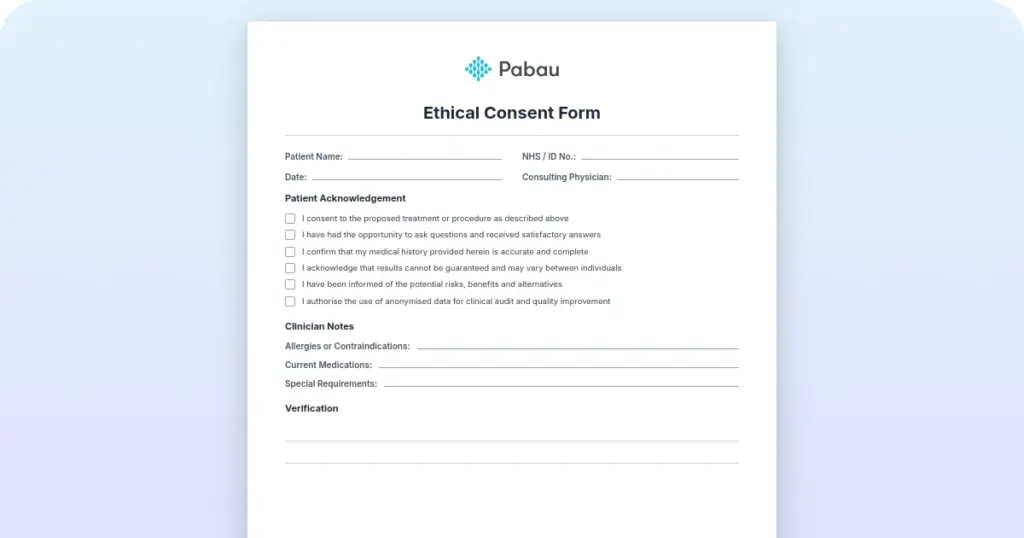
In Pabau you build your own forms and send them out ahead of the appointment. Start from scratch, or from a template like a consent form for minors or a medical diagnosis form.
Submitted forms sit in the client record, ready whenever you need them. No transcribing, and no dead time while someone writes.
People talk about the cloud as if it were some sort of mythical sorcery. It is a set of computers somewhere else.
So the question is a simple one. Are the records on those computers safe?
We take more security precautions than we have room for here, but these are the highlights:
If one process in your practice is screaming out to be digitized, it is scheduling.
(Not literally. That would be terrifying.)
Booking, editing, and chasing appointments by hand is a slog. One small mistake inconveniences several people and can cost you a review.
Pabau digitizes the booking process for your team. Through the patient portal, clients can book their own appointments too.
Reminders then go out automatically, so fewer people forget. Follow-up messages ask the ones who turned up to leave you a review.

Pabau keeps client records, digital forms, consents, and scheduling in one place, so nothing has to be printed, filed, or typed up twice. Your team spends its time on clients instead of paperwork.

Paper is not the enemy here. The problem is that paper doesn’t scale, and it can’t prove anything after the fact.
So pick a lane. Paperlite is easier to start and quietly charges you for the paper you kept. Going fully paperless asks more of you up front, then stops asking.
If you go all in, do the dull part properly. Move records, forms, consents, and scheduling together, or you will end up running two systems that disagree with each other.
Pen and paper don’t sound so romantic now, do they? Book a demo to see how Pabau replaces the paper in your records, forms, and schedule.

Want to see where patient flow breaks down? Improving patient flow covers five metrics, including wait time and room utilization, and the fixes that work.
Looking for tools to run your practice better? The best apps for your practice rounds up tools that make managing and marketing your practice easier.
Wondering who should own the records? Who manages electronic health records explains where that responsibility sits in a practice.
Weighing whether to bring in outside management help? What an MSO does in healthcare explains how these companies handle billing, staffing, and compliance work.
Budgeting for the move? Electronic medical records software cost breaks down what practices actually pay.
A paperless system removes any reliance on paper across your processes. Client records, medical history, and billing all live digitally, and nothing needs printing. Paperlite is the middle ground, removing some of the paper but not all of it. You get some of the efficiency, limited by however many manual steps you keep.
You can reach any client record in seconds, wherever you are, which matters for patient safety. Appointments run shorter because clients complete forms before they arrive. You spend less on storage, paper, and ink. Records are harder to lose, the client experience feels more organized, and you cut your practice’s paper use.
Digital forms shorten every appointment, because clients fill them in beforehand and your team can read the answers instantly. Shorter appointments mean more bookable slots. You also need less floor space once the filing cabinets go, and you stop buying paper, ink, printers, and stationery. Each saving is small, and all of them recur.
Yes. A lost or damaged paper file is gone, and a misplaced one may be somewhere it shouldn’t be. Digitizing records cuts that exposure. With Pabau, your data is encrypted and hosted in highly secured facilities. Regular backups protect against loss, you can export your data at any time, and user access tools let you decide who sees what.
Digital records give you a dated trail of what happened. If a client says sun exposure ruined their result, you can show the aftercare email and the date it went out. Hand over a printed sheet instead, and you have no evidence the advice was ever given. That is the difference between a closed complaint and a liability.
Pabau is practice management software built to run without paper. Care Pathways walks your team through a set sequence of steps in Pabau GO, our iOS app for practitioners, so nothing gets skipped. Self-service patient portals let clients book, pay, and read their own records. You can also build custom forms for clients to complete before they arrive.