Pabau vs Hyland OnBase: Healthcare document management software compared
Healthcare document management software captures, stores, and retrieves patient ...

Last Updated: Nov 2, 2026

Pabau does not offer prior authorization. Its insurance tools cover real-time eligibility checks and post-treatment claims management.
Waystar is a dedicated revenue cycle platform. It covers prior authorization, eligibility, claims, and denial recovery for high-volume billing teams.
Pabau keeps claim submission, status tracking, and payment posting inside the same patient record your team already works in.
Waystar connects to 600+ payers and layers AI over denial prevention. Pabau submits through Claim.MD, Tyro Health, and partner clearinghouses.
Choose Pabau for all-in-one practice management with insurance billing included. Choose Waystar when payer authorization volume drives your revenue.
Insurance billing rarely fails loudly. A claim goes out with a missing membership number, sits in a payer queue for weeks, and comes back rejected. By then the treatment is finished, and the balance has become someone’s job to chase.
Pabau and Waystar both turn up on shortlists for practices trying to fix that. They solve different parts of the revenue cycle. Pabau is all-in-one practice management software with insurance claims management built in. Waystar is a dedicated revenue cycle platform and clearinghouse for medical billing teams.
This guide compares eligibility checks, claim submission and tracking, denial handling, integration, and pricing. It also covers prior authorization, which is where the two platforms diverge most sharply.
Here is how the two platforms compare across the criteria practice managers weigh when they shortlist insurance billing software.
Claims management software takes the insured portion of a bill from the treatment note to the payment, without anyone rekeying it. It handles the stretch of medical billing that runs between your practice and the payer.
It builds the claim from data already in the patient record, sends it to the payer or clearinghouse, and follows it until the money lands. Most platforms cover five jobs:
The market splits along one line. Practice management platforms such as Pabau include claims management as part of a clinical and operational system. Dedicated revenue cycle management platforms such as Waystar do nothing else. They go far deeper into payer connectivity, authorization, and denial analytics.
These three payer touchpoints are easy to run together, and software shortlists suffer for it. They happen at different moments and answer different questions.
Pabau covers the first and the third. It runs real-time eligibility checks in the US through its Claim.MD connection, and it manages claims end to end after treatment. It has no prior authorization workflow, and no amount of configuration will build one from its claims dashboard.
Waystar covers all three. Prior authorization sits inside its financial clearance suite alongside eligibility verification, patient estimates, and coverage detection. If chasing payer approvals eats your week, that is the difference that decides the purchase.
Drug and supply lines are where authorization bites hardest. A payer may want written approval before you bill something like HCPCS code J0735, and the claim will not pay without it.
The burden is well documented. In the American Medical Association’s 2024 prior authorization survey, 88% of physicians described the administrative load as high or extremely high.
Regulation is moving too. The CMS Interoperability and Prior Authorization Final Rule brings in faster decision turnaround requirements for impacted payers from January 1, 2026. Those same payers must support FHIR API-based electronic prior authorization from January 1, 2027.
That rule binds payers, not practices. But it changes what a practice with Medicare Advantage or Medicaid volume should expect from its software. If electronic prior authorization is on your requirements list, Pabau is not the tool for that line item. A dedicated platform such as Waystar is.
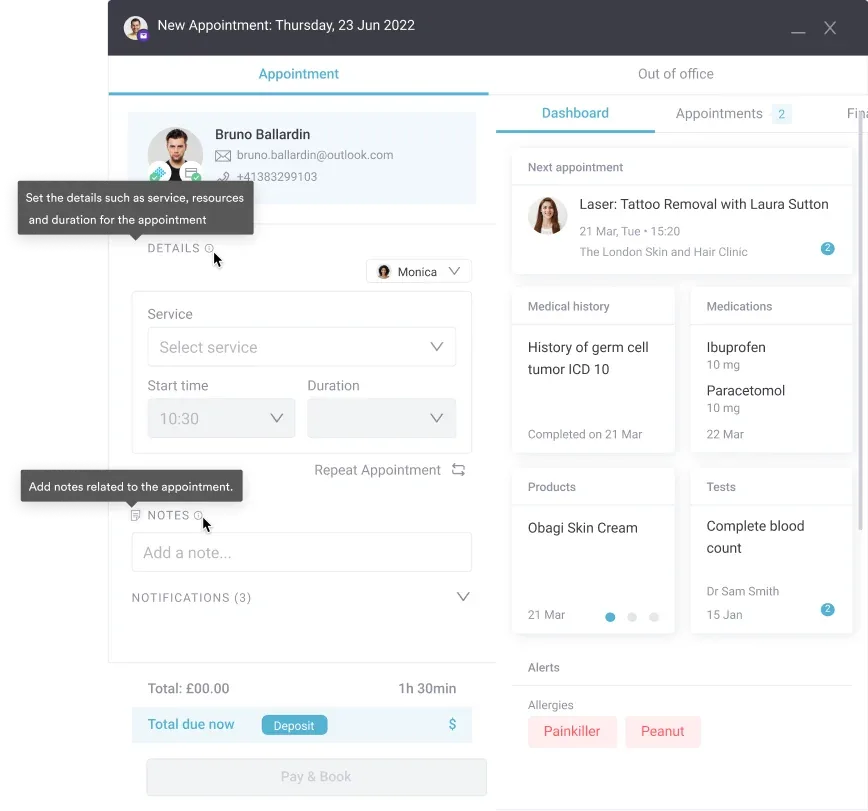
Integration depth is where the two architectures diverge. In Pabau, the patient record, calendar, clinical notes, invoices, and claims all live in one platform. A claim inherits the insurer and policy stored on the patient. The treatment detail comes from the appointment that was just completed. A follow-up for a bite coded S20.472D inherits the record it was created from.
Waystar sits alongside whatever practice management system or EHR you already run, and connects to it. That suits a large group already committed to an enterprise EHR. It also means an integration project, a data-sync layer, and two systems to keep in step. Our guide to EHR integration walks through that trade-off.
For a practice already running Pabau, insurance billing is a settings change rather than a project. For a practice adding Waystar to a third-party EHR, the integration timeline and its upkeep are part of the true cost.
Pabau routes claims through a regional clearinghouse. That means Claim.MD in the US and Tyro Health for Medicare and DVA claims in Australia, with a partner clearinghouse covering UK insurers. Insurers outside those connections can be billed by email from the same screen.
Before a claim leaves, Pabau runs a background validation check on the details payers reject claims over. A missing membership number or authorization code gets caught while the claim is still on your screen. So does an encounter character that contradicts the visit, since S10.95XA claims a first encounter.
Once submitted, every claim shows a live status in one dashboard: pending, submitted, processing, paid, or error. Staff filter by date, insurer, or invoice ID instead of opening a payer portal per claim. A long-running case coded S11.029D is then easy to follow across every submission. Insurer-specific price lists mean each payer is billed at the rate agreed with them.
Waystar works at a different scale. Its Claim Manager reaches more than 600 payers directly and handles claim attachments automatically. It also triages payer responses, so billers see the exceptions rather than the whole queue.
Its AltitudeAI layer scores work across the revenue cycle, so the platform predicts problems instead of only reporting them.
A rejected claim only costs you money if nobody goes back to it. Symptom codes make up much of that pile, with R42 among the most commonly refused. The two platforms approach that risk from opposite ends.
Most rejections come down to small details. A mistyped policy number, a missing modifier, or a diagnosis that does not support the procedure will each bounce a claim. A laser destruction session billed under CPT code 17107 needs a diagnosis the payer accepts for it.
Pair that procedure with something unrelated, such as ICD-10 code S62.011A, and the payer sends it straight back. An inconclusive lab result coded R75 fails the same test, because it names no confirmed condition. Catching that mismatch before submission is cheaper than appealing it afterwards.
Pabau surfaces the problem in context. A claim that fails moves to error status in the same dashboard, next to the invoice, the appointment, and the clinical note behind it. That context is what shows whether R58 was the right call for the visit.
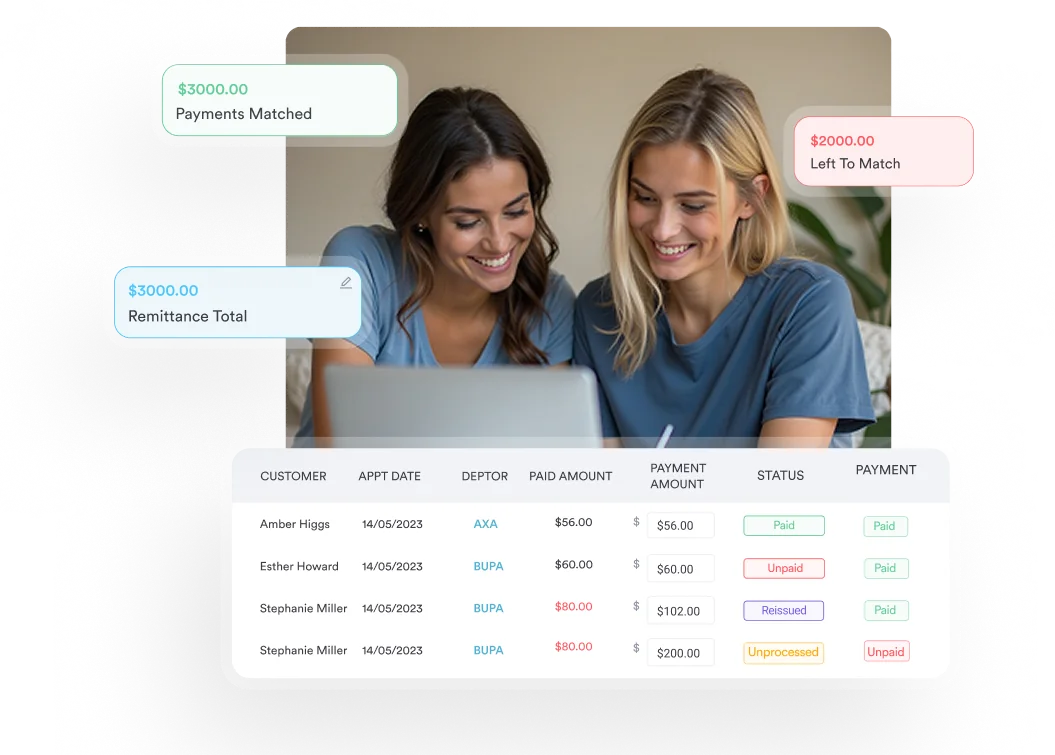
Staff correct the detail and resend from Pabau’s claims management tools without opening another system. When the payer does pay, the ERA remittance posts against the original invoice, so the ledger closes itself.
Waystar treats denials as their own discipline. Its denial and appeal management tools track denials by payer and by reason. A run of refusals on S00.85XD points at documentation rather than one bad claim. Appeals come from a library of more than 1,100 payer-specific templates, pre-filled with remit and provider data.
Pabau does not report at that depth. For a billing team working thousands of claims a month, that reporting is the point of buying a dedicated platform. Trauma follow-ups generate exactly that volume, where S08.89XD recurs across a long course.
Neither vendor publishes a single sticker price, but they price on different things. Pabau prices by user count and location. Waystar prices by the revenue cycle modules and transaction volume you take on.
| Pabau plan | Users | Clients | Price |
|---|---|---|---|
| Starter | 1 | Up to 100 | Quoted by location |
| Solo | 1 | Unlimited | Quoted by location |
| Team | 2–3 | Unlimited | Quoted by location |
| Medium | 4–5 | Unlimited | Quoted by location |
| Group | 6–15 | Unlimited | Quoted by location |
| Enterprise | 16+ | Unlimited | Quoted by location and multi-site needs |
Claims management is not a paid module in Pabau. Every subscription includes every feature, so the plan you sit on changes your user count, not your access to insurance billing. You can see the tiers on Pabau’s pricing page.
Waystar quotes custom enterprise pricing, and the shape of the quote depends on which parts of the platform you buy. Financial clearance, claim management, denial recovery, and patient payments are separate solutions. A high-volume billing team can justify that spend on recovered revenue alone. A practice submitting a few hundred claims a year usually cannot.
Before you shortlist anything, count your insured visits by payer for one quarter, and count how many of them needed prior authorization. A low authorization count usually means you are buying claims management rather than revenue cycle management. An all-in-one platform covers that without a second contract. If the authorization count is high, that single number justifies a dedicated platform on its own.
Review sentiment tracks each platform’s positioning closely.
Capterra reviewers consistently highlight ease of use, client management, and the range of features in one subscription.
Negative themes center on support response times and an initial learning curve, particularly for practices moving from a simple booking tool. The 4.7/5 average across 600+ reviews reflects a platform that suits its intended audience.
Waystar holds a 4.4/5 rating on Capterra from roughly 205 reviews. Reviewers praise the breadth of its revenue cycle features, its payer connectivity, and its denial tools.
Recurring criticisms involve an interface that takes time to learn, inconsistent support, and pricing that is hard to justify at smaller volumes. Its G2 rating of about 4.5/5 from roughly 115 reviews sits in the same territory.
Payer mix and claim volume decide this, more than headcount does.
In most practices, insurance billing is a shuttle run. Someone copies patient and treatment details out of the clinical system and keys them into a payer portal. A spreadsheet then tracks what has been paid. The spreadsheet is where claims quietly go missing.
Pabau removes the shuttle. You add an insurer and policy to the patient record once, and every invoice for that patient routes to the right third party automatically. In the US, a real-time eligibility check through Claim.MD confirms coverage before treatment.
Claims submit from the same screen, validation catches missing details first, and ERA remittances post against the original invoice. That helps most where insurance is a minority of revenue, such as functional medicine practices billing a mix of self-pay and insured visits.
The outcome is a shorter loop between treating a patient and being paid for it. Your team tracks claims where it already works, so payments stop depending on one person’s memory. Pabau will not chase prior authorizations for you, but everything either side of that step lives in one place.

Pabau connects patient records, invoices, and insurance claims in one platform, with real-time eligibility checks in the US and live claim status tracking. Book a demo to see how your team would run it.

These two platforms are not really competing for the same job. Waystar is built for teams whose day is payer work. It earns its cost through authorization automation, payer breadth, and denial recovery at volume.
Pabau is built for practices where insurance is one revenue stream among several. Billing there should not need its own software stack.
So ask the prior authorization question at the start of your evaluation. A team that spends its week chasing approvals should buy the platform that automates approvals. A team that spends its week getting claims out and payments matched will be better served by an all-in-one platform.
Most aesthetic, wellness, and multi-specialty private practices land in that second group. Book a demo to see how Pabau handles eligibility checks, claim submission, and payment posting alongside your scheduling and clinical records.

Billing patients who claim the money back themselves? Superbills explained covers what to include so the insurer reimburses your patient first time.
Still drawing up a shortlist? Best medical billing software compares the US platforms practices weigh up alongside Pabau and Waystar.
Coding a shared psychotic disorder case? ICD-10 code F24 guide covers the diagnosis code for shared psychotic disorder, also called folie à deux.
Coding a short-term stress reaction? ICD-10 code F43.0 guide classifies acute stress reaction, a short-term response to sudden traumatic events.
No. Pabau has no prior authorization workflow for obtaining payer approval before treatment. Its insurance features cover real-time eligibility checks in the US through Claim.MD, and full claims management after treatment. Practices that need automated prior authorization should look at a dedicated revenue cycle platform such as Waystar.
Claims management software takes an insured bill from treatment note to payment. It builds the claim from the patient record and submits it to the payer or clearinghouse. It then tracks the status and posts the remittance against the original invoice. It also flags rejected claims so staff can correct and resend them.
Pabau submits through Claim.MD in the US and Tyro Health for Medicare and DVA claims in Australia. A partner clearinghouse covers UK insurers. Insurers that are not connected to a clearinghouse can be billed by email from the same claims dashboard.
Yes. Every Pabau subscription includes every feature, so claims management is not a paid module or a per-transaction charge. Plans differ by user count and location rather than by which features you can access.
It depends on how much of your revenue comes from insurers. A practice with mostly self-pay work and a steady minority of insured visits is usually better served by an all-in-one platform. A small practice with high claim volume, routine prior authorization, and a dedicated biller will get more from Waystar.