Maja Popovska
Good character traits list
What is a good character traits list? A good character traits list is a structur...

3
Last Updated: Oct 30, 2026
Free PDF 1 page, print-ready Clinician-reviewed
A medical insurance claim form is the standardized document a healthcare provider sends to an insurer to request payment for a patient’s care. It records who the patient is, what was diagnosed, what was done, when, and by whom. Diagnoses go in as ICD-10-CM codes and procedures as CPT or HCPCS codes. The payer checks those details against the patient’s plan before it pays.
In the US, physician offices and other outpatient practices bill on the CMS-1500, while hospitals and other facilities bill on the UB-04. This guide walks through the CMS-1500 box by box and flags the fields that commonly trigger denials. It also shows what practice software can fill in for you. Download the free template below to follow along.
A printable claim form covering patient and insurance details, provider details with NPI, and treatment details with ICD-10 and CPT codes. It also includes a cost breakdown and a signed provider certification. Use it to collect claim data before you transfer it to a CMS-1500 or your billing system.
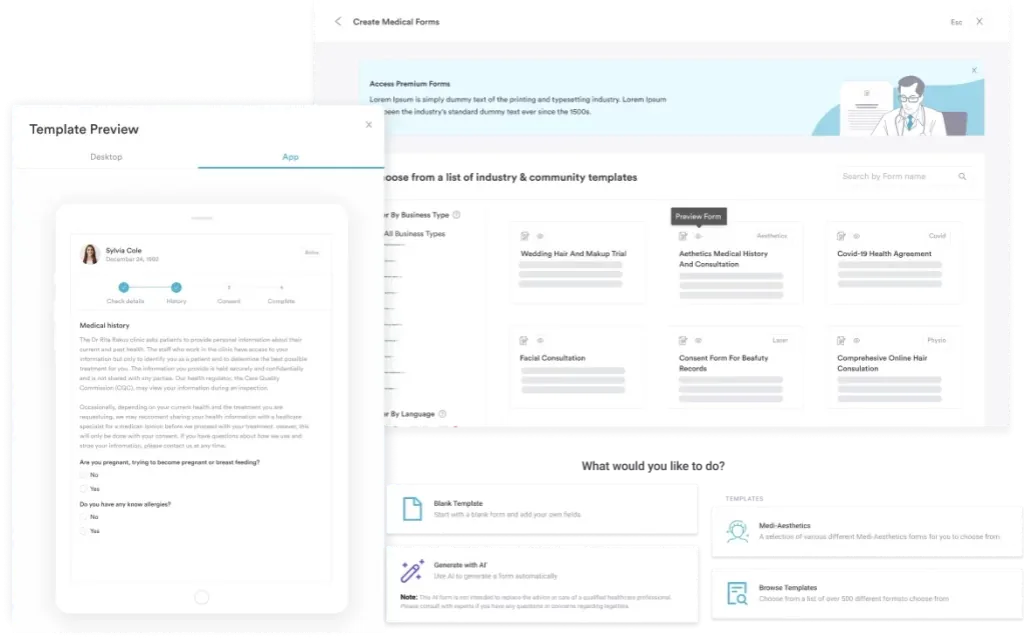
Start from scratch, or upload this PDF or any form you already use, and Pabau's AI Form rebuilds it with tick boxes, text fields and a signature. Attach it to the treatment once, and every patient gets it on time.
AI Form rebuilds the consent, history and aftercare forms you already use. You review each one, then publish.
Patients complete forms on their phone before they arrive, so the front desk stops retyping paper.
Every signed form is versioned and attached to the treatment record, ready when you need it.
Set how long a consent stays valid. Returning patients skip forms they have already signed.
Supports HIPAA and GDPR compliance AES-256 encryption 4.8 on G2 4.7 on Capterra Trusted by 4,000+ practices worldwide

A medical insurance claim form tells the payer what service you provided, why it was medically necessary, and who provided it.
Professional and outpatient services bill on the CMS-1500, while hospitals and other facilities bill on the UB-04.
Box 21 holds the ICD-10-CM diagnosis codes, and Box 24E holds only a pointer letter linking each service line to them.
Wrong codes, a missing NPI, and patient details that don’t match the insurance card are common causes of denials.
Pabau’s practice software pre-fills claim details from your patient records, checks required fields before sending, and submits electronically to US payers through Claim.MD.
A medical insurance claim form is a standardized document that healthcare providers submit to insurers to request payment for patient services. It does two jobs. It tells the payer what service was delivered, and it shows why the patient’s plan should cover it. Without a completed claim, the insurer has no record of the treatment and no basis for payment.
The form and its field layout are maintained by the National Uniform Claim Committee (NUCC), which standardizes field placement, data entry rules, and code formats. That’s why a correctly completed form works the same way for Medicare, Blue Cross, UnitedHealthcare, or a regional plan.
Two claim forms dominate US healthcare billing. The one you use depends on whether you bill for professional services or facility services. Professional services happen in a physician office or outpatient practice, while facility services include hospital admissions and hospital outpatient departments.
This guide focuses on the CMS-1500, the form most private and aesthetic practices use. If you bill from a hospital or other facility, your billing team will use the UB-04 instead.
The CMS-1500 has 33 numbered boxes. Most are straightforward, but a few demand precision because errors there cause denials or delays. The map below shows which box holds what, grouped by patient, service, and provider.
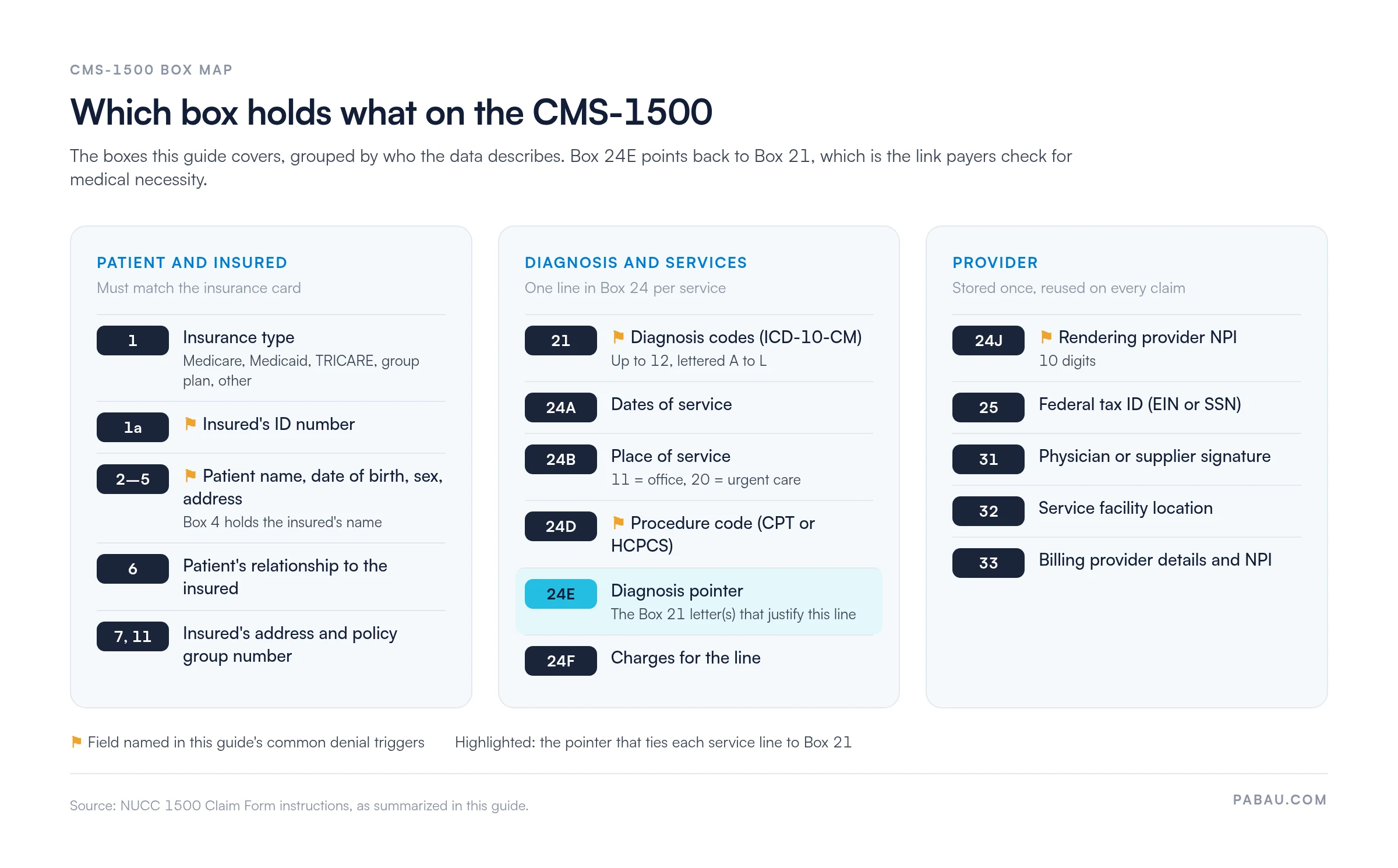
Box 1: Select the insurance type (Medicare, Medicaid, TRICARE, CHAMPVA, group health plan, FECA, or other). This tells the payer which rules apply to your claim.
Boxes 2-5: Enter the patient’s name, date of birth and sex, and address. Errors here are a common cause of denials, so every character must match the insurance card exactly.
Box 6: Mark the patient’s relationship to the insured (self, spouse, child, or other).
Boxes 1a, 4, 7 and 11: Enter the insured’s ID number, name, address, and policy group number. When a child is covered under a parent’s plan, these boxes describe the parent as the policyholder.
Box 21: Diagnosis codes. Enter up to 12 ICD-10-CM codes, lettered A to L. These explain why each service was medically necessary.
Box 24A: Dates of service. Each service gets its own line, so treatment spread over several days may need several lines.
Box 24B: Place of service. Use the two-digit code, such as 11 for an office or 20 for an urgent care facility.
Box 24D: Procedure code (CPT or HCPCS), plus any modifiers. This is your most critical entry, because a wrong code means a wrong payment rate or a denial. Always check it against current AMA CPT resources.
Box 24E: Diagnosis pointer. Enter the letter or letters from Box 21 that justify this service line, not the ICD-10-CM code itself. The diagnosis you point to must support the procedure in Box 24D.
Box 24F: Charges. Enter the billed amount for each service line.
Box 24J: Rendering provider NPI. Every claim must include the treating provider’s 10-digit National Provider Identifier (NPI), and a missing one gets the claim rejected. Group practices also report an organization NPI in Box 33a. Our guide to Type 1 vs Type 2 NPI explains which number goes where.
Box 25: Federal tax ID. Enter the practice’s EIN or the provider’s SSN.
Boxes 31-33: Signature, service location, and billing provider. Box 31 takes the physician’s or supplier’s signature, or “Signature on File” on a paper claim. Box 32 records where the service took place, and Box 33 holds the billing provider’s name, address, and NPI.
Follow this sequence to cut errors and get claims paid on the first submission.
You can submit claim forms on paper or electronically. Electronic submission (the EDI 837 transaction) is faster and less error-prone, and many large payers require it.
Many practices move to electronic submission as claim volume grows. A medical claims clearinghouse sits between you and your payers, checking each claim for errors and routing it in the right format.
A handful of mistakes account for many claim denials. Catching them before submission saves rework and spares patients surprise bills.
Before submitting any claim, check seven details. The patient name and date of birth match the insurance card exactly. The policy and group numbers are correct. The diagnosis supports medical necessity, and the procedure code matches the treatment provided. The service date falls within the plan’s effective dates. The provider NPI is present and valid. Prior authorization is attached if required.
Completing claim forms by hand takes billing staff hours each week. Much of that work is retyping details the practice already holds, such as demographics, insurance, treatment, and the provider’s NPI.
With Pabau’s claims management software, patient, treatment, and insurer details pre-fill from the patient record. Pabau checks required details, such as membership numbers and authorization codes, before you send. In the US, Pabau connects to the Claim.MD clearinghouse to submit claims electronically.
The result is fewer claims bounced back for missing details and less rework for your team. Electronic submission also gets claims to the payer faster than mail, so payment arrives sooner.

Pabau pre-fills claim forms from the patient record and checks required fields before you send. US practices submit electronically through Claim.MD, so your team spends less time retyping and chasing denials.

The CMS-1500 rewards precision more than speed. The errors in this guide sit in a handful of boxes, namely patient details, codes, the diagnosis pointer, and the NPI. Check those before every submission and the rest of the form rarely causes trouble.
Use the free template to train new billing staff on where each detail goes. Once your claim volume makes retyping painful, software that pre-fills claims from the patient record is the next step.
Book a demo to see how Pabau pre-fills and submits insurance claims for your practice.

Need the big picture of the revenue cycle? What is medical billing breaks down the workflow from patient encounter to payer reimbursement.
Using superbills alongside claim forms? Superbill templates explain how provider-generated summaries feed into claim forms and speed up billing.
Want to verify patient coverage upfront? Insurance eligibility verification shows how to confirm coverage before treatment to prevent claim denials.
Got a denial back from the payer? Denial codes in medical billing explains what each code means and how to fix the claim before you resubmit.
The CMS-1500 is used by outpatient providers (physicians, outpatient practices, therapists, aesthetic providers) to bill for professional services. The UB-04 is used by hospitals and other facilities to bill for facility-level services. If you run an outpatient practice, use the CMS-1500. If you bill as a facility, use the UB-04.
Yes. If a patient paid out-of-pocket for treatment, they can submit a claim to their insurer requesting reimbursement. Patients typically use the insurance company’s online patient portal or complete a paper claim form available on the payer’s website. They will need a receipt from your practice, a clinical summary of the service, and their insurance policy number.
HCFA 1500 is the legacy name for the CMS-1500 form. HCFA (Health Care Financing Administration) was renamed CMS (Centers for Medicare & Medicaid Services) in 2001, and the form was renamed with it. The form’s structure and data requirements stayed the same. You may still hear billing staff call it the “HCFA 1500”, and it is the same form as the CMS-1500.
Processing time varies by payer. Clean electronic claims are typically paid within about 2 weeks. Paper claims take several weeks, because payers must enter the data by hand. You can track claim status through the payer’s online portal or by calling their claims department.
Contact the payer to find out the denial reason. Common reasons include wrong codes, a missing NPI, or prior authorization not obtained. Once you understand the reason, correct the information and resubmit. If the payer says the service was not medically necessary, you can appeal with additional clinical documentation supporting the need for treatment.