HCPCS Code L0472: Hyperextension TLSO billing guide
HCPCS code L0472: Official descriptor and device definition HCPCS code L0472 des...

Last Updated: Nov 5, 2026
V2102 is the HCPCS Level II code for sphere, single vision, plus or minus 7.12 to plus or minus 20.00d, per lens. It is billed per lens, so a pair is two units.
The code sits at the top of the sphere-only band. V2100 and V2101 carry the lower powers, and V2103 onward covers spherocylinder lenses that carry a cylinder value. Reading the sphere power off the written prescription decides which of those codes the claim needs.
Let Pabau's smart automation suggest the right codes, reduce claim denials, and keep your practice compliant—effortlessly.
Automate repetitive tasks and focus on what matters most—your patients.
Reduce coding errors and ensure compliance with the latest regulations.
Clean claims, fewer denials, and faster reimbursements.
Powerful insights and reporting to help your practice thrive.
HIPAA compliant SOC 2 certified GDPR-compliant Trusted by 4,000+ clinics worldwide

V2102 covers a single vision sphere lens with spherical power from plus or minus 7.12 to plus or minus 20.00 diopters. It is the highest sphere-only band in the V2100 to V2102 group.
Medicare Part B covers V2102 only for post-cataract surgery patients needing a prosthetic lens replacement, not for routine refractive correction.
Missing or incorrect modifiers (RT, LT) and unsupported ICD-10 diagnosis codes are the two most common reasons V2102 claims are denied.
Pabau’s claims management software supports HCPCS billing workflows, including modifier attachment, diagnosis linking, and claim tracking for vision supply codes.
HCPCS Code V2102 is a Healthcare Common Procedure Coding System (HCPCS) Level II supply code. Its official descriptor reads “Sphere, single vision, plus or minus 7.12 to plus or minus 20.00d, per lens.”
According to the Centers for Medicare and Medicaid Services (CMS) HCPCS program, V-series codes cover vision and hearing items supplied by optical dispensers and optometrists. V2102 is an active code for the 2026 billing year.
The code sits in HCPCS Level II, which covers supplies, equipment, and services not adequately described by CPT codes. V2102 is a supply code, billed per lens rather than per pair. The claim must be supported by a valid written prescription and a dispensing record.
V2102 covers a single vision sphere lens with a power of plus or minus 7.12 to plus or minus 20.00 diopters. A sphere lens corrects only spherical refractive error, with no cylindrical (astigmatic) component. “Single vision” means one focal length throughout the lens, as opposed to bifocal, trifocal, or progressive designs.
Included under V2102:
Excluded from V2102 (use the correct alternative code):
Billing a progressive or bifocal design under V2102 is a miscoding error that payers flag during post-payment audits. The dispensing record must reflect that a single vision product was actually provided.
Cylinder on the prescription moves the claim out of the sphere-only series. A sphere of 7.25 to 12.00 diopters carrying 0.25 to 2.25 diopters of cylinder bills as V2111 instead.
The V21xx lens codes cover spectacle lenses, not low vision devices. A single lens aid mounted in a spectacle frame is billed under V2610 when standard lenses cannot correct the vision loss.
The sphere single vision series splits the sphere-only power spectrum across V2100, V2101, and V2102. The next two codes, V2103 and V2104, are spherocylinder codes rather than sphere-only ones. Selecting the wrong code from this group is the leading cause of V2102 claim denials. The chart below plots where each sphere-only band starts and stops.
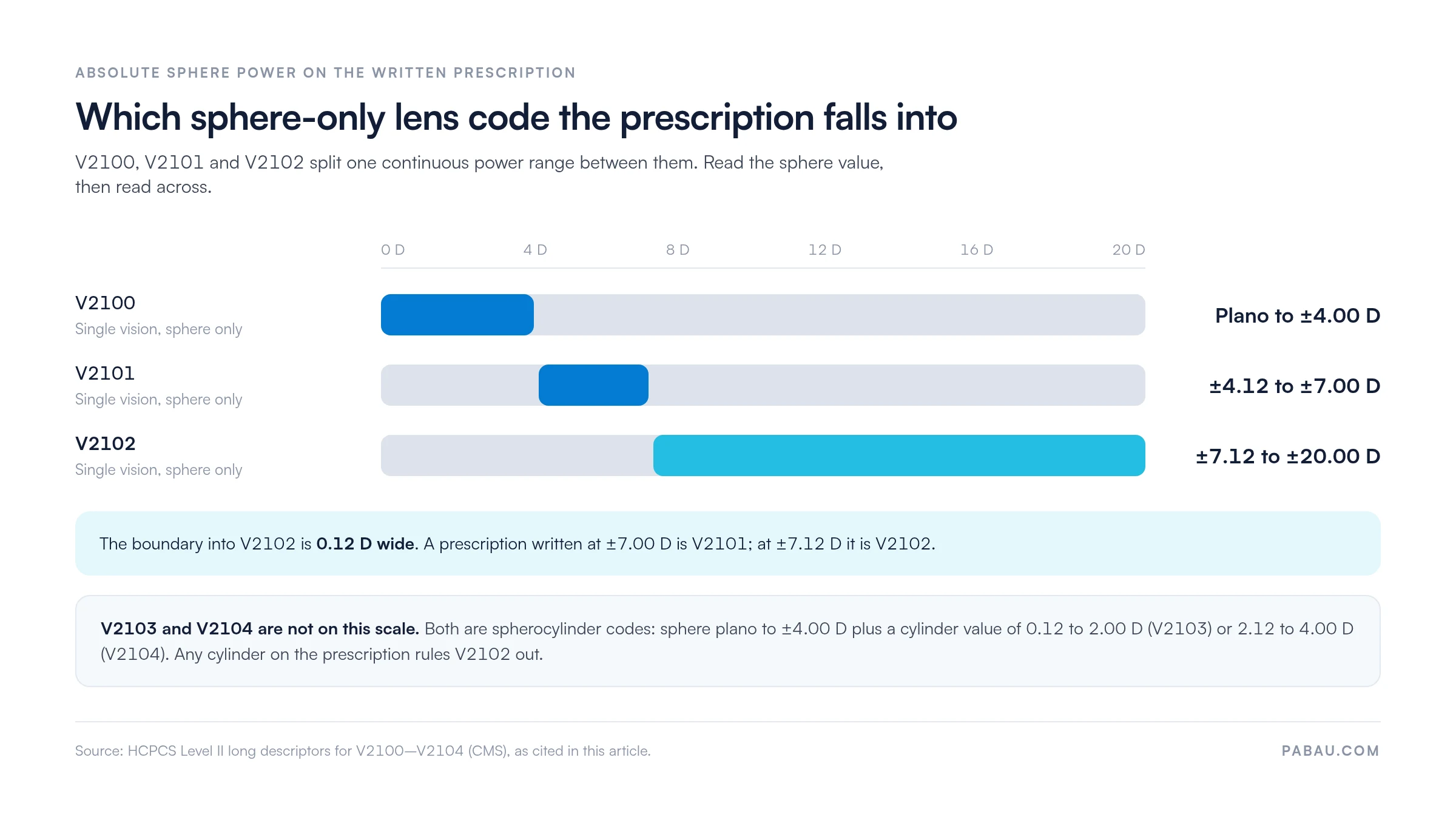
The table adds the lens type behind each band, plus the trap that catches billers most often.
The boundary between V2101 and V2102 sits between plus or minus 7.00 and plus or minus 7.12 diopters. A prescription for -7.00 D belongs under V2101, and -7.12 D belongs under V2102.
That 0.12 D difference is easy to lose when a biller transcribes from a handwritten Rx without rechecking the sphere value. Build a verification step into your workflow before the claim leaves the practice. You can search the full V21xx range using the AAPC HCPCS Level II code lookup.
Medicare Part B covers V2102 only for patients who have had cataract surgery and need a prosthetic lens replacement. Routine vision correction for refractive errors is not a covered Medicare Part B benefit.
A claim for a V2102 lens dispensed to a patient with simple myopia will deny under traditional Medicare. The lens power makes no difference, because the indication is not prosthetic.
The 2026 Medicare national fee schedule allowable for V2102 varies by locality and is updated annually. Verify the current rate using the CMS Medicare Physician Fee Schedule lookup tool for your contractor jurisdiction. Do that before quoting patients or estimating reimbursement, and never rely on a prior-year rate.
Every V2102 claim requires a supporting ICD-10-CM diagnosis code that establishes medical necessity. A diagnosis code that does not justify the lens type or meet the payer’s coverage criteria is the second most frequent denial driver. Only wrong-code selection causes more denials.
The table below lists the diagnosis codes most commonly accepted by Medicare and commercial payers to support V2102 billing.
Always match the laterality of the ICD-10 code to the eye being billed (right eye, left eye, or bilateral). Aphakia codes H27.01 and H27.02 are laterality-specific and must align with the RT or LT modifier on the claim. Mismatched laterality is a common cause of claim rejection during automated edits.
Modifiers identify the laterality and equipment status of the lens being billed. Most Medicare Administrative Contractors (MACs) require at least a laterality modifier when billing V2102 for a single eye. Omitting it is a common technical denial, and requirements vary, so verify your MAC’s specific instructions.
Check your MAC’s local coverage determination (LCD) for vision supply codes before attaching modifiers. Some contractors require NU on every new lens claim. Others treat it as optional. Billing without a required modifier is a technical denial. A modifier your MAC does not recognize for V2102 can trigger a coding alert.
Complete documentation protects the claim during payer review and reduces audit exposure. The Office of Inspector General (OIG) has historically flagged ophthalmic supply billing as a target area. Documentation discipline matters most for practices that dispense vision supplies regularly. Below is the core document set needed to support a V2102 claim.
Maintain all documentation for a minimum of seven years. Some state Medicaid programs and payer contracts require longer retention. Store the prescription, the dispensing record and the proof of delivery against the same patient record. An audit request can then be answered without reassembling the file.
Traditional Medicare generally does not require prior authorization for prosthetic lens claims under V2102. Commercial vision plans and Medicare Advantage plans apply variable PA requirements. Before dispensing and billing, verify the patient’s plan benefits and check whether a PA number is required.
Billing without a required PA results in a denial that is often non-recoverable after the timely filing window closes. Use insurance eligibility verification at the point of service to confirm active coverage and any pre-authorization requirements.
Most V2102 denials fall into a handful of predictable categories. The table below maps each denial type to its resolution, pulling from the patterns that billing staff report most often on V21xx claims. Reading the remittance against the payer’s published denial codes tells you which row applies before anyone starts reworking the claim.
The National Correct Coding Initiative (NCCI) publishes bundling edits that prevent certain code combinations from being billed on the same claim without a modifier override. For V2102, the most relevant NCCI consideration involves billing a lens code alongside a frame code (V2020 or V2025) on the same claim line.
CMS has indicated that lenses and frames may be billed separately when documented separately. Check the current NCCI tables in the CMS NCCI policy manual before billing V2102 with any ancillary supply code. Bundling rules are updated quarterly, so a rule that does not apply this quarter may apply next quarter.
A consistent submission workflow reduces errors before the claim reaches the clearinghouse. These steps apply whether you are billing Medicare, a commercial vision plan, or Medicare Advantage. Capturing every required V2102 field at the point of dispensing makes downstream claim preparation faster and more accurate.
Step two only settles the power. If the lab ground the lens as a myodisc rather than a full-aperture design, the claim belongs under V2115.
A paid V2102 line depends on three facts agreeing: the sphere power on the prescription, the laterality modifier, and the diagnosis code. In many optical practices those three sit in three separate places. The biller retypes the sphere value from a scanned Rx, picks the modifier from memory, and finds the mismatch when the remittance lands.
Practice management software like Pabau keeps the dispensing record, the supporting documents and the claim on one patient record. Modifiers and diagnosis codes are attached to the charge at the point of dispensing rather than at submission. Claim status is tracked across Medicare, Medicare Advantage and commercial vision plans in a single view. A denied V2102 line does not sit unworked for weeks.
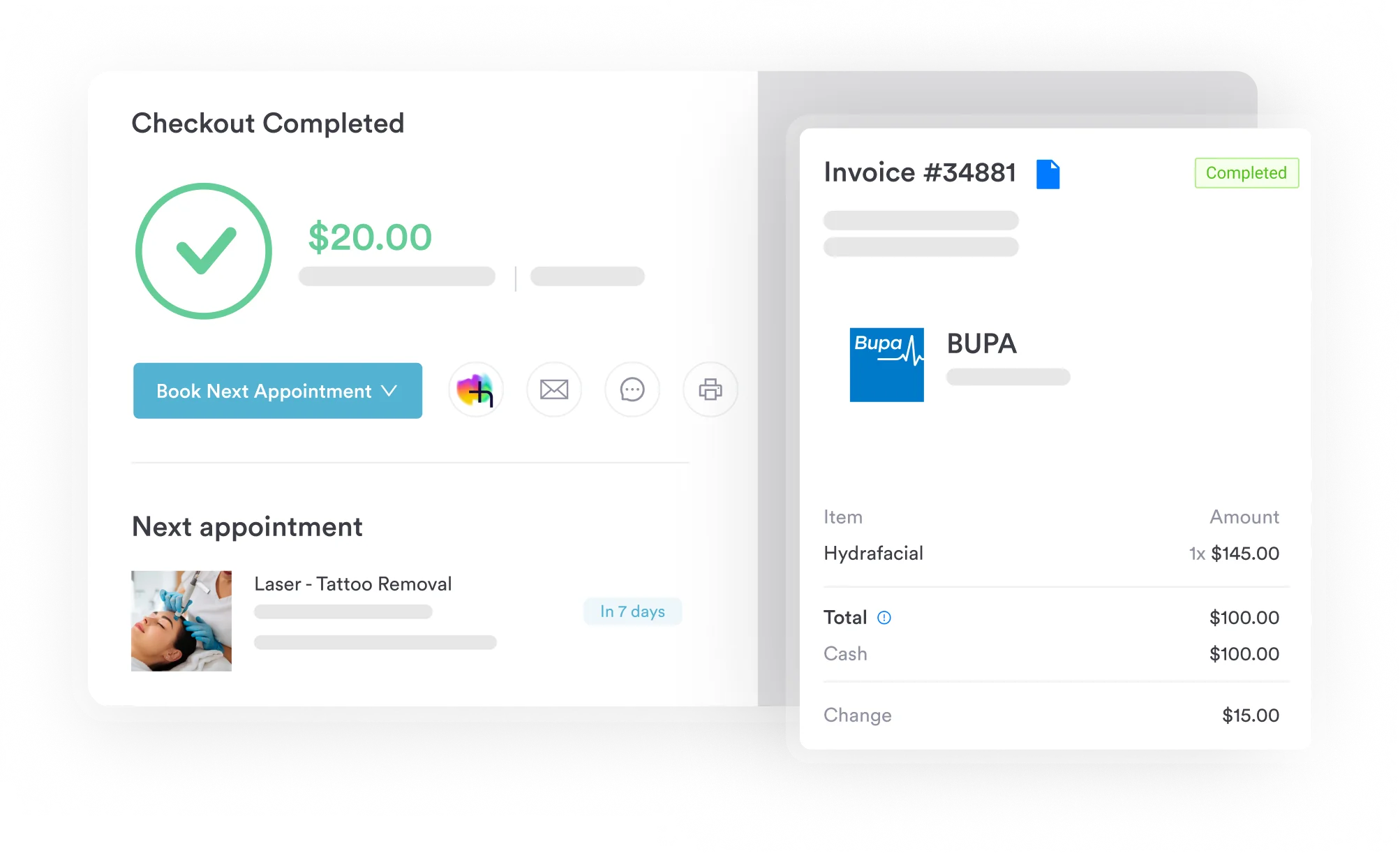
The benefit lands hardest in optical and ophthalmic practices dispensing lenses in volume. Smarter claims management removes the retyping step that puts the wrong V21xx code on the claim. Remittances post back against the original charge, so the denial rate for each payer is visible without a spreadsheet.

Pabau’s claims management tools let your billing team attach modifiers, link diagnosis codes, and track claim status across all payers in one place. See how it fits your optical or ophthalmic workflow.

V2102 denials almost always trace back to three problems. The first is a sphere power that sits outside the +/-7.12 to +/-20.00 diopter range. The second is a missing modifier, and the third is a diagnosis code the payer will not accept as medical necessity.
All three are settled before the claim goes out, not after. Verify the Rx before coding, confirm the payer’s modifier requirements, and match the ICD-10 code to the coverage indication.
Reading the sphere value off the written prescription takes seconds. Reworking a denied claim takes weeks, and the timely filing clock keeps running while you do it. Book a demo to see how Pabau handles HCPCS vision billing from dispensing through remittance.

Need a framework for reducing claim rejections across your practice? Denial management in healthcare covers the systematic approach to tracking, appealing, and preventing claim denials.
Want to understand how HCPCS fits into the broader billing picture? What is medical billing explains the end-to-end process from charge capture to payment posting.
Looking for guidance on building a compliant billing workflow? Medical billing compliance outlines the documentation and process standards that protect practices during payer audits.
Want fewer claims bouncing back on technical errors? Clean claim sets out what a payer needs on a first submission, and how to hit it every time.
Building a charge capture sheet for vision supplies? Superbill walks through the fields a superbill needs before it reaches the biller.
HCPCS Code V2102 covers a sphere, single vision lens with a spherical power between plus or minus 7.12 and plus or minus 20.00 diopters. It is a Level II supply code billed per lens for optical dispensing of a monofocal corrective lens within that specific power range. It does not cover bifocal, trifocal, or progressive lenses, contact lenses, or lenses with a cylindrical component.
Yes, but only for post-cataract surgery patients who require a prosthetic lens replacement under Medicare Part B’s prosthetic lens benefit. Medicare Part B does not cover V2102 for routine refractive correction. Medicare Advantage plans may offer broader vision coverage; verify with the specific plan before billing.
The three codes differ only by sphere power range. V2100 covers plano to plus or minus 4.00 diopters, and V2101 covers plus or minus 4.12 to plus or minus 7.00 diopters. V2102 covers plus or minus 7.12 to plus or minus 20.00 diopters. Select the code whose range contains the sphere power written on the patient’s prescription. A one-step error shifts the claim into the wrong code and triggers a denial.
Traditional Medicare Part B generally does not require prior authorization for covered prosthetic lens claims. Commercial vision plans and Medicare Advantage plans vary; some require PA before dispensing. Always verify the patient’s plan requirements at eligibility check before dispensing the lens to avoid a non-recoverable denial.
At minimum, keep a signed prescription showing a sphere power inside V2102’s range of plus or minus 7.12 to plus or minus 20.00 diopters. You also need a dispensing record confirming what was provided and when, proof of patient receipt, and the lab or lens order form. For Medicare post-surgical claims, clinical notes documenting cataract surgery or aphakia are also required. Keep all records for at least seven years.
Verify the sphere power on the written Rx before selecting the V21xx code, then confirm RT or LT modifier requirements with your MAC. Link an ICD-10 code that the payer accepts as medical necessity for that lens type. Check eligibility and PA requirements before dispensing. Building these checks into a pre-submission workflow catches the most common errors before the claim reaches the payer.