HIPAA compliant electronic signature: Pabau vs DocuSign
A HIPAA compliant electronic signature is a signing process that protects electr...

Last Updated: Nov 5, 2026

EHR training prepares staff to document accurately in your practice management system, which protects billing accuracy, patient safety, and compliance.
Role-based training beats one-size-fits-all programs, because nurses, physicians, medical assistants, and front desk staff each need different modules.
HIPAA’s Security Rule (45 CFR §164.308) requires workforce training for every staff member who touches patient records.
Practice management software like Pabau pairs structured onboarding with in-app guidance, so staff learn inside the workflows they already use.
A poor EHR rollout costs far more than the software license. Claim denial rates climb. Documentation errors pile up. Staff frustration turns into turnover. Training is usually where that trouble starts.
EHR training is the structured process of preparing every staff member to use your electronic health record system accurately, efficiently, and within privacy law. Done well, it gets your team working from day one and keeps error rates low. Done poorly, it produces months of rework.
This guide walks through the parts of an effective program. You get role-based modules, a super user strategy, and HIPAA requirements. It also covers documentation standards, implementation timing, and the metrics that show whether the training worked.
EHR training is the structured preparation that lets staff document, bill, and protect patient data correctly in your system. It matters because all three of those show up in revenue within a month of go-live.
Training covers clinical documentation standards, billing workflows, privacy compliance, and the processes your practice runs day to day. Staff who skip it take weeks longer to reach competency, and they produce more billing errors along the way.
According to the American Medical Association, poorly optimized EHR workflows are a leading driver of physician burnout. Documentation burden is the factor physicians cite most often. Training that teaches staff to work with the system rather than around it brings that burden down.
Beyond burnout, there are four direct business impacts when EHR training fails:
Mapping EHR integration workflows across departments shows why siloed training fails. The clinical team, the front desk, and the billing function all touch the same patient record at different points.
A nurse and a front desk coordinator both log into the same EHR. They need almost nothing from the same training module.
One-size-fits-all training burns clinical time on registration workflows nobody in the room will ever use. It also leaves administrative staff without the billing knowledge they need. Segmenting by role is the highest-leverage change available to a training program.
Specialty shapes the curriculum too. A physical therapy EMR leans on exercise plans and repeat progress notes. A mental health EMR centers on session notes and treatment plans instead.
Nurses spend more time in the EHR than any other role. Their training should prioritize charting speed, accurate medication administration records, and structured handoff notes. A nurse who cannot find and update the care plan quickly creates errors for every provider downstream.
Physician EHR training has one overriding goal. Shorten the time between the clinical encounter and the completed note. That means structured template use, fast order entry, and where the system supports it, voice dictation or AI-assisted documentation.
A worked SOAP note template makes a useful teaching prop. It shows the shape of a complete note before anyone builds one in the system. Research cited by the AMA also ties long documentation hours to burnout in healthcare. That makes this a retention question as much as a productivity one.
Administrative staff need training on registration accuracy, insurance verification, and scheduling logic. Walking them through an intake form template before go-live shows exactly which fields feed downstream billing. Medical assistants also need rooming workflows and pre-visit chart preparation.
Billing staff need a track of their own, covering charge capture, code-supporting documentation, and denial resolution. These are the roles left undertrained most often, and they create the most upstream billing problems when steps get skipped.
Super users are staff trained to an advanced level on the EHR who then support colleagues during and after go-live. The ONC’s EHR Implementation Playbook recommends the super user model as a way to lift adoption rates and cut help-desk dependency.
A well-run super user program reduces the volume of questions that escalate to the practice manager. It also creates a feedback loop, because super users surface the workflow problems formal training missed.
How to build the program in four steps:
Assign super users a visible role during go-live week, such as a different colored lanyard or a printed badge insert. Staff who are unsure about a step need to spot the right person instantly, not go hunting for them.
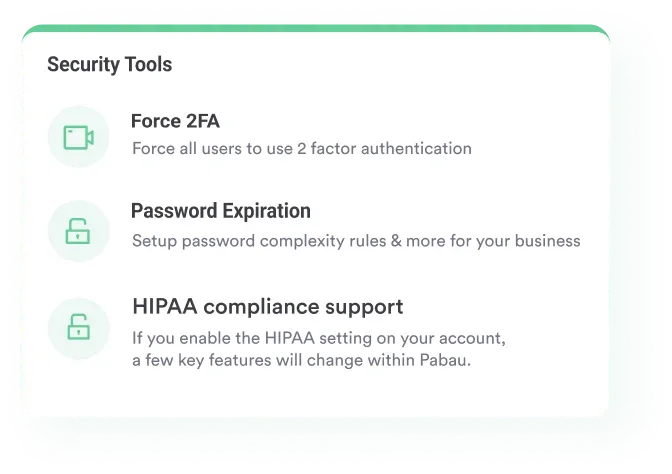
Compliance training is a legal requirement. Under the HIPAA Security Rule (45 CFR §164.308), covered entities must implement workforce training as a required administrative safeguard. It applies to everyone who touches protected health information, known as PHI, whether your team has two clinicians or two hundred.
Your EHR training program should build these compliance elements in from the start, rather than bolt them on as a separate module later:
Practices running compliance management software can automate part of the oversight, but the workforce training still has to happen. Software records what your team did. Training is what makes them do it. Run a HIPAA compliance checklist against your curriculum to confirm every required element is taught.
Poor documentation is one of the most costly EHR training failures. It produces claim denials, creates liability exposure, and generates rework that lands on the billing team or the clinician who wrote the original note.
Train every clinical staff member on these five documentation standards:
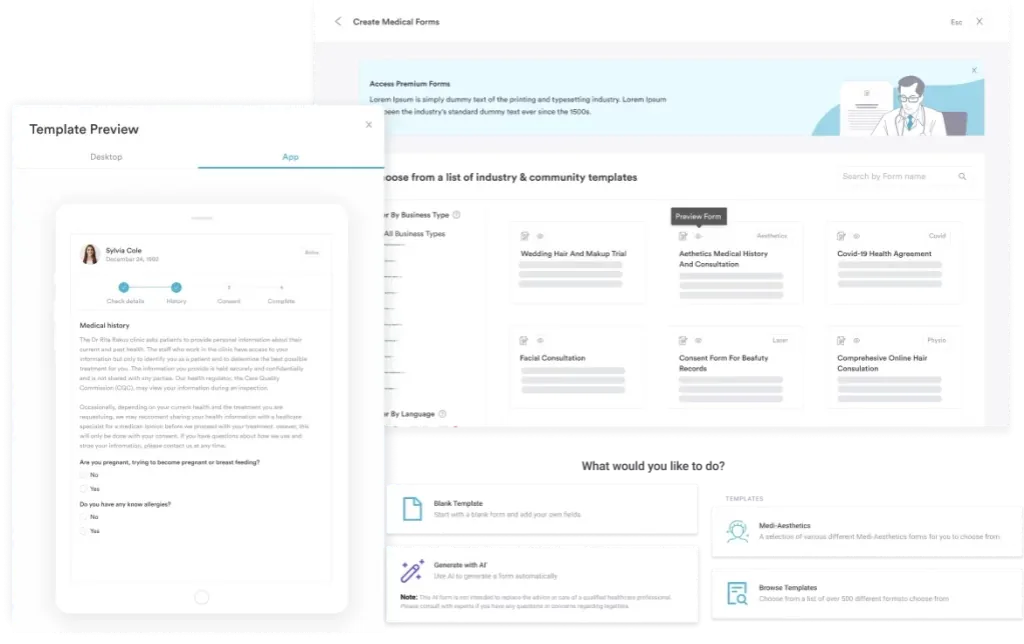
Well-designed digital forms enforce structured entry at the point of documentation, so staff aren’t holding every required field in their heads. Pairing them with a standard case management note gives new hires a worked example of what a complete entry looks like.
Training timing matters as much as training content. Research on the forgetting curve and ONC implementation guidance point the same way. Training delivered more than two weeks before go-live loses a lot of its retention.
Staff trained in month two who go live in month five arrive at launch having forgotten most of it. Training is one workstream inside a wider EHR implementation, so its dates hang off the go-live date rather than the other way around. If you are switching systems rather than starting fresh, an EHR migration plan should set that go-live date.
Structure your implementation training in three phases:
Delivery method matters too. The right mix depends on team size, timeline, and budget:
Most practices run EHR training once at go-live and never check whether it worked. Measurement is what separates a team that improves month by month from one that quietly normalizes bad habits.
Track these five KPIs in the first 90 days after launch:
Compare each metric against a baseline taken in the two weeks before go-live. Without that baseline you cannot tell a training problem from a process problem. The reporting side of practice management software is what makes this measurement practical rather than manual.
These failure modes turn up again and again in practices that struggle with EHR adoption. Every one of them is preventable.
Practice management software like Pabau approaches training differently from standalone platforms such as MedCerts or Coursera. Those courses teach generic EHR concepts that staff then have to translate into their own system. Pabau’s onboarding is system-specific, so help content appears inside the workflow where the question came up. New hires can rehearse charting between patients on Pabau GO, a practice management app built for phones and tablets.
Every new practice is set up by our onboarding team, with a dedicated Client Coordinator who owns data migration and staff setup. Once the data is in, Customer Success takes over account optimization, tuning booking rules, forms, and payment flows to the way you work.
Your client record management is configured to your clinical workflows before training starts, so staff learn the system they will use. Practices reviewing practice automations find that in-app guidance and automated steps cut the amount of process knowledge anyone has to hold in their head.
For practices using Pabau Scribe documentation training gets lighter. The AI drafts the clinical note from the consultation, and the clinician reviews and approves it instead of typing from scratch. That takes the documentation burden out of the training problem at source.
Esteem Life Medical Group moved across from traditional EHR software that was too bulky for a smaller practice, with record keeping as the deciding factor. Pabau holds a 4.7/5 rating from 645 reviews on Capterra, where reviewers regularly single out onboarding support and how fast staff pick the system up.

Pabau’s structured onboarding pairs your practice with a dedicated Client Coordinator and role-specific training resources. In-app guidance sits inside your day-to-day workflows, so staff learn by doing rather than in a classroom.

The judgment worth carrying out of all this is straightforward. Treat EHR training as a program with owners, dates, and numbers attached, rather than an event that happens the week before launch.
If you change only one thing, make it measurement. A practice tracking time-to-competency and denial rates can repair a weak module in week three. A practice tracking nothing finds out at the quarterly review, once the workarounds have already set.
The trade-off is cost up front. Protected floor time for super users and a sandbox environment both take money and calendar space. They pay it back in claims that go out clean. Book a demo to see how Pabau gets a practice team to competency without a long stall.

Want to understand how EHR and PMS workflows fit together? Practice management system vs EMR breaks down the functional difference and how the two systems interact in a clinical setting.
Still unclear on what EHR means? EHR meaning explains how EHR differs from EMR and portals, and how patient data flows between providers.
Managing paperless workflows alongside your EHR rollout? Benefits of going paperless explains how paperless workflows sit alongside an EHR to reduce administrative overhead.
Practicing in Canada and comparing EHR systems? EHR systems in Canada compares six platforms on pricing and provincial billing integration for Canadian practices.
Curious what happens at a hearing aid evaluation? Hearing aid evaluation explains how this appointment differs from a hearing test and translates results into the right device.
EHR training is the structured process of preparing clinical and administrative staff to use an electronic health record system accurately, efficiently, and within privacy law. It covers system navigation, clinical documentation standards, billing workflows, and HIPAA requirements. Most programs deliver it in role-specific modules before and after go-live.
Basic go-live training for clinical staff usually takes four to eight hours, depending on the role and the system’s interface. Reaching full independent competency normally takes two to four weeks after launch. Physicians generally take longer than medical assistants, because they perform a wider variety of documentation tasks.
The most effective go-live training combines sandbox simulation before launch, dedicated super users on the floor for the first two weeks, and short daily briefings. Train within three weeks of the go-live date to protect retention. Schedule refresher sessions at 30 and 60 days after launch.
Yes. The HIPAA Security Rule (45 CFR §164.308) requires covered entities to implement workforce training as a mandatory administrative safeguard. It applies to every staff member who accesses protected health information. The training is a legal requirement, and it must be documented so you can demonstrate compliance during an audit.
The ONC EHR Implementation Playbook offers free, authoritative guidance on training structure, super user programs, and go-live planning. HIMSS workforce development resources cover healthcare IT competency frameworks. Your EHR vendor’s onboarding team is usually the most system-specific resource for day-to-day staff training.