Referral management software: Track and close every referral
Referral management software in healthcare sends, tracks, and follows up patient...

Last Updated: Oct 26, 2026
Healthcare workflow automation is the use of software rules, triggers and AI to run repeatable practice tasks without a staff member handling each step.
The workflows that pay back fastest are appointment reminders, digital intake, billing and clinical documentation. According to an American Medical Association study, desk work and electronic records take up nearly half of the physician’s office day. That burden lands hardest on private practices with small teams and no operations staff.
For a small practice, the answer is to automate reminders, intake and invoicing first, then add AI documentation once the team is comfortable. This guide covers each workflow, how AI and robotic process automation (RPA) differ, and how to evaluate tools without enterprise-grade complexity.

Healthcare workflow automation uses software triggers and AI to handle repeatable practice tasks without a manual step at each stage.
Appointment reminders, patient intake and billing are the three workflows to automate first in a private practice.
Rules-based automation and AI cover most private-practice needs, while RPA mainly helps hospitals bridge legacy systems with no API.
Run a 30-day audit on every new automation, because a trigger that stops firing usually fails without any error.
Pabau, the practice management system we build, covers reminders, intake, billing and documentation in one platform.
Healthcare workflow automation covers any system that replaces a manual, step-by-step task in a practice’s operations with software. Three distinct approaches exist, and many software vendors blur them together. Knowing each one helps you match the right tool to the right problem.
Most private practice platforms use automated workflow tools built on rules-based triggers, with AI layered on top for documentation. Pure RPA is more common in hospital systems running legacy infrastructure. Private practices rarely need an RPA layer if they choose a modern, integrated platform from the start.
Manual workflows cost more than they appear to, because each small failure repeats every week. A missed reminder can cost the practice the full revenue of that slot. Multiply that by a typical 5% to 15% no-show rate and the weekly loss adds up fast. Then add the hours spent chasing paper consent forms, posting payments by hand and typing the same patient data into two systems.
Take a practice running 100 appointments a week with a 10% no-show rate. Halving that rate recaptures five slots every week, and the revenue lands immediately.
Automation is also a staff retention lever. Front-desk burnout from repetitive admin is a common problem in private practice. A practice that runs on automated reminders and forms doesn’t depend on heroic manual effort from a small team to stay open.
Not every workflow delivers an equal return. These four areas produce the fastest, most measurable results for private and small practices.
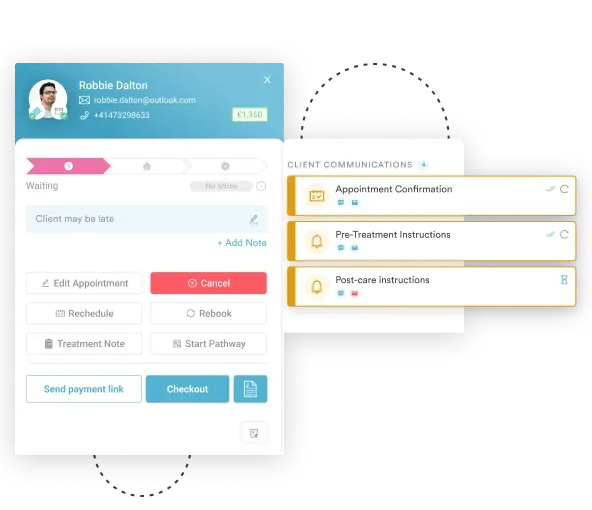
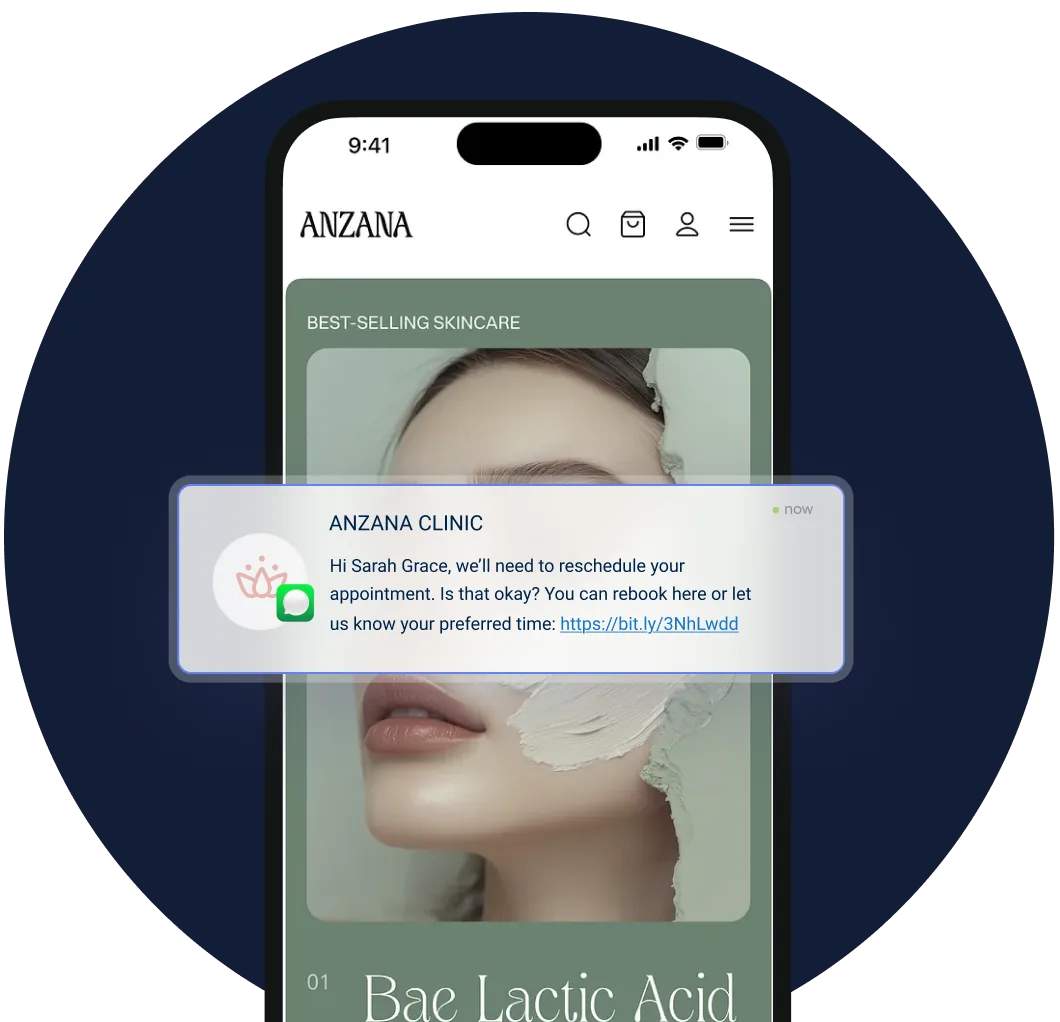
Automated reminder systems send messages at set intervals before the appointment, commonly 72 hours, 24 hours and a same-day nudge by SMS or email. Two-way confirmation goes further. The patient confirms or asks to reschedule by text reply, and the freed slot goes straight back to the booking calendar.
The mechanics of reducing patient no-shows depend on timing, channel and personalization. A reminder that uses the patient’s name, names their treatment and includes a one-tap confirm link tends to outperform a generic blast. In Pabau’s scheduling software, automated SMS reminders run this sequence on their own, so your front desk spends that time with patients instead.
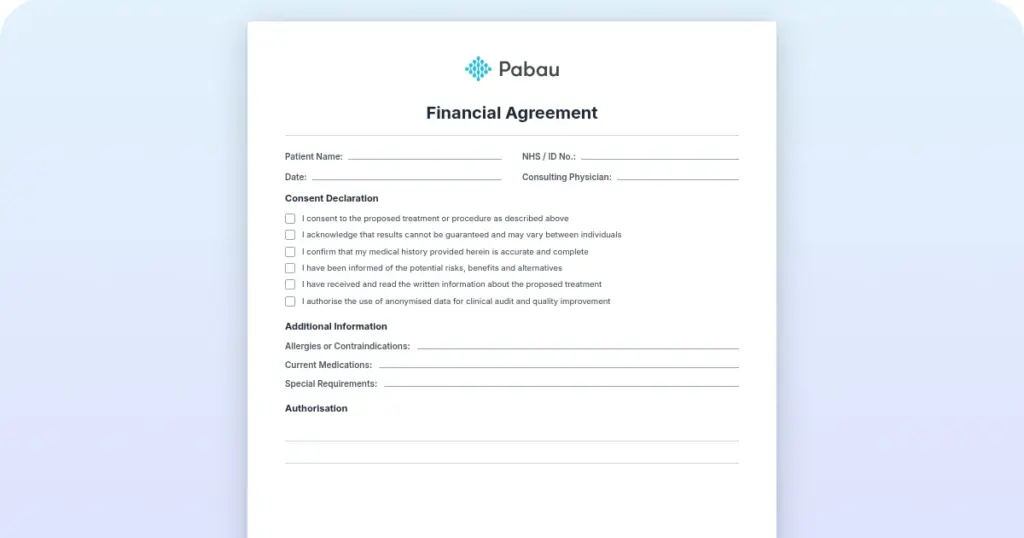
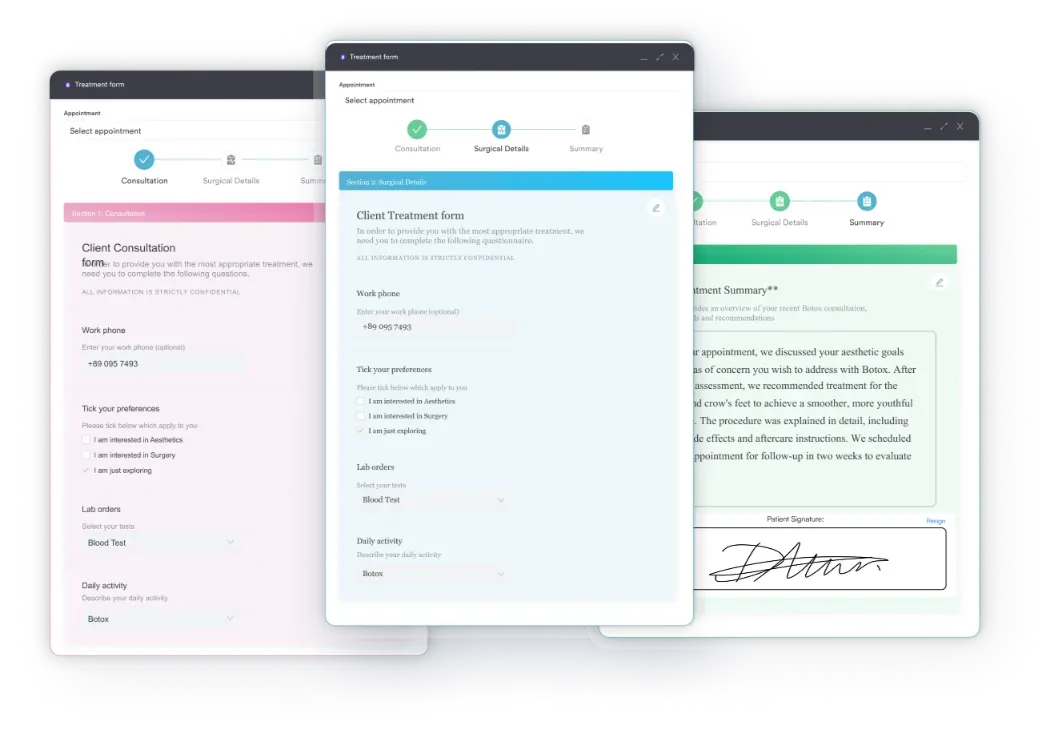
Online intake automation replaces the clipboard. When a booking is confirmed, the patient gets a link to complete their medical history, consent forms and pre-treatment questionnaire before arriving. The answers flow straight into their patient record, so nobody types them in twice.
Take a three-room aesthetic practice seeing 40 patients a week. As an illustrative estimate, this one change could save its front desk several hours of form processing a week. Digital intake forms also cut the transcription errors that create compliance risk when paper forms are keyed in by hand. Completed forms arrive structured, timestamped and auditable.
Billing automation covers charge capture at the point of care, invoice generation, payment collection and reconciliation. In insurance-heavy practices, it extends to claims scrubbing (checking for coding errors before submission) and automated rejection handling. Each of these steps, done by hand, adds delay and error risk.
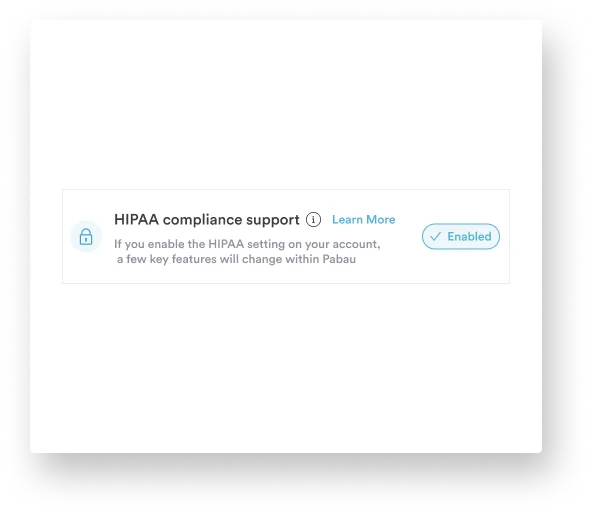
Pabau includes payments and invoicing in the core platform, so invoices are raised against the appointment without a separate billing tool. Compliance management software that logs each billing change helps HIPAA-covered practices in the US and GDPR-bound practices in the UK and EU stay audit-ready. Automation supports compliance here, but complex claims still need human review.
AI scribes listen to a clinical encounter and draft a structured note for the clinician to review and sign off. The clinician edits rather than dictating from scratch. A 2024 NEJM Catalyst study of ambient AI scribes at The Permanente Medical Group found physicians reported spending less time on documentation. Results still vary by specialty and setup.
If you’re comparing tools, our roundup of the best AI medical scribes ranks them for independent and mid-size practices. Pabau Scribe, our AI scribe for clinicians, is built for aesthetics and private healthcare. It drafts treatment notes in the context of the services delivered.
The clinician stays in the loop. Every note is reviewed before it is saved to the patient record, and clinical judgment stays with the clinician.
Robotic process automation (RPA) in healthcare is software that mimics a person using existing systems, by clicking buttons, copying fields and moving between screens. It does not need a modern API. It is deterministic, so input A always produces output B, with no learning or adaptation.
AI automation handles unstructured inputs instead. Think of a clinical note drafted from a recorded conversation, or a triage flag raised by symptom language in a patient message. A no-show risk predicted from attendance history works the same way. These need pattern recognition rather than rule-following, and the two approaches complement each other.
For most private practices, the practical answer is a platform with strong rules-based automation and built-in AI tools. RPA is usually a hospital-level concern, used to connect systems that were never designed to talk to each other.
Audit your current manual steps before selecting any automation tool. List every task your front-desk or admin team does more than once a day. The highest-frequency, lowest-complexity tasks are your rules-based targets. The high-judgment tasks (triage, complex clinical notes) are your AI targets. Keeping the two lists separate stops you over-engineering simple workflows.
Feature checklists tell you what a tool can do on a demo call. These five dimensions tell you whether its automations will keep working in a busy practice.
The Office of the National Coordinator for Health IT (ONC) publishes guidance on the interoperability standards behind how automation tools share data. For a private practice, the practical question is whether a platform connects to the tools you already use or replaces them. Both can work. What fails is a tool that needs constant middleware upkeep your team can’t manage.
Small practices face a specific problem. They need automation the most, but they have the least time and budget to set it up. A solo physician or a two-clinician aesthetic practice can’t spend weeks on a complex software rollout. The return looks different too, because every admin hour saved turns into clinical revenue when the practice runs near capacity.
The practical starting point is the three workflows with the fastest, most measurable return. Those are appointment reminders, digital intake forms and automated invoicing. On a modern platform they can often be configured within a week, with no change to clinical workflows. The rollout below staggers them so the team absorbs one change at a time.
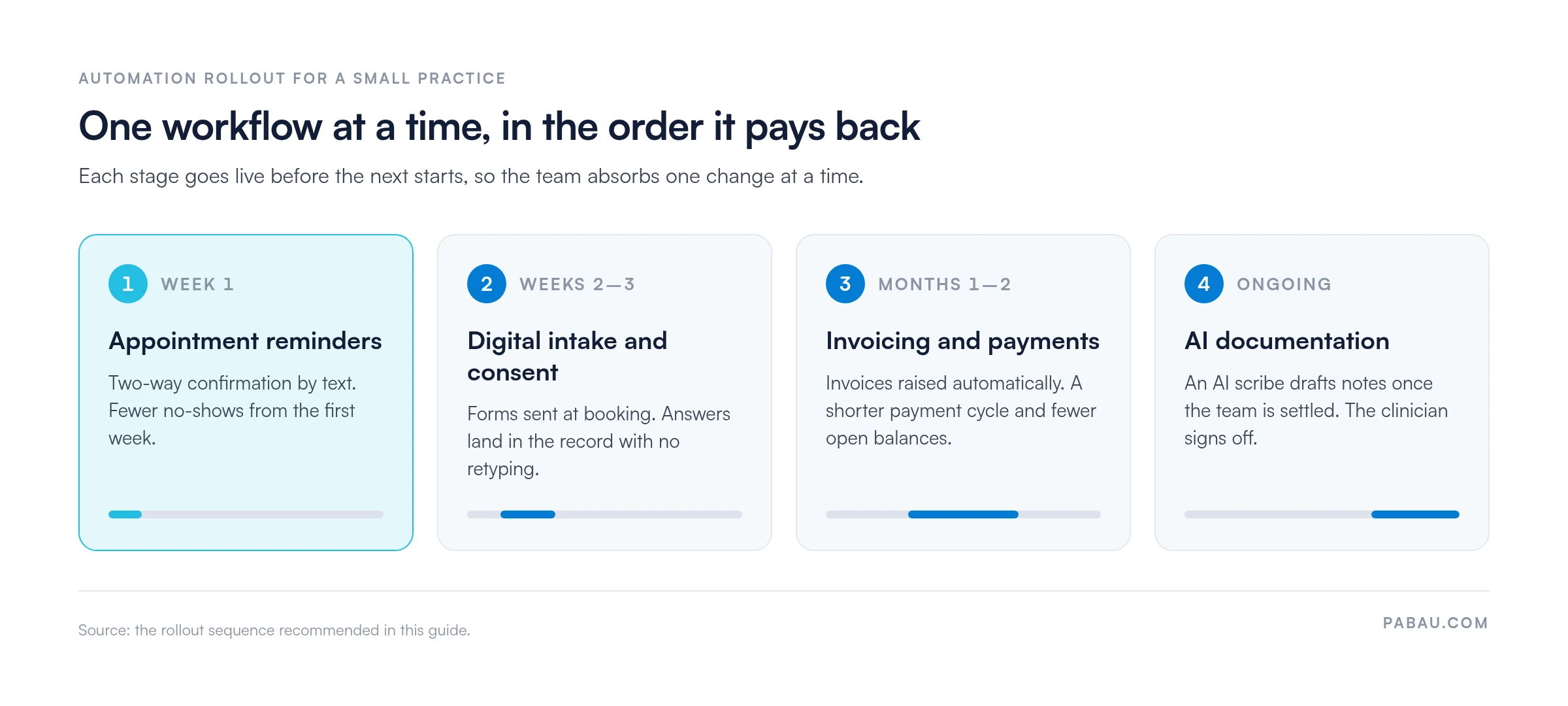
Each admin hour automated away improves operating margin without touching clinical revenue, which is why small practices tend to see the return quickly.
Implementation is messier than the vendor demo. Three challenges cause most automation projects to underdeliver.
Integration friction with legacy systems. Older EHR and practice management systems were not designed for API-based data exchange. Automations that depend on live data from these systems often break silently when the legacy system changes a field format or updates its interface. The fix is to check whether your automation layer connects natively to your existing systems or relies on a fragile middleware bridge.
Staff adoption resistance. Staff who have run a workflow by hand for years often read automation as a threat to their role rather than relief from drudgery. Practices that involve staff in the setup tend to see faster adoption, especially when automation is framed as “removing the tasks you hate.” The practice manager should own that change process, since they know which tasks the team dreads.
Over-automation of judgment-dependent steps. The most common technical mistake is automating a step that should have a human checkpoint. Automated clinical decision support should surface information and trigger alerts, and the clinical decision stays with the clinician. Any automated step touching patient care needs a defined human review point. The ONC’s clinical decision support guidance is useful context for deciding where automation fits in care delivery.
Run a 30-day post-launch audit on every new automation. Check whether the trigger fired on every eligible event and whether any manual override was needed. Then confirm the output (reminder sent, form delivered, note generated) matched expectations. Most automation failures are silent. The system doesn’t show an error, it simply doesn’t fire. A monthly audit catches these before they cost revenue or create a compliance problem.
A typical small practice runs reminders from one tool, forms from another and invoices from a third. Someone on the front desk then copies data between them, and each handoff is a chance for an error.
Pabau puts those workflows in one system. A booking triggers the reminder sequence and sends the intake form. The completed form lands in the patient record, and the invoice is raised against the same appointment. Pabau Scribe then drafts the treatment note for the clinician to review. You can see how the automation features connect across the practice.
Every subscription includes every feature, so adding the next automation means switching it on rather than buying another tool. Structured onboarding maps your current manual steps to automations before you go live, so the team isn’t configuring it alone.

Pabau runs appointment reminders, digital intake, invoicing and AI-drafted notes in one system. Book a walkthrough to see how your practice’s manual steps map to automations.

Start with the workflow that costs your team the most hours this month, and give it 30 days before adding the next. For most small practices, that means reminders first, then intake, then invoicing.
The trade-off is setup time up front. An automation configured carelessly fails silently, so the audit matters as much as the build. Get both right and your front desk stops spending its day on confirmation calls and retyped forms.
Book a demo to see how Pabau maps your practice’s manual steps to automations that run on their own.

Want to automate the patient side of the journey? Automated patient engagement covers the reminders, follow-ups and recall messages that keep patients coming back.
Still missing calls after hours? AI medical receptionist compares costs, HIPAA questions and standalone tools against an all-in-one setup.
Concerned about HIPAA when automating patient workflows? HIPAA compliant AI tools ranks nine options and explains what makes an AI tool safe to use with patient data.
Running a med spa? The best AI practice management tools for med spas matches each tool to the bottleneck it fixes.
Healthcare workflow automation is the use of software rules, triggers, and AI to execute repeatable clinical and administrative tasks without manual intervention at each step. Common examples include automated appointment reminders, digital patient intake forms, billing invoice generation, and AI-assisted clinical note drafting. The goal is to reduce the administrative burden on clinical and front-desk staff so that human effort concentrates on judgment-dependent tasks that software cannot handle.
Automate appointment reminders with two-way confirmation first, followed by digital intake and consent forms. Then add automated invoicing and payment follow-up, and AI-assisted clinical documentation. These four areas cover the bulk of repetitive administrative effort in most private practices and deliver measurable return within weeks of implementation.
RPA in healthcare is robotic process automation. It is software that mimics a person using existing systems, moving or transforming data without a direct API connection. It is primarily used in hospital environments to bridge legacy EHR systems that cannot connect natively. Most private practices do not need RPA if they are choosing a modern, integrated practice management platform where core systems already communicate natively.
Yes, and small practices often see faster ROI than larger ones because every recovered hour of administrative time has a direct clinical revenue equivalent. A solo or two-clinician practice running near capacity gains the most from automating appointment reminders, digital intake, and invoicing first. These three workflows typically configure in under a week on a modern platform and require no change to clinical processes.
AI handles the inputs that rules-based automation cannot: unstructured text, voice recordings, variable clinical language, and pattern-based predictions. In practice, that means AI scribes that draft clinical notes from recorded consultations and no-show risk scores built from patient history. It also covers triage flags raised by symptom language in patient messages. The clinician remains responsible for reviewing and approving any AI-generated output before it enters the patient record.
Start with native integration to your existing scheduling and patient record system, with no middleware required. Look for automation triggers that clinical staff can change without coding, and HIPAA or GDPR documentation with automated audit logs. The broader the workflow scope across scheduling, intake, billing and documentation, the fewer tools you need. Point solutions that automate only one area tend to create integration complexity rather than resolve it.