Patient follow up letter template
A patient follow up letter template lets your practice confirm a patient’s...

2
Last Updated: Oct 21, 2026
A Medicare charting cheat sheet is a one-page reference that lists what Medicare expects to see in clinical notes. Clinicians use it to document skilled care in a way that supports coverage and holds up in review. Every note has to show the skilled need, the medical necessity, the patient’s progress, and an authenticated signature and date.
Skilled nursing, home health, and Part B therapy each add their own requirements on top of that core. The free PDF below puts all of them on one page, and the guide explains each setting in turn.
A printable reference covering daily skilled nursing notes, medical necessity language, SNF and home health requirements, and therapy documentation. It closes with common denial triggers and signature and date checkpoints.
Download template
A Medicare charting cheat sheet condenses CMS documentation rules into a printable reference for daily use.
Every skilled note should show the skilled service, the patient’s response, and progress toward goals.
Home health charting depends on homebound status, physician orders, and OASIS accuracy.
Most denials trace back to vague medical necessity, missing signatures, or text copied across visits.
G0438 and G0439 are HCPCS Level II codes, while 97110 and 97530 are CPT codes.
A Medicare charting cheat sheet is a condensed reference that summarizes the documentation standards Medicare applies to skilled care. It captures what a clinical note must contain, how often documentation is required, and which elements reviewers check first.
The Centers for Medicare & Medicaid Services (CMS) sets these expectations through several sources. They include Medicare Learning Network (MLN) publications, the Medicare Benefit Policy Manual, and the Conditions of Participation for skilled nursing facilities and home health agencies. A cheat sheet translates those long documents into a page a clinician can check during a shift.
Nurses, therapists, and home health clinicians all use this type of reference because each discipline has different triggers for coverage. A nurse documenting a daily skilled service faces different questions than a therapist writing a progress report.
Medicare documentation rules share a common core across settings. Each note should show who was seen, what skilled service was delivered, and why that service needed a skilled clinician.
Each care setting then layers its own coverage checks on top of those four elements, as the diagram below shows.
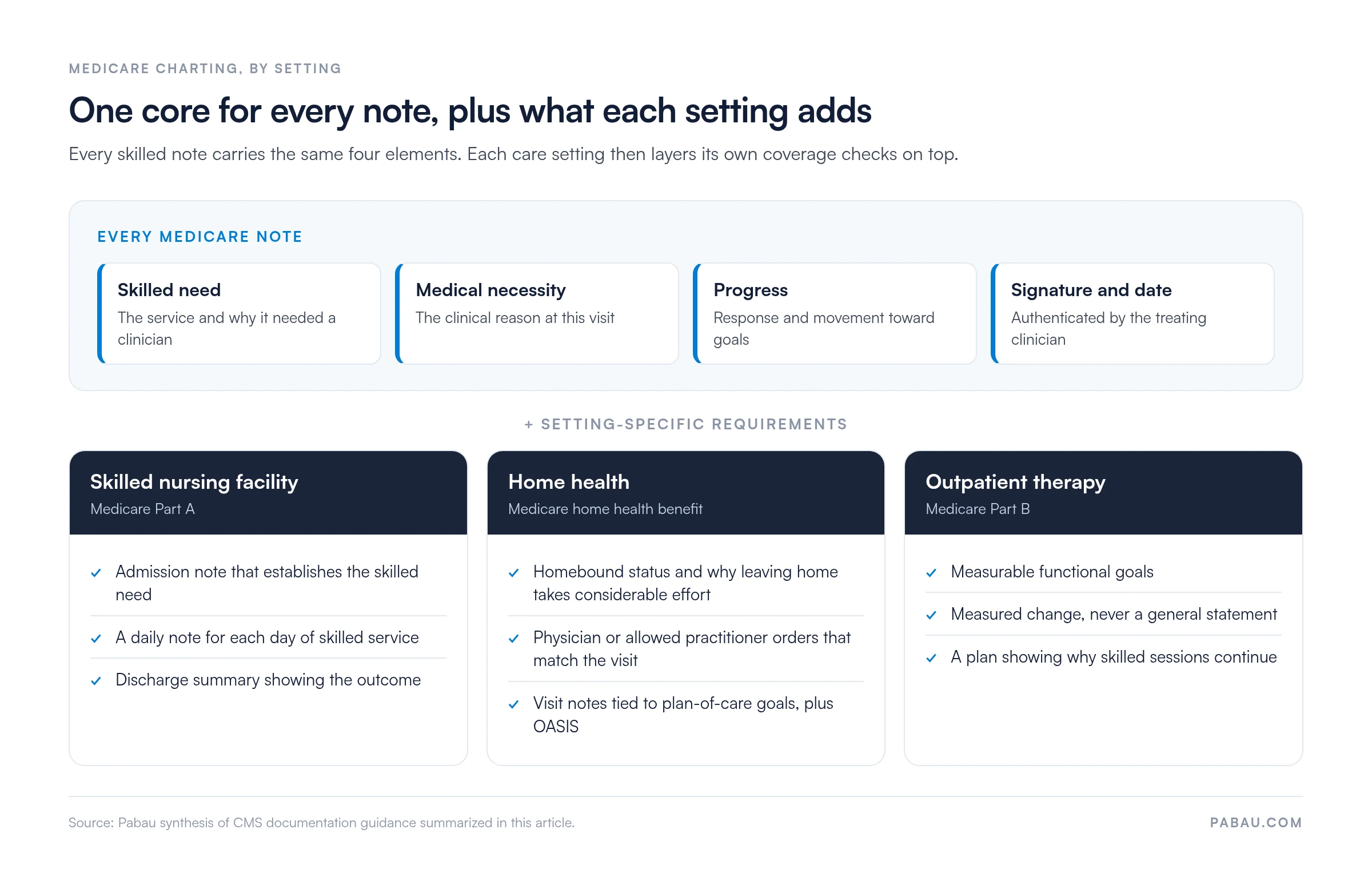
Skilled nursing facilities under Medicare Part A must document daily skilled services. Each daily note should capture the skilled intervention, the patient’s status, and the clinician’s assessment in one connected entry.
SOAP notes (Subjective, Objective, Assessment, Plan) give many teams a familiar structure for these entries. A template for SOAP progress notes supports the same content reviewers look for, although the format itself is not a Medicare requirement.
Shift charting that sits outside Medicare coverage rules follows broader standards. The nurse charting cheat sheet covers those everyday basics.
SNF documentation follows the stay from admission to discharge. The admission note establishes the skilled need, the daily notes show ongoing care, and the discharge summary shows the outcome.
The admission record sets the baseline every later note is measured against. A nursing home admission checklist helps teams confirm that history, orders, and the initial assessment are all on file.
Billing for SNF stays depends on the documentation supporting each day. Practices that bill these stays can use claims management software to keep each claim tied to its supporting notes.
Home health coverage requires that the patient is homebound and under a physician or allowed practitioner’s plan of care. Visit notes must show how the skilled service relates to that plan.
OASIS assessments are required for Medicare home health patients. Clinicians should follow current CMS OASIS guidance for item-level accuracy, since this cheat sheet does not list item-level instructions.
Therapy services billed under Medicare Part B need notes that show functional goals and progress toward them. Physical, occupational, and speech therapists should record measurable change in place of general statements.
Most denials trace back to notes that do not show why care was needed. Vague phrases such as “patient doing well” give reviewers nothing to verify.
Denial management extends beyond the note itself. Log each denial by its stated reason, so the team can see which documentation errors keep coming back.
Audit one week of notes against your cheat sheet each month. Look for vague medical necessity phrases and missing signatures, then brief the team on the two errors that came up most often.
Medical necessity is the link between a patient’s condition and the service delivered. Write it as a full clinical sentence that names the finding behind the visit.
Charting notes should match the codes billed for the visit. The table below lists codes clinicians commonly see in Medicare encounters, with the documentation each one expects.
G0438 and G0439 are HCPCS Level II codes maintained by CMS, while 97110 and 97530 are CPT codes maintained by the AMA. Confirm code selection against current CMS fee schedule guidance before billing. Clinicians can review the Medicare Physician Fee Schedule directly.
Skilled nursing facilities use it for daily notes and admission documentation. Home health agencies use it for visit notes and homebound justification. Outpatient therapy practices use it for progress reports and goal tracking.
A shared reference makes documentation standards visible across the team. New staff can check requirements without waiting for a supervisor.
Consistent notes also make audits easier. When every entry shows skilled need and progress, reviewers can verify care without a lengthy records request.
Many teams still chart on paper or in Word files, then chase missing signatures before an audit. That makes it hard to show a reviewer one complete record of the stay.
Pabau, the practice management platform we build, holds charting templates, timestamps, and signature fields in one place. Its medical records management keeps visit notes, goals, and orders on the same patient file, so a reviewer sees the full sequence.
Admission documentation starts earlier with faster patient intake, because forms completed before the first visit land in that same record. Clinicians still review and sign every entry themselves, and AI-drafted notes need clinician verification before submission.
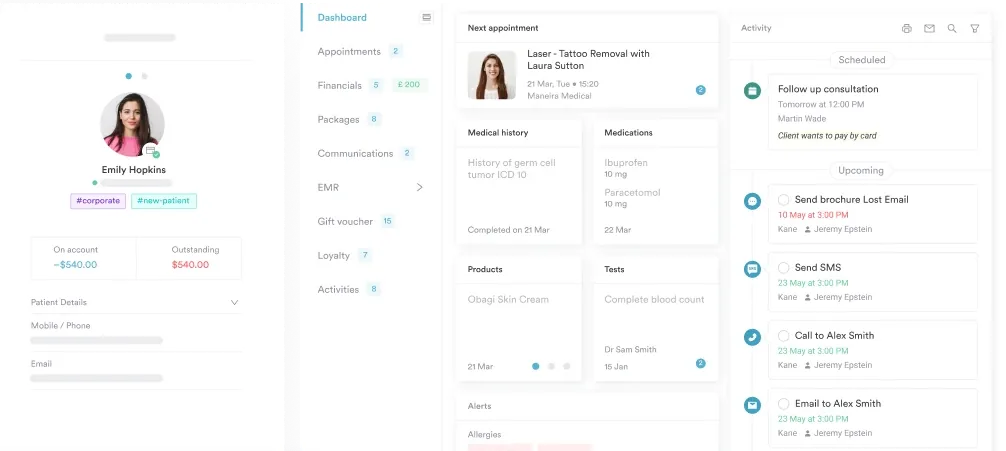

See how Pabau’s charting templates and Client records help your team document skilled care consistently across visits.

Print the cheat sheet, but treat it as a check on each note rather than a form to copy. A reviewer who reads the same pasted sentence across ten visits will question all ten.
Start with the four core elements, then check only the column for your setting. If each note names its finding, its skilled service, and its measured change, most denial triggers never appear.
The trade-off is time at the point of care, which consistent templates win back. Book a demo to see how Pabau keeps Medicare-ready notes, orders, and signatures on one patient record.

Need a broader charting framework? Focus charting explains the DAR structure for organizing notes around a patient concern.
Prefer a fill-in format for focus notes? DAR notes template gives you a ready layout for data, action, and response entries.
Handing over between shifts? Nursing home report sheet keeps resident status and pending tasks on one page for the next nurse.
Need a simple note for each encounter? Chart note template covers the core fields of a single clinical encounter.
A Medicare charting cheat sheet is a condensed reference that lists the documentation elements Medicare expects in clinical notes. It helps clinicians check skilled need, medical necessity, and progress during daily work.
Daily skilled services in a skilled nursing facility stay require daily documentation. Confirm current frequency rules in the CMS Conditions of Participation for your setting.
Each note should show the skilled service delivered, the patient’s response, the clinician’s assessment, and the next step in the plan. Authenticate the entry with a signature and date.
Reviewers look for evidence of medical necessity in each note. Notes that are vague, unsigned, or copied across visits give them no basis to verify the service.