
 Maja Popovska

Personal training assessment form
What is a personal training assessment form? A personal training assessment form...

1
Last Updated: Nov 12, 2026
Free PDF 1 page, print-ready Clinician-reviewed
An event booking form is the document that captures who is attending, what they are booking, and the terms they have agreed to before a single seat, room or table is confirmed. A well-built event booking form template gives event planners and coordinators a consistent starting point, so each booking collects the same core details and fewer requests get lost in email threads.
Manual booking processes often leave gaps. A missing headcount, an unclear deposit or a vague cancellation term can turn a simple booking into a dispute. This guide gives you a downloadable template, explains which fields matter, shows how to customise the form for your events, and covers how to avoid overbooking.
Start from scratch, or upload this PDF or any form you already use, and Pabau's AI Form rebuilds it with tick boxes, text fields and a signature. Attach it to the treatment once, and every patient gets it on time.
AI Form rebuilds the consent, history and aftercare forms you already use. You review each one, then publish.
Patients complete forms on their phone before they arrive, so the front desk stops retyping paper.
Every signed form is versioned and attached to the treatment record, ready when you need it.
Set how long a consent stays valid. Returning patients skip forms they have already signed.
Supports HIPAA and GDPR compliance AES-256 encryption 4.8 on G2 4.7 on Capterra Trusted by 4,000+ practices worldwide

An event booking form records the event, the attendee and the agreed terms before the booking is confirmed.
Core fields include event details, attendee information, venue details, payment terms and a cancellation policy.
Set capacity limits and confirmation steps to reduce overbooking on shared rooms and limited seats.
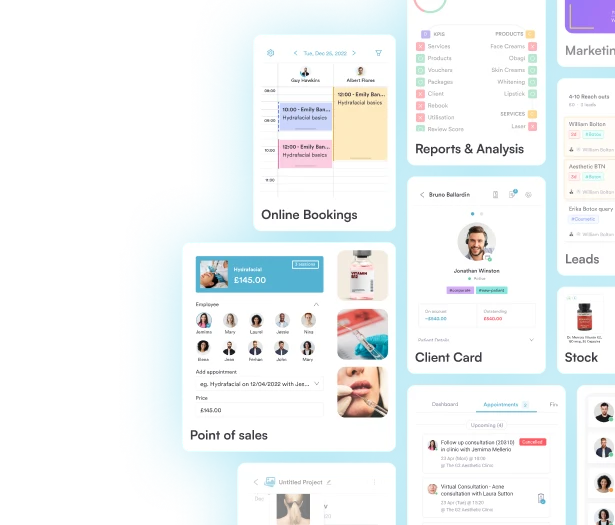
Pabau’s digital forms let clinics and teams send, collect and store booking details in one place.
An event booking form is a structured document that collects the details needed to reserve a place at an event, workshop, training session or room hire. It is used before confirmation, so the organiser holds a complete record of who booked, what they booked and on what terms.
It differs from an event registration form, which typically sits at the sign-up stage and captures attendee data for a public or open event. A booking form usually involves a confirmed reservation, a deposit or a contractual term, so it carries more operational weight. Many event planners use both documents in the same workflow.
Every booking form should capture the same core information, so your team can confirm a reservation without chasing details. The sections below cover what each part should hold.
Record the lead contact’s name, email, phone number and organisation, then the expected number of attendees. Keep attendee lists optional at booking stage if names will be confirmed later.
State the deposit amount, the balance due date and the accepted payment methods. Refer clearly to the cancellation policy so the client sees the consequences before signing.
Add fields for dietary needs, accessibility requirements or AV equipment. Mark only the fields you truly need as mandatory, because each extra required field raises the chance of an abandoned form.
Work through these steps to adapt the template and send it to clients.
Overbooking usually happens when a static document is used with no check on remaining capacity. A simple form cannot count seats, so the control has to sit in your process or software.
A booking confirmation closes the loop. Once the form is submitted, send a confirmation that restates the event, date, venue, deposit status and cancellation terms.
Confirmations can be sent manually from your inbox or automated through your booking system. Automating them reduces the chance that a confirmation is forgotten during a busy week.

See how Pabau’s digital forms and automated workflows collect, store and confirm bookings in one place.
An event booking form is a document that reserves a place, room or session and records the terms agreed before confirmation.
State the notice period, the refund or deposit forfeit rules and how changes are handled. Have a legal professional review the wording before you rely on it.
Google Forms does not natively collect payments, so you need a third-party add-on or payment connector for that step.