Cervix length during pregnancy chart
A cervix length during pregnancy chart records cervical length in millimeters ag...

2
Last Updated: Oct 14, 2026
A free employee work schedule template lists staff names, shift times, roles, and dates in a ready-made grid.
Download the one below as a PDF, or copy its fields into Excel or Google Sheets. Your next schedule is then set without formatting a single column.
For practice managers juggling several practitioners, shifts, and on-call cover, that removes the hour of setup before any scheduling decision gets made. This guide covers what belongs in the template, which format suits which planning job, and when a team has outgrown a spreadsheet.
A ready-to-use weekly grid with columns for employee name, role, shift start and end times, breaks, total hours, location, responsible manager, and sign-off date. Print it as it comes, or copy the fields into Excel or Google Sheets and adapt them to your own practice.
Download template
An employee work schedule template is a pre-structured document listing staff names, shift times, roles, and dates, ready to download and customize.
Free templates in Excel and Google Sheets save practice managers the setup work of building a schedule grid from scratch.
Weekly and monthly variants handle different planning horizons, while hourly versions suit shift-based teams with frequent clock-in changes.
Scheduling built into practice management software like Pabau keeps the schedule current, with online booking, automated reminders, and team visibility.
An employee work schedule template is a structured spreadsheet or document with one consistent set of columns. It captures staff names, roles, shift start and end times, break allocations, total hours, and dates. It is the master record of who is working when.
Healthcare practices lean on them for staff schedule management, compliance documentation, and multi-practitioner cover. Practice managers use them to plan ahead, track staffing levels, manage leave, and evidence compliance with employment law. In the UK that means the Working Time Regulations 1998, and in the US the Fair Labor Standards Act, known as the FLSA.
The template removes the repetitive setup work, so your attention goes to the scheduling decisions rather than the formatting.
A well-built template gives each of those its own column, plus room for notes such as “covering a closure” or “on call”. That keeps the schedule scannable. It also keeps your records ready when an employment inspector or a regulator such as the CQC in the UK asks to see them.
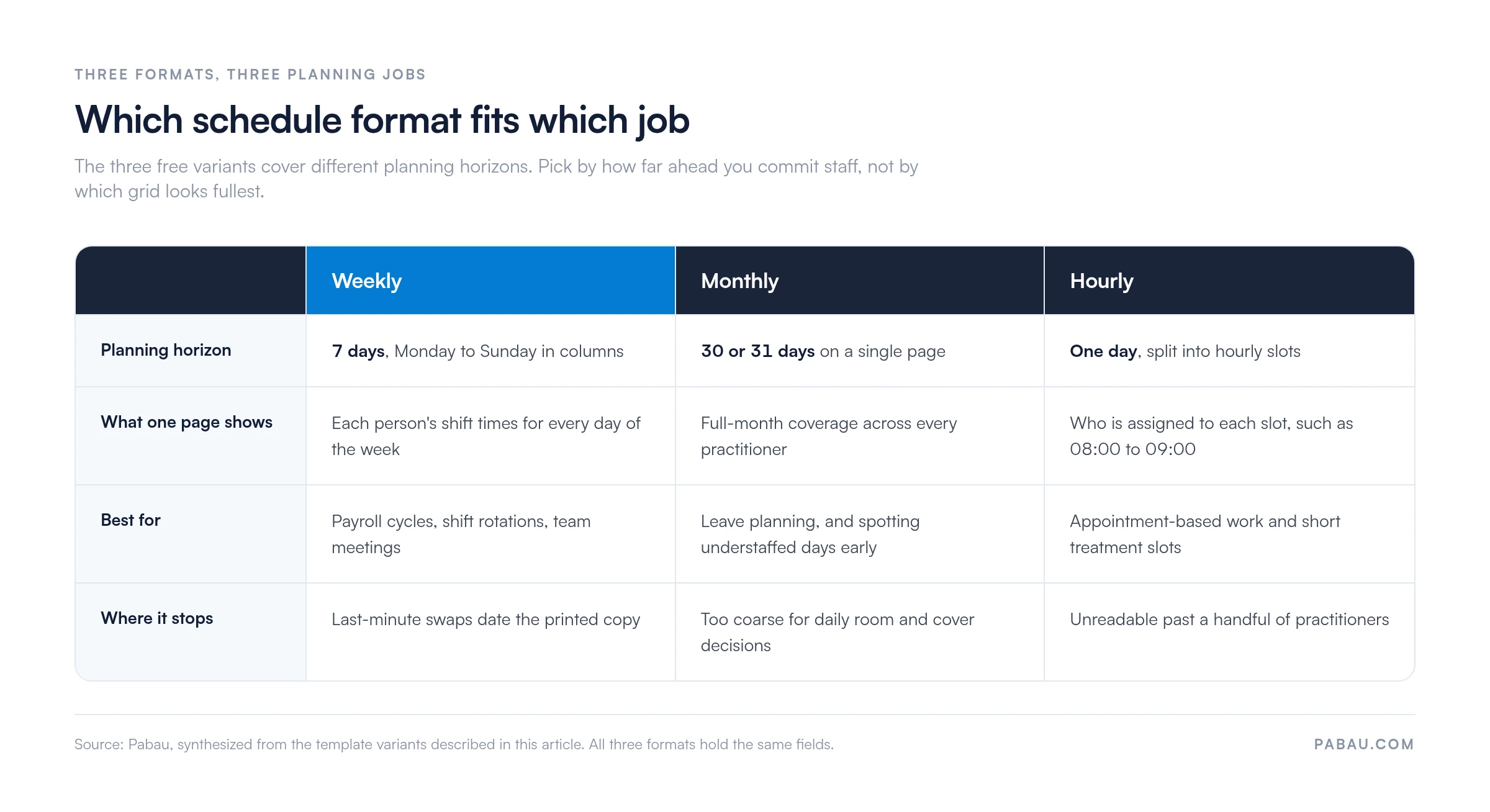
The weekly grid is the most common format for practice staff, because it lines up with payroll cycles, shift rotations, and team meetings. It runs Monday through Sunday across the columns, with one row per person showing their shift times for each day.
Laid out this way, thin cover shows up before the week is published rather than on the morning it bites. Once staffing is settled, the patient side has to match it. Our guide to patient appointment management covers how to line slots up with the practitioners actually on shift.
Monthly schedules suit forward planning, leave management, and long-range staffing. A monthly grid puts all 30 or 31 days on one page. A practice with several practitioners sees the whole month’s cover at once, and spots understaffed days early.
Hourly schedules break the day into time slots, such as 08:00 to 09:00, rather than whole shifts. Practices with appointment-based workflows or short treatment slots use them to assign practitioners to specific hours. Medical scheduling software does this automatically, though an hourly grid is a fast starting point for a small team.
All three formats hold the same fields, so the choice comes down to how far ahead you commit people.
Healthcare shift schedules have to carry practitioner roles, on-call cover, and treatment room allocation, which a generic Monday-to-Sunday grid leaves out. A practice-focused version adds columns for role, primary and backup shifts, on-call duty, room assignment, and any certification the shift requires.
Where on-call duty rotates, give it a column of its own. You can then read who is available out of hours without crowding the standard shift times. That saves the scramble for cover when an emergency appointment lands. Team management software tracks the same detail automatically, and the template is the paper version of that idea.
When a person’s role, employee ID, or shift pattern is not to hand, a staff information form holds those details for every team member.
Night staff depend on that lead time most, because a night shift sleep schedule only holds when shifts are published weeks ahead.
Leave accrual, time-off approvals, and attendance rules belong in an employee policy handbook, so the schedule applies the same rule to everyone.
Hours are the part that drifts from the plan most often. Dedicated clinic timesheets software records what each person actually worked. You can then compare that against the published schedule, instead of reconstructing the week from memory.
A free template handles a one-off month of planning well. It turns into a bottleneck once the practice passes six to eight practitioners, splits across sites, or needs same-day swaps. Each manual update means yesterday’s version is already out of date before the team has read it.
Practice management software like Pabau ties staff schedules to the appointment book, so nobody gets booked into a slot they are not working. Shift reminders go out automatically, and the team reads their own schedule on the mobile app. Time off and on-call duty sit in the same record.
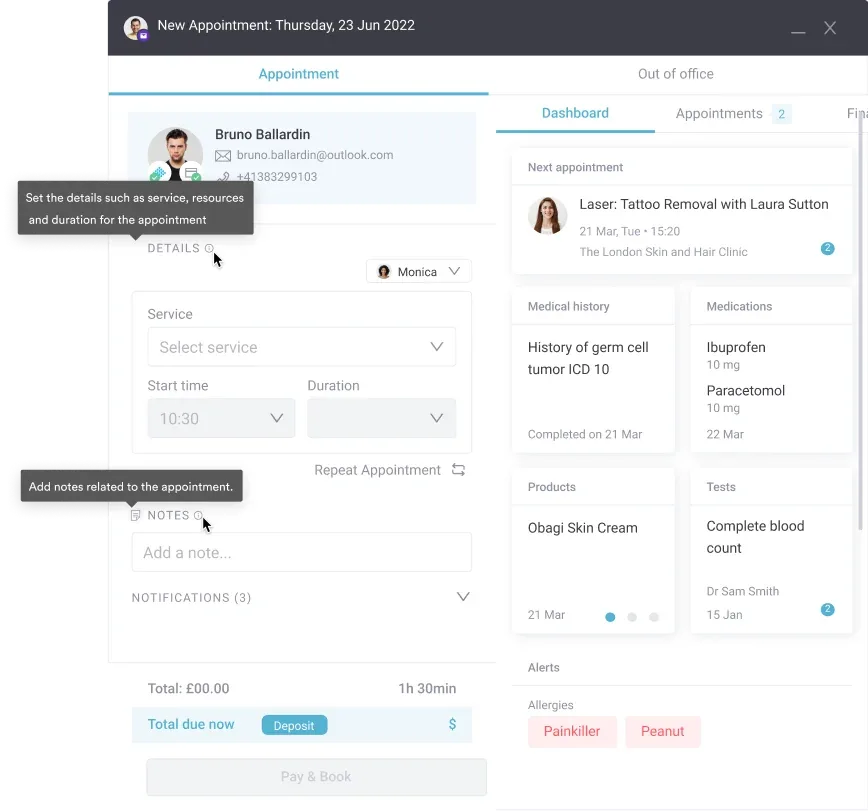
Repeating shifts roll forward too, so next month starts from last month rather than a blank grid. The rest of the practice runs from that same record through the practice management app. The schedule and the appointment book never disagree.

Pabau connects staff schedules to the appointment book, online booking, and team messaging in one place. See how practices cut the admin and keep the published schedule current.

The template is worth exactly what it removes: the hour of column-formatting that stands between you and the first scheduling decision. Download it, fill in your team, and publish the week.
For a practice of one to five practitioners, that is usually the whole answer. Past that, version control and out-of-date printouts start costing more time than the template saves, and connected scheduling earns its place.
Book a demo to see how Pabau links staff schedules to patient appointments, so your team stops rebuilding the grid every month.

Assigning tasks across a CNA shift? CNA daily assignment sheet gives every CNA a clear structure for patients, tasks, and care requirements each shift.
Turning scheduled hours into pay? Best healthcare payroll software compares platforms that track variable hours, commission pay, and FLSA overtime compliance.
Is the schedule wearing your team down? Healthcare worker burnout solutions covers what causes it, what it costs, and how to spot it before someone resigns.
Building the patient schedule around those shifts? How to schedule patients effectively sets out eight strategies, from online booking and reminders to waitlists and appointment-type time slots.
Someone repeatedly missing their shift? Employee counseling form documents the conversation, the expected change, and the record that holds up in a dispute.
An employee work schedule template is a pre-structured document listing staff names, shift times, roles, and dates. It is ready to download and customize, so you do not have to build a schedule from scratch.
Excel and Google Sheets are editable and support formulas for totaling hours, so use those if the schedule changes often. PDF suits a fixed schedule you print and pin up once it is published.
Include employee name, role, shift start and end times, break allocations, total hours, location, manager name, and review date. Healthcare practices should add columns for on-call cover and room assignment where practitioners share spaces.
Most spreadsheet versions carry an auto-sum formula that totals daily or weekly hours. If yours does not, add each person’s shift hours by hand and compare the result against their contracted hours.
It can, but running two or more sites in separate spreadsheets goes wrong quickly at scale. Dedicated multi-location scheduling software is the better fit once you oversee schedules across practices.