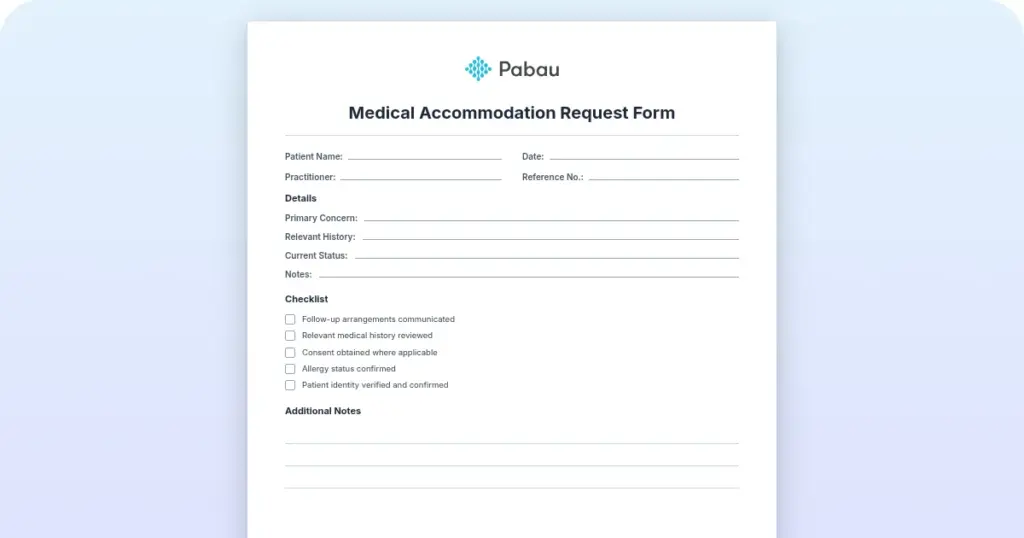
Medical accommodation request form
A medical accommodation request form is how an employee and their healthcare pro...

1
Last Updated: Oct 7, 2026

Clinical documentation software ranges from all-in-one platforms (Pabau, SimplePractice) to standalone AI scribes like Heidi Health – the right fit depends on whether you need full practice management or just note generation.
AI-powered ambient documentation is now standard in leading tools, but clinicians must review every generated note before it becomes part of the patient record.
Software covered: 1. Pabau, 2. SimplePractice, 3. Carepatron, 4. WriteUpp, 5. Waystar, 6. Heidi Health
Pabau combines clinical notes, digital forms, and AI scribe within a full practice management platform – purpose-built for aesthetic, wellness, and multi-location practices.
Clinical documentation software is not one product category. It spans ambient AI scribes that draft notes from a conversation, full practice management platforms where notes sit beside scheduling and billing, and hospital documentation improvement tools built around coding and reimbursement. The right pick depends less on features and more on your practice type and where documentation slows you down today.
Below, we compare six medical documentation software platforms across those categories, then map which one fits which practice. If you want a note structure to judge them against, our nurse charting cheat sheet sets one out.
The table below summarizes all six platforms at a glance: who each is best for, its standout feature, starting price, and rating. If you want to compare clinic software options beyond documentation, our full comparison library covers dozens of platforms.
Pabau is an all-in-one practice management platform built for aesthetic, wellness, and multi-specialty practices. Clinical documentation is central to the platform, but it doesn’t exist in isolation. Notes connect directly to the patient record, appointment history, treatment photos, consent forms, prescriptions, and billing within a single workflow. For clinics where a patient visit involves an injection treatment, a follow-up consultation, and a product sale all in the same sitting, that integration matters.
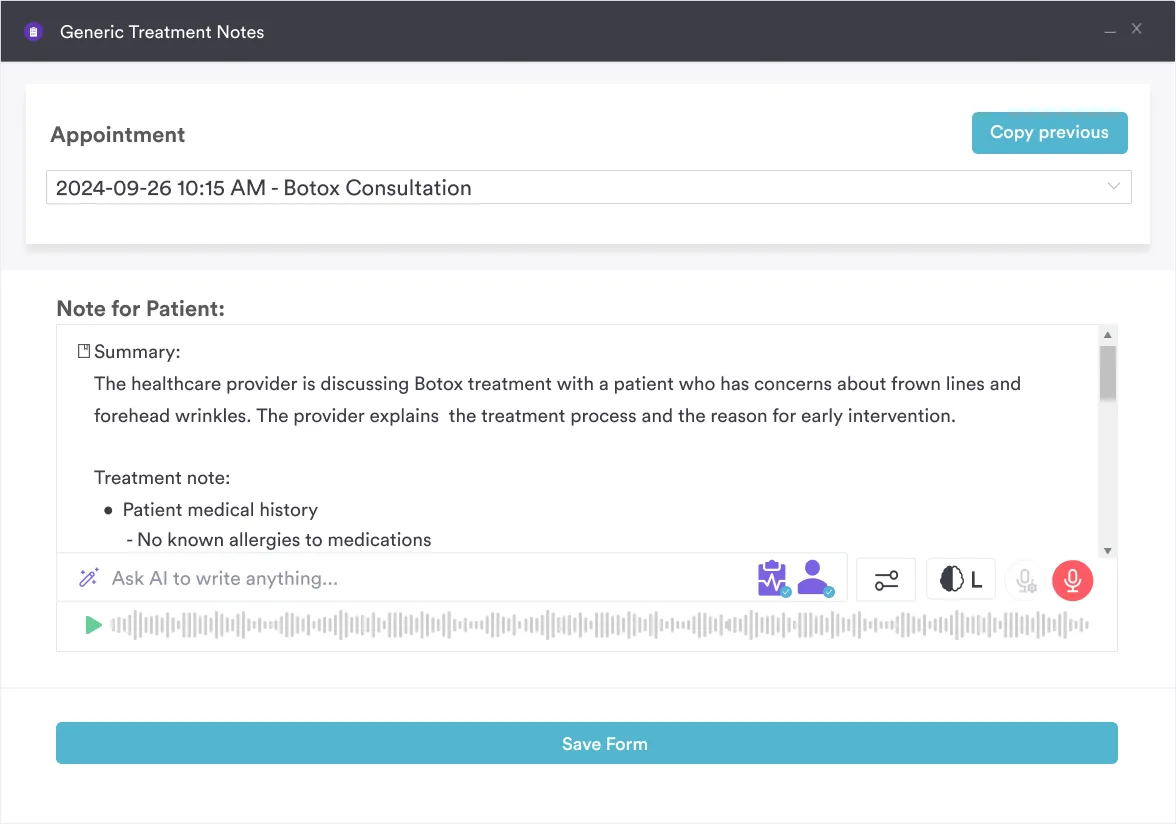
Pabau Scribe, the platform’s AI medical scribe, generates structured clinical notes from consultation conversations. Clinicians review and approve every note before it enters the patient record. The feature works alongside Pabau’s injection plotting tool, before-and-after photo library, and procedure-specific templates to give aesthetic practitioners a documentation workflow that matches how their consultations actually run, not how a general-purpose EHR expects them to.
| Plan / Tier | Price | Details |
|---|---|---|
| Starter | From $65/month | Per practitioner; billed monthly |
| Team / Group | Scales by location and user count | Volume-based pricing |
| Enterprise | Custom pricing | Contact sales for a quote |
According to Capterra reviewers, Pabau scores 4.7 out of 5 from 600+ verified reviews. Users frequently highlight the all-in-one nature of the platform and strong appointment-plus-documentation workflow. The most common criticism is the initial onboarding complexity for practices coming from simpler tools.
SimplePractice is one of the most widely used platforms in the mental health and behavioral health space. Its documentation tools are tailored for therapists, counselors, and speech-language pathologists rather than medical practices. The platform handles therapy notes, progress notes, treatment plans, and insurance billing within a single system designed specifically for the solo or small-group private practice model.
The AI Note Taker feature, confirmed via SimplePractice’s own support documentation, generates clinical notes from session content. Users must review and edit all generated notes before they’re finalized. That review step matters when working with highly sensitive clients, where nuance shapes treatment decisions. SimplePractice’s Care Aide also includes AI-powered features supporting pre- and post-session documentation tasks. The platform auto-populates CPT codes, diagnoses, and appointment durations for insurance compliance, which is valuable for practices billing insurance regularly.
| Plan / Tier | Price | Details |
|---|---|---|
| Starter | $49/month | Promo $24.50/mo first 3 months; 30-day free trial |
| Essential | $79/month | Promo $39.50/mo first 3 months |
| Plus | $99/month | Promo $49.50/mo first 3 months |
| Add-on: ePrescribe | $49/month | + $89 one-time setup fee |
SimplePractice holds a 4.6/5 on Capterra and 4.2/5 on G2. Therapists and counselors praise the intuitive interface and strong template library. Common criticism centers on pricing increases and the platform’s limited applicability outside behavioral health settings.

Pabau connects your clinical notes, AI scribe, digital forms, treatment photos, and billing in one system. No separate integrations. No documentation silos. Book a demo to see it working for your clinic type.

Carepatron positions itself as a modern, accessible platform for allied health professionals including physiotherapists, occupational therapists, and general practitioners. The free tier makes it a serious option for solo practitioners and small teams who need solid documentation tools without committing to a monthly subscription immediately. Teams documenting chronic conditions can build on a set structure, such as our hypertension nursing care plan.
The platform bundles clinical notes, templates, AI scribe, and health records in one system, as confirmed on the Carepatron features page. The AI scribe is praised by allied health users in particular for its speed and accuracy with therapy and rehabilitation note types. The documentation workflow is clean and modern, which reviewers on both Capterra and G2 consistently highlight.
| Plan / Tier | Price | Details |
|---|---|---|
| Free | $0/month | Unlimited clients; telehealth; 1GB storage; AI scribe |
| Plus | $22/month per user | Save 50% for 6 months |
| Advanced | $27/month per user | Save 50% for 6 months |
| Custom/Enterprise | Contact sales | No specific price listed |
Carepatron holds a 4.4/5 on Capterra and 4.5/5 on G2. Allied health users praise the AI scribe and the clean interface. The most common criticism is limited reporting depth and a smaller integration library compared to more established platforms.
WriteUpp is a practice management platform aimed at small health and wellness practices, particularly in the UK market. Clinical documentation is a core part of the platform, with straightforward note-taking tools, appointment management, and a client record system that doesn’t require extensive setup or training to get running.
The platform is frequently cited on G2 and Capterra for its ease of use and the quality of its support team. It suits practices where the primary need is clean, organized clinical notes and basic scheduling, rather than complex documentation workflows or AI-driven features. Where a specialty format is needed, free templates like our infection risk care plan help.
WriteUpp holds a 4.6/5 on Capterra and 4.4/5 on G2. Small practice users appreciate the clean interface and responsive support. Practitioners who outgrow WriteUpp typically cite the need for stronger billing tools and a wider template library as the primary reasons for switching.
Waystar is an enterprise revenue cycle management platform with a dedicated Clinical Documentation Integrity (CDI) module powered by its AltitudeAI technology. The platform is built for hospital systems and large health organizations where documentation accuracy directly impacts revenue capture, coding accuracy, and regulatory compliance. The finished record feeds the claim itself, including the ADA claim form used in dental billing.
Waystar’s CDI solution helps identify gaps in clinical records, ensuring that documentation accurately reflects the care provided and supports appropriate reimbursement. This is a fundamentally different use case from practice management documentation. Waystar is used by revenue cycle teams and CDI specialists, not clinic managers or solo practitioners.
Waystar holds a 4.2/5 on G2. Reviewers praise the AI-driven CDI capabilities and revenue capture improvements for hospital systems. The consistent criticism is enterprise pricing complexity and implementation requirements that make it inaccessible to smaller organizations.
Heidi Health is a standalone AI ambient documentation tool built for individual clinicians who want to reduce documentation time without switching to a full practice management system. The platform listens to clinical conversations and generates structured clinical notes automatically, with minimal setup required. Forms stay separate, so intake paperwork like a universal health form still runs through your own system.
It’s a point solution, not a platform. There’s no scheduling, billing, patient portal, or multi-user infrastructure. For a solo clinician spending two or three hours per day on notes who wants that time back quickly, Heidi Health solves a specific problem well. For a practice that needs integrated operations alongside documentation, it won’t be enough.
Heidi Health does not have a publicly available Capterra, G2, or Trustpilot profile with verified review data at the time of writing. User feedback shared in clinical community discussions highlights the speed and accuracy of the AI ambient tool as a standout feature. The consistent limitation noted is the absence of any practice management functionality beyond note generation.
A search for clinical documentation software pulls up two very different products, and buying the wrong one wastes months. Most of the platforms above document care as it happens: a clinician writes or dictates a note, and it lands in the patient record. Clinical documentation improvement software works after the fact. Often called CDI or clinical documentation integrity software, it reviews finished records for coding accuracy, flags documentation gaps, and routes physician queries so the chart supports the correct reimbursement.
That difference maps to three buying situations:
Independent and multi-location practices almost always need the middle category, where documentation lives inside day-to-day operations, not a hospital CDI platform priced and built for revenue cycle teams. Matching the category to your setting first saves you from paying for coding-integrity tooling you will never use. That middle category also covers one-off records, down to an against medical advice form when a patient declines care.
The right clinical documentation software depends less on feature checklists and more on what type of practice you’re running and where your documentation currently breaks down. Here are the four decisions that actually separate one platform from another:
Aesthetic, wellness, and multi-specialty practice groups looking for medical spa software with documentation built in will find Pabau the strongest fit in this comparison. Practices with specific billing, lab, and multi-service workflows benefit from a system where documentation is a first-class feature alongside everything else, not a module added later. For a filled-in example, our skin peel treatment notes template covers a single appointment.
Clinical documentation software isn’t a single category. It ranges from AI ambient scribes for individual clinicians to full CDI platforms for hospital revenue cycle teams, with practice management systems for independent and multi-location practices sitting in between.
For aesthetic, wellness, and multi-specialty practices, the documentation problem isn’t just note speed. It’s connecting notes to treatment photos, consent forms, prescriptions, and billing inside a single patient record. Pabau’s digital intake forms and AI-powered clinical documentation handle that connection natively, with client records that hold the full patient history in one place. To see how it works for your specific practice setup, book a demo.

Comparing transcription and ambient scribe tools? Best medical transcription software compares nine tools for practices reducing documentation time.
Building an intake process from the ground up? Intake assessment and evaluation template is a free download covering history, presenting concerns, and diagnostic impression.
Need a form for reporting a reaction fast? Adverse reaction form is a free printable template for point-of-care documentation.
Clinical documentation software is a digital system that enables healthcare practitioners to create, store, and manage patient records, clinical notes, treatment plans, and related documents. It ranges from simple note-taking tools used by individual clinicians to full electronic health record (EHR) systems integrated with billing, scheduling, and practice management. According to the AAPC, clinical documentation improvement programs also focus on documentation accuracy for coding and reimbursement purposes.
Carepatron is the strongest option for small practices prioritizing low cost, with a free tier that includes AI scribe and templates. Pabau is the better choice for small aesthetic or wellness clinics that need documentation tied to scheduling, billing, and treatment records. SimplePractice suits small behavioral health practices in particular.
For physicians in private practice, the best documentation tool is usually one that ties notes to scheduling, billing, and patient records rather than a standalone note generator. Solo physicians who already run an EHR often add an ambient AI scribe on top, while multi-specialty and multi-location physician groups benefit from a full practice management platform like Pabau, where clinical notes, forms, and treatment records share one patient timeline. Hospital-employed physicians are typically covered by their organization’s CDI system instead.
AI clinical documentation tools use ambient listening and natural language processing to capture consultation conversations and generate structured notes automatically. This reduces the time clinicians spend on manual documentation after appointments. All AI-generated notes require clinician review before they become part of the patient record, per standard practice and most platform terms of use.
CDI (clinical documentation improvement) software focuses on the accuracy and completeness of existing clinical records, typically for coding compliance and revenue capture in hospital settings. EHR software is a broader patient record system used to create and store documentation during patient care. Many practice management platforms combine both functions; hospital-focused CDI tools like Waystar are distinct products built for revenue cycle use cases.
AI-generated clinical notes can be HIPAA compliant if the platform handling the data maintains a Business Associate Agreement (BAA), encrypts ePHI in transit and at rest, and maintains appropriate access controls and audit trails. Compliance depends on how the platform is built and configured, not on AI technology itself. Check that any platform you evaluate explicitly states its HIPAA compliance posture and offers a signed BAA.