

Healthcare policy management software: Pabau vs dedicated tools
Healthcare policy management software helps a healthcare organization write, app...

Last Updated: Oct 29, 2026
Healthcare document management software captures, stores, and retrieves patient records, consent forms, and clinical notes under HIPAA or GDPR controls.
For a private practice with fewer than 50 users, Pabau, the all-in-one practice software we build, is the stronger pick. Forms, notes, and photos live in the same system as the calendar and the invoices.
Hyland OnBase wins when a hospital or health system already runs a separate EHR and has an IT team to configure the platform. We compared the two on compliance, digital forms, EHR connections, AI, pricing, and onboarding.
The American Health Information Management Association (AHIMA) defines health information management as acquiring, analyzing, and protecting medical information that patient care depends on. Enterprise document platforms do that for hospital IT teams. A private practice needs the same protection at the front desk, without the IT department.

Healthcare document management software stores patient records, consent forms, and clinical documents under HIPAA or GDPR controls.
Pabau builds document management into the patient record, next to scheduling and billing, so a private practice runs one system.
Hyland OnBase is an enterprise document layer that needs separate scheduling and billing systems, plus integration work to connect them.
Both platforms offer audit trails, role-based access, and a BAA, but Pabau’s safeguards come pre-configured for practices without IT staff.
Healthcare document management software controls how clinical documents, patient records, and consent forms are captured, versioned, and retrieved in a regulated setting. It handles protected health information (PHI) under HIPAA in the US, or GDPR and CQC rules in the UK. It also needs to follow clinical workflows and connect to scheduling and billing data.
Pabau treats document management as part of the patient record. Forms, clinical notes, consent records, before-and-after photos, prescriptions, and treatment plans sit next to the appointment calendar and billing history. There is no separate document module to configure.
Hyland OnBase is an enterprise content management platform with a healthcare edition. It manages document workflows at hospital and health system scale, connecting to existing EHRs, practice management systems, and imaging platforms through APIs. To run a full practice on it, you also need separate scheduling and billing systems.
The table below covers the core document management features a private or multi-specialty practice needs. Both platforms handle the fundamentals. The differences show up in where each feature lives and how much setup it takes.
Under the HHS HIPAA Security Rule, document management software needs technical safeguards for access control, encryption, audit controls, and data integrity. Both Pabau and Hyland OnBase meet these requirements. How you get there differs a lot.
Hyland OnBase offers deep HIPAA tooling built for hospital-scale environments, including role-based access, audit logs, encryption, and a business associate agreement (BAA).
Configuring it is the job of the organization’s IT and health informatics teams. A practice without IT staff would need outside implementation support to reach a compliant setup.
Pabau’s compliance management tools come pre-configured for practices. Role-based permissions, audit trails, GDPR-aligned data handling for UK practices, and BAA availability for US customers are part of the standard setup. A practice manager sets staff access levels without raising a ticket with an IT team.
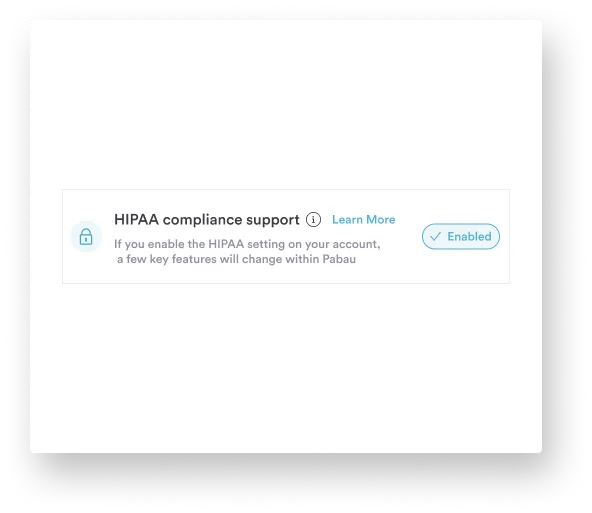
Here is how the two compare on each safeguard:
Cloud-based healthcare document management takes server upkeep off a private practice’s plate. Pabau is cloud-native, so Pabau’s infrastructure handles document storage, retrieval, and backups with no on-premise component. Your team opens patient records in a browser or in Pabau GO, our iOS app for practitioners.
Hyland OnBase supports both cloud and on-premise deployment. For a hospital with its own data center and IT staff, on-premise gives direct control over where data lives. Cloud OnBase avoids that hardware cost for a smaller practice, but setup still runs through implementation consultants.
Retrieval works differently too. In Pabau, a practitioner opens the patient timeline and finds consent forms, notes, photos, prescriptions, and lab results in one place. OnBase uses metadata tags and full-text search across a central repository. That works well at hospital scale, but it adds a search step whenever a practitioner needs a patient’s paperwork.
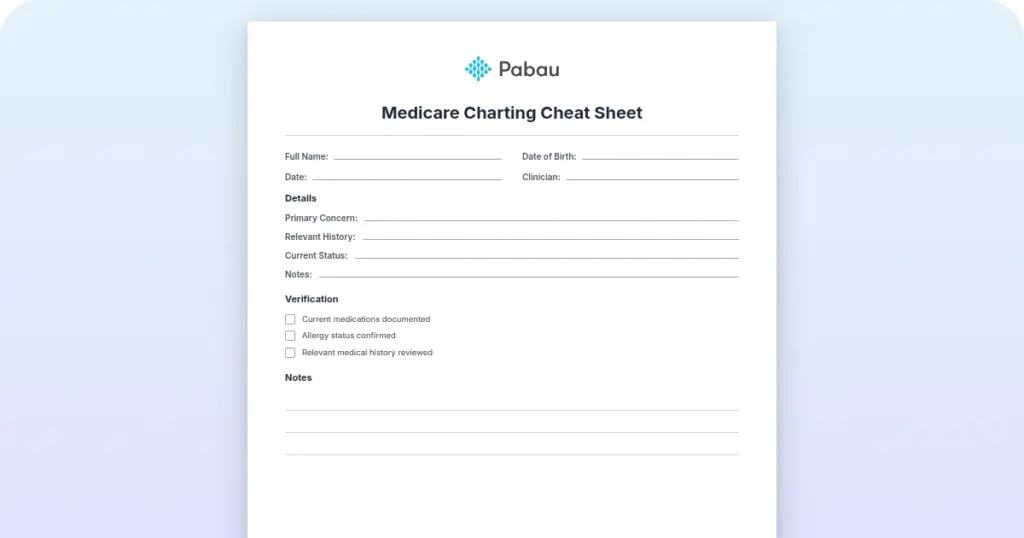
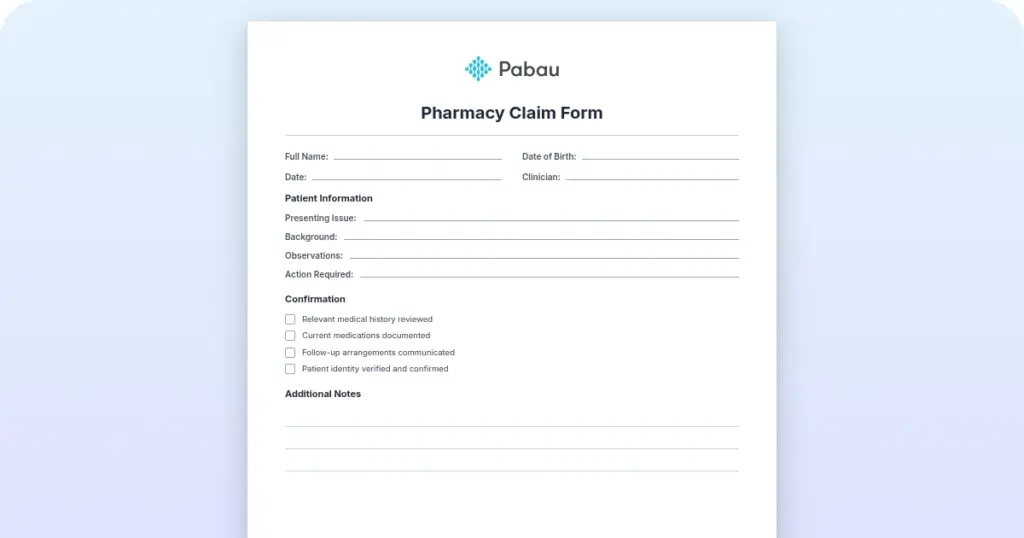
This is where a private practice feels the difference most. Pabau includes digital intake forms and e-consent as standard. You build consent forms inside Pabau and send them automatically before the appointment. The signed form attaches to the patient record with a timestamp and e-signature, so nobody matches paperwork by hand.
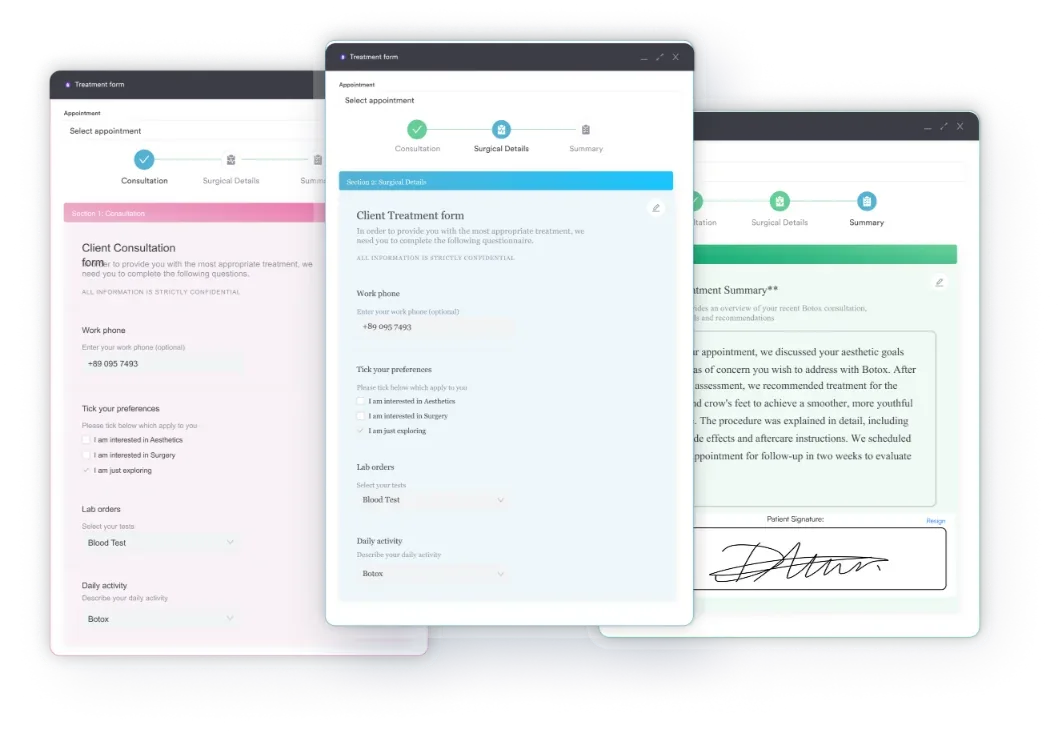
Hyland OnBase supports forms and e-signature workflows, but you configure them rather than switch them on. Without built-in scheduling, it takes extra setup to route a completed consent form to the right appointment. An enterprise IT team can manage that. For a practice of five to 20 practitioners, it’s setup work Pabau doesn’t need.
Before you pick a document management system, map your three most form-heavy workflows: new patient intake, treatment consent, and clinical follow-up. For each one, count the manual steps between a completed form and its arrival in the patient record. Each manual step costs staff time and adds compliance risk. Pabau’s built-in workflows take that count to zero, while an enterprise DMS needs configuration to get there.
Medical records management software is only useful if it connects to the rest of your clinical data. The ONC’s interoperability guidance expects systems to share data cleanly. The two platforms meet that expectation in very different ways.
Hyland OnBase is built for hospitals running many systems at once. It connects to major EHRs such as Epic, Cerner, and Meditech through HL7, FHIR, and proprietary APIs. For a hospital that wants one document layer across its EHR, that depth is a strength.
For a private practice without a separate EHR, OnBase means buying the DMS and paying to connect it to whatever handles scheduling and billing.
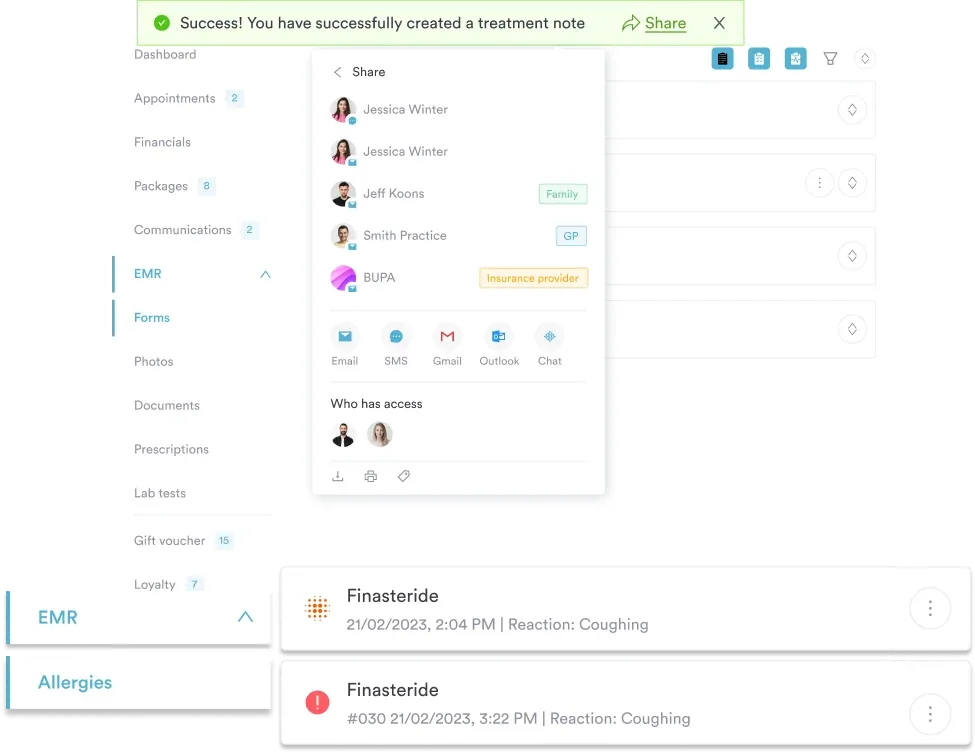
Pabau keeps scheduling, billing, the patient record, and document management in one system, so there is no connection to build between them. Each patient’s unified patient record already holds document history, appointments, invoices, and clinical notes.
Hyland OnBase includes AI-assisted document classification, OCR-based data extraction, and intelligent capture at the enterprise tier. These features suit high-volume processing, such as scanning and indexing thousands of paper records at a hospital. Setting them up requires specialist implementation.
Pabau’s AI works on clinical documentation. Pabau Scribe, our AI scribe, drafts structured clinical notes from consultations, so practitioners spend less time typing. Aesthetic and multi-specialty practices produce most of their paperwork as notes and consent records. For them, help at the point of care saves more time than an OCR pipeline.
The practical split: Hyland’s AI sorts and classifies existing paper documents at scale. Pabau’s AI writes and structures new clinical notes as you see patients. Pick by your main problem, whether that’s digitizing a paper archive or keeping up with daily documentation.
Pricing is where the two platforms split most sharply, because they’re built for very different buyers. Pabau sells a subscription, while OnBase sells an enterprise implementation.
Pabau charges a monthly subscription per user, and the plans grow with your team. Every plan includes every feature, so a solo practitioner gets the same document management, scheduling, and billing as a large group. Usage-based credits for SMS, telehealth, and Pabau Scribe, our AI note-taker, sit on top of the subscription.
| Plan / Tier | Price | Details |
|---|---|---|
| Solo | Monthly subscription, per user | For a single practitioner |
| Team | Monthly subscription, per user | For a small team sharing one calendar |
| Medium | Monthly subscription, per user | For a growing practice |
| Group | Monthly subscription, per user | For a larger practice with several practitioners |
| Enterprise | Custom quote | For multi-location groups |
Hyland OnBase uses enterprise module-based licensing, and it doesn’t publish prices. You’ll need a formal sales process to get a quote. Implementations usually combine per-module license fees, per-user charges, and professional services that can run for several months.
For a hospital processing documents at that scale, the model makes sense. For a small or mid-sized practice, total cost of ownership runs far higher than a subscription built for that size.
The cost picture for a smaller practice is simple. Pabau’s subscription covers document management, scheduling, billing, and CRM, with structured onboarding and no separate implementation fees. OnBase pricing covers the document module alone. The practice still pays for scheduling software, billing software, and the integration work between them, as the comparison below shows.
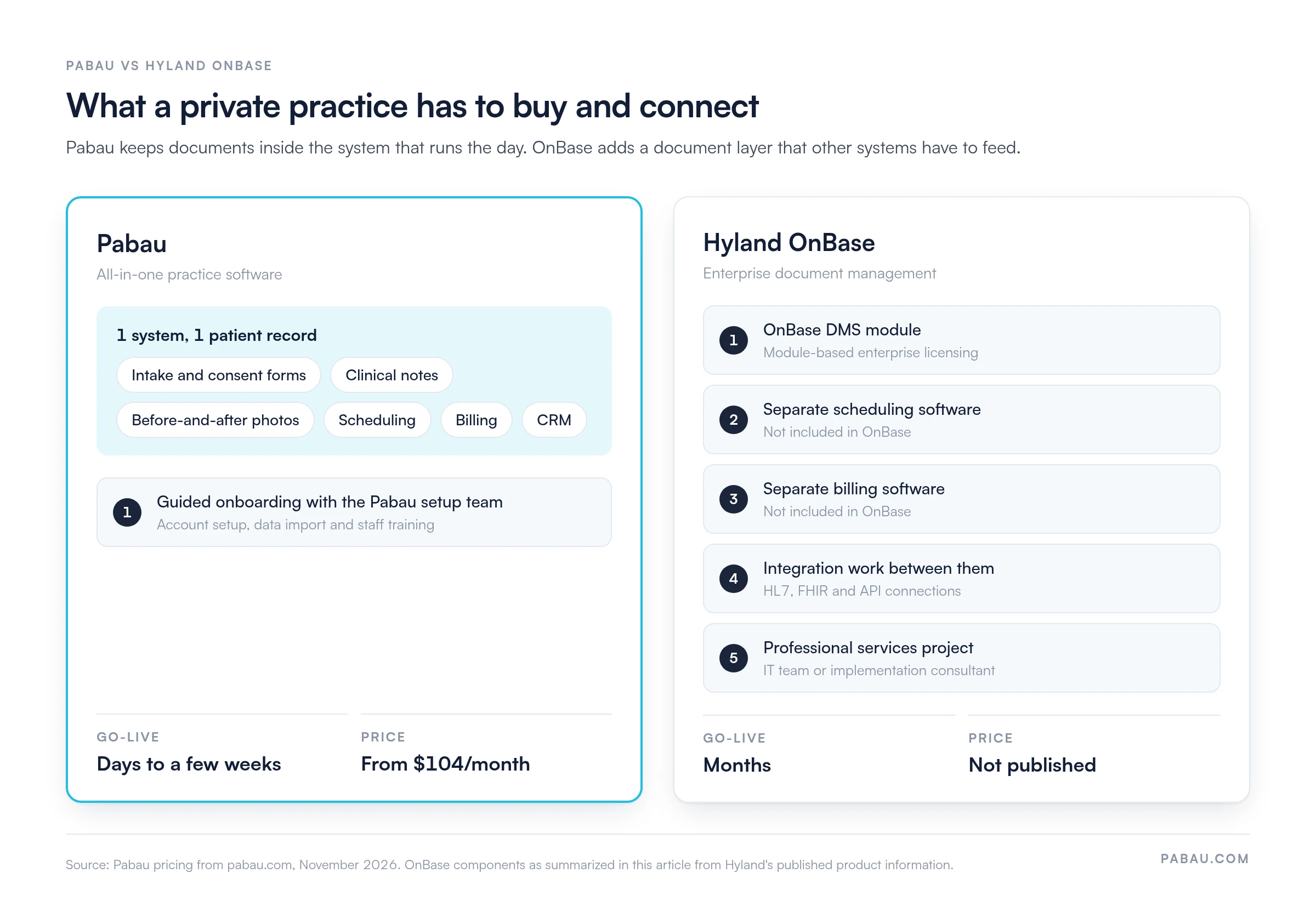
Go-live speed matters when you’re replacing paper or a legacy system without disrupting patient care.
Pabau’s onboarding is built to get a practice running quickly. The setup team configures the account, imports existing patient data where needed, and trains clinical and admin staff. Because Pabau is designed for practitioners and front-desk teams, training takes less time and staff pick it up faster.
Capterra reviewers regularly praise how far Pabau covers clinical workflows. They also note that document management, scheduling, and billing work as a single system. Digital forms, before-and-after photo management, and automated pre-appointment workflows come up as specific strengths.
Hyland OnBase is a mature enterprise content management platform. For health systems and large hospitals, it processes millions of document transactions and connects deeply to enterprise EHRs. It also runs workflow automation at scale and offers on-premise deployment for organizations that need direct data center control.
Pabau fits private practices, multi-specialty groups, and med spas that want document management inside the system that runs the practice. It’s the right choice when:
Hyland OnBase is the right choice when your organization matches what it was built for:
The decision comes down to practice size, IT resources, and whether you need document management on its own or as part of running the practice.
For private, aesthetic, and multi-specialty practices under 50 users, Pabau costs less to own and goes live faster. Document management comes built into scheduling, consent, and the clinical record.
The NIST Cybersecurity Framework shapes security for healthcare document platforms, and Pabau’s pre-configured safeguards meet it without enterprise IT.
For hospitals and health systems with an existing EHR, IT staff, and enterprise-scale document workflows, Hyland OnBase is purpose-built. It only pays off with that infrastructure behind it. If OnBase isn’t the only system on your shortlist, you can weigh Pabau against competitors on the same criteria.
Most private practices start with a patchwork. Consent forms get printed, signed, scanned, and uploaded by hand. Intake answers sit in a separate form tool, and treatment photos stay on a practitioner’s phone. Each handoff costs staff time and leaves a document that someone has to match to the right patient.
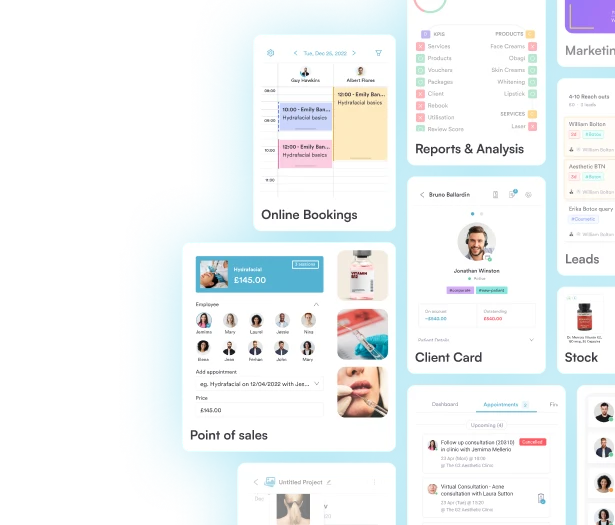
Pabau replaces those handoffs. Online booking triggers the intake and consent forms, and patients complete them on their own device before they arrive. Signed forms, clinical notes, and photos taken in Pabau GO land in the same patient record as the appointment and the invoice.
The result is a front desk that stops chasing paperwork and a record that’s complete before the patient sits down. When an inspector or auditor asks for a consent form, you find it in seconds.

Pabau sends intake and consent forms before the appointment and files them with clinical notes and photos in the patient record. Book a demo to see it with your own forms.
Hyland OnBase is a strong platform for the job it was built to do, which is running document operations for a hospital IT team. A private practice has a different job. It needs a signed consent form before the first appointment and a clinical photo matched to the treatment note by the end of the day.
If your documents mostly come from your own patients and your own appointments, keep them in the system that runs those appointments. Choose OnBase only if you already run a separate EHR and have the IT team to connect it. Book a demo to see how Pabau files your forms, notes, and photos in one patient record.

Weighing Pabau against a practice-first platform instead? Pabau vs Carepatron compares two all-in-one systems on forms, notes, and scheduling.
Choosing between aesthetic EMRs? Pabau vs Aesthetic Record covers charting, photos, and consent for med spas.
Already running a hospital-grade EHR? eClinicalWorks vs Epic explains how the two biggest EHR names differ for practices.
Moving off a free or legacy EHR? Practice Fusion alternatives ranks six EHR options with first-party pricing.
Comparing Pabau outside the US? Pabau vs Healthbridge sets the two side by side on records, billing, and support.
Healthcare document management software captures, stores, organizes, and controls access to patient records, clinical documents, and consent forms. It works inside a compliance framework built for regulated healthcare. Unlike a generic file system, it handles protected health information (PHI) under HIPAA in the US, or GDPR and CQC rules in the UK. It also supports clinical workflows such as e-consent and digital intake forms.
At minimum, look for encrypted storage that meets HIPAA or GDPR, role-based access control, and a full audit trail. Add digital intake forms, e-consent, version control, and fast document search. For a private practice, scheduling and billing in the same platform cut the manual steps between a signed form and the patient record.
A general DMS manages files and folders without clinical context. A healthcare DMS handles PHI under regulatory rules and supports clinical document types such as consent forms, treatment records, photos, and prescriptions. It links documents to patient identity and appointment data. Its audit logs are built to satisfy HIPAA or GDPR audit controls, while a general DMS needs custom setup to get there.
For a small or independent practice, an all-in-one platform such as Pabau usually fits better than a standalone enterprise DMS. The practice gets document management inside the same system as scheduling, billing, and the patient record. Enterprise platforms such as Hyland OnBase are built for hospitals with dedicated IT teams. Under 50 users, that makes them expensive and complex to run.
It depends on the model. Pabau charges a monthly subscription per user that covers document management alongside scheduling, billing, and CRM, with no additional implementation fees. Hyland OnBase uses module-based licensing with pricing on request. Its implementations usually add professional services costs on top of license fees, so total cost of ownership runs much higher for smaller practices.
Yes, though the approach differs. Hyland OnBase connects to major EHRs such as Epic, Cerner, and Meditech through HL7 and FHIR interfaces. It suits health systems that already run a separate EHR. Pabau keeps the patient record, documents, scheduling, and billing in one system. A practice without an enterprise EHR therefore has no connection layer to build or maintain.