Physician credentialing checklist
A physician credentialing checklist lists every license, certificate, verificati...

Last Updated: Oct 23, 2026
A physician onboarding checklist tracks the administrative, legal and systems tasks a new physician needs finished before seeing patients. It then carries on through their first 90 days. It runs in four phases: pre-start credentialing and payer enrollment, day-one systems access and orientation, compliance training, and 30-90 day integration reviews. Working through those phases in order keeps billing from stalling and stops tasks slipping between HR, IT and the front desk.
Each phase has a different owner, and onboarding breaks down when nobody can see the whole list. Slow credentialing pushes back the first billable visit, and missed training leaves a compliance exposure. Running the checklist in medical practice management software gives each task an owner and a date, so the process repeats cleanly for the next hire.
The phased checklist below lists the tasks for each phase. The free download is a generic two-page onboarding sign-off form, not a physician-specific checklist. You adapt its steps to each phase, record anything left incomplete, and sign it off.
A generic two-page form with employee details, three short step sections, a table for items not completed, notes, and a signature and checked-by line. Rewrite its default steps to match the physician onboarding phases on this page.
Download template
A physician onboarding checklist runs in four phases: pre-start credentialing, day-one systems access, compliance training, and 30-90 day integration reviews.
Pre-start credentialing (state license, DEA registration, NPI, payer enrollment, malpractice insurance) should finish before day one, so the physician can bill from their first visit.
First-day setup covers EHR login, workstation access, a practice tour and introductions to key staff, all tracked in one shared checklist.
The free download is a generic onboarding sign-off form with step sections, an incomplete-items table and one signature line, to adapt for each phase.
Pabau, the practice management platform we build, keeps staff documents, permissions and onboarding follow-ups in one place, each with an owner and a due date.
A physician onboarding checklist is a phased tracking document. It confirms that credential verification, legal requirements, systems setup, and compliance training are done before a new physician begins work. It replaces ad-hoc task lists with a standardized sequence. Administrators, compliance staff, and IT follow it in parallel, so each step has a named owner.
Structured onboarding reduces time-to-revenue and lowers compliance exposure. It also shows payers, state medical boards and auditors that your practice has a documented, repeatable process for validating credentials. The diagram below maps each phase to its timing, its main tasks and who signs it off.
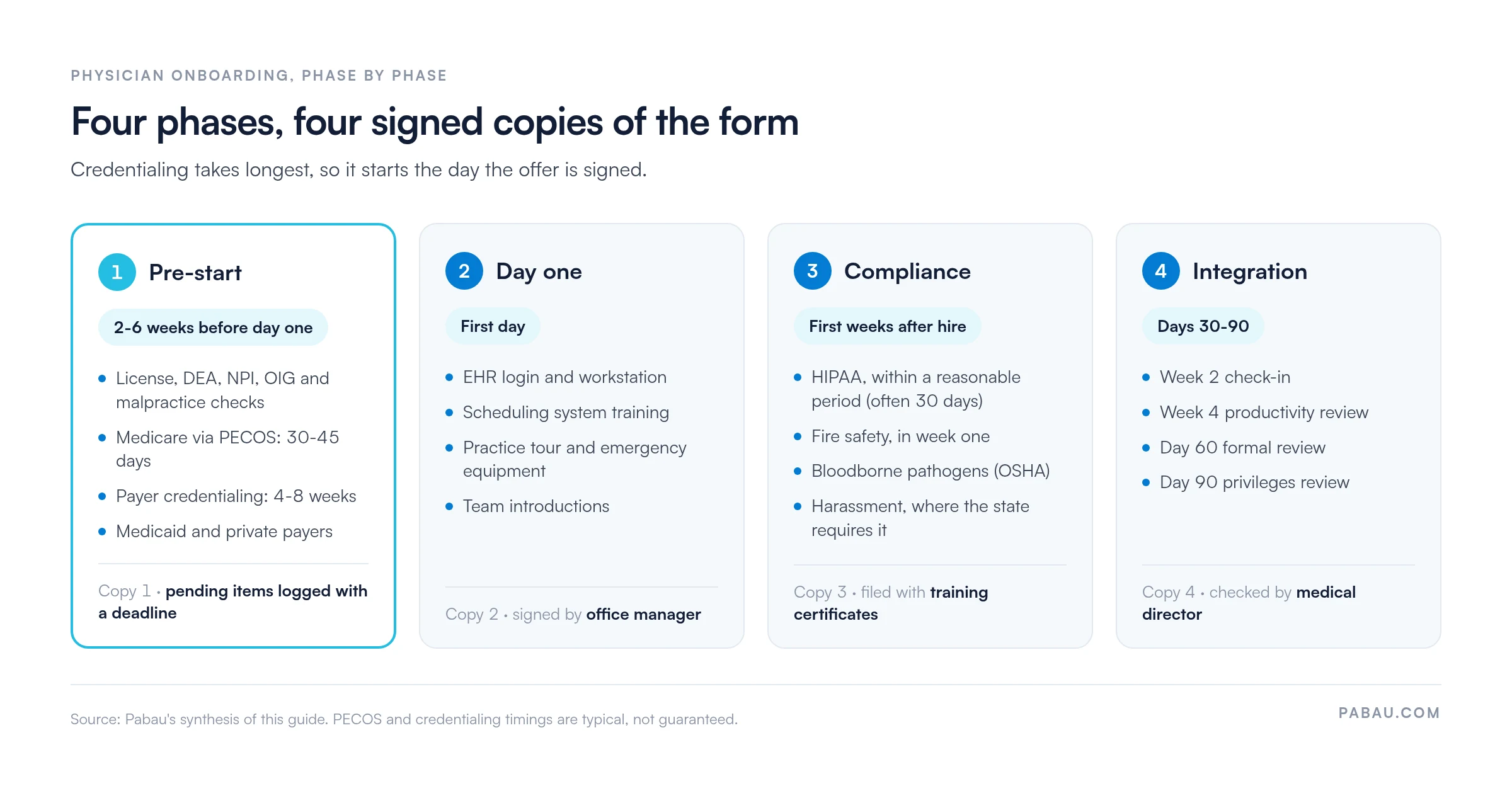
The download is a generic onboarding form from Pabau’s clinical form templates. It gives you the sign-off structure, and you supply the physician-specific tasks. Here is what each copy contains:
Some default steps are written for patient-facing use, such as confirming consent or checking allergies. Replace those with your own onboarding tasks before you use the form. It has no credentialing, payer enrollment or training items built in, and it carries one sign-off, not one per phase.
Onboarding delays are expensive. Every week a new physician waits for EHR credentials, payer enrollment confirmation or DEA registration is a week of appointments the practice can’t book. Poor onboarding also creates compliance and safety risks that regulators look for during audits and inspections.
Tracking each phase in one practice management app keeps HR, IT and the front desk working from the same list. The next hire then follows a routine instead of a scramble.
Pre-start tasks should be finished before the physician walks in the door, so they can see patients immediately. A typical pre-start window is 2-6 weeks, depending on credential processing speed and payer responsiveness. An international medical graduate on a J-1 visa also needs an approved J-1 waiver before they can change visa status and take the job.
On day one, the physician needs immediate access to the EHR, phone, email, and the practice’s internal communication systems. Assign one staff member, usually the office manager or medical director, to check each system. They should confirm access works before the first patient is scheduled.
In Pabau’s team management software, staff records, permissions and onboarding tasks sit on one dashboard. The office manager can see which logins are still outstanding before the first patient arrives. For a fuller day-one plan, our guide to EHR training for staff covers how to get new clinicians confident in the record.
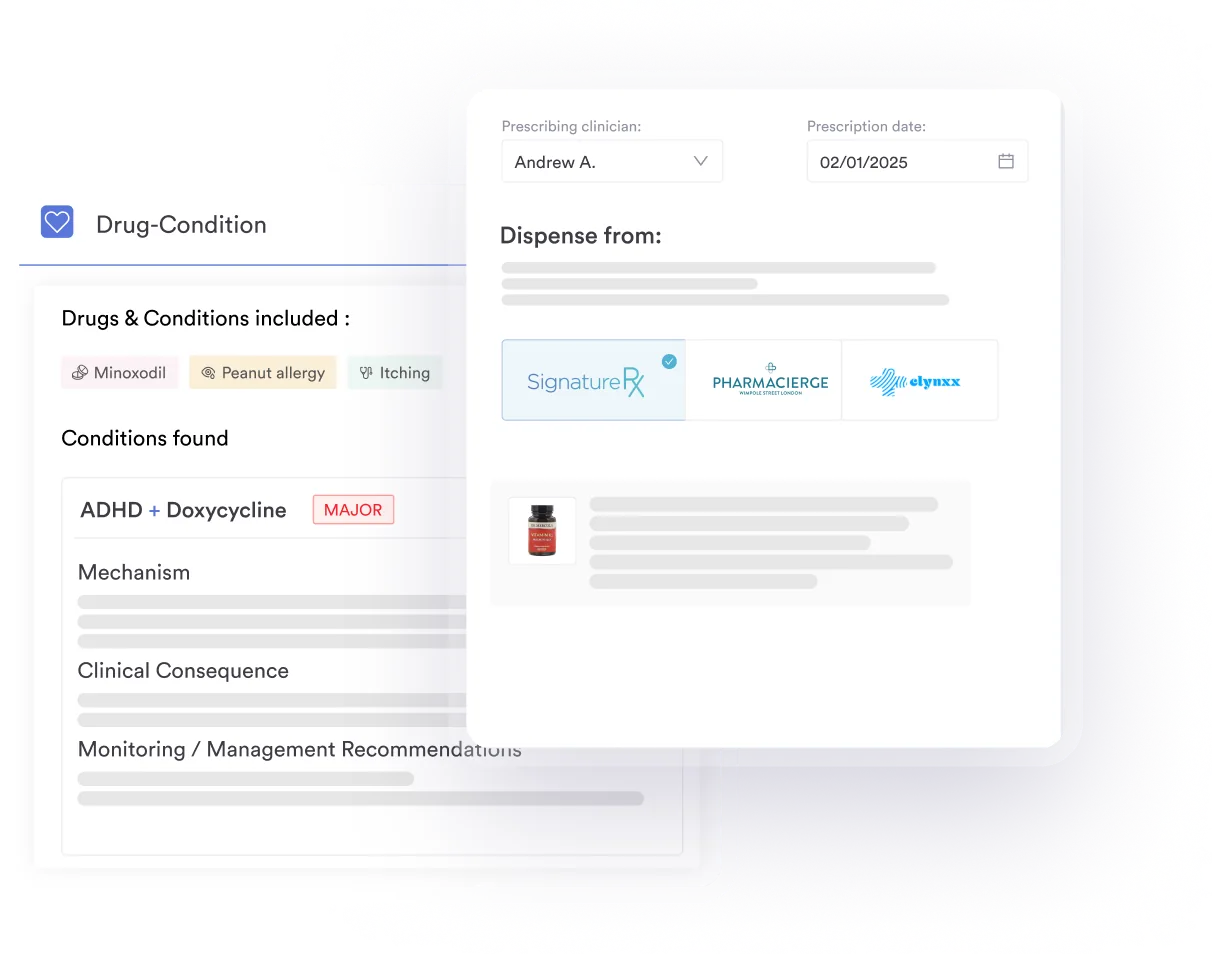
Federal and state rules require some of these modules, and many practices also require sign-off before independent patient care. Assign responsibility to a compliance or HR staff member and set deadline reminders in your scheduling system.
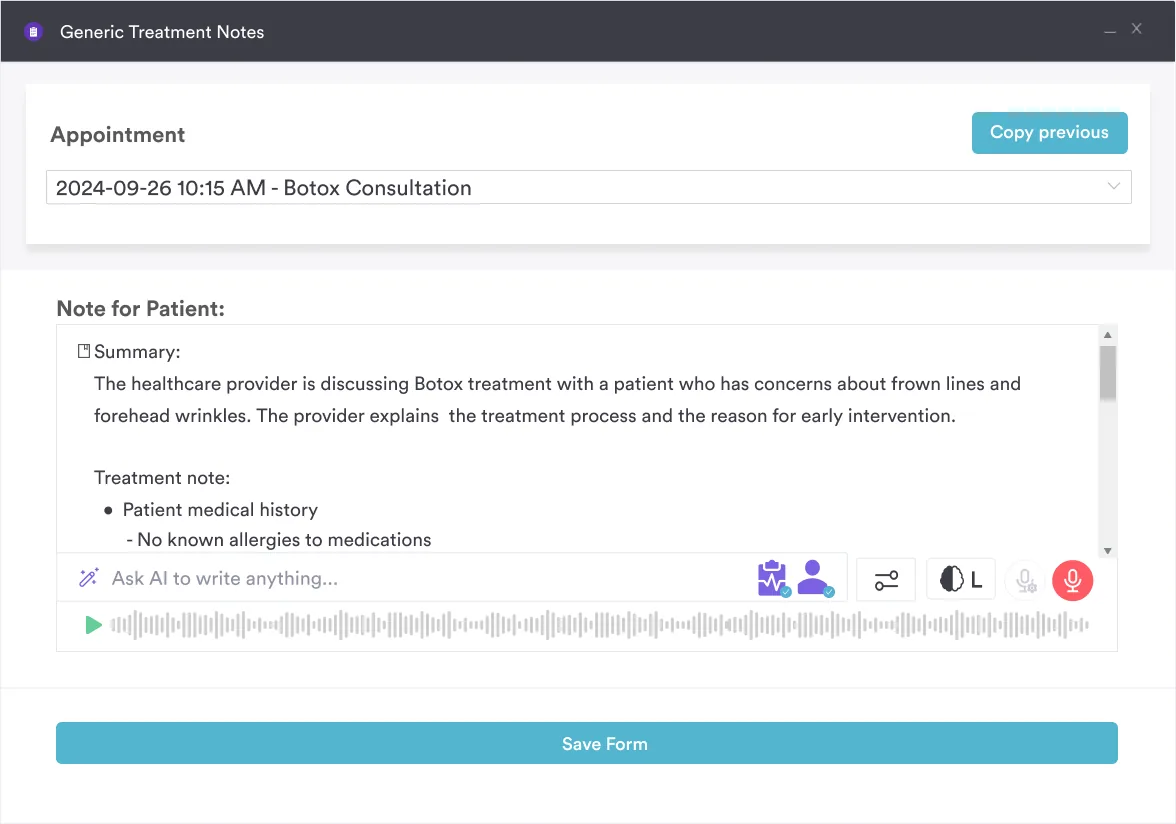
A new physician also has to learn how your practice writes notes. Pabau Scribe, our AI medical scribe, drafts each note in your own template, so your documentation standard is visible from the first consult.
Onboarding carries on well past day one. The first month sets the tone for a physician’s long-term success and retention. Schedule check-in meetings, collect feedback, and track productivity metrics against practice benchmarks. Those numbers also drive pay when the contract rewards output, so check how your physician compensation model credits each billed encounter.
The form has one sign-off, so the simplest approach is one copy per phase. That gives you four signed records instead of a single sheet that tries to cover three months.
Strike out any default step that does not apply, such as the consent and allergy checks. A form with irrelevant steps ticked as done is a weaker record than a shorter one that matches the work.
Most practices run physician onboarding from a spreadsheet, an inbox and the practice manager’s memory. Credentialing documents sit in email threads, and nobody can see at a glance which training module is still outstanding.
Pabau keeps the process in one system. Upload license, DEA, board certification and malpractice documents against the physician’s staff profile. Give each onboarding task an owner and a due date as an activity, then check the Overdue tab for anything that has slipped. Roles and permissions decide what the new physician can open on day one, and you choose when they appear as bookable on the scheduler.
The result is a physician who starts seeing patients on schedule. You also keep a clear record of each credential and sign-off if a payer or auditor asks for it.

Pabau’s team management tools store staff credentials, set role-based permissions and give each onboarding follow-up an owner and a due date. New physicians reach their first patient without a step slipping.

Treat credentialing as the critical path. Payer enrollment and license checks take weeks, so start them the day the offer is signed, not the week before the start date. Day-one setup and compliance training are quick by comparison, and they only go wrong when nobody owns them.
Use the free form as your sign-off record, and keep the phased list on this page as the task source. The 30-90 day reviews are where retention is won, so book them into the calendar before the physician starts.
Book a demo to see how Pabau keeps physician onboarding tasks, credentials and permissions in one place.

Onboarding more than physicians? Onboarding checklist template for healthcare practices covers the same process for nurses, front desk and admin hires.
Negotiating the physician’s contract? Physician non-compete agreements: What’s enforceable in 2026 sets out which restrictions hold up before the offer is signed.
Day 60 review raised concerns? Performance improvement plan template for healthcare staff gives you goals, support and review dates in one document.
Setting up day-one systems access? EHR training: A practical guide for practice managers shows how to get new clinicians confident in the record quickly.
Need policies to hand over on day one? Employee handbook template for healthcare practices gives new hires your rules and expectations in one document.
A comprehensive physician onboarding checklist covers six areas. Pre-start credential verification includes the state license, DEA registration, NPI, board certifications, OIG exclusion check, and malpractice insurance. Payer enrollment covers Medicare PECOS, Medicaid, and private insurers. First-day systems access covers the EHR login, workstation, phone, and email. Compliance training covers HIPAA, fire safety, bloodborne pathogens, and workplace policies. Physical orientation covers the clinic tour, team introductions, and emergency procedures. The 30-90 day milestones cover check-in meetings, productivity review, peer feedback, and provisional privileges confirmation.
Pre-start work usually takes 2-6 weeks, though payer credentialing can run 4-8 weeks and often sets the start date. Medicare enrollment through PECOS takes 30-45 days, so begin it as soon as the offer is signed. The time needed for day-one setup and compliance training varies by practice. Integration reviews then run through day 90.
No. The download is a generic two-page onboarding sign-off form. It has three step sections, a table for items not completed, notes, and a signature and checked-by line. It has no credentialing, payer enrollment or training items built in. Use the phased checklist on this page to rewrite its steps, one copy per phase.