Monika Lazarevska
Referral management software: Track and close every referral
Referral management software in healthcare sends, tracks, and follows up patient...

Last Updated: Oct 26, 2026
Free PDF 1 page, print-ready Clinician-reviewed
A patient demographics template is a standard form that records who a patient is, how to reach them, and who pays for their care. Staff complete it at the first visit, before any clinical history is taken.
The form is built from four groups of fields: core identification, contact details, insurance and billing, and social and cultural data. Fill all four and claims clear, reminders arrive, and the chart matches the right person. Leave one thin, and the front desk spends its week on the phone.
Download the template below, then work through what belongs in each group, how to roll it out, and how to keep it current.
A ready-to-use intake form covering identification, contact and language fields, insurance and subscriber details, emergency contacts, and social and cultural data. Edit the fields to suit your practice before you print it or load it into your patient portal.
Start from scratch, or upload this PDF or any form you already use, and Pabau's AI Form rebuilds it with tick boxes, text fields and a signature. Attach it to the treatment once, and every patient gets it on time.
AI Form rebuilds the consent, history and aftercare forms you already use. You review each one, then publish.
Patients complete forms on their phone before they arrive, so the front desk stops retyping paper.
Every signed form is versioned and attached to the treatment record, ready when you need it.
Set how long a consent stays valid. Returning patients skip forms they have already signed.
Supports HIPAA and GDPR compliance AES-256 encryption 4.8 on G2 4.7 on Capterra Trusted by 4,000+ practices worldwide

A patient demographics template records identity, contact, insurance, and social data in one standard form, so every new chart starts the same way.
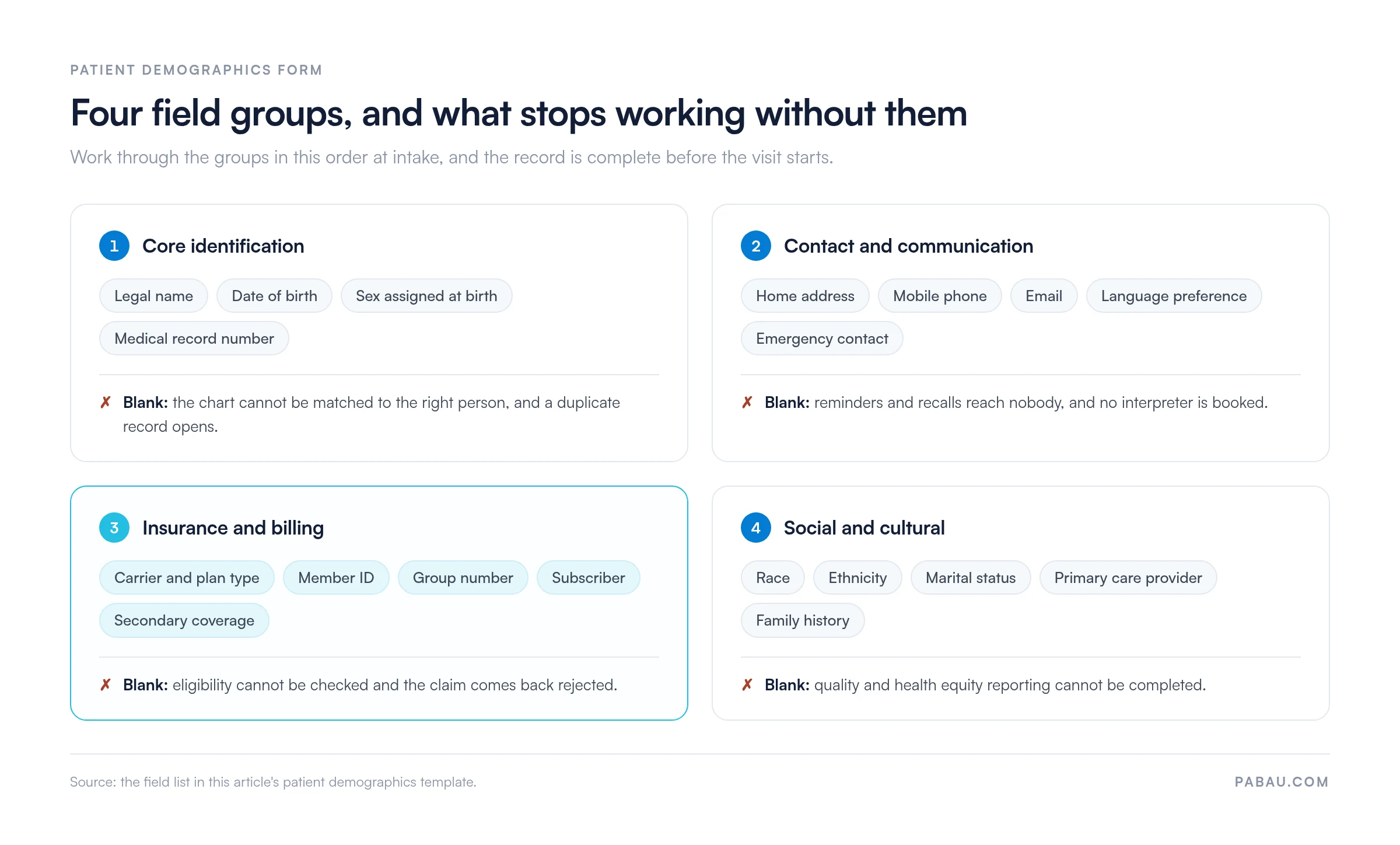
Four field groups cover it: core identification, contact and communication, insurance and billing, and social and cultural data.
Insurance fields decide whether a claim clears, so verify the member ID and group number before the appointment rather than after it.
HIPAA asks for a Notice of Privacy Practices and a signed acknowledgment of receipt, not blanket consent to use the data for treatment.
Demographic data decays, so confirm address, phone, and coverage at every visit and refresh the whole record once a year.
A patient demographics template captures identity, contact, insurance, and social data for one patient, in a fixed order that every staff member follows. It opens the record. Clinical detail comes after it. Usually the first clinical entry is the patient’s reason for the visit, written in their own words.
The difference from a clinical intake form is the subject matter. A clinical intake form asks about symptoms, medication, and past treatment. A demographics form asks who the patient is and how the visit gets paid for.
The two usually travel together: once identity and coverage are recorded, a new patient questionnaire collects the clinical side. A sample patient intake form puts both halves on one document, demographics first and clinical history after.
Three jobs sit behind the fields.
Two compliance points get muddled. HIPAA does not require a patient’s consent to use their data for treatment, payment, or healthcare operations. It requires a Notice of Privacy Practices, plus a good-faith effort to obtain written acknowledgment that the patient received it.
A separate HIPAA authorization form is what you need to disclose records for any purpose outside those three. The second muddle is immunization reporting.
State law sets that mandate, through each state’s immunization information system, so the rules differ by state. The CDC funds those systems and publishes their technical standards, but it does not impose the requirement on your practice.
Incomplete demographics cost money and staff time, and the bill arrives weeks after the visit itself.
One wrong digit in a member ID shows how that works. The claim goes out, the payer cannot match the patient, and a rejection comes back days later.
A biller then pulls the chart, phones the patient, re-keys the number, and resubmits. The visit is paid in the end. It is paid late, though, and only after work that nobody could bill for.
The same pattern repeats across the other field groups.
Moving collection to the patient removes most of this. When the form is completed at home through online form capture, each field is validated as it is typed. Nobody at the front desk re-keys handwriting.
Every demographics form is built from four groups: core identification, contact and communication, insurance and billing, and social and cultural data.
The map below shows the whole form and what stops working when a group is thin. The sections after it go field by field.
These four fields appear on every patient record, and none of them can be left to a preferred spelling.
Contact fields carry the reminders, the recalls, and the phone call nobody plans for.
Eligibility checking runs on these fields, so copy them from the card rather than from memory.
This group feeds quality reporting and health equity analysis, and every question in it is optional for the patient.
Patients may decline both questions on race and ethnicity, and the answer gets recorded exactly as they give it. Never infer either one from a surname or from appearance.
Five steps take the form from download to live intake. Allow a week, mostly for training and for deciding which fields your practice will never use.
Run this check while the patient is still at the desk. Each item takes seconds, and each one saves a phone call later.
The same errors keep turning up. A preferred name gets typed into the legal name field, so the claim never matches.
On a dependent plan, the subscriber’s date of birth gets entered instead of the patient’s. And a card photographed on one side only leaves the prior-authorization number missing on the afternoon somebody needs it.
Demographic data decays. Patients move, change jobs, switch plans, and change phone numbers, and none of that arrives as a notification.
So how often should you refresh it? Ask at every visit, and run a full refresh once a year. Practices with a mobile patient base do it every six months.
Give one named person the demographic data, not a rotation. They own form completeness, staff training, the annual refresh, and the awkward cases. One owner catches an error while it is still a typo, rather than a denied claim six weeks later.
Paper demographics put the work in the wrong place. The patient writes, a staff member reads the handwriting, and the same data gets typed a second time. Practice management software like Pabau moves that work to the patient, before they arrive.
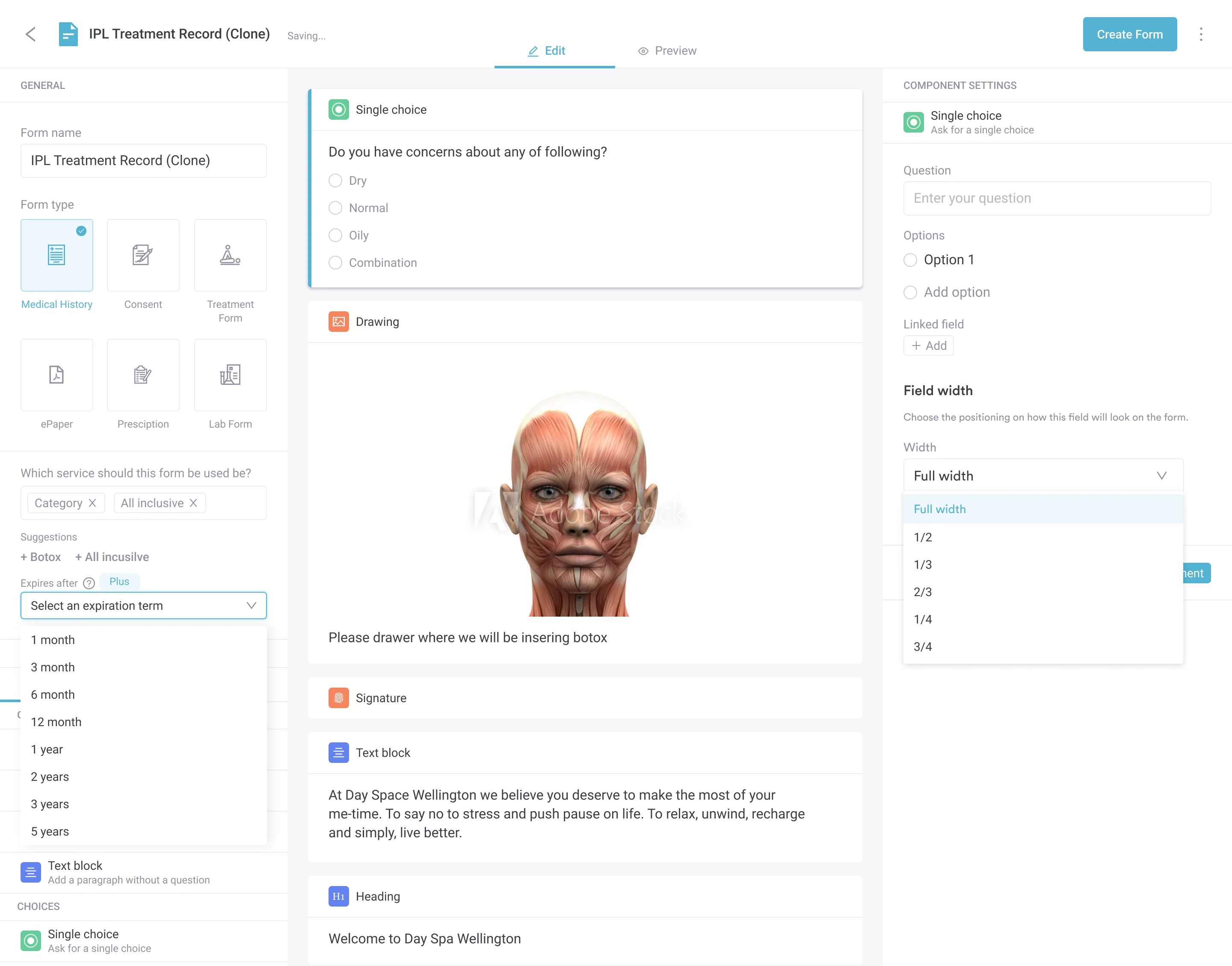
When the appointment is booked, Pabau sends the intake form by text or email. The patient completes it at home, on a phone or a laptop. Fields are validated as they go, so a mistyped phone number or email address gets caught at source.
On arrival, your front desk reviews what came in and corrects whatever changed. If arrivals still queue at the desk, digital check-in software lets patients confirm their details before they walk in. The record is already attached to the appointment, so clinical notes, invoices, and recalls all read the same name, number, and coverage. Nobody re-types the form.

Pabau sends the intake form ahead of the appointment, validates the fields as the patient types, and files the answers straight into their record. Your front desk verifies instead of re-typing.

A demographics form is only as good as the discipline behind it. The fields themselves are not complicated. Keeping them current, across hundreds of patients and several staff members, is the part that needs a system.
So trim the template to your own fields, put one person in charge of it, and ask the refresh questions at every check-in. Within a couple of months you should see it in the rejection rate and in how many reminders land.
Where re-typing is the bottleneck, collecting the form digitally is the change worth making. Book a demo to see how Pabau gathers demographics before the appointment and files them straight into the patient record.

Building out the rest of your form library? Medical forms at your healthcare practice covers which forms a practice needs and how to keep them consistent.
Need the clinical half of intake? The family medical history form takes hereditary screening further than a demographics sheet can.
Releasing records to another provider? The medical release form gives you the signed authorization a disclosure outside treatment requires.
Comparing digital intake tools? This guide to patient intake software walks through what to look for before you move forms online.
The demographics section itself does not. Signatures belong to the documents that travel with it. Those are the Notice of Privacy Practices acknowledgment, consent to treat, and the financial or assignment-of-benefits form. Most intake packets carry one signature page at the back, routed to the same chart.
Yes. A practice may ask for it, but no patient has to provide it, and care cannot be withheld for declining. Payers identify members by the member ID on the card, and Medicare replaced its Social Security-based numbers with the Medicare Beneficiary Identifier. Keep the field optional and note the refusal.
Two clocks run at once. HIPAA requires six years of retention for its own documentation, such as Notice of Privacy Practices acknowledgments. The medical record itself is governed by state law, which commonly sets five to ten years for adults and longer for minors. Apply whichever period is longer.
Only the staff whose job needs it, under the HIPAA minimum necessary standard. Reception needs the contact fields, billing needs the insurance fields, and clinicians need identity and language preference. Role-based permissions in your practice management system are what enforce this day to day.