Tanja Lepcheska
Referral management software: Track and close every referral
Referral management software in healthcare sends, tracks, and follows up patient...

Last Updated: Oct 26, 2026
Free PDF 2 pages, print-ready Clinician-reviewed
A patient payment form is a signed document that records how a patient will pay for treatment.
It also holds the billing details and authorization needed to take that payment. Practices use one to agree on payment terms before care starts, so the front desk isn’t settling the price at checkout. Practice software such as Pabau lets patients fill in a digital version on their own device through digital intake forms, before the visit.
The free template below covers billing details, payment method options and signature fields. The rest of this page explains how to fill it in and which form type fits which situation. It also covers what HIPAA and PCI DSS mean for the data you collect.
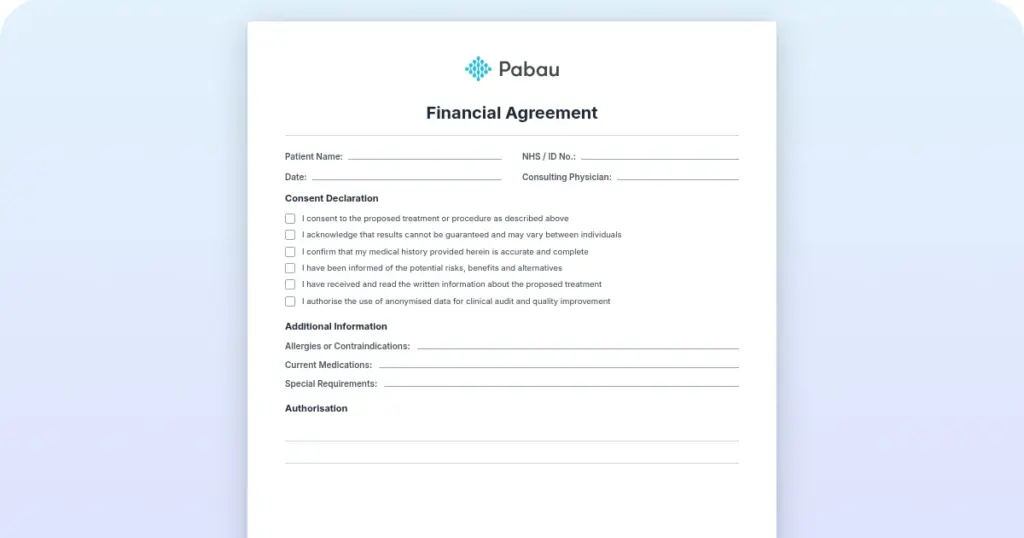
A one-page payment form with fields for patient billing details, the payment method and the patient’s signature and date. Payment options include insurance, credit card and a payment plan. Print it for the front desk or use it as the base for a digital form.
Start from scratch, or upload this PDF or any form you already use, and Pabau's AI Form rebuilds it with tick boxes, text fields and a signature. Attach it to the treatment once, and every patient gets it on time.
AI Form rebuilds the consent, history and aftercare forms you already use. You review each one, then publish.
Patients complete forms on their phone before they arrive, so the front desk stops retyping paper.
Every signed form is versioned and attached to the treatment record, ready when you need it.
Set how long a consent stays valid. Returning patients skip forms they have already signed.
Supports HIPAA and GDPR compliance AES-256 encryption 4.8 on G2 4.7 on Capterra Trusted by 4,000+ practices worldwide

A patient payment form records the payment method, the billing details and the patient’s authorization to charge.
List only the payment methods you accept, such as card, ACH or a payment plan.
HIPAA covers the health details on the form, and PCI DSS covers any card data.
Pabau keeps digital forms and payment processing in one workflow.
A patient payment form is a signed agreement that sets out how a patient will pay for their care. It is most common in private, aesthetic and cosmetic practices, where treatments are paid directly instead of being billed to insurance.
Many practices also use one for deposits and outstanding balances. Because it sits next to the treatment record, it gives the patient and your team a clear reference if a question comes up later. Every version of the form needs four elements:
You can vary the wording by treatment type, as long as those four elements stay on the page.
Use the template at booking or check-in, before any money changes hands. Work through these five steps each time.
The template lists insurance, credit cards and payment plans as payment options. Tick the methods your practice accepts and delete the rest, because a method listed on the form is one patients will ask to use.
Private and aesthetic practices use a patient payment form most often, but any practice that takes payment outside insurance can benefit.
Medspas, cosmetic surgery practices, dermatology practices and direct primary care practices each have a different mix of consultations, deposits and packages. The same form works across all of them if you adjust the treatment and price fields for each service.
A written form settles payment terms before treatment starts, which heads off the disputes that verbal quotes tend to cause.
Fewer disputes at the desk. The amount and method are on paper before the patient sits down.
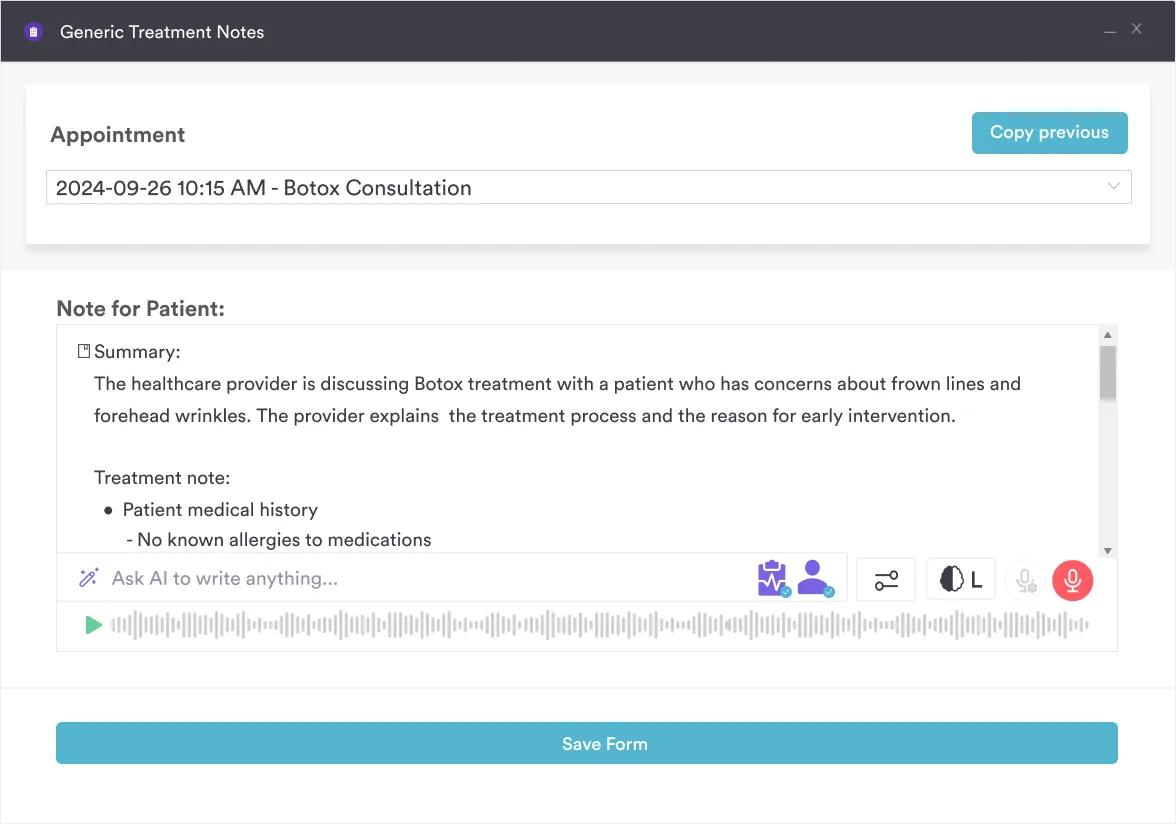
Cleaner records. The signed form sits alongside the treatment notes, and an AI medical scribe can keep those notes complete.
Faster collections. A plan agreed in writing is easier to follow up than a verbal promise.
Audit readiness. A dated, signed form is much quicker to produce if a payer or regulator asks for it.
Audit your payment form once a year with whoever handles billing. Check that the deposit amount, the cancellation window and the refund wording still match your current price list. An outdated form invites the very disputes it was meant to prevent. Then ask a staff member who has taken a payment recently to read it cold. If they stop to ask what a line means, your patients will stop there too.
A patient payment form falls under HIPAA when it includes protected health information, and any card data on it falls under PCI DSS. Each part of the form answers to a different rule, as the diagram below shows.
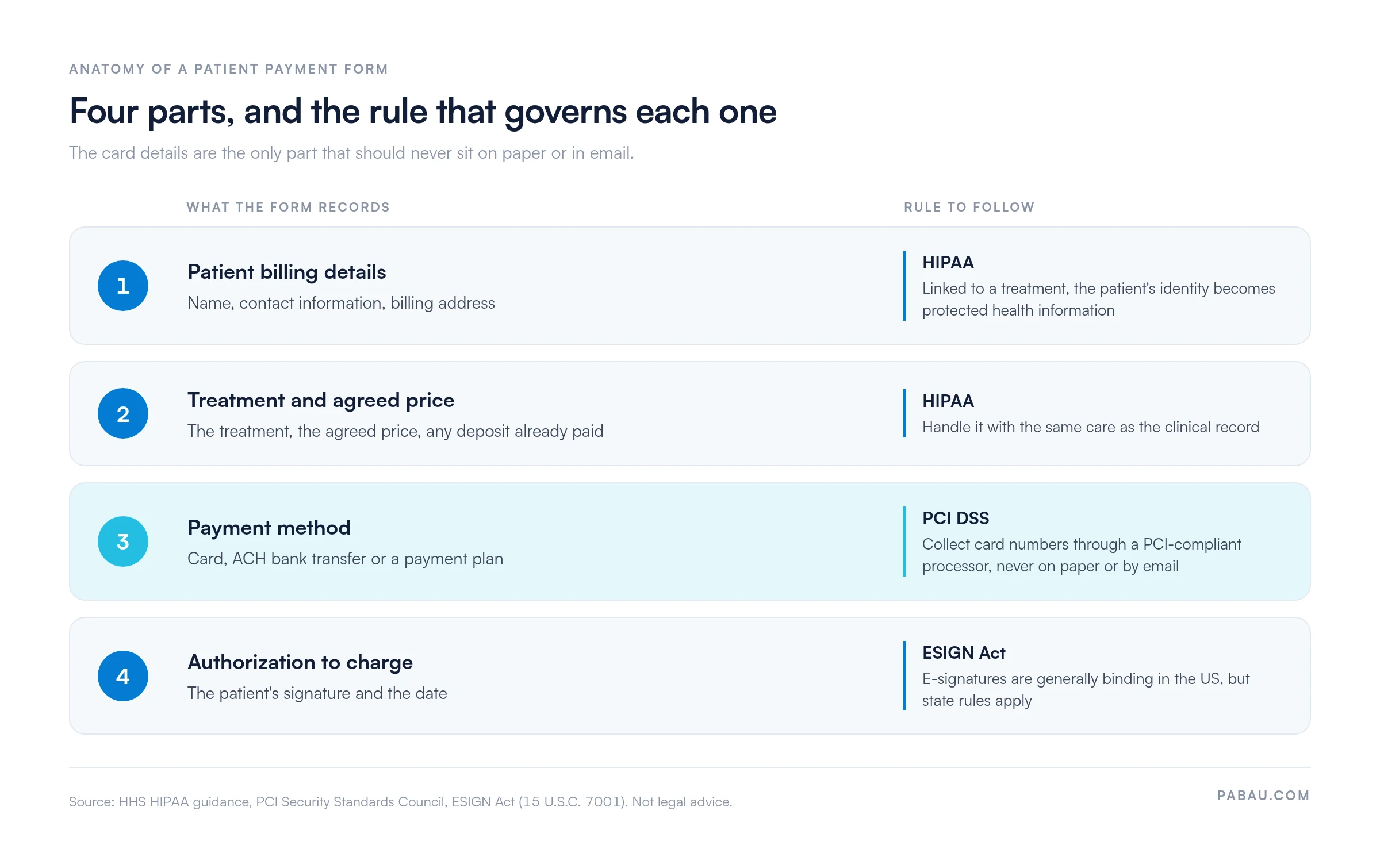
A form that links a named patient to a specific treatment usually contains protected health information. Treat it with the same care as the clinical record. The HHS guidance on HIPAA for professionals explains the obligations for covered entities and their business associates. For the payment side specifically, see our guide to HIPAA compliant payment processing.
The PCI Security Standards Council sets requirements for any business that stores, processes or transmits cardholder data. In practice, keep card numbers out of paper files and email, and collect them through a PCI-compliant processor. Pabau’s payment processing features are one way to do that.
Electronic signatures on authorizations are generally legally binding in the US under the ESIGN Act, but state rules and exceptions apply.
Treat the template as a starting point. Have your compliance team or counsel review the final wording before you rely on it.
Four payment form types cover most practice situations, and each one records a different agreement.
Card-on-file charges need their own wording, and our credit card authorization form template covers it field by field.
A written cancellation rule is easier to enforce than a verbal one. Our automated cancellation policy setup can apply your terms at the point of booking.
Payment plans need the schedule written out in full: the amount per installment, the due dates and what happens after a missed payment. Each installment posts to the patient ledger, so your billing team can see the balance left to collect.
On paper, the payment form gets printed, signed at the desk and scanned into the patient file. Deposits are chased by email, and card details are sometimes read out over the phone.
In Pabau, the form goes to the patient as a digital form before the visit, and the signed copy lands in their record. Online booking can be set to request a deposit when the patient books, inside the same practice management app your team already uses.
Your front desk stops chasing signatures and deposits, and each payment agreement can be found from the patient’s record. If you want to see how payment forms sit inside a full practice workflow, you can book a demo with our team.

Walk through digital forms, payment collection and cancellation terms with the Pabau team.

Download the template, cut it down to the payment methods you take, and write your deposit and cancellation terms in plain numbers. Then make the signed form a condition of booking, so no treatment starts without one.
Paper works for a small practice taking a handful of deposits a week. Once card details and payment plans enter the mix, the filing cabinet becomes the weak point, because card numbers should never sit in one.
Book a demo to see how Pabau collects the signed form, the deposit and the card payment in one patient record.

Want to set your terms before the appointment? Payment policy features show how to publish your terms to patients in advance.
Need wording for refunds? Patient refund policy explains what to put in writing before a patient asks for money back.
Chasing outstanding balances? Patient collections covers how to improve your collection rate.
Keeping a card on file? Credit card authorization form gives you a ready-made form for charging a stored card.
A payment form records how a patient will pay, while a payment consent form records the patient’s agreement to the price and terms. Many practices combine the two on one document, provided the consent wording is clear.
Every patient payment form should include the patient’s name and contact details, the treatment and agreed amount, and the accepted payment methods. It also needs the patient’s signature and the date.
Yes, a free template is a practical starting point. It does not replace legal review of your terms, so check the wording against your state rules and your payer contracts.
Practices collect card details through a PCI-compliant payment processor instead of storing numbers on paper or in unsecured files. Limit who can see payment data and keep access logs where your software supports them.
In the US, an electronic signature is generally valid on a payment form under the ESIGN Act, but state rules and exceptions apply. Confirm the position for your jurisdiction before relying on e-signatures for authorizations.