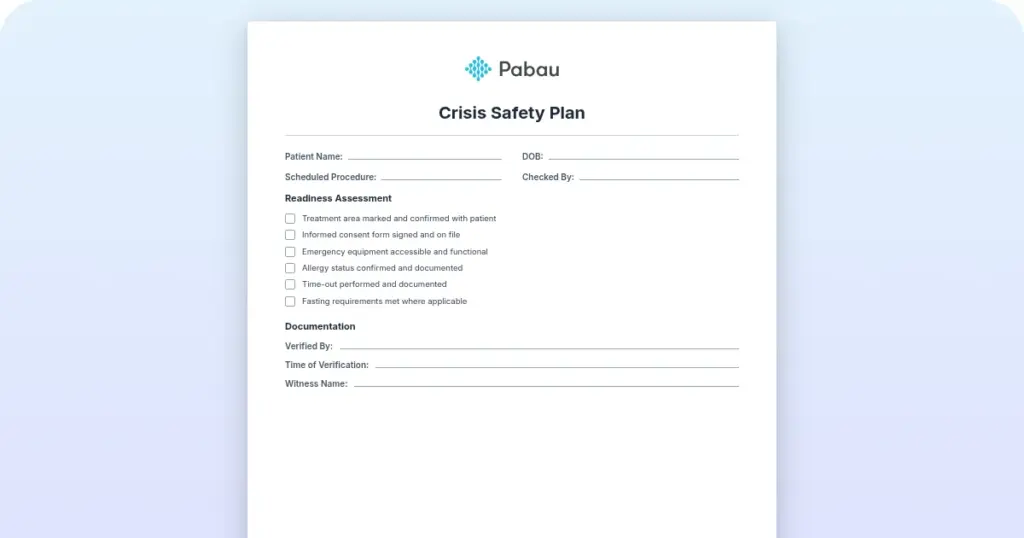
Crisis safety plan template
A crisis safety plan is a short, personalized written plan that a patient and cl...

1
Last Updated: Oct 19, 2026
A sample patient intake form is a ready-made template that collects a new patient’s details before their first appointment.
It covers demographics, medical history, current medications, allergies, insurance, emergency contacts, and consent to treatment with HIPAA acknowledgment.
Med spas, primary care practices, and solo practitioners use one to build a complete clinical picture before treatment starts. A structured form makes it much harder to miss a drug interaction, an allergy, or a contraindication.
Below, you’ll find the free PDF form, a section-by-section guide to what each part captures, and the steps to move intake from paper to digital.
A ready-to-use PDF covering patient demographics, medical history, current medications, allergies, insurance details, emergency contacts, and HIPAA consent acknowledgment. Adapt it to your specialty before you print it or rebuild it as a digital form.
Download template
A patient intake form collects demographics, medical history, medications, allergies, insurance, emergency contacts, and HIPAA consent before clinical care begins.
New patient forms need a full medical and family history, while returning patients only update what has changed since their last visit.
Paper intake adds a retyping step at the front desk, and that step is where transcription errors enter the patient record.
Digital intake sends the form before the visit, captures an e-signature, and saves the answers straight to the patient record.
Practice management software like Pabau sends intake forms ahead of each appointment, so patients arrive with their paperwork already done.
A patient intake form is a structured document that records a patient’s details at their first visit. It keeps medical history, current health, medications, allergies, and insurance in one standardized place.
The form does clinical and operational work at once. It flags contraindications and drug interactions before treatment, and it cuts delays caused by missing information. It also leaves a permanent record for documentation and compliance. For practices with several clinicians or locations, one standard form keeps safety questions consistent.
That standard form has no field for which clinician the patient picked. A separate provider choice form records that selection, and it travels with the rest of the intake paperwork.
Under HIPAA, practices must give new patients a Notice of Privacy Practices. They must also make a good-faith effort to get the patient’s written acknowledgment of it. Both belong on a complete intake form, alongside consent to treatment and insurance authorization.
The form groups its questions into five core sections. Each one captures information you need for safe, compliant care.
Capture full legal name, date of birth, gender, address, phone number, email, and preferred language. Add an emergency contact’s name and relationship. This section confirms the patient’s identity and keeps records filed under the right name in your practice management system.
Document past diagnoses, surgeries, family history of genetic or chronic conditions, and lifestyle factors such as smoking, alcohol use, and exercise. Include a separate field for mental health history where it’s relevant, since it can affect treatment safety and outcomes.
List every medication with its dosage and frequency. Record drug allergies and adverse reactions in a separate field, including severity and the date of the reaction. Clinicians use this section to catch drug interactions and contraindications before any treatment.
Collect the insurer’s name, policy number, group number, and the policyholder’s name if it isn’t the patient. For self-pay patients, note whether they’re paying out of pocket or plan to claim reimbursement. These details decide how you bill the visit and submit claims.
The consent section covers consent to treatment, acknowledgment of the HIPAA Notice of Privacy Practices, and permission to contact the patient by phone or email. Finish it with a signature and date block. For minors, a parent or legal guardian signs instead.
A new patient form asks for the full medical history, family history, and lifestyle context. A returning patient form is shorter, often a single page. It captures only what has changed since the last visit, such as new symptoms, medication changes, or new allergies.
Practices that want a lighter first-visit document can start from the one-page medical application form. It covers patient details, emergency contact, relevant history, and current medications.
Starting from a template saves design time and makes sure no required field gets left off.
Digital intake works better for most practices, with paper kept as a fallback. The difference comes down to one step, as the comparison below shows.
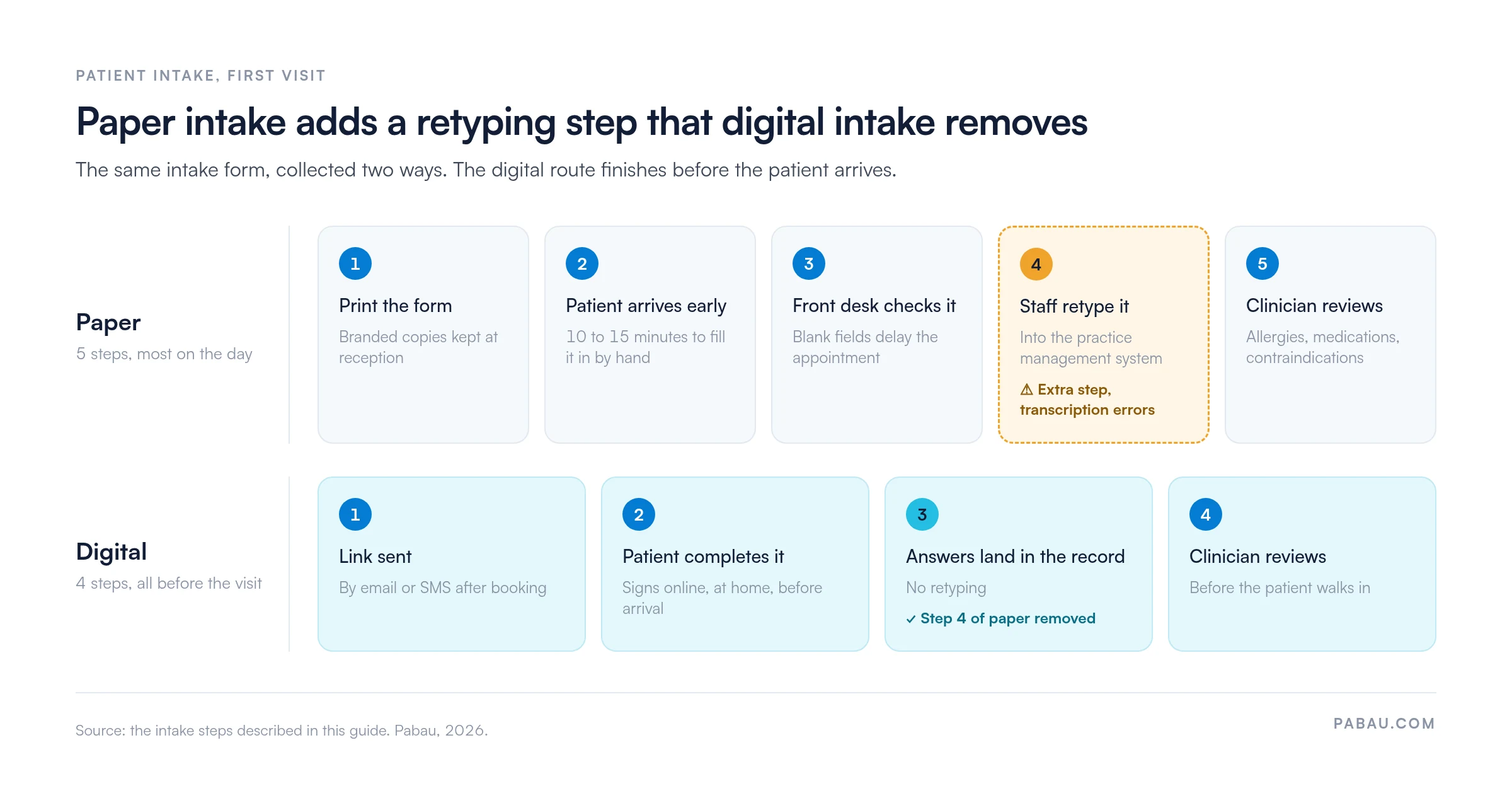
Paper intake needs no technology and no staff training, and it works for every patient. The cost comes after the patient hands the form back. Someone has to retype each page into the patient record, and every retyped field is a chance for an error.
Incomplete paper forms also hold up appointments while the front desk chases the missing answers.
Digital intake sends the form before the visit, often through a patient portal. Patients sign consent electronically, and their answers save straight to the record with no retyping. The trade-off is upfront setup, and patients need a phone or email address to receive the link.
Most practices run a hybrid. They send digital patient intake forms to everyone with an email address or smartphone and keep paper as a fallback. Intake stays open to every patient, and most forms arrive complete before check-in.
Digital intake also leaves an audit trail. Timestamps, e-signatures, and access logs show who completed and viewed each form, which helps when you need to prove consent.
Any healthcare practice that collects patient information needs an intake form. Primary care, aesthetic, mental health, physical therapy, and specialist practices all rely on one for patient safety and compliance.
The same form works across specialties because its core sections apply everywhere. Specialty questions build on top of it, such as contraception history for OB/GYN or previous injection sites for aesthetics.
Compliance and legal protection. A signed, dated form with consent and HIPAA acknowledgment shows that the practice got informed consent and protected patient privacy. That record protects you if a complaint or audit comes up.
Workflow efficiency. A standard form means no clinician or location has to write its own questions. Reception and clinical staff work from the same template, which cuts confusion and training time.
Documentation clarity. Checkboxes, fill-in fields, and tables leave less room for ambiguity. Clinicians can scan a completed form for key safety details without deciphering handwriting.
Patient safety. A thorough form surfaces allergies, medication interactions, and contraindications before the clinician makes treatment decisions. That directly lowers the risk of adverse events.
Build separate intake versions for your main treatment categories or patient groups. An aesthetic practice might offer a facial intake and a body contouring intake with different questions. A mental health practice might keep one form for a first psychiatric evaluation and another for ongoing therapy. Each patient then answers only the questions that apply to them.
With a paper or PDF form, your team prints copies, chases missing answers at the desk, and retypes each page into the patient record. The form does its job, but the admin around it grows with every new patient.
Pabau replaces that routine. Its care pathways guide patients to complete medical forms and sign consents ahead of their visit. The answers save to the patient record, so nobody retypes a page. Setting up online intake workflows this way means fewer appointments start late.
For practitioners, those pre-appointment steps show up as a checklist in Pabau GO, our iOS app for practitioners. You can see at a glance which patients still have forms outstanding.
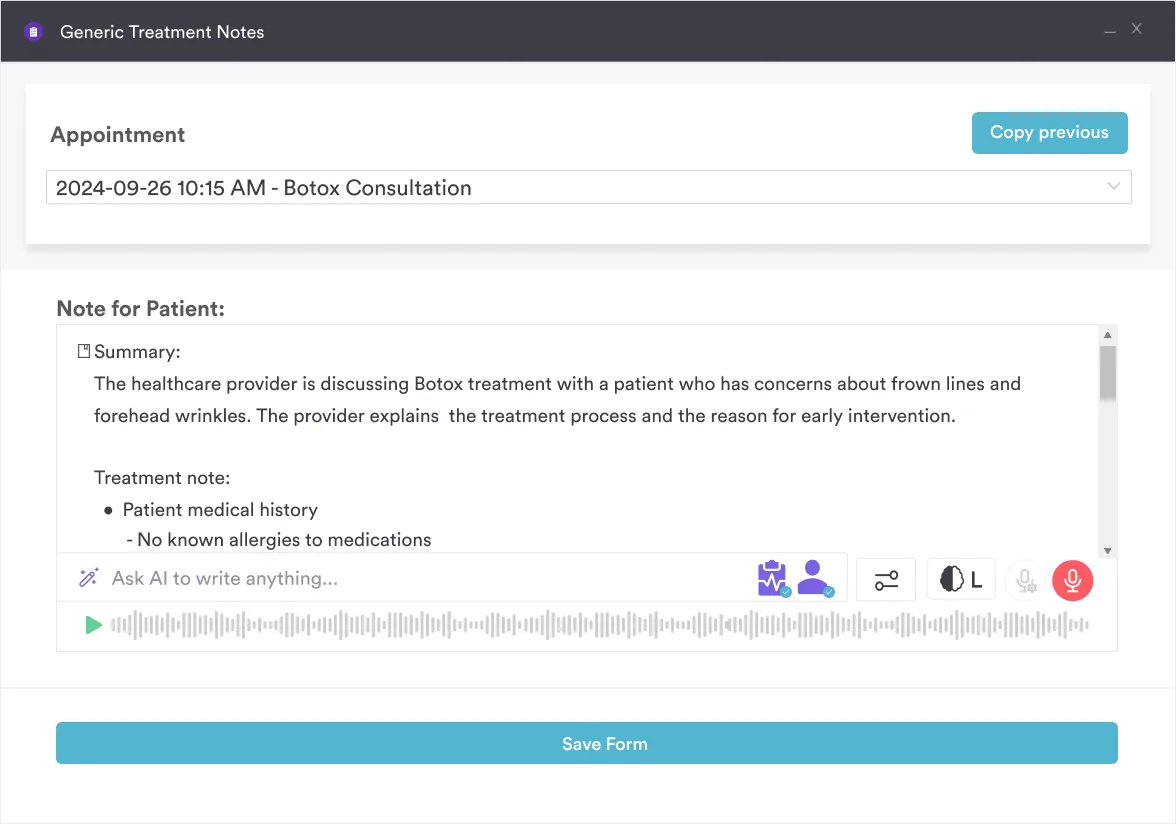
After the consultation, Pabau Scribe, our AI scribe, drafts the treatment note from the recorded conversation. The note sits in the same record as the intake answers, so history and treatment stay together.

Pabau sends intake forms before appointments, captures e-signatures, and saves answers straight to the patient record. Your team stops retyping paper forms, and patients arrive with their paperwork done.

Start with the PDF and adapt it to your specialty before the first patient fills it in. A form that asks the right questions protects patient safety from the first appointment.
Then decide how it reaches patients. Paper works at low volume, but every form adds retyping time and another chance for a transcription error. Moving intake online removes that step and gets the answers to the clinician before the patient walks in.
Book a demo to see how Pabau sends, signs, and files intake forms before every appointment.

Comparing intake tools? Best patient intake software for private practices compares the platforms that send, sign, and store intake forms online.
Struggling to get forms back on time? Digital patient intake forms walks through five steps that get forms completed before the appointment.
Need a structured symptom checklist? The 12-point review of systems template gives clinicians a system-by-system assessment to pair with intake.
Sharing records with another provider? The authorization for release of confidential information template covers the consent you need before disclosing patient information.
A complete intake form includes the patient’s name, date of birth, contact details, and an emergency contact. It also covers medical, surgical, and family history, current medications with dosages, and drug allergies. Add insurance details, the reason for the visit, and signed consent with HIPAA acknowledgment. Specialty questions build on these core sections rather than replacing them.
A registration form captures administrative details only, such as name, address, contact details, and insurance. An intake form adds medical history, medications, allergies, and consent. Many practices combine the two into one form.
No, HIPAA doesn’t require a specific intake form. It does require you to give patients a Notice of Privacy Practices and make a good-faith effort to get their written acknowledgment. Most practices collect that acknowledgment on the intake form, alongside the clinical and demographic questions.
Yes. Digital intake tools send the form by email, text, or patient portal link, so patients complete it before arrival. Patients sign electronically, and their answers save straight to the patient record. Check-in is quicker because the paperwork is already done.
For a PDF, open it in Adobe Acrobat and use the form tools to add text fields, checkboxes, and a signature field. Alternatively, rebuild the form in a digital intake platform like Pabau. It handles online completion, e-signature capture, and saving answers to the patient record.
Practices start from the same core sections, then add questions for their specialty. Aesthetic practices ask about previous injections, and mental health practices add a mental health history. Physical therapy practices ask about injuries and functional limitations.