Despina Petrushevska
Healthcare policy management software: Pabau vs dedicated tools
Healthcare policy management software helps a healthcare organization write, app...

Last Updated: Oct 29, 2026
Free PDF 3 pages, print-ready Clinician-reviewed
A medical needs form is the document a practice uses to collect a patient’s medical background before care starts. It records who the patient is and who to call in an emergency. It also captures their conditions, medications, allergies, and daily habits. The free template above is a three-page printable PDF built around those sections. An emergency medical form condenses that same identification, medication and allergy information onto one authorization page for urgent situations.
This form is a general intake questionnaire. It does not assess what a patient can or cannot do physically. Programs such as Medicaid home help, school health plans, and workplace accommodation requests use their own forms, signed by a clinician. This guide walks through every field in the download, who fills in what, and when a program-specific form takes over.
A three-page patient intake form covering personal and emergency contact details, medical history, current medications, allergies, lifestyle habits, insurance, and consent. It ends with a signature section for the patient and a sign-off section for the provider.
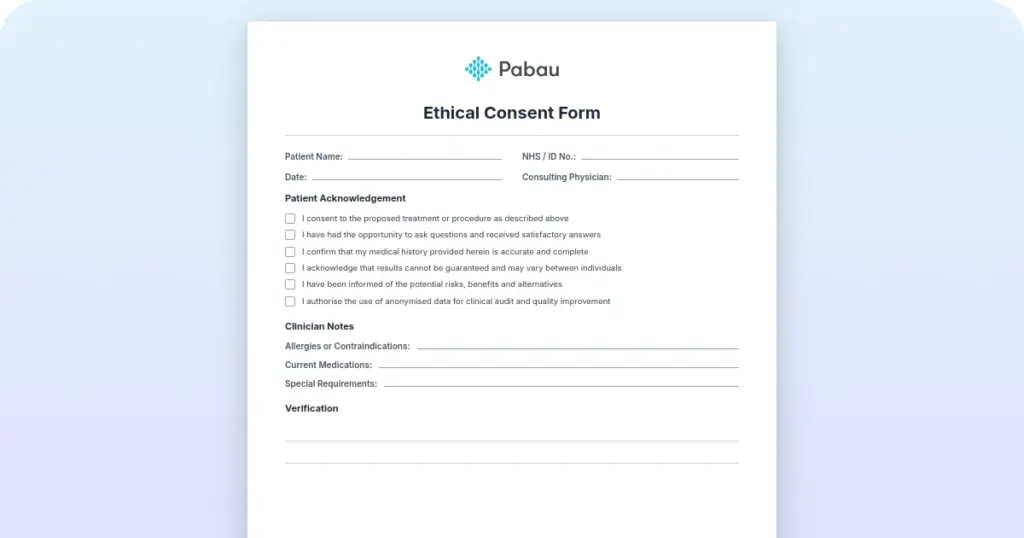
Start from scratch, or upload this PDF or any form you already use, and Pabau's AI Form rebuilds it with tick boxes, text fields and a signature. Attach it to the treatment once, and every patient gets it on time.
AI Form rebuilds the consent, history and aftercare forms you already use. You review each one, then publish.
Patients complete forms on their phone before they arrive, so the front desk stops retyping paper.
Every signed form is versioned and attached to the treatment record, ready when you need it.
Set how long a consent stays valid. Returning patients skip forms they have already signed.
Supports HIPAA and GDPR compliance AES-256 encryption 4.8 on G2 4.7 on Capterra Trusted by 4,000+ practices worldwide

A medical needs form is an intake document that records a patient’s medical background before their first appointment.
The free PDF below covers personal and emergency contact details, medical history, current medications, allergies, lifestyle habits, insurance, and consent.
The patient completes most of the form, and the provider signs the final section after reading the answers.
It is a print-and-complete PDF with no interactive fields, so plan to print it or rebuild it digitally.
Practice management software like Pabau turns the same questions into an online intake form that files itself in the patient record.
A medical needs form is a patient intake questionnaire that records a person’s medical background, current treatment, and stated preferences for care. Practices give it to new patients, and to returning patients whose details need refreshing, then file the completed copy in the medical record.
The download is a three-page form with nine labeled sections, in the order a patient would naturally work through them. Here is what each page asks for.
The file is a flat PDF with no interactive fields, so patients write their answers by hand rather than typing into it. If you would rather they finished it before they arrive, rebuild the same sections as a digital intake form.
Use the table below as a checklist when you build or review your own version. It maps each section of the template to what it captures and why that matters at the front desk.
The patient completes a medical needs form, and a clinician at your practice reviews the answers and signs the last section. No part of the form asks the patient to grade their own capacity or name a diagnosis code.
Clinical judgment belongs in the progress notes the clinician writes after the consultation, not in the intake form. Keeping the two apart makes it obvious which statements came from the patient and which came from your team. Both should end up in the same patient record.
Work through the form in the order it is printed. Each step below matches a section of the download.
Problems with medical forms usually come from blank space rather than wrong answers. These are the ones worth catching before the patient sits down with the clinician.
The two names are easy to confuse, and only one of them ever goes to a payer. A medical needs form stays in the patient record, while a medical necessity form supports a request for coverage.
Example: A new patient lists metformin and a diabetes diagnosis on their intake form. Months later their insurer asks why continuous glucose monitoring is warranted. That answer comes from the clinician on a medical necessity form, and the intake form is only the starting point for it.
Some people searching for a medical needs form are looking for a state or program document, and this template will not satisfy those requirements. Those forms ask a clinician to describe in detail what the patient cannot do, and the program will only accept its own version.
The general intake form still earns its place alongside all three. It gives you the history, medications, and allergies you need to complete the program form accurately. Your copy then stays in the patient record after the program version goes out.
Plenty of practices hand this form over on a clipboard, then key the answers into the patient record afterward. That second pass is where an allergy gets missed or a phone number gets mistyped. It also costs your front desk time on every new patient.
Pabau, our practice management software, turns the same nine sections into a digital intake form. You send it out with the appointment confirmation, and patients complete it on their phone before they arrive. Every answer lands in their record as structured data.
You can mark any answer as required, so a yes to allergies cannot be submitted with the detail left blank. Pabau GO, our iOS app for practitioners, shows the team who still has forms outstanding.
The completed form then sits with the patient’s notes, photos, and treatment history in one file. The clinician reads it in the same place they write up the visit. Signature capture happens in the same flow.

Pabau turns your medical needs form into a digital intake form patients complete before they arrive. Answers file straight into the patient record, so nothing gets retyped or lost.

A medical needs form earns its keep by being completed in full, by every patient, at registration. The download above asks plain questions any patient can answer, and it gives the clinician a signed baseline to work from at the first consultation.
Print it as it stands if paper suits your front desk. If forms keep coming back with the follow-up lines blank, move the same questions online. A required field cannot be skipped. Book a demo to see how Pabau collects patient histories and files them straight into the record.

Need more depth on the relatives section? Family medical history form gives you a dedicated template for the history this intake form only samples.
Taking consent from an adult patient? Medical consent form for adults walks through the wording and signature fields a standalone consent document needs.
Need a care plan for a liver condition? Cirrhosis nursing care plan tracks nutritional status, fluid balance, and daily response across a seven-day grid.
Need a full-body review of systems checklist? Review of systems checklist walks through constitutional symptoms and systemic concerns across every organ system.
Need a simpler charting format for a single focus? DAR notes template records data, action, and response for one patient focus with worked examples.
A medical needs form collects a patient’s medical background before care starts. It records personal and emergency contact details, medical history, current medications, allergies, lifestyle habits, insurance information, and consent. The completed form is filed in the patient record.
The patient fills in most of it, or a parent, guardian, or representative does so on their behalf. A clinician at the practice then reads the answers and signs the provider section at the end.
No. It is a print-and-complete PDF with no interactive fields, so patients write their answers by hand. To collect the same information electronically, rebuild the sections as a digital intake form in your practice management system.
No. Programs such as Medicaid home help use their own forms, which an approved provider must complete and sign. Michigan’s DHS-54A Medical Needs form, for example, records which activities of daily living the person needs help with.
Keep completed forms in a system with access controls and audit trails, in line with HIPAA. Paper copies belong in a locked cabinet, and they should be shredded once your retention period ends.