
Download your free medical certificate template
Download a free, editable medical certificate template.

Medical certificate generator
Medical certificates covering leave, absences, fitness for duty, return to work and other health certificates.
Generate a CertificatePractice management software like Pabau exists to take exactly this kind of repetitive admin off your plate, and the generator above is the simplest slice of that idea — free, and ready to use right now. The same idea runs deeper inside the software. For cash-pay aesthetic work, our roundup of medical spa systems scores eight platforms on a chart-to-checkout test. Pabau’s AI agents for healthcare chase forms patients haven’t signed, text back callers who reached voicemail, and follow up the requests sitting in your inbox. Each message is drafted for someone to approve before a patient sees it.
A medical certificate is a standardized document that healthcare practitioners use to formally document patient health status, treatment outcomes and clinical recommendations. Unlike generic forms, a well-designed medical certificate template captures essential clinical data in a format recognized by employers, insurers and regulatory authorities. For healthcare professionals managing patient records, using a structured medical certificate template ensures consistency, reduces documentation errors and supports compliance with data protection regulations.
Pairing it with dedicated patient management software keeps every certificate linked to the right chart and searchable when you need it. Pabau is an all-in-one practice management solution that integrates a medical certificate generator in its base offering, as well as all kinds of automated forms and templates
Healthcare practitioners across private practices, clinics, and wellness centers rely on medical certificate templates to streamline documentation workflows.
Whether issuing treatment certificates, medical leave documentation, or fitness-for-work assessments, practitioners need templates that reflect their speciality while maintaining professional standards. A medical certificate that integrates with your digital forms system reduces paper-based processes and accelerates patient communication.
Key Takeaways
A medical certificate generator lets you pick a type, fill in the details, and download a standardized document in minutes — no formatting from scratch.
Whatever the type, an accepted certificate carries the same core fields: patient ID, dates, clinical findings, the recommendation, registration, and a signature.
Compliance differs by region — CQC/GMC in the UK, HIPAA in the US — but the structure underneath stays consistent.
Digital signatures are legally valid across all three regions when a registered practitioner issues them through a secure, audit-tracked system.
What is a medical certificate generator?
The tool above is a free medical certificate generator: It generates a finished, professional document you can use at your company to document medically related occurrences that are legally compliant. You choose the type of certificate, and the right fields and consent language load themselves. Then you just fill in the specifics, and you download a clean, standardized certificate — or brand it as your own.
How to create a medical certificate for free
Done by hand, every certificate means a blank document, a rebuilt header, and remembering each field an employer or insurer expects — for every patient, every time. The generator collapses that into three quick steps you can finish in about a minute, with the right structure already built in.
Sick leave, fitness for work, fit to travel, or treatment and aftercare. Each preset loads the right fields and consent language, so nothing gets missed.
Enter the patient details, examination date, clinical findings, and your recommendation. Then add your credentials and signature.
Grab the standardized certificate straight away, or brand it first with your logo, colors, and letterhead to match your practice.

Automate Medical Documentation Workflows
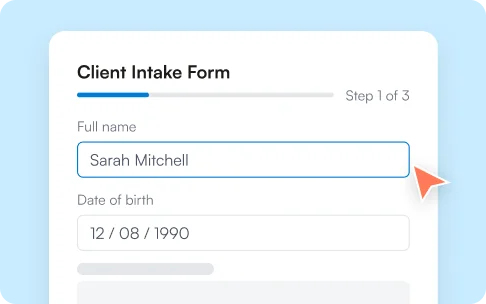
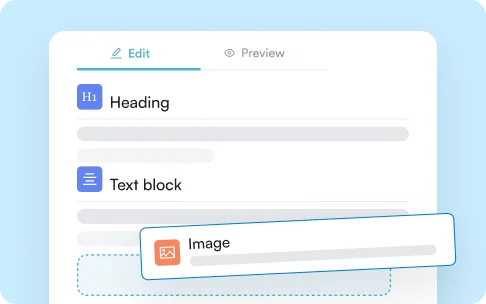
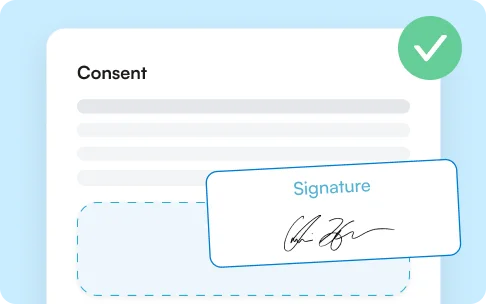
Streamline medical certificate issuance with integrated digital forms, digital signatures, and automated record-keeping — all within a single practice management platform.
Book a Demo
What to include in a medical certificate
Whichever type you generate, a certificate an employer or insurer will accept carries a consistent set of fields. Miss one and you invite a follow-up call; include them all and the document speaks for itself.
- Patient identification — full name and date of birth
- Practitioner details — name, practice, and registration number
- Dates — the examination date and the date of issue
- Clinical findings or treatment delivered, with a diagnosis where appropriate
- The recommendation — fitness for work, a leave period, or return-to-work guidance
- Restrictions or conditions, such as “fit for desk-based duties only”
- Practitioner signature, digital or handwritten, with the date
- A data-protection notice appropriate to the jurisdiction
For chronic conditions, tie it to a date
When symptoms vary, tie the assessment to a specific examination date rather than an open-ended declaration, and note a time-limited validity. That way the patient knows exactly when a review is due, and the certificate holds up if it’s ever questioned.
Types of medical certificate, and an example
You don’t need a separate template for every situation. One generator handles the common cases below — each preset loads the right fields and consent language, so a sick-leave note and a treatment record both come out correctly structured.
Confirms a patient needs time away from work or study, with the expected duration stated clearly.
Clears a patient to return, with conditions such as light duties only where clinically appropriate.
Documents a procedure and its aftercare for med spa and aesthetic visits, with consent captured on the record.
Supports travel clearance, sports participation, and insurance claims with the right supporting detail.
Here’s how a completed fitness-for-work certificate reads once the fields are filled:
This is to certify that [patient name], date of birth [DOB], was examined on [date]. In my clinical opinion the patient is unfit for work from [start date] to [end date] and is expected to return to full duties on [return date]. Issued by [practitioner name], [registration body and number], [practice name], on [issue date].
Benefits of a medical certificate generator
It comes down to four things a Word template can’t give you: protection, speed, control, and clarity.
Built-in consent, data-protection, and credential fields reduce the risk of findings during CQC, DHA, or HIPAA audits.
Choosing a type beats formatting from scratch, and every certificate follows the same professional structure.
Branded certificates read as an official record from your practice, not a generic form pulled off the internet.
Standardized formatting means recipients find the details they need at a glance, so fewer come back with questions.
Compliance across the US and UK
The details that make a certificate defensible shift by region, but the generator’s structure carries the fields each one expects. If you practice across borders — increasingly common with telemedicine — you’ll need to meet the requirements of wherever the patient sits.
- Patient identification and treatment details
- Practitioner registration and a dated signature
- A GDPR data-protection notice
- CQC practices are audited on documentation quality
- A HIPAA privacy notice on every record
- Practitioner credentials and state licensure
- Some states mandate specific forms
- e.g. the examiner’s certificate for commercial drivers
Electronic vs paper: What to consider
Most practices now issue certificates digitally, but paper still has a place. The generator produces either — the same signed record, delivered the way the patient or the recipient expects. Here is how the two compare on the things that matter in day-to-day use.
Reaches the patient instantly by secure email or client portal — no printing, no posting.
Handed over in person or sent by post, which adds time and can hold up urgent notes.
Automatically backed up, version-controlled, and timestamped — a clear audit trail if a certificate is ever questioned.
Relies on physical filing or manual scanning; copies can be misfiled, lost, or damaged.
Digital signatures are recognized across the UK and US when issued through a secure system.
A handwritten signature is accepted but harder to verify, with no timestamp or audit record on its own.
Access is controlled and encrypted, and sharing supports GDPR, HIPAA, and DHA requirements.
Only as secure as the drawer it sits in — easy to leave on a desk or hand to the wrong person.
No printing, postage, or physical storage — nothing to file, shred, or reprint when details change.
Ongoing paper, ink, postage, and storage costs, plus the environmental footprint.
Convenient for most patients and essential for telemedicine, where the document arrives minutes after a visit.
Still preferred in some formal settings and by patients who want a physical copy.
The practical default: Go digital, print on demand
Issue every certificate digitally and print a copy only when a physical document is genuinely expected — that printout is simply an on-demand version of the same signed, audit-tracked record. Telemedicine benefits most of all: the patient has their documentation within minutes of a virtual appointment, rather than waiting on the post.
Legitimate vs fake medical certificates
A generator makes issuing certificates faster — but it can’t make one valid. That comes down to who issues it, and why. Here’s the line between a legitimate medical certificate and a fake one, and exactly where this tool fits.
- Issued by a qualified, registered practitioner
- Based on a genuine examination or consultation
- Records accurate findings and a real recommendation
- Carries credentials, signature, and date
- Kept with a verifiable, timestamped audit trail
- Created for yourself, or for someone never examined
- A fabricated or exaggerated diagnosis
- Forged practitioner details or a copied signature
- Dates or findings altered after issue
- Issued outside a genuine clinical relationship
Where this generator stands
This tool exists to help registered practitioners issue accurate certificates faster and more professionally. Its branding and signature features make genuine certificates look official — never to imitate another practice or fabricate a record. Producing a certificate without a real examination, or forging a practitioner’s details, isn’t legitimate documentation and can carry serious legal consequences.

Frequently asked questions
Can you generate a medical certificate online?
Yes. A medical certificate generator lets you select the certificate type, enter the details, and produce a finished document online in minutes, then download it as-is or customize it with your branding. A legitimate certificate still has to be issued by a qualified, registered practitioner based on a genuine examination.
Can I customize the certificate with my practice's branding?
Yes. You can add your practice logo, colors, and letterhead before you download, so the certificate reads as an official record from your practice rather than a generic form. The underlying field structure stays the same, so the document remains acceptable to employers and insurers.
Is it legal to create your own medical certificate?
It is legal for a qualified, registered practitioner to create and issue a certificate based on a genuine examination. It is not legal to write one for yourself, for someone you have not examined, or to forge another practitioner's details — that is fraud and can carry serious consequences.
What information must be included in a medical certificate?
At minimum: patient identification, practitioner details and registration number, the examination and issue dates, clinical findings or treatment delivered, the recommendation, any restrictions, a signature, and a data-protection notice appropriate to your jurisdiction.
Can digital signatures on medical certificates be legally valid?
Yes. Digital signatures are recognized across the UK and US when a registered practitioner issues them through a secure system that timestamps the document and keeps an audit trail. In practice a digital signature is easier to verify than a handwritten one.
How should a certificate be adapted for a telemedicine consultation?
State that the assessment took place remotely, record the consultation date and method, and note any limitation that follows from not examining the patient in person. Then meet the requirements of the jurisdiction where the patient is located, not just your own.
4.9Trusted by 4,000+ healthcare practices worldwide
One platform for your entire practice
See how Pabau gives you all the tools you need to reduce admin, improve the patient experience, and support sustainable growth.