Anja Dodevska
Weight loss clinic marketing: A complete strategy guide
Weight loss clinic marketing is how a medically supervised weight loss practice ...

Last Updated: Nov 2, 2026
Free PDF 5 pages, print-ready Clinician-reviewed
Medicare requires a completed health risk assessment before a practice can bill for the Annual Wellness Visit. This free health risk assessment questionnaire template covers all five CMS-required domains, so practices can meet the documentation requirement and get reimbursed without building a form from scratch.
The template arrives as a print-ready PDF. Convert it into a digital form within Pabau to collect responses online and route them straight into the patient’s record.
A ready-to-use health risk assessment questionnaire template covering CMS-required domains (demographics, self-assessed health, psychosocial risks, behavioral risks, functional status) plus advance care planning. Use this template to deploy HRAs in your practice, whether on paper or digitally via patient portals.
Start from scratch, or upload this PDF or any form you already use, and Pabau's AI Form rebuilds it with tick boxes, text fields and a signature. Attach it to the treatment once, and every patient gets it on time.
AI Form rebuilds the consent, history and aftercare forms you already use. You review each one, then publish.
Patients complete forms on their phone before they arrive, so the front desk stops retyping paper.
Every signed form is versioned and attached to the treatment record, ready when you need it.
Set how long a consent stays valid. Returning patients skip forms they have already signed.
Supports HIPAA and GDPR compliance AES-256 encryption 4.8 on G2 4.7 on Capterra Trusted by 4,000+ practices worldwide

A health risk assessment questionnaire is a structured screening tool that identifies patient health risks, chronic conditions, mental health concerns, and lifestyle factors, and it is a required component of the Medicare Annual Wellness Visit.
CMS mandates the HRA as part of the AWV under HCPCS codes G0438 (initial) and G0439 (subsequent), covering five required domains: demographics, self-assessed health status, psychosocial risks, behavioral risks, and functional status.
The questionnaire must assess chronic conditions, mental health (including depression and anxiety screening), medication use, functional ability, and advance care planning; missing any domain can trigger compliance issues and missed clinical insights.
Practice management software like Pabau lets practices deploy HRAs online, auto-populate patient records, and trigger follow-up care actions, reducing manual data entry and keeping HRA completion consistent before appointments.
A health risk assessment questionnaire is a structured clinical screening tool that gathers comprehensive information about a patient’s current health status, medical history, risk factors, and lifestyle habits. The form identifies potential health risks, enables clinicians to develop personalized treatment plans, and establishes a baseline for ongoing monitoring and care coordination.
Unlike a general health check, a health risk assessment questionnaire goes deeper. It systematically evaluates physical health, mental health, psychosocial stressors, behavioral risks, and functional capability. The result is a comprehensive risk profile that informs clinical decision-making and prevents missed care.
The Medicare Annual Wellness Visit (AWV) is a yearly preventive appointment covered under Medicare Part B. CMS explicitly requires a health risk assessment as a mandatory component. Practices cannot bill for an AWV (HCPCS G0438 for initial, G0439 for subsequent visits) without completing and documenting an HRA.
The HRA is not optional paperwork; it is the clinical and reimbursement foundation of the AWV. Practices that skip or incomplete the HRA risk claim denials, audit exposure, and missed opportunities to identify preventable health risks in their Medicare patient population.
For primary care practices, managing HRA workflows efficiently is critical to capturing this recurring revenue stream while maintaining quality care.
CMS specifies five mandatory domains that every health risk assessment questionnaire must cover. Missing any one of these domains means the HRA does not meet the regulatory standard, potentially invalidating the AWV billing and leaving clinical risks unaddressed.
Here are the five CMS-required HRA domains:
Each domain contributes to a complete clinical picture.
A well-designed HRA template organizes questions into logical sections that map to the five CMS domains. Here is what each section should contain:
Collect name, date of birth, contact information, insurance details, emergency contact, race/ethnicity, and family composition. This section establishes the demographic foundation required by CMS and enables care coordination.
Ask about overall health status perception, past medical diagnoses, current chronic conditions (diabetes, hypertension, heart disease, cancer, arthritis, etc.), hospitalizations, surgeries, and family history of disease. Include recent blood pressure monitoring readings if the patient already has them on file. This captures the self-assessed health status and establishes clinical context.
List all current medications (name, dose, frequency), over-the-counter drugs, supplements, and document all drug allergies and adverse reactions. This is critical for medication management and safety and must be reviewed at every visit.
Screen for depression (e.g., PHQ-2 or similar), anxiety, substance use (tobacco, alcohol, drugs), social support, housing stability, and safety concerns (domestic violence, abuse). Use validated screening tools where appropriate.
Document tobacco and alcohol use, exercise frequency and type, dietary habits, sleep quality, stress level, and sexual history (if relevant to primary care). Medicare reimburses annual alcohol misuse screening separately under G0442, so flag positive responses for that visit too.
Ask about ability to perform self-care activities (bathing, dressing, toileting, eating), mobility (walking, climbing stairs), instrumental ADLs (cooking, shopping, managing finances), and use of assistive devices. This identifies functional decline and informs holistic care planning.
Ask whether the patient has advance directives, a durable power of attorney for health care, or wishes regarding end-of-life care. Document any preferences or spiritual/religious considerations that should guide clinical decision-making. For patients with advanced cancer, heart failure, or COPD, pair these answers with a symptom burden screen so the care plan reflects current symptoms.
Below is a table of evidence-based sample questions organized by CMS domain. Practices can adapt these to their population and clinical context:
CMS does not prescribe exact wording; these examples reflect best practices from clinical literature and government guidance. Adapt them to match your patient population and clinical workflow.
Completing the HRA is only the first step. The value emerges when clinicians interpret results, score risk domains, and translate findings into a personalized prevention plan and follow-up actions.
Read the patient’s responses before the appointment. Flag any “red flag” answers (e.g., depression screening score above threshold, reported substance use, functional decline, safety concerns). Note missing or inconsistent answers and plan to clarify during the visit.
During the AWV, explore HRA findings through conversation and targeted examination. A patient reporting functional limitation should trigger a gait assessment or fall-risk evaluation. Positive depression screening warrants further mental health assessment. A patient reporting chest pain during the visit should trigger a heart attack test to assess cardiac risk.
Document all identified health risks in the medical record. CMS requires that the AWV visit note include a documented health risk assessment and a statement of identified risks.
Based on identified risks and patient priorities, develop a written prevention plan. It should specify the following:
Document the prevention plan in the patient’s clinical record, schedule necessary follow-up appointments and testing, and close referral loops. Practices using digital form capture can auto-populate patient records and trigger automated reminders for preventive services.
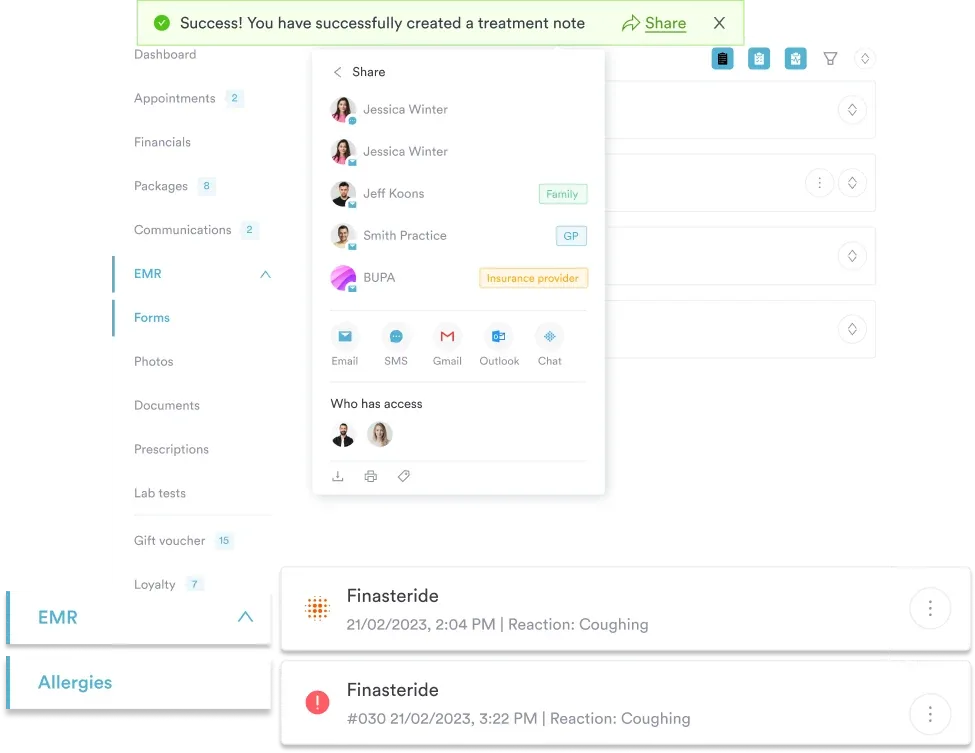
Paper-based HRAs create friction: patients forget to complete them, clinicians re-enter data manually, and follow-up actions are often overlooked. A digital HRA workflow removes this friction. Practices using Pabau’s digital forms can deploy HRAs online, capturing responses directly into the patient’s clinical record before the appointment.
Once the HRA is submitted, Pabau’s automated workflows can trigger clinician alerts for high-risk findings, schedule follow-up appointments, auto-populate the visit note, and send post-appointment prevention reminders to the patient. This workflow ensures every CMS-required domain is documented, reduces clinician time on data entry, and improves patient outcomes.
A few operational tips to improve HRA completion rates and data quality:
A downloadable template is the starting point, but the payoff comes from administering the HRA consistently, scoring it, and acting on the results.
To stay compliant, every Annual Wellness Visit needs to document all five required domains — check the official Medicare Annual Wellness Visit guidance for the current minimum elements before you finalize your form.
Pabau lets you deliver the questionnaire as a digital intake form, capture responses in the patient record, and trigger follow-up tasks automatically — so the HRA feeds straight into the prevention plan instead of sitting in a paper file. To see how it fits your practice’s AWV workflow, book a demo.

skin turgor test template standardizes the technique and documentation behind this bedside hydration check.
underarm temperature chart lists age-banded axillary ranges and fever cutoffs for underarm readings.
private practice for UK doctors covers the earnings range, appointment control, and continuity gains doctors gain by going private.
hearing test frequency guide explains what the Hz ranges on an audiogram mean for interpreting results.
A health risk assessment questionnaire is a structured clinical screening tool that collects comprehensive information about a patient’s health status, medical history, risk factors, and lifestyle to identify health risks and inform preventive care planning. It is a required component of the Medicare Annual Wellness Visit.
Yes, CMS requires a health risk assessment as a mandatory component of the AWV. Practices must complete and document an HRA to bill HCPCS G0438 (initial AWV) or G0439 (subsequent AWV) and qualify for Medicare reimbursement.
The five domains are: (1) demographic factors, (2) self-assessed health status, (3) psychosocial risk factors, (4) behavioral risk factors, and (5) functional status / Activities of Daily Living (ADL) screening. Every HRA must address all five.
Most patients complete an HRA in 10-15 minutes. Shorter forms (10-12 questions) take 5-10 minutes; longer, more comprehensive versions may take 20-25 minutes. Online completion is often faster than paper.
Yes, HRA responses are protected health information (PHI) under HIPAA. All health risk assessment data must be kept confidential, stored securely, and shared only as clinically necessary or with patient consent. Digital HRA systems must comply with HIPAA requirements for data encryption and access control.
HRA results guide the development of a personalized prevention plan specifying recommended preventive services (screenings, vaccinations), treatment decisions for identified conditions, lifestyle modification goals, and appropriate referrals. Clinicians use HRA findings to prioritize interventions that address the patient’s highest-risk areas.