Seated flexion test
The seated flexion test is a palpation-based assessment of sacral motion at the ...

8
Last Updated: Oct 15, 2026
Chiropractic billing software automates insurance claims, CPT coding, eligibility checks and patient payments for chiropractic practices. We compared five platforms, and Pabau, the all-in-one practice platform we build, is the strongest pick for practices that combine chiropractic with other services. ChiroTouch is the better fit for chiropractic-only practices with heavy insurance volume.
Billing software matters here because chiropractic claims follow unusual rules. Medicare covers spinal manipulation only with strict medical-necessity documentation, and many private payers require prior authorization on multi-visit care plans. The core CPT codes, 98940 through 98943, also carry modifier requirements that change by payer.
Below, each platform is scored on billing depth, EHR integration, pricing and fit, so you can build a shortlist around your own payer mix.

1. Pabau — best for multi-service practices that want billing, records, scheduling and marketing in one system.
2. ChiroTouch — best for chiropractic-only practices with high Medicare and private-payer claim volume.
3. Jane App — best for scheduling-first practices and Canadian chiropractors billing provincial plans.
4. Genesis Chiropractic Software — best for high-volume practices that want billing automation inside a chiropractic EHR suite.
5. Eclipse EMR — best for established practices that want an on-premise deployment option.
Here are the five platforms side by side. Ratings come from verified review platforms. Pricing reflects what each vendor publishes as of 2026, so confirm it with the vendor before you buy.
Pabau handles billing, clinical documentation, scheduling and patient communications from a single system. Chiropractic-specific tools lock you into a single-specialty workflow, while Pabau suits practices that add physical therapy, sports medicine, massage or aesthetic services. Every subscription includes every feature, and pricing scales with the number of users and locations.
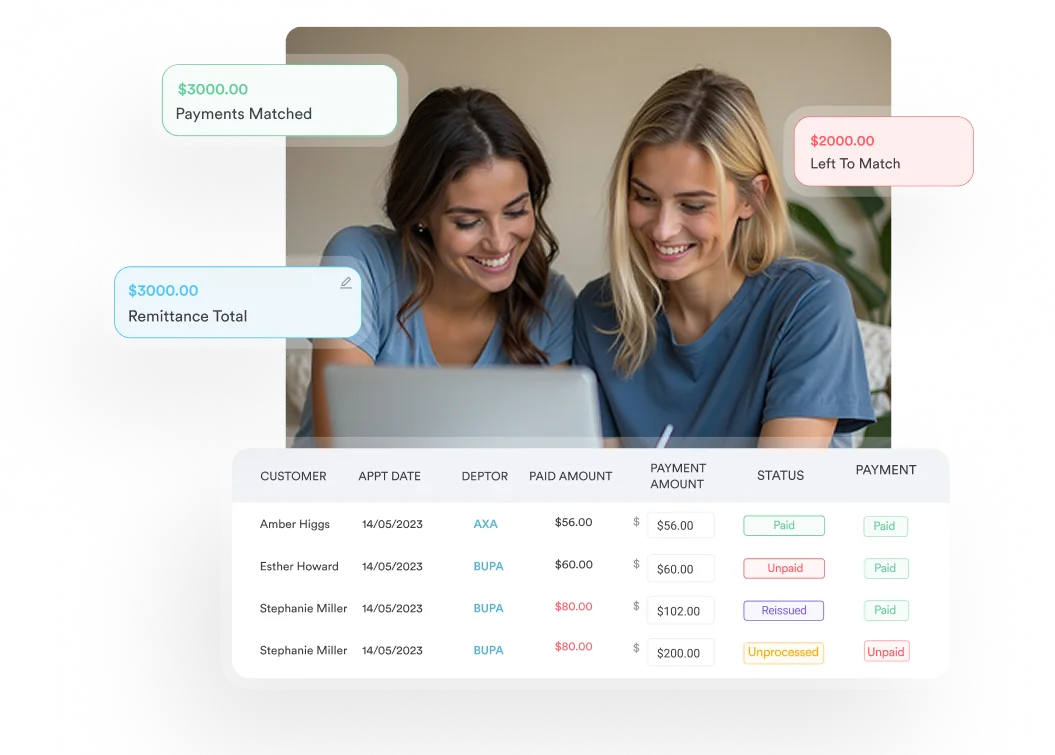
For billing, Pabau generates invoices automatically at checkout, supports payment plans, and posts card payments straight to the patient record. The claims management tools connect to clearinghouses for electronic submission, so practice managers track claim status without switching systems. HIPAA compliance is built into the platform rather than sold as an optional module.
Pabau holds a 4.7/5 rating from 600+ verified reviews on Capterra. Reviewers frequently highlight the breadth of features and the quality of onboarding support. Common criticisms point to a learning curve during setup, particularly for practices migrating from simpler tools.
Pabau quotes each practice on its team size and locations rather than publishing one list price. Pabau’s pricing page shows how that works.
ChiroTouch is one of the most widely used chiropractic billing platforms in North America. It is purpose-built for chiropractic workflows. SOAP note templates follow chiropractic assessment conventions, and the CPT code sets include 98940 through 98943 with the modifiers chiropractors use most. For a practice where every patient is a chiropractic patient, that depth matters.
ChiroTouch includes real-time eligibility verification, automated claims submission and an integrated patient portal. Chiropractors can complete SOAP notes on a tablet during or right after an adjustment, which keeps charting from piling up. The platform also supports the PART documentation that Medicare requires for chiropractic reimbursement.
ChiroTouch holds a 4.1/5 rating from around 1,100 reviews on Capterra. Positive reviews praise the chiropractic workflow depth and built-in billing automation. Critical reviews center on support responsiveness and the cost relative to what the platform delivers.
ChiroTouch lists its Start, Grow and Scale plans without figures, so you’ll need a quote from its sales team for your provider count.
Jane App is a cloud-based practice management platform built around scheduling. Group practices with several practitioners sharing treatment rooms tend to rate it very highly. Its calendar is consistently praised across review platforms as one of the easiest to use in allied health software.
Billing in Jane App covers invoicing, online payment collection and insurance billing, and Canadian chiropractors get strong provincial billing support. Insurance billing is a paid add-on available only on the Practice and Thrive plans, not on Balance.
For US practices with complex insurance billing, Jane’s capabilities are more limited than ChiroTouch or Genesis. Jane suits practices where scheduling is the main pain point and billing is relatively straightforward.
Jane App holds a 4.8/5 rating on Capterra and 4.7/5 on G2, among the highest in allied health software. Reviewers consistently praise the scheduling interface and support quality. The recurring criticism is that billing falls short of what specialist billing tools deliver.
Jane prices in Canadian dollars, so the US figures above are converted at 0.70 and will move with the exchange rate.
Before committing to any chiropractic billing software, run a 90-day denial rate audit on your current claims. Track denials by reason code, such as eligibility failure, coding error, missing prior authorization or timely filing. Then score each platform on how it handles the reasons that hit your payer mix hardest. A platform that eliminates your top denial reason is worth more than one with a longer feature list.
Genesis Chiropractic Software, built by ClinicMind, is a cloud EHR and practice management suite for chiropractic practices. It combines care plans, billing and a patient portal, with billing automation at the center of its pitch. High-volume practices processing hundreds of insurance claims a month are its natural audience.
Genesis includes automated claims submission, real-time eligibility verification and reporting built around revenue cycle metrics. Those metrics include collection rates, denial tracking and days in accounts receivable (AR). According to its website, Genesis integrates with major clearinghouses and supports multi-payer chiropractic billing. As with any vendor, ask for a demo and reference calls before committing.
We don’t quote a rating for Genesis in this comparison. Ask ClinicMind for reference customers with a payer mix like yours, and pair those calls with a structured demo.
Genesis doesn’t publish pricing and uses a custom model, so contact the company for a quote based on your practice size and claim volume.
Eclipse EMR is one of the longest-established chiropractic billing and practice management platforms. Its key differentiator is deployment flexibility. Eclipse offers both an on-premise installation and a cloud-hosted version, so practices can choose a one-time license instead of an ongoing subscription. For practices that have run on-premise software for years, Eclipse avoids a forced move to the cloud.
The platform covers chiropractic clinical documentation, CPT code billing, insurance claim submission and payment collection. Its feature set is established and stable. The tradeoff is an interface that reflects its older architecture, so practices used to modern software may find Eclipse less intuitive.
Eclipse EMR is listed on Capterra, but we don’t quote a score for it in this comparison. Evaluate it through a vendor demo and by speaking with current Eclipse users in the chiropractic community.
Eclipse doesn’t publish figures for either deployment model, so contact the vendor for a current quote.
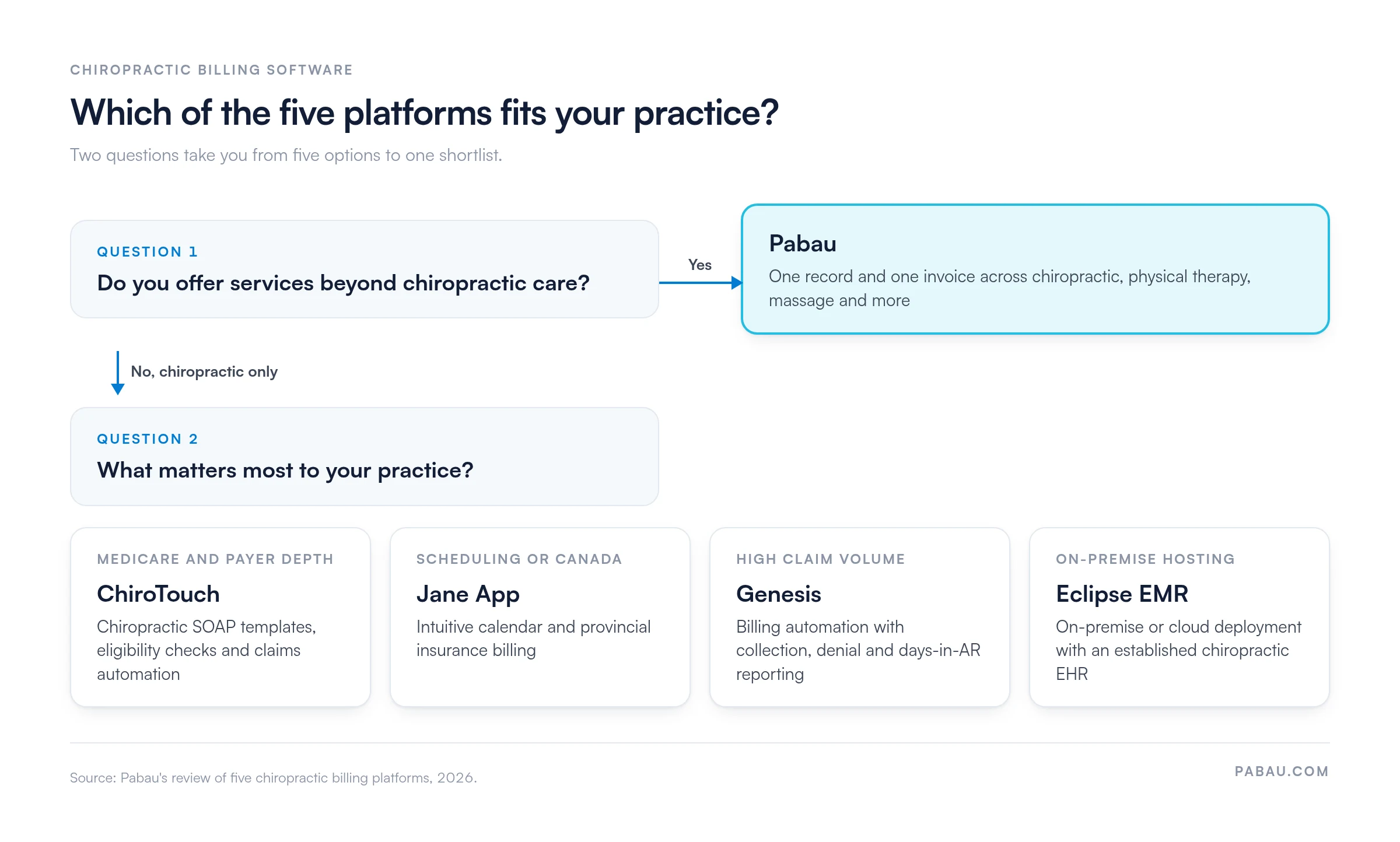
Choosing between these platforms comes down to a handful of questions about your services, payers and setup. The flow below runs the two that settle most decisions.
Practice size and service mix: A solo chiropractor seeing 40 patients a week faces different billing complexity than a four-provider group that adds sports medicine. Define which billing workflows cause the most friction before you evaluate platforms. Our chiropractic billing cheat sheet lists the CPT and ICD-10 codes to test in each demo.
Insurance vs cash pay: High insurance volume demands real-time eligibility verification and deep clearinghouse connectivity. Mostly cash-pay or membership-based practices need strong invoicing and payment collection more than claims automation.
Deployment preference: Cloud platforms such as Pabau, Jane App and ChiroTouch suit practices that want automatic updates and no server maintenance. Eclipse suits practices that prefer on-premise control. Both models can support HIPAA compliance when properly configured.
Budget structure: Some practices prefer predictable monthly subscription fees, while others prefer a larger upfront license with lower ongoing costs. Eclipse’s on-premise option serves the second group, and every cloud platform here uses a recurring subscription. If chiropractic is one service in a larger multi-specialty group, also compare our list of the best medical billing software.
Chiropractors who add massage, physical therapy or sports medicine often end up running a separate tool for each service. The front desk re-keys charges, and claims stall when the visit note sits in one system and the invoice in another.
In Pabau, the visit note, the invoice and the claim live on the same patient record. Invoices generate at checkout, claims go out through the clearinghouse connection, and staff track claim status from one dashboard.
That removes the re-keying step where coding errors creep in, and it shortens end-of-day reconciliation for your team. Every subscription includes every feature, so adding a service line doesn’t mean buying another billing module.

Billing automation, digital intake forms, claims management, and patient records in one system. Book a demo to see how it fits your practice.

Start with your denial report, not a feature list. If most rejections trace to eligibility or Medicare documentation and you only offer chiropractic care, ChiroTouch’s chiropractic-native depth earns its quote. If you also run massage, physical therapy or sports medicine, Pabau keeps every service on one record and one invoice.
Whichever platform makes your shortlist, bring your top three denial reasons to the demo. Ask the vendor to show how the software prevents each one. A tool that clears those will pay for itself faster than one with a longer feature list.
Book a demo to see how Pabau bills a combined chiropractic and physical therapy visit, from checkout to claim.

Want a quick reference for the codes you bill most? Chiropractic billing cheat sheet collects the CPT and ICD-10 codes chiropractors use day to day.
Billing manipulation of three or four spinal regions? CPT code 98941 covers when the code applies and what documentation supports it.
Unsure how claims reach the payer? What is a medical claims clearinghouse? explains the step between your billing software and the insurer.
Seeing the same denials every month? Denial management in healthcare walks through the causes of denials and how to prevent them.
Worried about late submissions? Timely filing limits by payer lists the deadlines for initial claims, corrected claims and appeals.
Chiropractic billing software automates insurance claim submission, CPT code management, eligibility verification and patient payment collection for chiropractic practices. It replaces manual billing with workflows that connect directly to insurance clearinghouses. That reduces claim errors and speeds up reimbursement.
Yes, most chiropractic billing platforms submit claims electronically through clearinghouse integrations that connect to insurance payers. The degree of automation varies. Some platforms, such as ChiroTouch and Genesis, include real-time eligibility verification before appointments, while others handle claim submission and tracking but need manual eligibility checks. Always confirm which payers a platform connects to before you buy.
The primary CPT codes for chiropractic spinal manipulation are 98940 (1-2 spinal regions), 98941 (3-4 spinal regions), 98942 (5 spinal regions) and 98943 (extraspinal manipulation). Medicare supports these codes through PART documentation: Pain or tenderness, Asymmetry or misalignment, Range-of-motion abnormality, and Tissue or tone changes. Two of the four must be present, and one of them must be asymmetry or range-of-motion abnormality. Codes for evaluation and management, therapeutic exercise and neuromuscular reeducation are also common.
Cloud-based chiropractic billing software is the better choice for most new and growing practices. Automatic updates, no server maintenance, remote access and predictable monthly costs make cloud tools easier to manage. On-premise software suits established practices with existing servers, strong IT support and a preference for avoiding recurring fees. Eclipse EMR is the on-premise option in this comparison, and the others are cloud-native.
Chiropractic EHR software manages clinical records, SOAP notes, treatment plans and patient health data. Billing software manages insurance claims, CPT codes, invoicing and payment collection. Most modern chiropractic platforms combine both: ChiroTouch, Pabau and Jane App all include EHR and billing in one product. Separate EHR and billing tools add data-sync work and raise the risk of claims going out without the notes that support them.
Published entry prices start at CAD $59 per month for Jane’s Balance plan, and costs climb with provider count and features. Pabau’s pricing is based on the number of users and locations, with every feature included. ChiroTouch, Genesis and Eclipse don’t publish pricing, so you’ll need a vendor quote. Factor implementation, training and clearinghouse fees into the total cost alongside the monthly subscription.