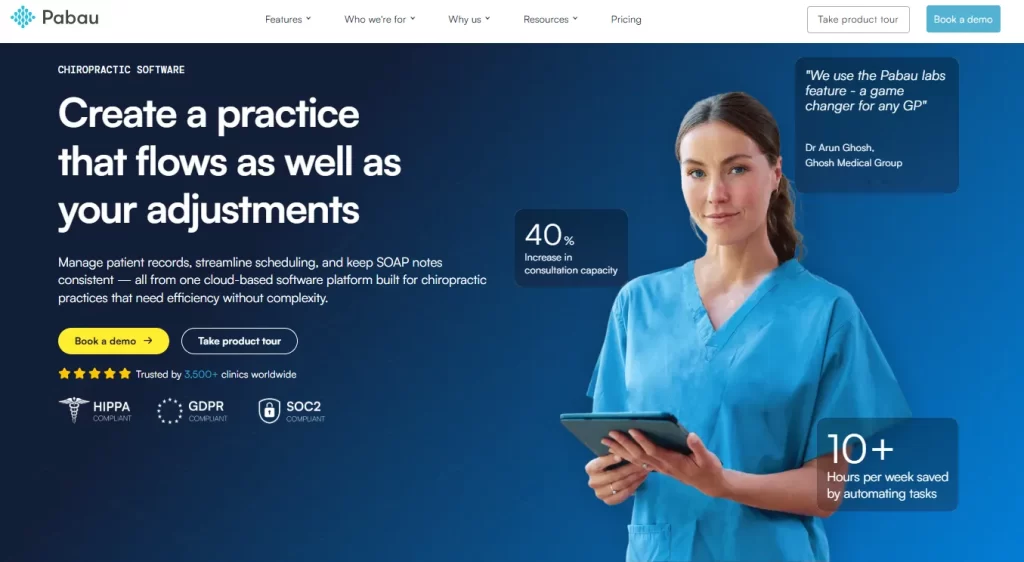
Pabau: Best all-in-one solution for chiropractic practices, combining SOAP notes, EHR, billing, scheduling, and patient engagement in a single platform.
ChiroTouch: Best for insurance-heavy clinics, with advanced claim management, automated billing, and AI-powered documentation.
Coreplus: Best for solo or small allied health practitioners, offering streamlined scheduling, billing, and telehealth features in a simple, cloud-based system.New List Item
If you are looking to optimize your operations in your chiropractic practice, implementing chiropractic practice management software is the solution. It will streamline your workflow, boost patient retention, and free up more time for patient care.
Below, we discuss the best chiropractic software options in 2026 so you can pick the right platform for your practice size and goals.
Quick comparison of the best chiropractic software
| Name | Best For / Application | Standout Feature | Price Starting Point |
| Pabau | All-in-one chiropractic practices | Unified platform with SOAP notes, EHR, billing, scheduling, and patient engagement | $69/month (Startup Plan) |
| ChiroTouch | Insurance-heavy clinics | AI-powered documentation (Rheo) and advanced claims management | $159/month (Core) |
| Coreplus | Solo or small allied health practitioners | Streamlined billing & Medicare/DVA claiming with telehealth | $35 AUD/user/month (Core) |
| ChiroUp | Evidence-based solo practitioners & new graduates | Research-driven protocols with Advanced SOAP Wizard | $149/month (Essentials) |
| PayDC | Insurance-focused multi-provider offices | One-click claims with integrated exams and compliance updates | $349/month |
| Adit | Administrative boost & patient acquisition | AI call intelligence with automated review generation | $399/month |
Pabau: Best for all‑in‑one chiropractic practice management
Pabau is a comprehensive, all-in-one chiropractic practice management software that centralizes everything your clinic needs. From patient scheduling and electronic health records to billing, invoicing, and marketing automation.
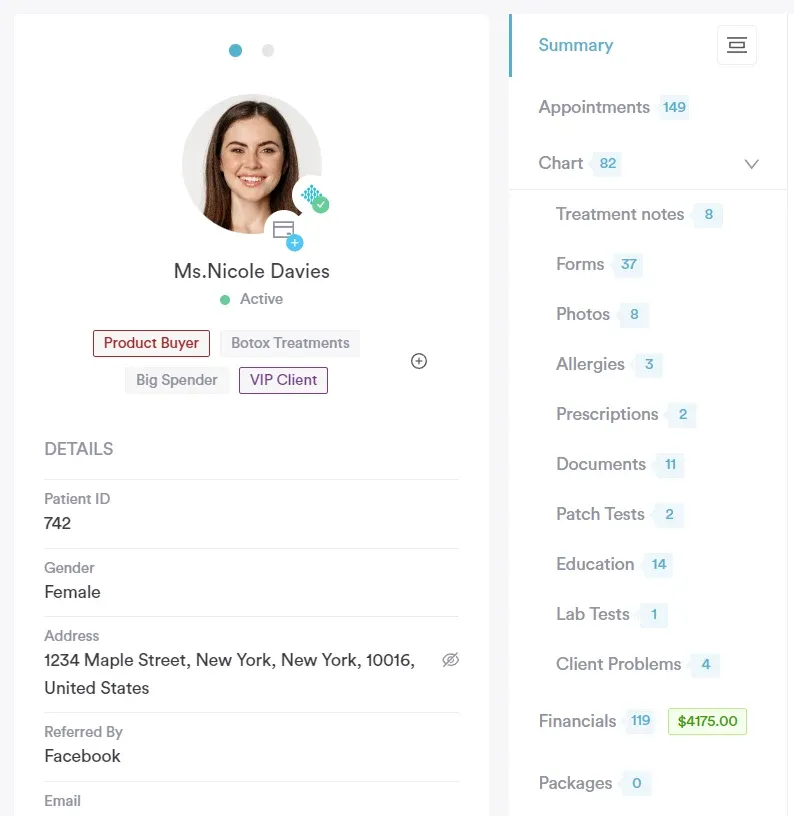
Its intuitive dashboard gives staff instant access to patient histories, appointments, and financials, helping clinics run smoothly and reduce administrative errors.
Pabau is great for practices aiming to grow efficiently—whether that means expanding patient volume, adding staff, or streamlining workflow—all without the need for multiple standalone tools.
Key features
Pabau packs a suite of powerful features designed to streamline every aspect of your chiropractic practice. These tools help clinics save time, reduce errors, and deliver a seamless patient experience.
- Customizable SOAP notes and clinical templates
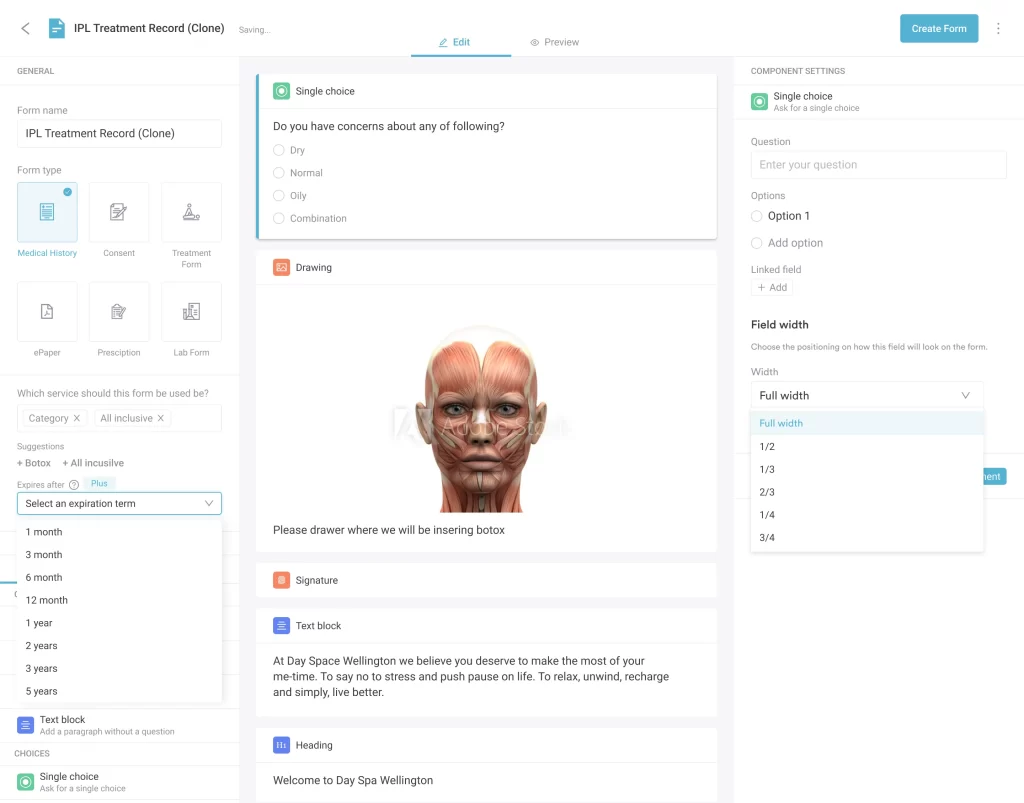
Pabau offers fully customizable SOAP notes and clinical templates designed specifically for healthcare practices. Clinics can tailor forms to match their unique treatment protocols, ensuring that every patient visit is documented consistently and accurately.
With Pabau, you can also pre-fill common fields, create reusable templates, and attach multimedia files like X-rays or images directly to patient records.
This flexibility not only standardizes documentation across the clinic but also makes it easier to track treatment progress, measure outcomes, and maintain compliance with healthcare regulations.
- Integrated appointment scheduling and online booking
Pabau offers a robust appointment scheduling system that keeps your clinic organized and your patients on time. With online booking, patients can easily schedule their own appointments 24/7.
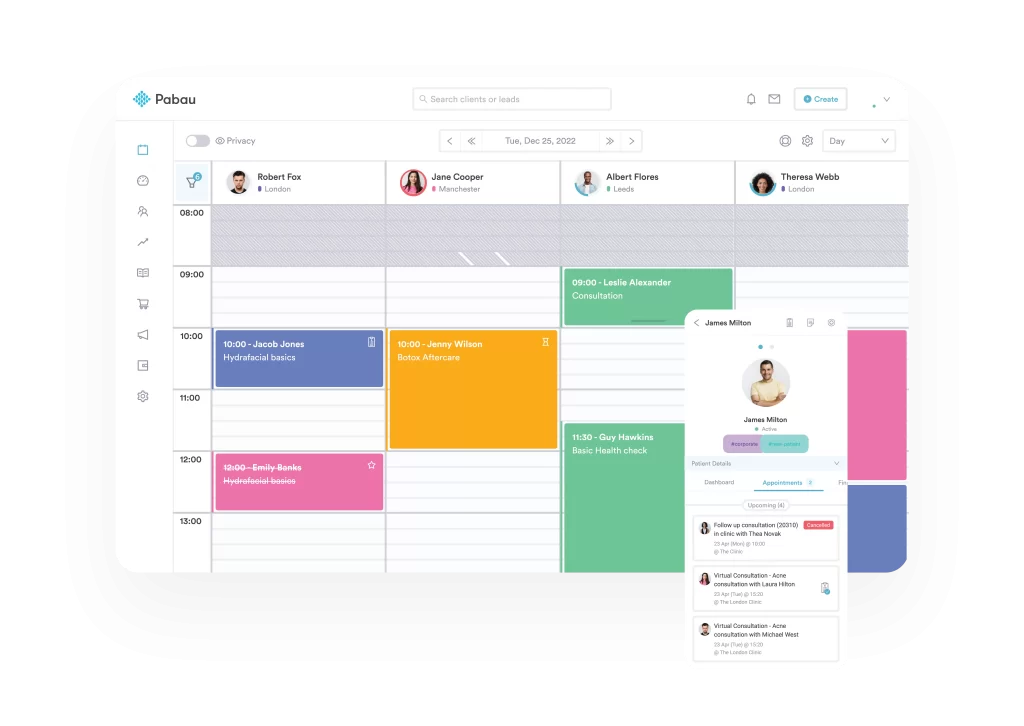
The intuitive calendar interface allows staff to view daily, weekly, or monthly schedules at a glance, making it simple to manage bookings, reschedule appointments, and maintain smooth patient flow throughout the clinic.
The system also sends automated appointment reminders via email or SMS, helping to cut down on no-shows and late arrivals.
- Automated billing, insurance, and invoicing
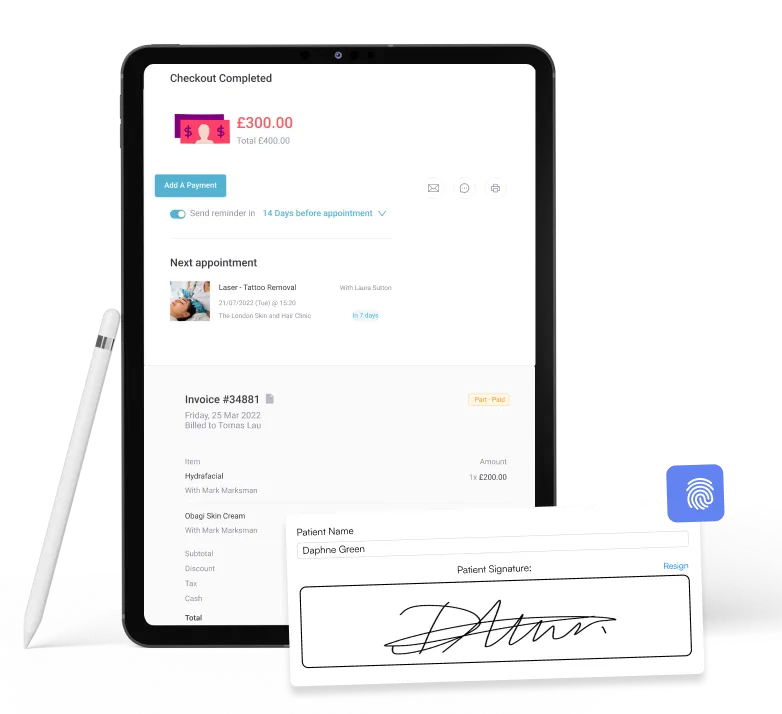
Pabau streamlines payment management—all your billing, insurance claims, and invoicing in one centralized platform.
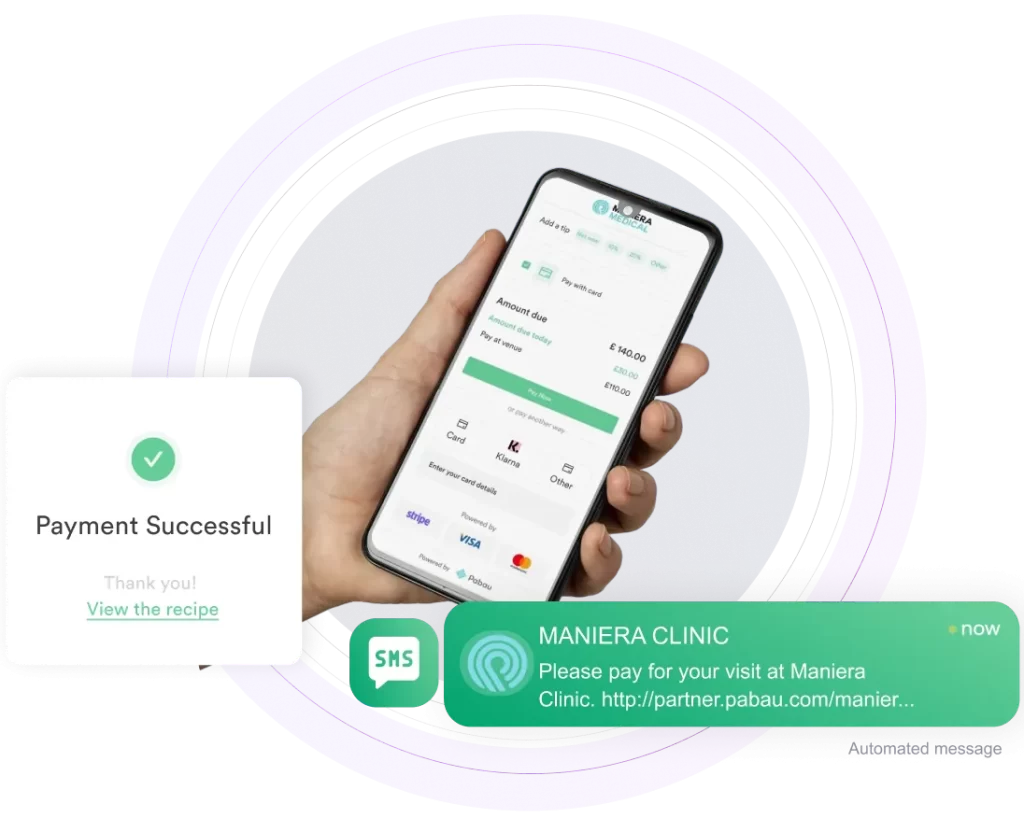
Chiropractic clinics can generate invoices automatically, track outstanding balances, and accept multiple payment methods directly through the system.
The software also simplifies insurance workflows, allowing staff to submit claims, verify coverage, and manage reimbursements efficiently.
By keeping all billing and payment processes under one roof, Pabau reduces administrative errors and helps maintain a smooth, professional patient experience.
- Patient engagement and follow‑up tools
Pabau includes a full suite of patient engagement and follow-up tools designed to strengthen patient relationships and keep care on track.
Its automated messaging via email or SMS allows practices to communicate important updates, appointment reminders, and promotional campaigns efficiently.
Also, Pabau’s built-in recall messages automatically remind patients of upcoming appointments, while customizable surveys and feedback forms provide insights into patient satisfaction and their treatment outcomes.
Pricing
One of the best things about Pabau is that all plans give you access to the full feature set, so you never have to worry about missing out on key tools, even if you are a small practice.
| Plan | Price | Users / Clients |
| Startup | $69/month | 1 user / less than 100 clients |
| Solo | Custom quote | 1 user / unlimited clients |
| Team | Custom quote | 2-3 users / unlimited clients |
| Medium | Custom quote | 4-5 users / unlimited clients |
| Group | Custom quote | 6-15 users / unlimited clients |
| Enterprise | Talk to sales | 15+ users / unlimited clients |
Where Pabau shines
- Unified platform: Pabau brings scheduling, billing, CRM, charting, and marketing together in a single system. Clinics no longer need to juggle multiple tools, making day-to-day operations smoother and reducing administrative errors.
- Scalability: Whether you run a solo practice, multi-location, or enterprise clinic, Pabau can grow with you. Tailored plans and flexible user options make it easy to add staff, locations, and features as your practice expands.
- Patient experience: With an integrated patient portal, automated reminders, and messaging tools, Pabau keeps patients engaged and informed. This helps improve appointment adherence, streamline communication, and create a more seamless overall experience for patients.
Where Pabau falls short
- Learning curve: With so many features packed into one platform, smaller practices or teams new to practice and patient management software may feel overwhelmed at first. It can take time to explore all tools and set up workflows effectively.
- Mobile app limitations: Pabau’s mobile app is currently only available on iOS, which can be restrictive for Android users. This may limit on-the-go access for some staff,
Customer reviews
- “I think Pabau is very innovative and they are always bringing out new things on the platform to make it more user-friendly and easier to use. They help you set up everything for your business and are always available for meetings.” – Kelly-ann R., Capterra
- “The platform assists me with operations and marketing, including CRM and every step I need to complete. I also appreciate the excellent AI integration, which offers plenty of opportunities to explore and implement new features.” – Uliana R., Capterra
Who Pabau is best for
- Practice owners who want an all-in-one system: Chiropractors, GPs, aesthetic clinics, and wellness centers looking for a single platform to manage everything—from scheduling and patient records to billing, marketing, and communications—without juggling multiple tools.
- Growth-minded practices: Clinics that are focused on scaling and improving patient retention, especially multi-location practices. Pabau’s flexible plans and centralized dashboard make it easy to manage multiple clinics, track performance across locations, and ensure consistent workflows as teams expand.
Coreplus: Best for solo allied health practitioners
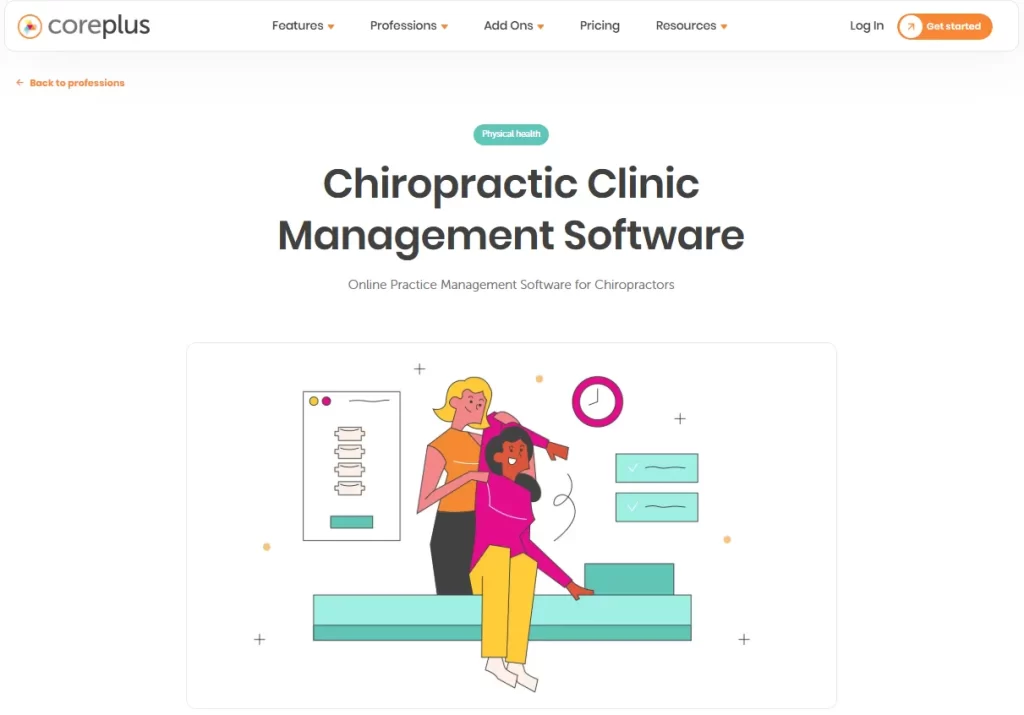
CorePlus is a leading Australian cloud-based practice management software designed for chiropractors and allied health professionals.
It streamlines administrative tasks and enhances patient care through features such as electronic patient records, invoicing, Medicare/DVA claims, and telehealth.
By managing everything from a single platform, Coreplus helps chiropractic practices run smoothly, improve patient outcomes, and grow efficiently.
Key features
- Calendar and booking: Flexible appointment scheduling, online booking portals, and iCal calendar sync.
- Billing and claims: Direct Medicare and DVA online claiming, invoice generation, and fee management.
- Communication and security: Secure messaging, SMS/email reminders, and Telehealth video consultations.
- Reporting and integration: Comprehensive reporting, customizable templates, and third-party integrations.
Pricing
| Plan | Price | Clients |
| Core | $35 AUD per user/month | Any number of clients |
| Plus | $49 AUD per user/month | Any number of clients |
| Group | Custom quote for 8+ users | Any number of clients |
CorePlus HSP (Health Service Provider) add-on is $5 a month per user, which is important for meeting specific professional or regulatory requirements, like claiming certain rebates or managing certain types of patient data.
Where Coreplus shines
- Comprehensive billing and claiming: Coreplus streamlines billing with instant health fund submissions, as well as Medicare, DVA, and NDIS management.
- Workflow automation: Automate key tasks like appointment reminders, online booking, and secure messaging.
- Integration ecosystem: Easily connect Coreplus with popular tools such as Xero or MYOB for accounting, Tyro Health for payments, and Physitrack for patient home exercise programs.
Where CorePlus falls short
- Specialized clinical limitations: Advanced body charts can’t be edited after leaving the page and aren’t fully integrated into clinical notes.
- Navigation and workflow: The calendar lacks direct links to client details or reports, requiring extra clicks for routine tasks.
- Integration dependency: Some features, like NDIS recognition and online forms, need third-party add-ons, adding complexity and cost.
- Telehealth scalability: Group telehealth is limited to small groups (typically up to 4 participants), which may not suit practices running larger workshops or group therapy sessions.
Customer reviews
- “It helps me run my business; monitor my income and outgoings; communicate with clients; charge clients; integrated with Google and Xero, Medicare, DVA, etc.” – Wendy A., Capterra
- “I couldn’t make this app work me. It’s one of the cheapest products around, which will make it attractive to some (it would probably be fine for psychology or other professions where body charts are not a big thing), but this was not for me as a physiotherapist.” – Anonymous user, Capterra
Who is CorePlus best for
- NDIS and medicare providers: Offers robust tools for tracking and billing Medicare, DVA, and NDIS, making it ideal for Australian healthcare compliance.
- Allied health professionals: Specifically designed for psychologists, physiotherapists, occupational therapists, speech pathologists, and dietitians.
ChiroUp: Best for evidence-based clinical excellence
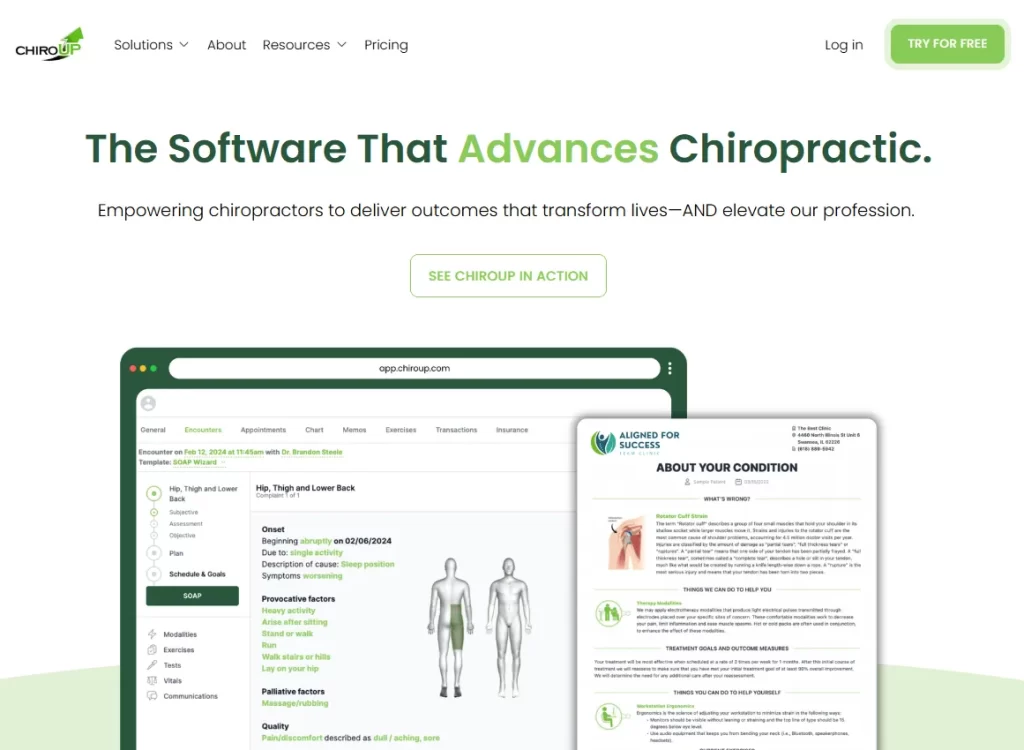
ChiroUp is a comprehensive, cloud-based platform designed specifically for evidence-based chiropractors to streamline clinical workflows and improve patient outcomes.
It functions as both a clinical resource library and a full chiropractic EHR system.
Key features
- Evidence-based protocols: Access a comprehensive clinical library covering 200+ conditions, complete with current diagnostic guidelines and treatment recommendations.
- Advanced SOAP Wizard: Speed up documentation with a research-driven SOAP tool that automatically suggests clinical findings based on selected diagnoses.
- Research feed: Stay up to date with a daily stream of musculoskeletal research, insights, and practical clinical takeaways.
Pricing
| Plan | Price | Availability | What’s included |
| Essentials | $149 / month | Available worldwide | Clinical & diagnostic tools, patient rehab plans, mobile & desktop patient portal, digital disability & intake surveys, PCP communication reports |
| Essentials + EHR | $299 / month | U.S. only | Everything in Essentials plus Advanced SOAP Wizard, staff & patient scheduling, fully integrated billing, claims & ERA management, detailed reporting, and add-on integrations |
Where ChiroUp shines
- Speed of documentation: The patent-pending SOAP Wizard and Voice-to-Chart AI help providers finish compliant notes in seconds by pulling relevant data from the selected diagnosis and filtering out non-clinical conversation.
- User-friendly: The platform is intuitive and easy to navigate, making it ideal for new graduates who haven’t used management software before.
Where ChiroUp falls short
- Billing usability issues: Many users find the billing module unintuitive, especially when handling claim edits or resubmissions.
- Limited treatment package flexibility: Managing complex treatment packages such as prepaid plans, bundled sessions, or custom discounts often requires manual workarounds.
- Payment processing gaps: Compared to more admin-focused EHRs, the platform lacks features like direct payment links, which can limit fully paperless workflows.
Customer reviews
- “I’m able to streamline my HEP with patients since I work by myself in the office, and I need to be on a tight schedule with seeing patients. It’s easy to send them the videos and recommendations for exercise.” – Katie B., Capterra
- “I really appreciate it being a single business owner and newly grad. It definitely help make me feel more confident in my clinical skills.” – Rachel R., Capterra
Who is ChiroUp best for
- New graduates: An ideal option for recent graduates, offering a 50% discount for the first two years and integrated clinical protocols that support confidence in diagnosis and treatment planning.
- Evidence-based solo practitioners: Excellent for providers looking to automate repetitive patient education scripts.
ChiroTouch: Best for high-volume insurance practices
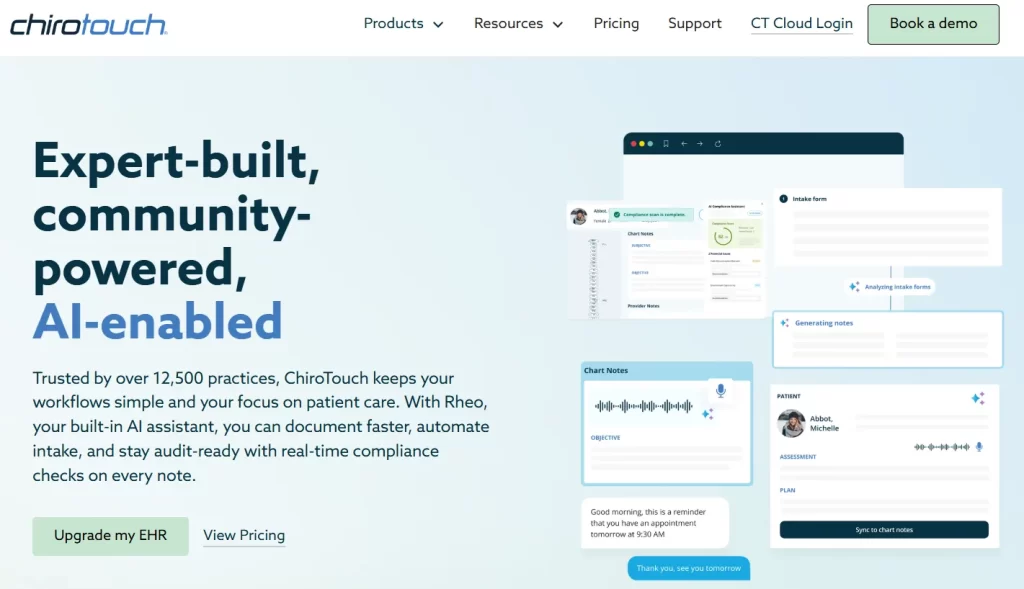
ChiroTouch is a cloud-based, all-in-one EHR and practice management platform built specifically for chiropractors, supporting more than 12,500 practices.
It brings together scheduling, billing, and AI-driven documentation (Rheo) in one system, helping clinics save 5–10 hours per week on paperwork while improving compliance and simplifying workflows from patient check-in through to payment.
Key features
- AI-powered documentation: Rheo converts exam conversations into structured SOAP notes, reducing documentation time and providing real-time compliance checks.
- Streamlined billing and payments: Integrated payment processing (swipe, chip, Apple Pay) with automatic payment posting and built-in claims management.
- Cloud-based access: Secure, cloud-based system with remote access across devices, including iPads, for on-the-go charting and management.
Pricing
| Plan | Starting Price | Best For | Key Inclusions |
| ChiroTouch Core | From $159/month | Cash-based practices | Rheo AI notes, scheduling, payments, care plans, reporting, online booking, patient messaging, digital intake, onboarding support |
| ChiroTouch Advanced | From $299/month | Insurance-based practices | Everything in Core plus claims management, ERA auto-posting, insurance verification, clearinghouse, billing services |
| Bundle Plan (All-in-One) | Special pricing (custom) | Scaling and multi-location clinics | Full platform access including AI documentation, billing, insurance tools, marketing, reporting, and revenue cycle management |
Where ChiroTouch shines
- 15-second SOAP notes: Providers can chart rapidly using customizable macros and templates specifically designed for chiropractic techniques, all while remaining HIPAA compliant.
- Digital intake: CT InForms lets patients complete forms online, with AI automatically converting responses into structured clinical notes.
- Security and compliance: Built on a secure AWS framework, with encrypted data storage, audit trails, and automatic updates for the latest ICD codes.
Where ChiroTouch falls short
- Additional add-on costs: Many key features—like appointment reminders, online patient intake, and automated texting—often come with extra monthly fees on top of the base subscription.
- Limited reporting: Built-in reporting tools are sometimes restrictive, disorganized, or missing basic functionality, forcing practices to export data to Excel for meaningful analysis.
- Rigid contracts: Users have noted pressure to commit to long-term contracts, with challenges when attempting to cancel or dispute automatic renewals.
Customer reviews
- “We love how ChiroTouch as streamlined our practice, saving time on all tasks is priceless and billing and coding is much easier.” – Stephen C., Capterra
- “Support was frustrating. Not helpful at all. I thought it would be an upgrade from my old EHR and I had used the server as an associate, but what a mistake. Plus they do not make migration easy. Not friendly at all. Would not recommend.” – Laura M., Capterra
Who is ChiroTouch best for
- Insurance-focused clinics: ChiroTouch Advanced simplifies insurance workflows with a clearinghouse, automated claim scrubbing, and real-time tracking to reduce denials.
- Solo cash practitioners: ChiroTouch Core offers a streamlined, cloud-based solution for solo docs handling cash payments.
PayDC: Best for practices that bill primarily through insurance
PayDC is a patented practice management and Electronic Health Record (EHR) platform built specifically for chiropractic practices.
With PayDC, chiropractors can maintain accurate, HIPAA-compliant patient records, automate routine workflows, and ensure regulatory compliance, all while improving efficiency and freeing up more time to focus on patient care.
Key features
- Integrated exams: Exam data is automatically incorporated into care plans and daily notes, helping maintain consistent and accurate clinical documentation.
- One-click claims: CMS-1500 claim forms are generated and submitted to clearinghouses automatically when a SOAP note is finalized, saving time and reducing errors.
- e-File Cabinet: A paperless filing system lets you scan and attach X-rays, insurance documents, and other files directly to patient records for easy access.
Pricing
| Plan | Price | Key Details |
| PayDC-One | $349/month | Full features including clinical notes, billing, scheduling, and concierge support |
| Standard Subscription | From $279/month | Core EHR and practice management features for everyday clinic needs |
| Bundled Option | $99/month | Discounted plan when used with APS Advantage billing services |
Third-party chiropractic software reviews state that PayDC’s Standard Subscription starts at around $279 per month. It includes core EHR and practice management features like documentation, scheduling, and billing for everyday clinic needs.
PayDC also advertises a $99/month bundled option when clinics use APS Advantage for billing. This bundled model reduces the EHR subscription cost by pairing the software with outsourced billing services.
Where PayDC shines
- Automatic compliance updates: PayDC stays current with the latest industry regulations and coding standards, with updates included at no extra cost.
- “On-Deck” waiting room: Get real-time visibility of patients who have checked in and are awaiting treatment.
- Claim scrubbing: Built-in checks validate CPT codes and edits before submission, helping reduce claim rejections.
Where PayDC falls short
- No inventory management: PayDC doesn’t include built-in tracking for supplements or clinical supplies.
- Limited Mac compatibility: The platform is designed for Windows, with no native macOS or iPad app; Apple users need emulators like Parallels or VMware.
- Cumbersome records management: Exporting or printing multiple files or full SOAP histories for patient records can be a slow, multi-step process.
- Click-heavy interface: The focus on detailed compliance can make navigation feel tedious, which may slow providers in fast-paced, high-volume clinics.
Customer reviews
- “When we were struggling with new staff, we were able to easily setup training calls and got one on one support through our transition. If we encounter a problem or issue, a speedy call to their support line gets us back up and running in a timely manner.” – Matthew H., Capterra
- “They ignore the same issues year after year while they work on “new improvments” that no one cares about. Worst of all, PayDC holds your notes hostage while you continue to pay fees. It’s one of the most frustrating aspects of my business, seriously.” – Paul R., Capterra
Who is PayDC best for
- Insurance-focused clinics: Intelligent SOAP Notes are designed to follow insurance guidelines, helping providers stay compliant during pre- and post-payment audits.
- Multi-workstation offices: The platform supports unlimited users and workstations at no extra cost, making it ideal for growing clinics with multiple staff members.
Adit: Best for patient acquisition and reputation
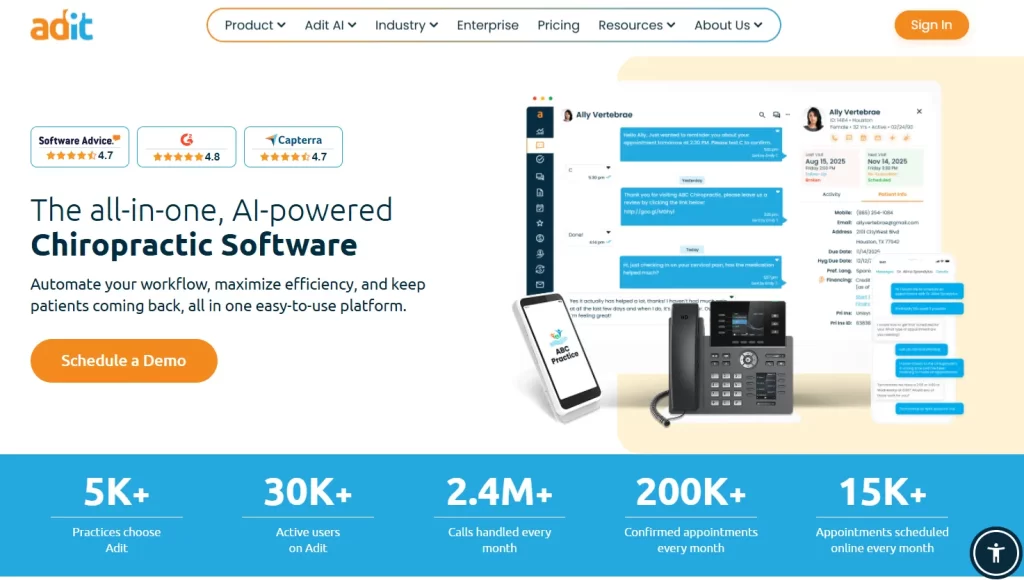
Adit is an all-in-one platform designed to centralize healthcare operations—primarily for dental practices, but also for orthodontics, optometry, and chiropractic offices.
It consolidates over 15 separate tools into a single dashboard to eliminate the need for multiple software subscriptions.
Key features
- Adit Voice (VoIP): A dental-focused phone system that displays patient details—like medical history, balances, and upcoming appointments—instantly when calls come in.
- Two-way HIPAA texting: Staff can securely message patients from desktop or mobile for confirmations, rescheduling, or post-op follow-ups.
- Internal chat: A private messaging tool that lets clinical and front-office teams coordinate seamlessly without leaving their workstations.
- TeleMed: A secure virtual care portal for remote consultations and patient triage.
Pricing
Adit doesn’t list pricing publicly, so you’ll need to schedule a demo to get a custom quote for your practice.
Note:
According to Software Advice, pricing starts at around $399/month.
Where Adit shines
- AI call intelligence: Leverages AI to analyze phone calls, highlight missed booking opportunities, and evaluate staff performance, helping practices maximize front desk efficiency and capture every lead.
- Automated review generation: Automatically requests reviews from satisfied patients, enhancing online reputation and improving local search visibility to attract new patients.
Where Adit falls short
- No SOAP notes: Adit isn’t a clinical EHR—you can’t create SOAP notes, track posture analysis, or record spinal adjustments. Practices still need a separate EHR like Pabau has for clinical documentation.
- Rigid forms: Requiring a signature and email for every form can be cumbersome, especially for quick, frequent chiropractic visits.
Customer reviews
- “Overall, when there are issues that arise their tech team does work on it to fix. We haven’t had real bugs for a while but when we did it was mostly delays in connections between OpenDental and ADIT. The phones, texting, email, and forms have been great.” – Kari R., Capterra
- “If you are looking for something to help your practice, this is not it. It hindered our practice for months and we spent way too much time trying to make things better, or to get the things we were promised.” – kacee B., Capterra
Who is Adit best for
- Chiropractors needing an administrative boost: Adit is perfect for practices that want a robust layer for communication and billing to complement their existing clinical software.
- Front desk staff: Ideal for teams dealing with heavy call traffic or administrative overload.
How to choose the best chiropractic practice management software
Choosing the right chiropractic clinic management software can change how your clinic operates, improve patient experience, and increase revenue.
So, focus on features that automate administrative tasks, help you manage appointment and staff schedules, and support patient engagement.
Appointment scheduling, calendar, and staff management
Look for a system that allows online booking, recurring appointments, and multi-location calendars while automatically sending reminders to patients. This reduces no-shows and keeps the clinic running smoothly.
Pabau stands out here with its centralized color-coded calendar, intuitive drag-and-drop scheduling, staff management, and automated patient notifications that save staff hours each week.
Integrated billing for insurance and patient payments
Integrated billing is a critical feature for any chiropractic practice, as it streamlines revenue management by managing both insurance claims and patient payments within a single system. This reduces administrative errors, accelerates payment processing, and improves overall cash flow.
Pabau automatically generates invoices, handles insurance claims submissions, tracks payments, and posts transactions in real time.
Staff can easily monitor outstanding balances, run detailed financial reports, and even set up automated reminders for patients.
Robust SOAP note documentation
Accurate and detailed SOAP notes help clinicians track patient findings, document treatment plans, and monitor progress over time. SOAP documentation also ensures continuity of care, simplifies audits, and provides an easy-to-review record for both clinicians and patients.
Pabau streamlines SOAP note creation with customizable templates and clinical forms tailored specifically for chiropractic workflows. Providers can prefill notes, attach files, and track patient history in one centralized system, reducing repetitive data entry.
Comprehensive EMR
A specialized EMR ensures that all patient information is organized, easily accessible, and compliant with healthcare regulations, allowing providers to deliver consistent, personalized care while reducing administrative burden.
Pabau’s EMR is built with chiropractic practices in mind, offering a centralized platform for all clinical records. Patient history, SOAP notes, and treatment plans are fully integrated, making it easy to view a patient’s progress at a glance.
Pabau also supports multi-location clinics, ensuring that records remain consistent and accessible across all your practice sites.
If you are tired of clicking between different windows to check your schedule, bill a patient, and write a note, it’s time for a change.
Pabau offers the most comprehensive, user-friendly medical practice management platform specifically designed for modern healthcare.
Whether you’re a solo practitioner or managing an enterprise-level multi-location chiropractic clinic, Pabau scales with you.
FAQs
Can Pabau handle chiropractic-specific SOAP notes? Yes. Pabau provides customizable SOAP templates, allowing clinicians to document patient findings, treatment plans, and progress notes quickly and accurately.
Does Pabau work for multi-location practices? Yes. The platform supports multiple locations, centralizing scheduling, billing, and patient records across all clinics.
Can I automate patient reminders and follow-ups? Yes. Pabau allows automated SMS/email reminders, recall campaigns, and post-appointment follow-ups to reduce no-shows and improve engagement.
Can I access Pabau remotely on a tablet or smartphone? Yes. Pabau is cloud-based, enabling secure access to charts, appointments, and billing from any device with internet connectivity.
Can I manage insurance and patient payments in one system? Yes. Pabau integrates billing for both insurance claims and patient payments, streamlining revenue management and reducing errors.