Maja Popovska
Good character traits list
What is a good character traits list? A good character traits list is a structur...

3
Last Updated: Oct 30, 2026
Free PDF 2 pages, print-ready Clinician-reviewed
A medical choice form is a document that records which healthcare provider, managed care health plan, or treatment option a patient has selected. The patient signs and dates it, so the practice holds proof of who made the choice and when.
The best-known version is California’s Medi-Cal Choice Form, which beneficiaries use to pick a health plan and a primary care provider. Private practices use the same structure to record provider assignment and treatment selection alongside their other medical forms.
The free template below gives you a ready-made layout to adapt. This guide explains which fields to include, how to walk a patient through the form, and when a digital version saves your team time.
This one-page PDF covers patient details, the reason for the choice, relevant history, patient confirmations, a signature line, and an office-use block. Add your own plan or provider options to the choice section before you print it.
Start from scratch, or upload this PDF or any form you already use, and Pabau's AI Form rebuilds it with tick boxes, text fields and a signature. Attach it to the treatment once, and every patient gets it on time.
AI Form rebuilds the consent, history and aftercare forms you already use. You review each one, then publish.
Patients complete forms on their phone before they arrive, so the front desk stops retyping paper.
Every signed form is versioned and attached to the treatment record, ready when you need it.
Set how long a consent stays valid. Returning patients skip forms they have already signed.
Supports HIPAA and GDPR compliance AES-256 encryption 4.8 on G2 4.7 on Capterra Trusted by 4,000+ practices worldwide

A medical choice form records which provider, health plan, or treatment option a patient has selected, with a signature and date as proof.
The four required blocks are patient identifiers, the selection itself, the patient’s signature and date, and the processing staff member’s name and title.
Collect a Social Security number only where a program such as Medi-Cal asks for it, and protect it under HIPAA once you hold it.
Digital forms remove re-typing, scanning, and filing, and every submission carries a timestamp for audits.
Practice management software like Pabau lets you build the form once, send it before the visit, and store the signed copy in the patient record.
A medical choice form documents a patient’s decision about who provides their care or which plan covers it. It does three jobs:
In Medi-Cal managed care, the Choice Form tells California’s Department of Health Care Services (DHCS) which health plan a beneficiary has chosen. It also records the primary care provider they picked within that plan.
Outside Medi-Cal, practices use the same structure for treatment selection, such as which aesthetic service a patient wants to pursue. It also covers provider assignment in multi-practitioner settings, and it pairs naturally with a patient intake form that captures preferences upfront.
The form’s job is documenting a choice. Clinical assessment and informed consent sit on separate forms, although all three often travel together in one intake bundle.
A standard choice form protects the practice administratively and keeps enrollment moving. Without one, these problems build up:
A standard form captures the decision once, in the same fields every time, so it’s complete and easy to evidence at review. Dedicated patient intake software goes a step further by collecting the form before the visit. For Medi-Cal practices the form is expected, and for everyone else it prevents downstream friction.
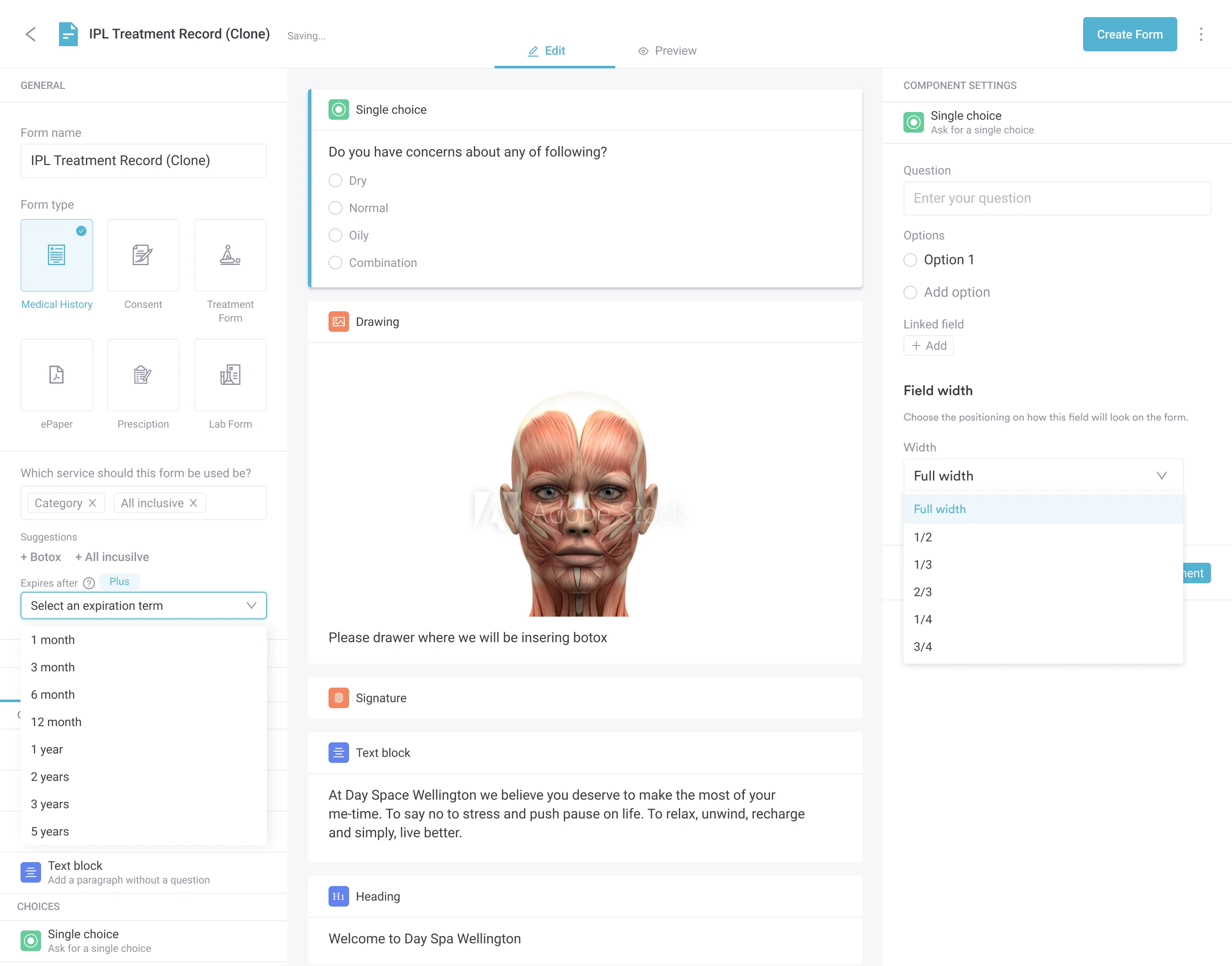
A complete template captures patient identification, the plan or provider selection, and audit trail details. Most run to one or two pages, which is short enough for a patient to finish in under five minutes. The diagram below shows how the required blocks and the optional add-ons fit together.
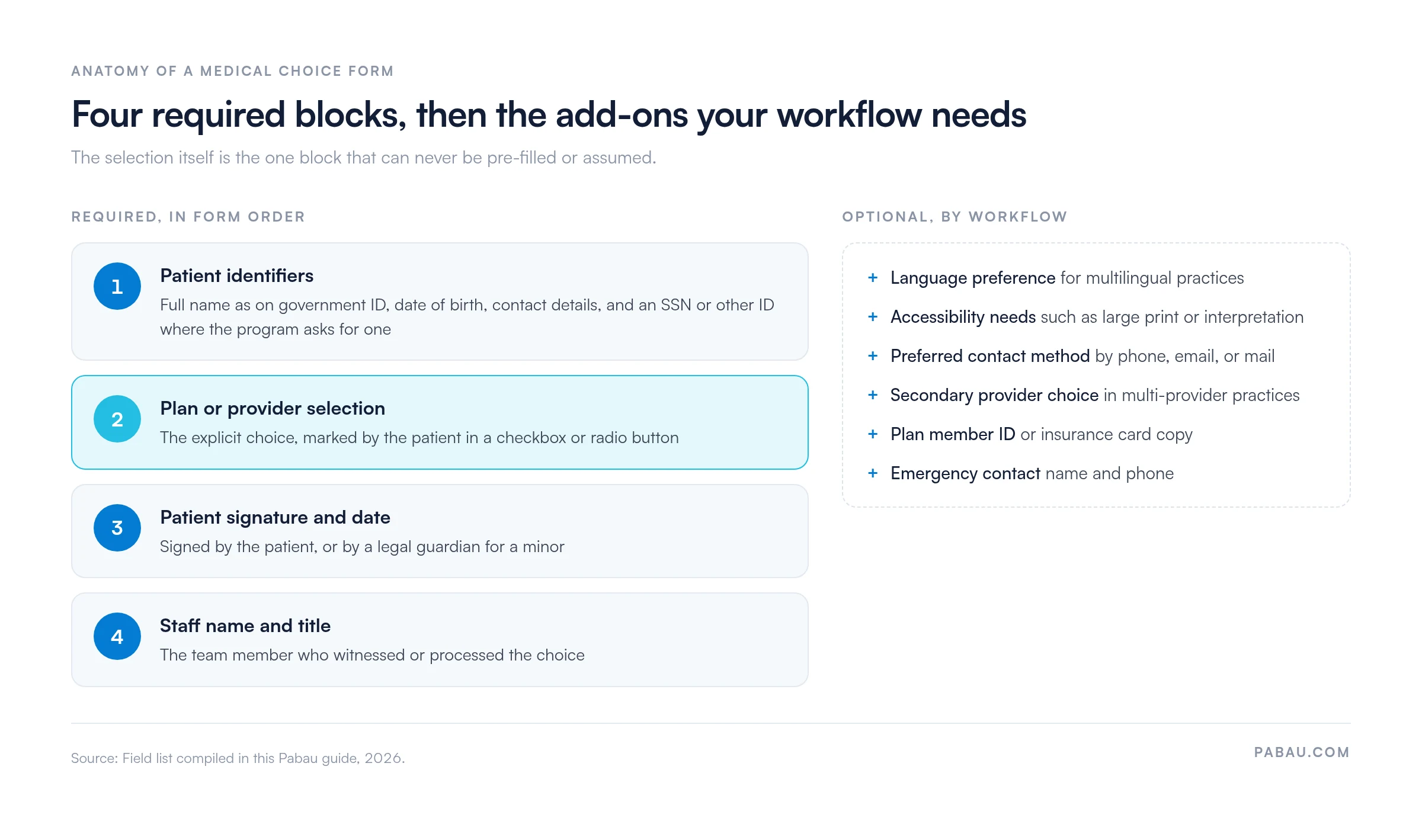
Every medical choice form needs these fields:
Depending on your workflow and state, you can add:
Keep the choice form separate from consent paperwork. A choice form records which provider or plan the patient elected, while a consent form records their understanding of a treatment. Most workflows need both, and an adult medical consent form covers the consent side.
Walking a patient through the form takes three to five minutes. Here is the workflow:
Medi-Cal-specific note: The state’s own Medi-Cal Choice Form takes one form per household member. Each person can choose a different plan or doctor. They mail it back in the prepaid envelope and keep the last copy for their records. The Health Care Options helpline (1-800-430-4263) helps beneficiaries who are unsure which plan to pick, so share that number when patients ask.
Paper forms bring filing delays, lost documents, manual data entry, and slow audit retrieval. Here is how the two formats compare:
Online patient portals and pre-visit forms have made digital the default for most modern practices. The payback comes quickly, through less staff time, easier audits, and patients who finish their forms without a clipboard.
Practices often mix up choice forms with three related documents. Here is how they differ:
A full onboarding bundle usually includes all four, and each covers a different part of the record. The choice form is the lightest of them. All four hold sensitive patient information, so HIPAA applies to how you store and share each one. Dedicated compliance management software helps you show an auditor where each form lives and who can open it.
Registration paperwork adds one more document. A new-patient application form gathers demographics, medical history, and emergency contacts before the first visit. It records background rather than a selection, so it never replaces the choice form.
Many practices still print a choice form, get it signed on a clipboard, then scan it into the patient file. Someone re-types the selection into the scheduling system, and the paper copy goes into a cabinet.
Practice management software like Pabau replaces those steps with a digital form. You build the medical choice form once in the form builder, with single-choice fields for the plan or provider and a signature field. Patients complete it before their visit, and the signed copy saves straight to their patient record.
The result is one timestamped record per patient, the same fields at every location, and no scanning backlog. When an auditor or a health plan asks for proof of choice, your team can pull it up in seconds.

Pabau’s digital forms let patients select their provider or plan and sign before the visit. Every completed form saves to the patient record with a timestamp, ready for audit.

Start with the fields. A choice form that captures the selection, the patient’s signature, and the staff witness will hold up at review, whatever format it’s in.
Paper still works for a single-location practice handling a few enrollments a month. Once you manage Medi-Cal volumes or several sites, re-typing and scanning start to cost more than switching. Book a demo to see how Pabau collects signed medical choice forms before the visit and files them to the patient record.

Choosing a tool for pre-visit paperwork? Best patient intake software for private practices compares tools that collect and store forms before the visit.
Treating patients under 18? Medical consent form for minors gives you a guardian consent template to file alongside the choice form.
Sending records to a newly chosen plan or provider? Authorization for release of confidential information lets the patient approve exactly what you share.
Documenting a patient’s decision to decline care? Against medical advice form records the refusal with a signature and a witness.
A medical choice form documents a patient’s explicit selection of a healthcare provider, managed care health plan, or treatment option. It creates an auditable record of the patient’s own decision. It matters most in Medi-Cal enrollment, multi-location practice routing, and managed care compliance.
Federal HIPAA rules require retention for a minimum of six years from the date of creation or last use. State Medicaid programs like Medi-Cal may require longer, so check your state agency’s or managed care plan’s rules. Encrypted digital storage makes retention and retrieval simpler.
A Medi-Cal Choice Form is the specific version California beneficiaries use to select a managed care health plan. Medical choice forms are broader and apply to any practice documenting a patient’s provider or plan selection. The principle and the template structure are the same.
A medical choice form documents which provider or plan the patient selects. An informed consent form documents the patient’s understanding of a specific treatment’s risks and benefits. Choice forms answer “Who provides the care?” and consent forms answer “Do you understand what the care involves?”
Yes. The template above gives you the patient details, confirmation, signature, and office-use sections. Add your plan or provider options to the choice section, then add your logo and contact details. Keep the patient name, date of birth, choice, signature, and date as mandatory fields.
Yes. A signature is the legal proof that the patient made the choice knowingly. Without it, the form is incomplete and does not satisfy compliance requirements. A staff member’s signature as witness strengthens the audit trail further.