Anja Dodevska
OT SOAP note sample: Free template and worked examples
Download your free OT SOAP note sample A four-page form with an identifying head...

3
Last Updated: Nov 5, 2026
Free PDF 1 page, print-ready Clinician-reviewed
A medication tracker is a form that records each medication a patient takes, when each dose is due, and whether it was taken or missed. It covers prescriptions, over-the-counter (OTC) drugs and supplements on one sheet, with room for side effects, allergies, the prescriber and the pharmacy.
Clinicians use it to spot duplicate therapy and interactions before prescribing, and to see adherence at a glance. Patients and caregivers use it at home to log doses between visits. The free PDF below is ready to print, and the fields section explains what to add for clinical use.
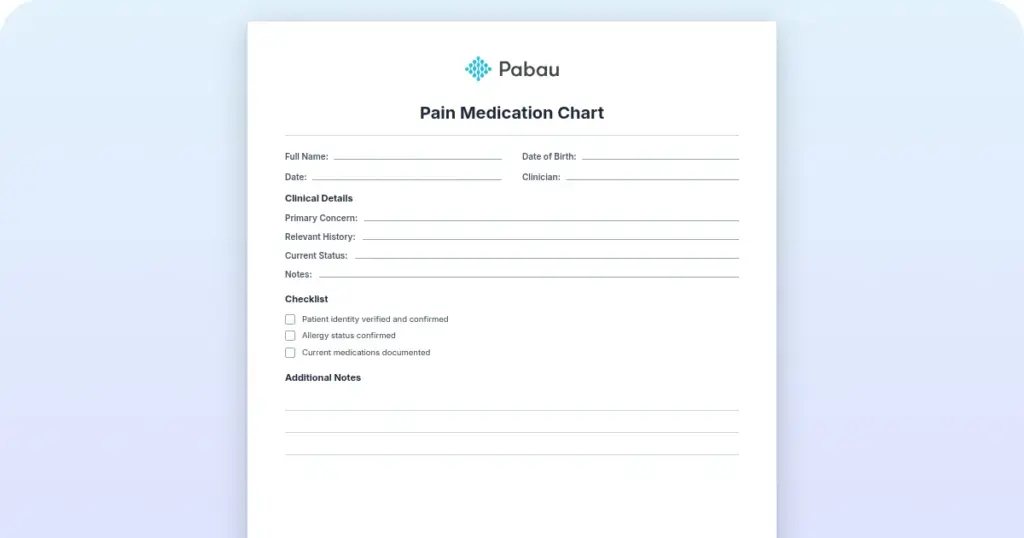
A one-page PDF with patient details, allergies and a dated dose log covering medication, dosage, time, a taken or missed check and side-effect notes. It also has prescriber and pharmacy contacts and step-by-step instructions for patients.
Start from scratch, or upload this PDF or any form you already use, and Pabau's AI Form rebuilds it with tick boxes, text fields and a signature. Attach it to the treatment once, and every patient gets it on time.
AI Form rebuilds the consent, history and aftercare forms you already use. You review each one, then publish.
Patients complete forms on their phone before they arrive, so the front desk stops retyping paper.
Every signed form is versioned and attached to the treatment record, ready when you need it.
Set how long a consent stays valid. Returning patients skip forms they have already signed.
Supports HIPAA and GDPR compliance AES-256 encryption 4.8 on G2 4.7 on Capterra Trusted by 4,000+ practices worldwide

A medication tracker logs each prescription, OTC drug and supplement a patient takes, with the dose, the timing and every dose taken or missed.
For clinical use, add the indication, prescriber, start date, OTC or prescription status, allergies and adherence notes, because those fields catch duplicate therapy and interactions.
OTC drugs and supplements belong on the same list, since patients often leave them out and many interact with prescriptions.
Paper trackers suit patients who want a copy at home, while digital records keep the list current across clinicians and visits.
Pabau, the practice management platform we build, keeps medication history in the patient record with an audit trail, so the list stays current.
A medication tracker is a running record of what a patient takes and how they take it. Each entry pairs a medication with its dose, schedule and adherence status, so the record shows patterns over time.
A plain medication list tells you what’s prescribed. A tracker adds whether doses were taken, which side effects appeared and when a drug was stopped. That matters most with polypharmacy, meaning several medications taken at once.
Interactions, duplicate therapy and missed doses all become more likely as the list grows. The risk is highest in older adults and patients with chronic disease.
The FDA recommends that patients keep a list of every prescription, OTC drug, vitamin and supplement they take, and share it with their healthcare providers. A tracker turns that list into a record the practice reviews and updates at each appointment.
Medication data is protected health information under HIPAA, so it needs secure storage. Compliance management software helps a practice enforce role-based access and keep an audit trail of each change to a medication record.
Each field below prevents a specific error. The free PDF covers the core dose log, so add the clinical fields your practice needs.
Grouped by the error each one catches, the ten fields fall into four jobs.
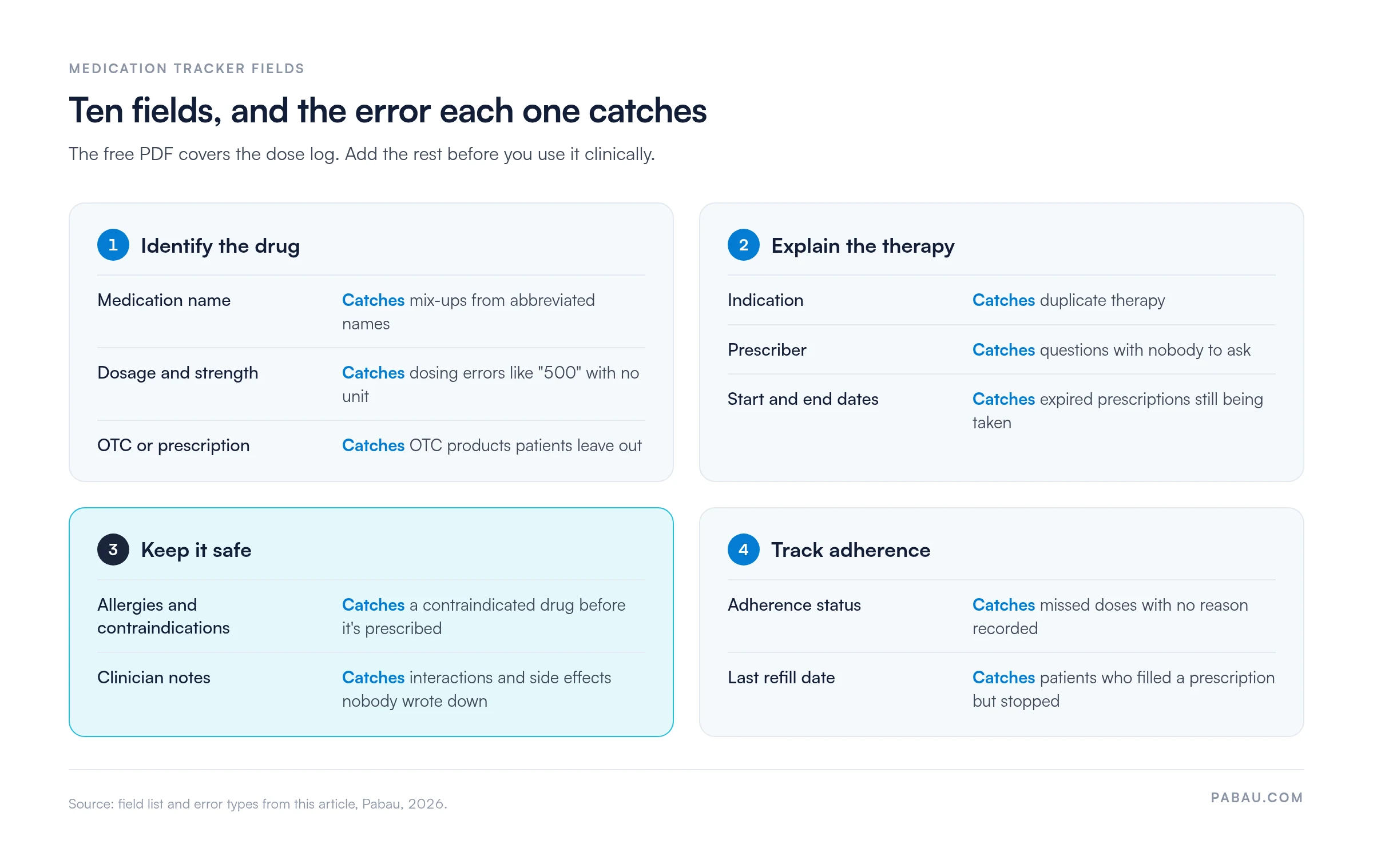
Keep the layout scannable, as a table on paper or structured fields in a digital record. Free-text-only designs make it easy to skip fields, and the data stops being consistent from one patient to the next.
A tracker only works if it’s part of the visit routine. These five steps keep it current:
Mark a stopped medication as discontinued instead of deleting it from the record. Past medication data helps you identify earlier adverse reactions, see which treatments worked and avoid re-exposing a patient to a contraindicated drug. Keep that history for as long as your state’s record-retention rules require.
A tracker earns its place wherever patients take several medications or have a complex history:
When a caregiver manages doses at home, a caregiver note gives them a place to record what they observe between visits. The tracker then shows what was taken, and the note explains why a dose changed or was skipped.
A structured tracker pays off in four ways:
1. Fewer medication errors and interactions. A complete list in one place catches duplicate therapy, contraindicated combinations and dosing errors before they reach the patient. Each one caught protects the patient and the practice.
2. Better adherence. Patients who see their full list, know what each drug is for and get regular check-ins are more likely to take medications as prescribed. Better adherence supports better outcomes and fewer avoidable emergency visits.
3. Less repeat documentation. Clinicians review and update an existing record instead of taking a full medication history from scratch at every visit. That time goes back to patient care.
4. Easier compliance. HIPAA requires secure handling of medication data, and CMS quality measures ask practices to document current medications at each visit. State medical-records rules apply as well, and a dated tracker gives you the audit trail.
Trackers come in two formats, and each has trade-offs.
Printable templates suit paper-based practices and patients who want a physical copy for appointments. A sheet on the fridge becomes the household’s medication reference, and the practice needs no IT setup. The downside is manual entry, which invites errors. Paper also gets lost or goes stale, and it can’t check interactions or monitor adherence.
Digital trackers live in a practice management system or medical records management software. They update as soon as a clinician makes a change, and the list is visible during prescribing. Patients can see it through a patient portal.
Digital tracking needs some setup and a little digital confidence from staff and patients. It also scales, because a practice with 500 patients can’t realistically maintain 500 paper trackers.
A hybrid approach combines both. Patient intake software collects medications at check-in, and a clinician reviews and updates the digital record. The patient then takes home a printed summary for their pharmacy.
Teams that give doses themselves, such as nursing or inpatient staff, need a different form. A medication administration record logs each dose a nurse gives, while a tracker follows what the patient takes on their own. A medication reconciliation template covers a third job, comparing a patient’s current medicines against new orders at admission or discharge.
Tracking only prescriptions leaves OTC drugs, supplements and vitamins off the record. The list then misstates what the patient takes, and interactions go unnoticed.
Common OTC products cause clinically significant interactions:
Patients often take these without telling their clinician, because they assume OTC means harmless.
One tracker with an OTC or prescription field records all of them, so interactions show up whatever the classification. It also prompts clinicians to ask for the complete history. HIPAA requires secure storage of medication data whether a drug is prescribed or self-selected, so splitting the two lists brings no privacy benefit.
Many practices still track medications on paper or in a spreadsheet kept apart from the patient file. Each visit means re-checking the list by hand, and a change made by another clinician is easy to miss.
In Pabau, medication details sit in Client records, the patient file that also holds treatment history and notes. Clinicians enter medications once at intake, then update them as prescriptions change. The current list is in the same record the prescriber opens before adding a new drug.
Automated workflows can send adherence follow-ups on a schedule you set, so staff aren’t chasing patients by phone. Pabau is HIPAA compliant and keeps an audit trail, so each medication change shows who made it and when.

Pabau stores medication history in the patient record with an audit trail and sends automated adherence follow-ups. Your team stops re-copying paper lists before each appointment.

Start with the free PDF if your patients need a home log, and add indication and OTC status columns before you use it clinically. The tracker pays off when a new prescription is written, so make checking it part of every prescribing decision.
Paper keeps one patient organized. Once several clinicians share a patient, a digital record is what keeps the list current. Book a demo to see how Pabau keeps medication histories up to date across your whole team.

Need to document dispensing as well as use? Pharmacy record template explains what a pharmacy record holds and how long to keep it.
Want a quick reference for each drug on the list? Pharmacology drug card template puts class, dosing and key interactions for one drug on a printable card.
Recording medication given during a visit? Medication administration form captures the drug, dose, route and clinician for each administration.
A medication tracker should record the medication name (brand and generic), dosage and strength, frequency, indication and prescriber. Add the start date, OTC/Rx status, known allergies or contraindications, adherence status and last refill date. Clinical notes on side effects or interactions are optional but valuable.
Yes. The template on this page is a free PDF, ready to print. The FDA also publishes a free medication record form for patients, called My Medicines.
Yes. OTC drugs and supplements can interact dangerously with prescriptions. NSAIDs can blunt blood pressure drugs and raise bleeding risk with SSRIs. St. John’s wort weakens hormonal birth control and can cause serotonin syndrome with antidepressants. One tracker for all medications keeps those interactions visible.
Ask the patient or caregiver directly at each visit which medications they take every day, which they sometimes miss, and why. Record the answer in the tracker. A printable tracker posted at home works as a visual aid, alongside a pill organizer or a reminder app. Involve caregivers if the patient lives with family.
Reminders by SMS, push notification or automated call help most when the practice follows up on them. Choose a tool that connects to your practice management system, so clinicians see adherence data during visits. Pabau’s automated workflows can send adherence reminders based on prescription dates.
A daily medication chart is a grid with one row per medication. Each column is a time slot (morning, afternoon, evening) or a day of the week. Patients or caregivers mark off each dose taken. Printable charts work for motivated patients, while digital records suit practices tracking many patients at once.