Anja Dodevska
Good character traits list
What is a good character traits list? A good character traits list is a structur...

3
Last Updated: Oct 30, 2026
Free PDF 4 pages, print-ready Clinician-reviewed
A pharmacy record is a dated log of every medication dispensed to a patient. Each entry carries the drug name, strength, quantity, fill date, prescriber and dispensing location. Together they make a medication history you can hand to the patient, to an insurer, or to a state inspector without assembling it first.
Federal law sets the floor. The DEA requires two years of dispensing records for Schedule II to V controlled substances. HIPAA gives a patient the right to a copy within 30 days. State boards then set their own retention periods on top, and those vary in both directions.
This guide covers the fields the template captures and the retention period that applies in your state. It also covers how to handle a request to copy or transfer a record.
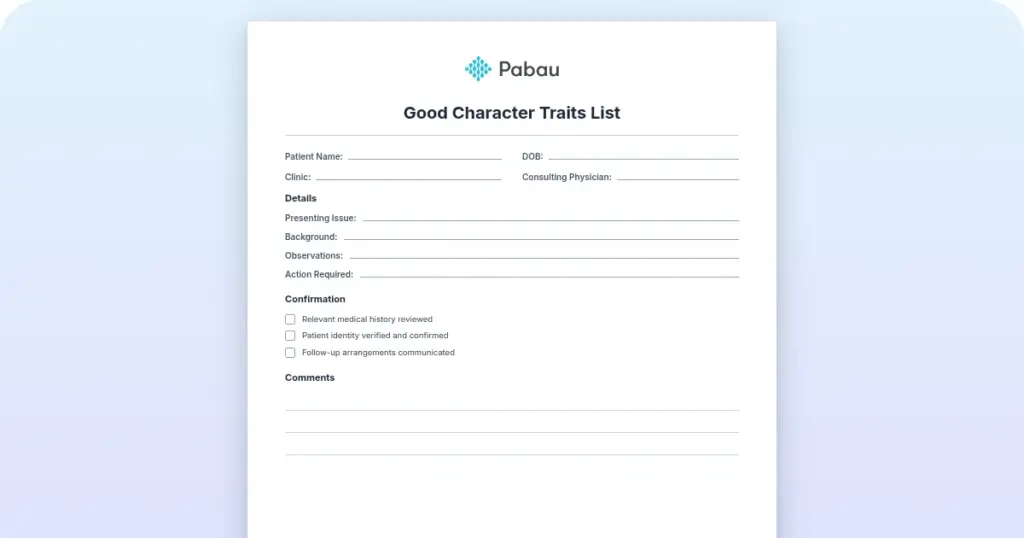
A one-page dispensing record with fields for patient and prescriber details, drug name and strength, quantity and days supply, refill dates and controlled substance flags. It closes with a monitoring section for side effects reported and the next review date.
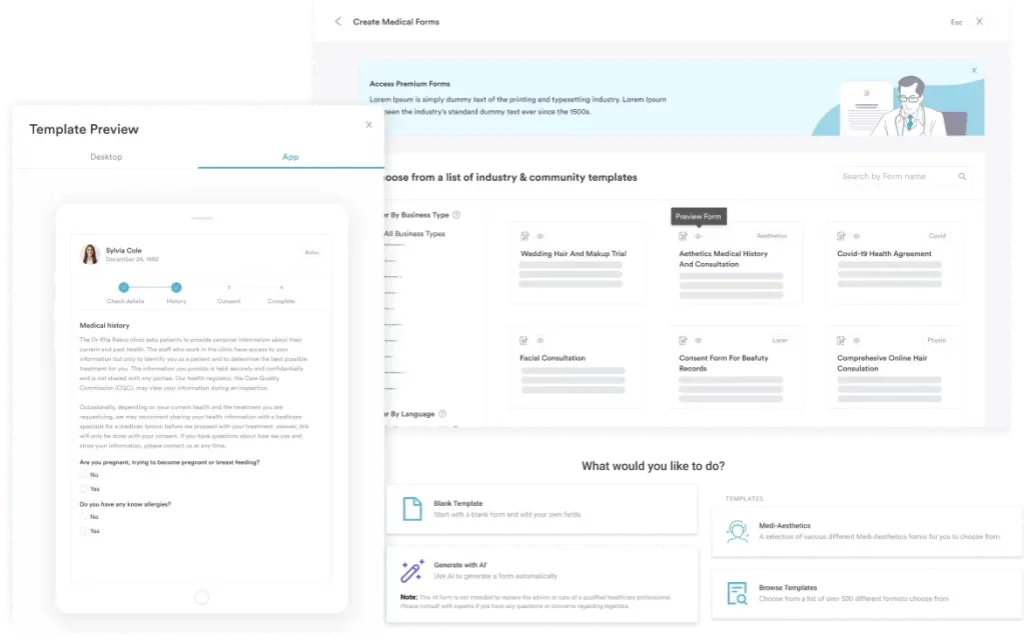
Start from scratch, or upload this PDF or any form you already use, and Pabau's AI Form rebuilds it with tick boxes, text fields and a signature. Attach it to the treatment once, and every patient gets it on time.
AI Form rebuilds the consent, history and aftercare forms you already use. You review each one, then publish.
Patients complete forms on their phone before they arrive, so the front desk stops retyping paper.
Every signed form is versioned and attached to the treatment record, ready when you need it.
Set how long a consent stays valid. Returning patients skip forms they have already signed.
Supports HIPAA and GDPR compliance AES-256 encryption 4.8 on G2 4.7 on Capterra Trusted by 4,000+ practices worldwide

A pharmacy record logs the drug name, strength, quantity, fill date, prescriber and dispensing pharmacy for every medication supplied.
HIPAA gives patients the right to a copy within 30 days, with one 30-day extension where the file sits in archive.
The DEA sets a two-year floor for Schedule II to V dispensing records, and state boards set their own periods on top of it.
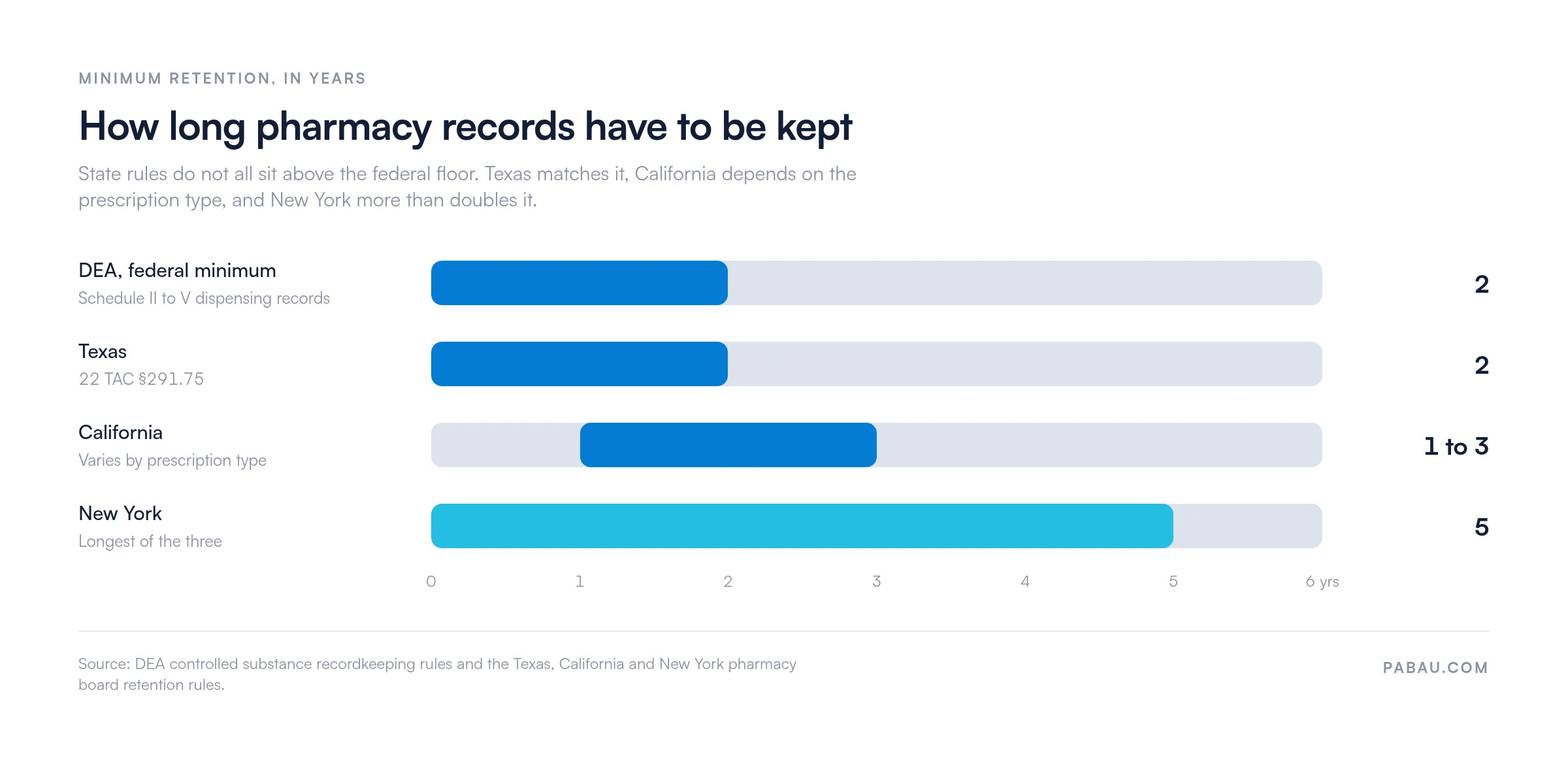
State rules vary in both directions: Texas also requires two years, California runs one to three, and New York requires five.
Patients use these records for insurance reimbursement, HSA and FSA claims, and medical expense deductions on a tax return.
A pharmacy record is a clinical document that logs every medication dispensed to a patient over a defined period. It gives you one place to verify what was supplied, when it went out, and on whose authority.
The core fields are the medication name, its strength or concentration, the quantity dispensed, the date filled and the days supply. Add the prescribing provider and the dispensing location, and the entry stands up on its own. Most records also carry the patient’s date of birth, insurance plan and copay amount.
Any practice that dispenses or prescribes medication keeps these records. That covers:
Practices that send patients to an outside pharmacy still keep their own note of what was prescribed. It is the document an auditor asks for, and the one the next clinician reads before adjusting a dose.
Every field below earns its place with a regulator, an insurer, or the next clinician to open the file.
Capture those fields through digital patient intake rather than a paper pad and the transcription step disappears. The strength you dispensed is then the strength on file. Print the template for paper filing, or rebuild it inside your practice management system and adjust the labels to match how your team already works.
Three sets of rules apply at once: federal privacy law, federal controlled substance law, and your own state board. They do not line up, so the longest requirement is the one that governs your filing.
Under the HIPAA Privacy Rule (45 CFR §164.524), patients have the right to see their pharmacy records within 30 days of a written request. One 30-day extension is allowed where the file has to be pulled from archived storage. You may charge a reasonable copying fee, but you cannot refuse the request.
A practice dispensing Schedule II to V controlled substances keeps a detailed dispensing log. The DEA expects the patient’s name, address and date of birth, plus the substance, strength, quantity, date dispensed and the prescriber’s DEA number.
Those records are kept for a minimum of two years and produced on inspection by the DEA or your state board. The state period sits on top of that federal minimum, and it is not always longer.
Retention is set state by state, and the spread is wider than the federal floor suggests. Texas requires two years under 22 TAC §291.75, which matches the DEA exactly. California runs from one to three years depending on the prescription type. New York requires five.
Check your own board before you set an archiving schedule. Destroying a record early is a finding in an audit, whatever the federal rule allows. Compliance documentation software can hold a retention clock against each record, which matters most once you bill from more than one state.
A written workflow is what keeps records complete on a busy day. Electronic patient records management also handles the archiving and the access log for you, and those are the two steps that slip first on paper. Work through these six steps.
Patients ask for copies to support an insurance claim, to claim a deduction, or to move to a new pharmacy. Handle each request the same way.
Patients moving between pharmacies usually want a running list as well as the historical file. A medication log template gives them one page to keep current between fills.
Patients request these records for reasons that have nothing to do with treatment, and two come up constantly. Say so at the point of dispensing and you will field fewer calls later.
Insurance reimbursement. A patient switching pharmacies or insurers needs proof of what was dispensed in a given year to claim back out-of-pocket costs. A clear, dated record shortens the claim. Most drug plans also want a completed pharmacy claim form before they pay out, so include one when you send the record.
Tax deductions. Patients whose qualified medical expenses pass the IRS threshold can deduct the cost of their medication. The record is the proof of both the amount and the date.
Most practices keep medication details in three places: the prescription pad, the patient’s chart, and a spreadsheet somebody maintains for audits. The three drift apart within weeks, and the version an inspector reads is whichever one gets opened first.
Practice management software like Pabau keeps one copy. Dispensing details are recorded against the patient’s chart at the point of care, so the medication history and the clinical note stay in step. Every view and edit is stamped with a name and a time.
Access controls sit on top of that. You can force two-factor authentication, set password expiry rules, and switch on the HIPAA setting that restricts who can open a medication history. So when a patient asks for their records, your team exports a file instead of assembling one.
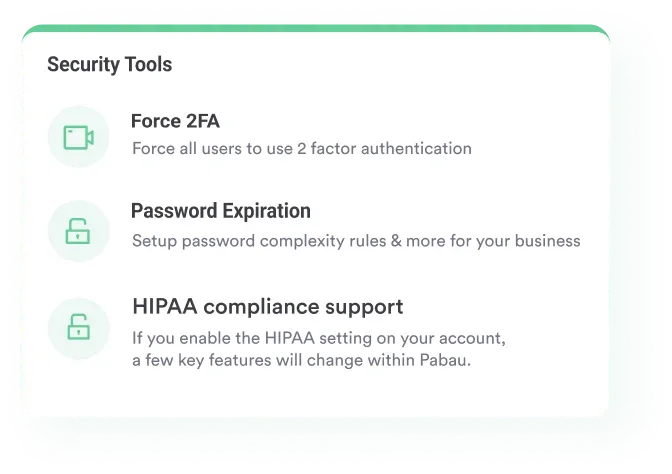

Pabau records dispensing details against the patient’s chart and stamps every access with a name and a time. Retention schedules, patient access requests and board inspections then all draw on one file.

The fields on a pharmacy record are the easy part. The retention clock is what catches practices out, because the federal two-year floor is rarely the number they are actually held to.
So set your archiving schedule to the longest period you are subject to. Write down who fills in each field, and keep the record in one system rather than three. Do that and a records request stops being a search through filing cabinets.
Book a demo to see how Pabau holds medication histories, access logs and retention schedules inside a single patient record.

Need a running list rather than a dispensing history? Medication log template gives a patient one page to track doses, times and refills between fills.
Training staff on a medication they have not handled before? Drug card template sets out the class, dose, contraindications and side effects on a single sheet.
Sending records to a third party? Medical release form template captures the written authorization you need before anything leaves the practice.
Still rekeying patient details by hand? Digital intake forms capture patient information once at check-in and file it straight against the chart.
Submit a signed written request to your pharmacy specifying the date range. The pharmacy must provide the records within 30 days, with one 30-day extension permitted if the file is archived. You can ask for paper copies by mail or an electronic copy by email. A small copying fee may apply, but the pharmacy cannot deny access.
Medication name, strength, quantity dispensed, fill date and days supply. Then the prescriber name and license number, the pharmacy location, and the patient’s name and date of birth. Monitoring notes and any side effects reported close the entry. Controlled substance records carry extra fields for DEA tracking.
The federal DEA minimum is two years for Schedule II to V dispensing records. State boards set their own periods on top, and they vary in both directions. Texas also requires two years, California runs from one to three depending on the prescription type, and New York requires five. Check your own state board, then destroy the file securely once the longest applicable period has passed.
Yes. Pharmacy records are protected health information (PHI) under HIPAA. Patients have the right to access their records, request corrections, and receive an accounting of who has accessed them. Unauthorized access or disclosure violates HIPAA and can result in penalties.
Often, yes. When a pharmacy closes, its records are usually transferred to another branch of the same company or sold on to another pharmacy. Contact the corporate office or check the pharmacy’s website for details of the transfer. Some state boards also hold archives for closed pharmacies.
Yes. If your qualified medical expenses pass the IRS threshold, a dated pharmacy record is proof of both the cost and the timing. Keep those records for at least three years to support the deduction if it is queried.