Monika Lazarevska
Anaphylaxis nursing care plan: Interventions and charting
What an anaphylaxis nursing care plan covers, start to finish An anaphylaxis nur...

1
Last Updated: Nov 2, 2026
Free PDF 1 page, print-ready Clinician-reviewed
Charting is the part of the day nobody schedules. The consultation runs long, the next patient is already waiting, and the note gets written hours later from memory.
Detail fades in the meantime. Vague wording, missing reasoning, and half-finished plans are exactly what an auditor, an insurer, or a covering colleague runs into months later.
A good template takes that pressure off, because it decides what goes where before you start typing. The note then gets finished while the patient is still in the room.
A SOAP-structured note with fields for patient details, history, examination findings, assessment, diagnosis, treatment plan, and follow-up. Print it for the room, or copy the fields straight into your records system.
Start from scratch, or upload this PDF or any form you already use, and Pabau's AI Form rebuilds it with tick boxes, text fields and a signature. Attach it to the treatment once, and every patient gets it on time.
AI Form rebuilds the consent, history and aftercare forms you already use. You review each one, then publish.
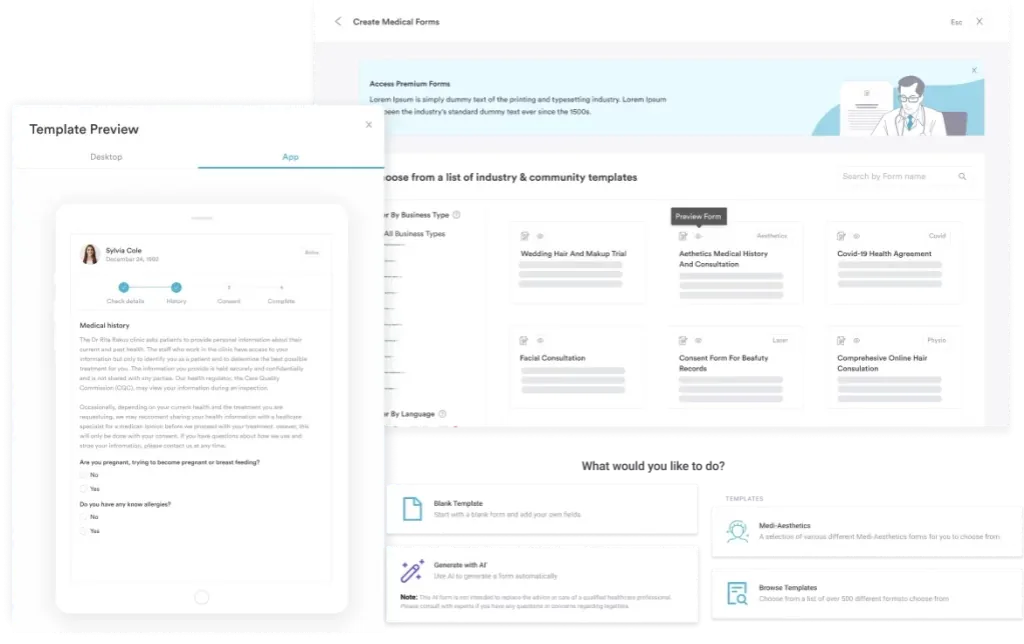
Patients complete forms on their phone before they arrive, so the front desk stops retyping paper.
Every signed form is versioned and attached to the treatment record, ready when you need it.
Set how long a consent stays valid. Returning patients skip forms they have already signed.
Supports HIPAA and GDPR compliance AES-256 encryption 4.8 on G2 4.7 on Capterra Trusted by 4,000+ practices worldwide

Medical notes are the legal record of one patient encounter, covering findings, assessment, and plan.
SOAP is the default format in most practices, while DAP suits counseling and BIRP suits behavioral health.
A structured template cuts charting time, because the prompts sit on the page and you stop rebuilding the note.
Pabau Scribe, our AI scribe, drafts the note from the consultation, so your team edits instead of typing from scratch.
Medical notes are the written record of a single patient encounter. They capture what the patient reported, what you found, what you concluded, and what happens next.
Every note does three jobs at once:
That is why weak clinical documentation costs more than the time it saves. Whoever reads it next has no memory of the visit to fall back on.
Most practices run on SOAP and only switch when the setting calls for something else. Here is what each format is built for.
Pick one format and stay with it. Mixed formats across a team make records slow to read and harder to audit.
Write every section for a reader who was not in the room. That one habit fixes most weak notes.
Aim for 200 to 400 words on a routine visit, and let the complexity of the case decide the rest. Digital intake forms can pre-fill the history, so you start the note halfway done.
DAP folds the subjective and the objective into one data section, which suits a talking therapy session.
Session notes still need a risk line, even on the weeks when nothing has changed. Our psychotherapy progress notes template keeps that prompt in view.
BIRP adds intervention and response, so the note shows what you did and how the client reacted to it.
Mental health practices often run BIRP for group work and DAP for one-to-one sessions. Label which format a note uses, so the reader knows what to expect.
Speed comes from sequence. Follow the same order every time and the note stops feeling like homework.
Sign-off deserves as much attention as the writing. A medical diagnosis form keeps the diagnosis, the code, and the plan lined up before the note is closed.
Work through this list before you type anything. It heads off the errors that are painful to unpick later.
Abbreviations save time until somebody reads one they do not use. Keep an approved list, and keep it short.
Auditors rarely argue with clinical judgment. They challenge notes that cannot show the judgment was made.
HIPAA compliance covers the storage side of the same problem, including who can open a record and what the audit trail shows. Patients can also request a copy of their record, which is one more reason to keep the language plain.
A PDF template is a fine place to start. The cost shows up afterward, when somebody retypes it into the patient record.
Paper and PDF notes also sit outside your compliance workflow. There is no version history, no automatic backup, and no audit trail showing who changed what.
Notes written inside practice management software like Pabau skip that second data entry. Fields carry over from the last visit, the note attaches to the appointment, and billing reads from the same entry. Going paperless is mostly about removing that duplicated step.
Bank MediSpa moved off paper records for that reason. Its medical director now annotates each treatment and pulls up past notes from any device.
An AI medical scribe listens to the consultation, then drafts the note in your chosen format. You review it, edit it, and sign.
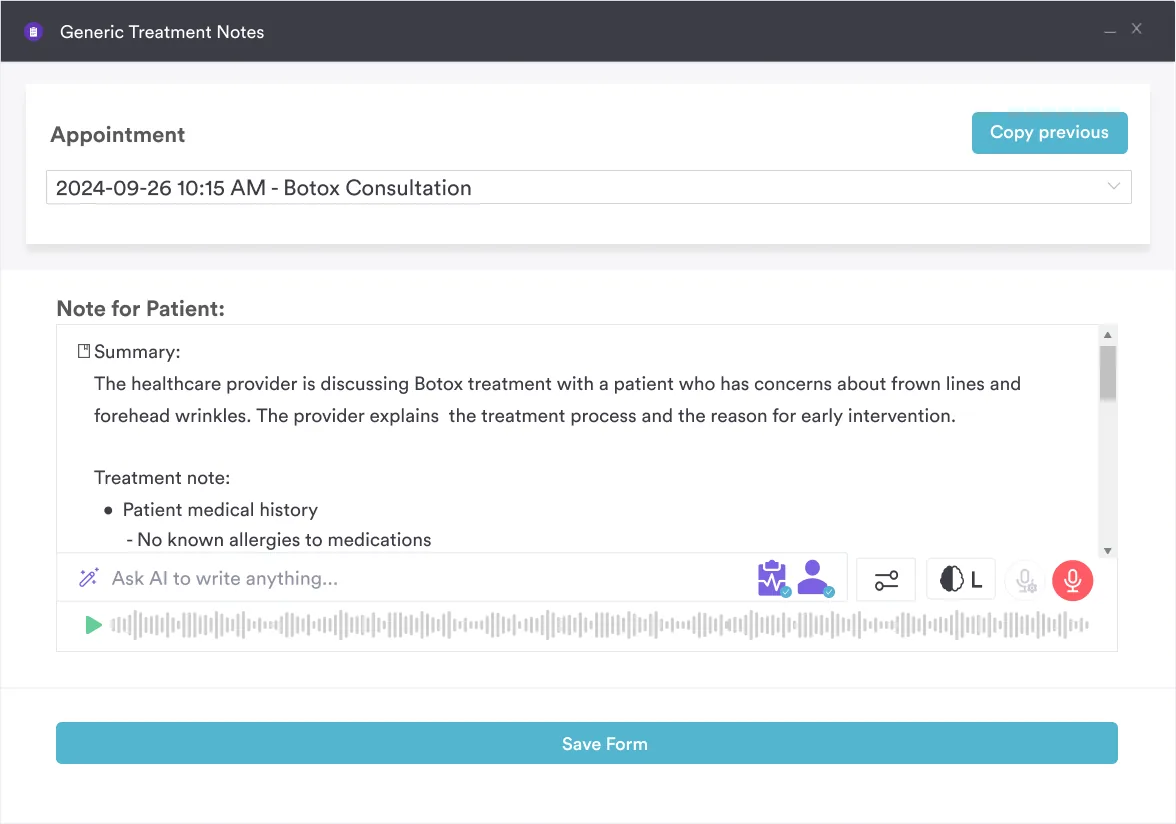
Pabau Scribe, our AI scribe, does this inside the patient record, so the draft lands where the note belongs. Most of the time saved comes from never facing a blank objective field.
You stay responsible for what the note says. The tool drafts, and the treating clinician still reads every line before signing it off.
The file above is deliberately general. Spend 10 minutes shaping it and it will fit the visits you actually run.
Then hand the edited version to the whole team on the same day. Two versions of one template cause more confusion than no template at all.
Most practices write the note in one place and store it in another. The template is a PDF, the record sits in the software, and somebody retypes the middle.
Pabau removes that step. Note templates live inside the patient file itself. A note written during the visit saves straight to the record, feeds the prescription, and lines up with the invoice.
Forms, photos, and medical records stay in the same file, which is what makes an audit straightforward. Nobody has to hunt for the signed consent that belongs with a treatment.
Every Pabau subscription includes every feature, so note templates and Pabau Scribe are not a paid upgrade. You configure the format once with your onboarding team, then the practice writes to it.

Pabau puts customizable note templates, digital forms, and Pabau Scribe inside the patient record, so charting is done during the visit instead of after hours.

Good notes come from structure, not willpower. Choose one format, use a template that matches your visits, and write while the detail is still fresh.
Practices that get this right write the same content in less time, because the template and the record sit in the same system. The evening charting session quietly disappears.
If your team still downloads a PDF and retypes it later, that is the step worth removing first. Book a demo to see how Pabau handles note templates, patient records, and AI drafting in one place.

Documenting a patient’s resuscitation wishes? DNR form template covers physician information, healthcare proxy details, and the witness signatures a DNR order needs.
Screening a patient for gastrointestinal symptoms? GI review of systems form screens more than 13 GI parameters alongside constitutional symptoms and risk factors.
Treating patients under 18? Medical consent form for minors covers who can sign and what the note has to record.
Sending home aftercare instructions after a gum lift? gum contouring aftercare template covers pain management, diet, oral hygiene, and the warning signs that need a call to your practice.
Standardizing your patient intake process? health worksheet template captures health history, medical background, and baseline wellness data during intake.
HIPAA sets no retention period for the record itself. State law does, and most states land between five and ten years after the last visit. Records for minors are usually held longer, so check your state board.
Yes. Under HIPAA, patients have a right of access to their record, and you generally have 30 days to hand over a copy. Write every note as though the patient will read it, because they can.
A note documents one encounter. The medical record is the whole file, including every note, result, consent form, and message. One visit produces a note, and years of visits produce the record.
Any clinician involved in the care can document their own part of it. Scribes and assistants may draft, but the treating clinician reviews and signs. Supervision and countersigning rules vary by state and profession.
A routine visit should take three to five minutes to document, and a complex one takes longer. If your notes regularly run past that, the template is usually the problem rather than your typing.