Monika Lazarevska
Sugar-free diet food list
Download your free sugar-free diet food list A two-page checklist of sugar-free ...

1
Last Updated: Nov 2, 2026
Free PDF 2 pages, print-ready Clinician-reviewed
A diagnosis is only as good as the record that holds it. Write it down loosely and the claim comes back. The next clinician guesses, and a chart that looked complete falls apart under review.
A medical diagnosis form solves that by giving every visit the same shape. The complaint goes in the patient’s words and the findings go in yours. The diagnosis then lands with a code and a plan attached.
Get those fields right and one document does three jobs. It records the care you gave, it feeds the claim, and it answers for you if anyone asks questions later.
The PDF covers patient details, presenting complaint, examination findings, primary and differential diagnosis, ICD-10 fields, treatment plan, and clinician attestation. Print it for the chart or copy the fields into your records system.
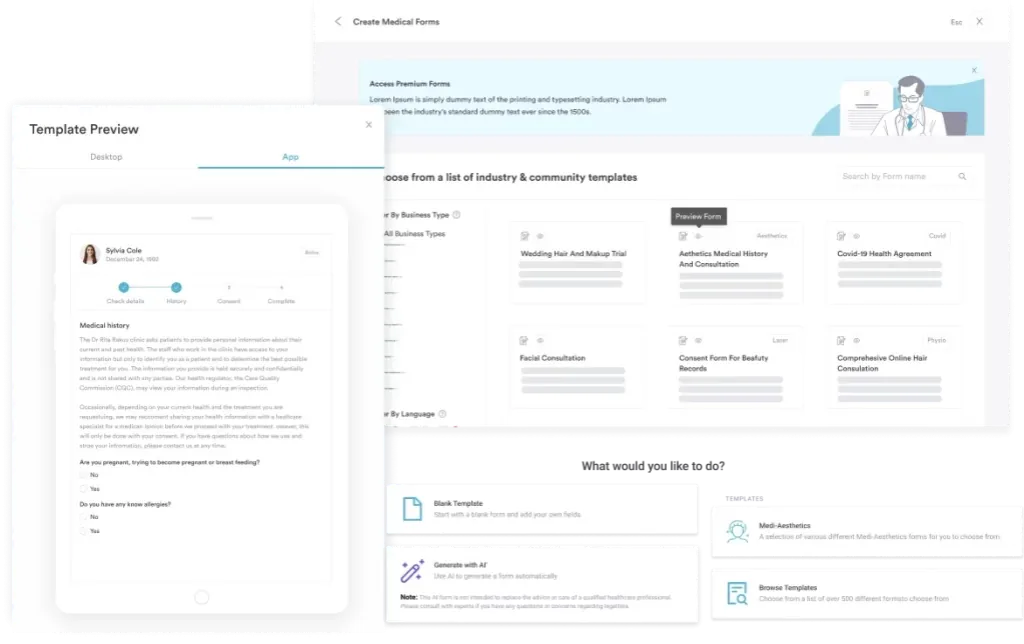
Start from scratch, or upload this PDF or any form you already use, and Pabau's AI Form rebuilds it with tick boxes, text fields and a signature. Attach it to the treatment once, and every patient gets it on time.
AI Form rebuilds the consent, history and aftercare forms you already use. You review each one, then publish.
Patients complete forms on their phone before they arrive, so the front desk stops retyping paper.
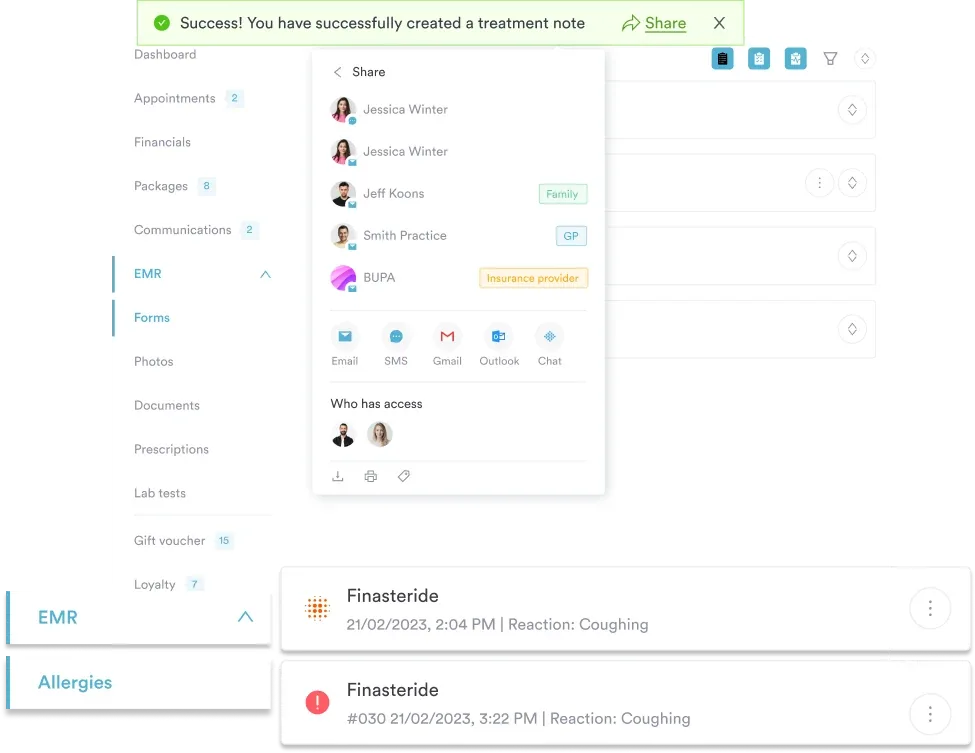
Every signed form is versioned and attached to the treatment record, ready when you need it.
Set how long a consent stays valid. Returning patients skip forms they have already signed.
Supports HIPAA and GDPR compliance AES-256 encryption 4.8 on G2 4.7 on Capterra Trusted by 4,000+ practices worldwide

A medical diagnosis form records the presenting complaint, examination findings, the confirmed diagnosis with its ICD-10 code, and the treatment plan.
Write the diagnosis in plain language first, then attach the code that matches what you documented.
Claims get denied when the code is less specific than the notes, or when it contradicts the clinical narrative.
HIPAA requires encrypted storage, role-based access, and an audit log for every record holding protected health information.
Practice management software like Pabau stores the form against the patient record, timestamps every edit, and keeps the audit trail.
A medical diagnosis form is the clinical record of one visit’s conclusion. It captures why the patient came, what you found, what you decided, and what happens next. By the final field there is a named diagnosis, a code, and a decision.
That sets it apart from the paperwork around it. An intake form gathers history before you walk in. A SOAP note structures your reasoning during the visit. The diagnosis form is the output those documents feed.
It also does work outside the chart. Payers read the code to judge whether the visit and the treatment line up. A clinician seeing the same patient six months later reads it to avoid repeating tests. In the US the code drives the claim, while in the UK it supports referral letters and private billing.
The layout can flex by specialty. These fields carry the record, so keep all of them whichever template you use.
Start with the administrative block, and match it to the insurer’s file rather than to how the patient introduced themselves. A middle initial or a transposed date of birth is enough to bounce a claim. In Pabau’s patient records, this block fills itself from the chart, so it stays identical on every form.
If the patient is a minor, keep the guardian’s consent form for minors filed with the same record. It saves a scramble when treatment starts the same day.
Quote the patient first, then write your clinical history underneath. “Burning pain across my lower back for three weeks” tells a reviewer more than “low back pain”. Add onset, duration, severity, and anything that makes it better or worse. This is the context every later field is judged against.
Name the diagnosis in plain language before you reach for a code. Write “Type 2 diabetes mellitus, newly diagnosed”, then pull the matching code from the CMS ICD-10 code lookup. Where several conditions are in play, list the principal diagnosis first, then the secondary ones.
Code to the level your own notes support, and no further. If you documented laterality, the code should carry it. Where you did not, an unspecified code is the honest answer, and better documentation is the fix next time.
Write the plan so the patient could repeat it back to you. Name the medication and dose, name the referral, and give the follow-up an interval. “Return in two weeks” is a plan. “Follow up as needed” is not. If you are sending the patient on to physical therapy, say what you want assessed.
The signature is a legal statement that you made the diagnosis to professional standards. On paper that means a pen and a date. In a digital record, the timestamp and the access log do the same job. Both are harder to argue with. Clinical documentation standards expect that sign-off on every completed form.
Check that the person signing is the person who saw the patient. The claim carries their NPI, and billing under the group number when the visit was individual causes avoidable rework.
On a busy day the form succeeds or fails on timing. Five steps keep it accurate without adding minutes to the appointment.
Steps one and three are where practices lose the most time later. Both take seconds during the visit and hours to repair afterward.
The differential section is where your reasoning becomes visible. It shows what you considered and why you set each one aside. Take a patient who arrives with chest pain and walk through it.
1. List what it could be. For chest pain, that might be acute coronary syndrome, musculoskeletal pain, reflux, or anxiety. Write them all down before you start narrowing.
2. Note what supports and what argues against each. For example: “Musculoskeletal pain, reproducible on palpation, no exertional pattern, argues against ACS.” One line per candidate is enough.
3. Rank them. Mark each one ruled out, unlikely, possible, or primary. The ranking is what a reviewer reads first, so keep the wording consistent across your forms.
4. Say what would confirm it. Name the test and the trigger. “Troponin and EKG to exclude ACS, cardiology referral if either is abnormal” tells the next clinician exactly where you stopped.
5. Record the final diagnosis and its code. If several causes are still open, R07.9 for unspecified chest pain is appropriate. Once you have narrowed to a muscular cause, code S29.011A for a strain of the front chest wall, initial encounter.
Keep the ruled-out options on the form rather than deleting them. They are the evidence that the diagnosis was reasoned, not assumed.
Run this list before the form leaves your hands. It takes about a minute and catches most of what comes back.
The same handful of errors account for most rejected claims and most awkward audit findings. All five are avoidable at the desk.
A completed form holds protected health information, known as PHI, so it falls under HIPAA. US practices have to protect it with specific controls, and each one applies to paper as much as to software.
A HIPAA-compliant EHR carries most of this for you. Encryption, permissions, and logging are switched on before anyone touches a form. Paper depends on staff remembering the process every single day.
These documents get mixed up constantly, usually because they overlap in content. They differ in what they are for.
In practice they run in sequence. The patient completes intake, then you examine and chart. The diagnosis form closes the loop with a code and a plan. When care passes to another team, an SBAR report carries the same conclusion into the handoff.
On paper, the form is only half the work. Someone files or scans it, then digs it out again at the follow-up. The codes get keyed into the billing system a second time.
Each of those steps is a chance to lose the record or mistype the code. Most of what practices gain from going paperless is simply not doing them.
Practice management software like Pabau keeps the form inside the chart instead. Pabau’s digital forms open with the demographics and history already filled in from intake. You add the complaint, the findings, and the diagnosis.
The ICD-10 list is searchable, so nobody has to recall a code from memory. The form saves against the patient, timestamped and signed.
What changes day to day is the chasing. The next clinician opens the diagnostic history in one click. Billing pulls a clean code. Patients get their copy through the portal. Bank MediSpa took the same route away from pen and paper, and its medical director now works paper-free across sites.
The same setup suits primary care practices that code every visit. Specialist teams seeing a patient twice a year get the same benefit. Both need the same thing: one record, one version, and a full history of who changed what.

Pabau keeps every diagnosis form in the patient’s record, timestamped and access-logged. Your team stops hunting for paper charts before a claim goes out.

Most of the value in this form comes from the two minutes at the end of the appointment. Match the code to the narrative, give the plan a date, and sign it while the visit is still fresh. Everything downstream, from the claim to the follow-up, runs on that.
The trade-off worth remembering is specificity. Coding beyond what you documented invites an audit, and coding below it costs you money. The documentation is what settles both, which is why the form is worth filling in properly rather than quickly.
Start with the template above, then decide whether paper is still serving you. If it is not, book a demo and see how Pabau keeps diagnosis forms, codes, and audit trails in one patient record.

Need the review of systems, not just one exam? Medical review of systems template covers all 13 body systems, including a combined HEENT category, for every encounter.
Want the principles behind good documentation? Nursing documentation guide covers the principles and legal requirements that make a clinical record hold up.
Evaluating a medical device instead? Clinical evaluation template covers device-specific criteria, risk assessment, and benefit analysis for EU MDR compliance.
Need a note that fits your compliance checklist? Doctor’s note template captures the clinical information a work, school, or employer note needs to be valid.
Planning the patient’s discharge next? Discharge plan template covers assessment and goals, medication management, follow-up appointments, and patient and caregiver education.
It is a clinical document that records the presenting complaint and the examination findings. It also carries the diagnosis, its ICD-10 code, and the treatment plan, so billing works from it too.
The form needs patient details, visit date, clinician name, presenting complaint, onset, and examination findings. It then needs the primary diagnosis, ICD-10 code, differentials, treatment plan, and a signed attestation.
Write it in plain language first, then add the matching ICD-10 code. Keep the principal diagnosis at the top, and code only to the level your notes support.
No. A history form collects past health, medications, and family history. The diagnosis form records what you concluded and planned at this visit.
Yes. It supplies the diagnosis and ICD-10 code an insurer needs, so it is the source document behind the claim. An incomplete form delays payment.
Yes, when the system encrypts data, restricts access by role, and logs every view. It also has to destroy records securely once the retention period ends.