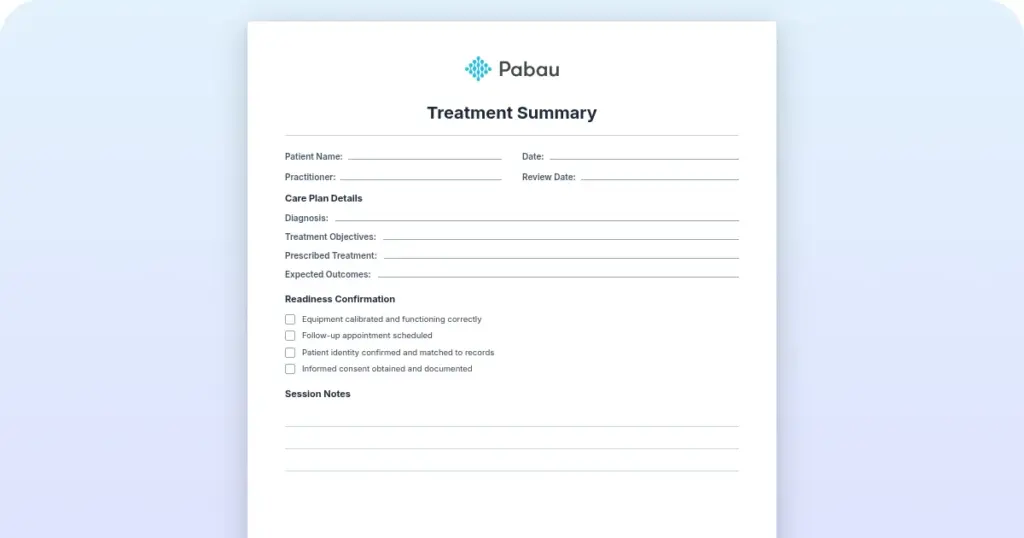
Treatment summary
A treatment summary is a written record of what care was delivered during an epi...

3
Last Updated: Oct 16, 2026

An immunization record form documents vaccine names, dates, doses, lot numbers, and the signature of the provider who gave each shot.
Schools, employers, and travel authorities treat the form as proof only once a licensed provider has signed and dated it.
Required vaccines vary by state and by age, so the form has to work for children, adults, and healthcare workers.
Digital records in practice management software like Pabau replace paper tracking and give patients instant access to their vaccine history.
A printable form with patient details and a full vaccine history table for dates, doses, and lot numbers. It also has space for provider signatures, medical exemptions, and titer results.
Download templateFamily practices, schools, and occupational health teams all need one clean record of every shot a patient has received. This template gives you the fields that make that history usable. It covers dates, doses, lot numbers, and the provider signature that turns a personal note into official proof.
The same form works for a kindergartner, a nursing student, and a traveler heading somewhere with a yellow fever requirement. What changes is which rows you fill in.
An immunization record form is a single clinical document that holds a patient’s whole vaccination history. It carries patient demographics, vaccine names, administration dates, dose numbers, lot numbers, and provider credentials. Exemption and titer status sit on the same page.
The form does three jobs at once.
Without one structured form, doses end up scattered across chart notes and printouts. Nobody can tell at a glance which child is overdue, and every records request turns into a hunt.
A complete form captures the fields below. Each one is there because a school, an employer, or a safety recall will eventually ask for it.
Vaccine timing follows the CDC immunization schedules, so a form without dose numbers and dates cannot show that a series is finished. Schools and employers send back anything missing the provider signature.
Those fields carry over to billing too. Vaccine administration is claimed under CPT code 90471, and the claim leans on the same dates and product details you wrote on the form.
Every state requires proof of specific vaccines before a child enrolls, and each publishes its own list. Most lists start with DTaP, MMR, varicella, hepatitis B, and polio. Schools usually collect the vaccine record alongside a medical information form covering allergies and daily medications.
Requirements diverge after that. Texas, for example, requires a meningococcal dose and a Tdap booster for students in grades seven through 12. State rules also change from year to year, so check the current list before you sign anything.
Many states allow conditional admission when a student is missing one dose but has the next appointment booked. Medical exemptions exist everywhere, while religious and personal belief exemptions vary by state. Your form needs explicit fields for the exemption type and the approval behind it.
Adult records run on different timelines than pediatric ones. Adults need catch-up doses they missed as children, an annual flu shot, and a Td or Tdap booster every 10 years. Shingles vaccination joins the list from age 50.
Travel clinics add another layer, since some countries check proof of yellow fever vaccination at the border. Those doses belong on the same record as everything else, not on a separate slip that gets lost.
Healthcare workers, nursing students, and medical students face the strictest version. Their paperwork usually follows the AAMC standardized immunization form, which pairs dose history with titer results on one page.
Pediatric records follow the CDC childhood schedule from birth through age 18. They cover the DTaP series, MMR, varicella, hepatitis A and B, meningococcal, HPV, and the annual flu shot. Catch-up and travel doses go on the same page.
Parents flying with a baby can pack a printed copy of the form. It sits with the insurance documents and emergency contact card on an infant travel checklist.
Add a reference column showing the recommended age for each dose. Staff and parents can then spot what is overdue during a pediatric physical examination, without cross-checking a separate schedule.
A well-child visit checklist captures immunization status alongside growth and development findings, so overdue doses surface during the same appointment.
The form becomes proof the moment a licensed provider signs and dates it. Until then it is a personal note. It is useful in the chart, but nobody outside the practice has to accept it.
Requests for proof land at predictable points.
So treat the signature line as the part doing the work. A record with every date filled in and no signature still comes back rejected, and the family has to make another trip.
A serologic titer measures antibody levels in the blood and can stand in for a missing dose record. Healthcare workers and medical students use it most often, usually for measles, mumps, rubella, varicella, and hepatitis B.
The AAMC form includes a titer section with reference ranges beside the dose history. A protective result can satisfy an employer or school without repeating the whole series. Acceptance still varies, so confirm the policy with the institution before you rely on a titer.
Paper forms create the same three problems in every practice. Staff rewrite doses by hand, duplicates pile up in the chart, and patients call the front desk for a copy. Practice management software like Pabau replaces the paper with a structured record that updates as you work.
Structure the fields once. Set up vaccine name, date, dose number, lot number, and administering provider inside the digital patient record. Every new entry then lands in the same shape, which is what makes the history searchable later.

Collect the history at intake. Pabau’s digital intake forms let parents enter past doses before the visit, and a new patient questionnaire picks up the rest. Your front desk stops retyping dates from a folded printout.

Automate the follow-up. Automated workflows flag doses coming due and send a text or email two to four weeks ahead. Fewer children drop out of a series halfway through, and fewer slots go empty.

Hand the record back to the patient. The patient portal lets families download a printable copy for school or travel without calling you. Submissions to your state immunization registry stay documented against the same record.

Pabau replaces paper immunization forms with structured digital records, automatic reminders for overdue doses, and portal access for patients. Your team stops chasing paperwork and starts trusting the chart.

The form itself is not complicated. What makes it work is discipline about three fields: the date, the lot number, and the signature. Those are the ones that get checked when the record leaves your office.
Download the template and make it the standard for every patient, whatever their age. If you still keep vaccine histories on paper, the first after-hours request for a copy will show you the cost. Digital records answer that request without anyone picking up the phone.
Book a demo to see how Pabau tracks immunizations, chases overdue doses, and hands patients their own record on demand.

Ordering a malaria test for a febrile patient? Malaria test guide covers the three main diagnostic options and how to interpret what comes back.
Confirming immunity before a procedure? Titer test explains what it measures, along with results, boosters, and cost.
Examining a newborn in the first days? Newborn exam template covers vital signs, measurements, the head-to-toe exam, and newborn screening.
Running well-child visits? Pediatric review template structures the visit notes that sit beside the vaccine history.
Setting patient health goals together? Personal health plan template covers health history, lifestyle factors, preventive screening, and a quarterly progress review.
Include the patient’s name and date of birth, the vaccine name, the date it was given, the dose number, and the lot number. Add the administering provider’s name and signature, plus any exemption or titer result. Those fields are what make the record verifiable.
Often, yes. Practices with a patient portal let you view and download your vaccination history at any time. If your provider does not offer one, call or visit the office and request a printed or electronic copy instead.
Most states require DTaP, MMR, varicella, hepatitis B, and polio. Several add a Tdap booster and a meningococcal dose for middle school students. Requirements differ by state and by grade, so check your state health department’s current list.
There is no single national form. The CDC publishes the schedules, most state health departments issue their own version, and the AAMC form covers medical students and healthcare workers. All of them collect the same core fields.
Retention periods are set by state law and commonly run from three to seven years after the last visit. Patients should keep a personal copy for life, since vaccination history can be requested decades later for work or travel.