HCPCS Code J1110: Dihydroergotamine mesylate injection billing guide
HCPCS Code J1110: Official descriptor and drug overview HCPCS Code J1110 is the ...

Last Updated: Oct 29, 2026
L9115 is the CCSD code for implantation of port device (PowerPort). It applies when a clinician places a venous access port under the skin, with its catheter in a central vein. UK private medical insurers use it to pay for the port that carries chemotherapy and other long-term intravenous treatment.
The detail that matters most is what L9115 can't sit beside. CCSD lists L9180, image-guided port insertion, and L9110, a tunneled Hickman line, as unacceptable combinations. Put the wrong pair on one claim and it comes back queried. The sections below cover the code choice, the operation note, the diagnosis pairing and authorization.
Let Pabau's smart automation suggest the right codes, reduce claim denials, and keep your practice compliant—effortlessly.
Automate repetitive tasks and focus on what matters most—your patients.
Reduce coding errors and ensure compliance with the latest regulations.
Clean claims, fewer denials, and faster reimbursements.
Powerful insights and reporting to help your practice thrive.
HIPAA compliant SOC 2 certified GDPR-compliant Trusted by 4,000+ clinics worldwide

CCSD code L9115 covers implantation of a port device, such as a PowerPort, for long-term central venous access.
CCSD lists L9180 and L9110 as unacceptable combinations with L9115, so only one of the three access codes goes on a claim.
The procedure note should record the device, the vein used, the catheter tip position and any imaging guidance.
Pair L9115 with the WHO ICD-10 code for the condition that needs venous access, not with a device code alone.
Ask the insurer whether the treatment plan’s authorization covers the port, or whether L9115 needs its own reference.
CCSD code L9115 is the UK private insurance code for implanting a port device, listed as “Implantation of port device (PowerPort)”. The port gives a patient dependable central venous access for months or years of treatment.
CCSD stands for Clinical Coding and Schedule Development. Its schedule is the procedure code set that UK private medical insurers such as Aviva, AXA Health, Bupa and Vitality use. Claims usually travel electronically through Healthcode.
L9115 sits in Chapter 9 of the schedule, the vascular system, under section 9.6 Non-specific. Bupa places it in fee category INTER 5, the same band as L9180.
Outside UK private billing, the same procedure takes a different code. US practices bill CPT code 36561 for a centrally inserted port in patients aged five or over.
A port is a small reservoir with a self-sealing silicone septum. It sits in a pocket under the skin, usually on the upper chest, and feeds a catheter that runs into a central vein.
The clinician usually reaches the vein under ultrasound guidance, often through the internal jugular vein. Fluoroscopy then confirms where the catheter tip sits before the pocket is closed. Most implantations take place under local anesthetic, sometimes with sedation.
Nurses access the port through the skin with a non-coring needle. PowerPort is a BD brand of implanted port that is also rated for power injection of contrast during CT scans.
Patients usually receive a port when they need repeated intravenous treatment over a long period:
Three CCSD codes describe central venous access that can look alike on a busy procedure list. CCSD lists two of them, L9180 and L9110, as unacceptable combinations with L9115.
L9180 reads “Insertion of implantable central venous port (portacath) e.g. Port-a-Cath under image guidance”. L9110 covers a tunneled Hickman line with no port at all. Only one of the three goes on the claim, so pick the narrative the note supports.
The map below groups the neighboring codes by what the note describes.
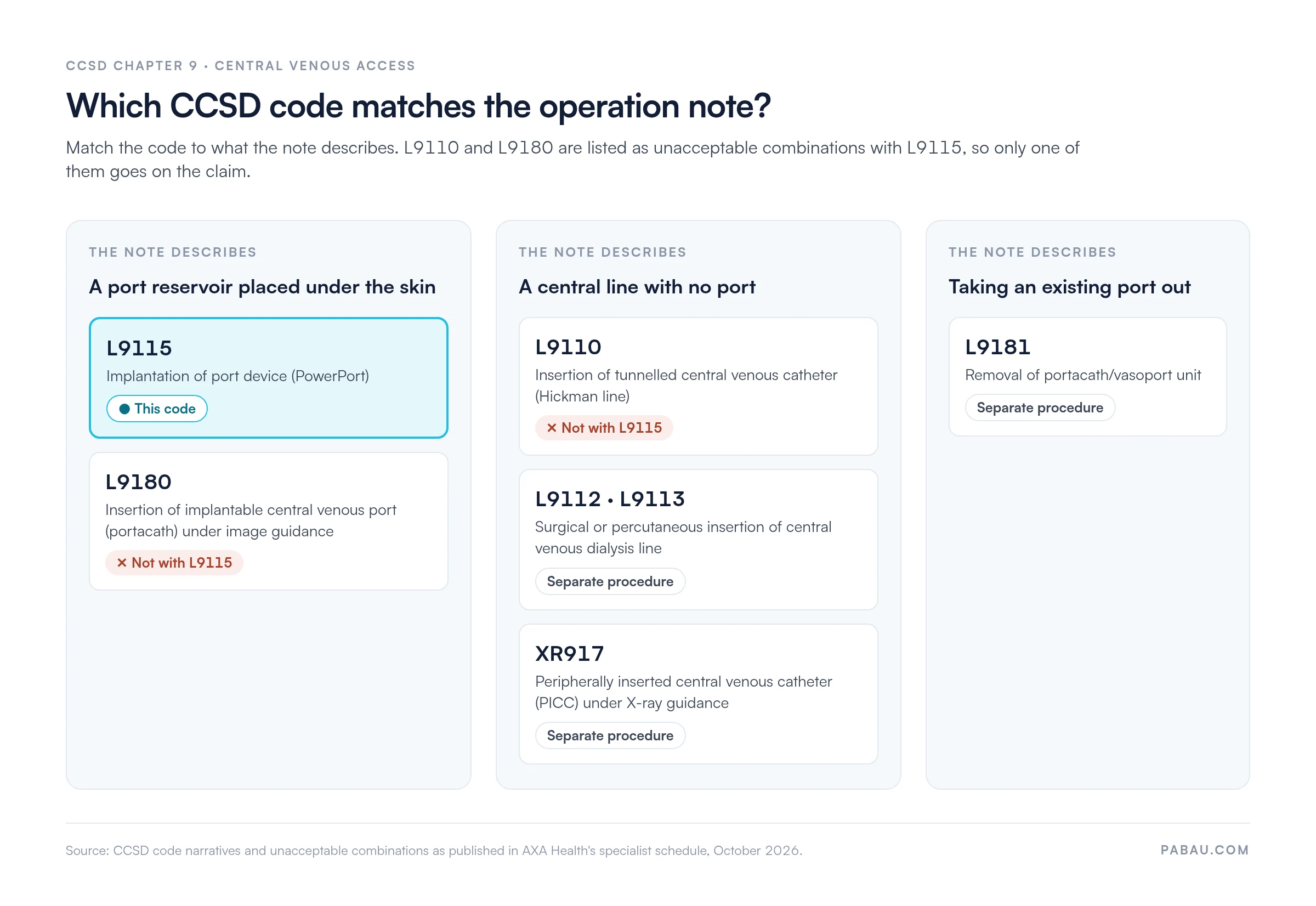
Port removal (L9181), dialysis lines (L9112 and L9113) and PICCs placed under X-ray guidance (XR917) are separate procedures with their own codes. None of them is a port implantation.
These combinations aren’t binding on every insurer. CCSD publishes them as coding principles, and each insurer decides whether to adopt them. AXA Health’s specialist schedule, for example, lists both pairs against L9115.
Read the full narratives in the CCSD code schedule before you choose. Don’t reuse a code number from an older claim.
Insurers pay L9115 on the strength of the procedure note. A reviewer should be able to confirm the device, the access route and the reason without calling the clinician.
Keep the consent form, the sedation or anesthetic record and the post-procedure check in the same patient file. You can then send them straight away if the insurer asks.
Put the port’s make and model in the operation title, not only in the narrative. Reviewers read that line first, and it shows at once that a port was implanted rather than a line.
Pair L9115 with the WHO ICD-10 code for the condition that needs venous access. The port is only the route for treatment, so the diagnosis line names the disease being treated.
Z45.2, adjustment and management of vascular access device, describes care of a device already in place. It does not explain why a new port went in, so avoid it as the main diagnosis.
Check every diagnosis code in the WHO ICD-10 browser before you submit. The code on the claim should match the diagnosis written in the patient record.
A port often goes in at the start of a course of treatment, so the claim starts before the procedure does. Here is the usual route.
Fees for L9115 depend on each insurer’s schedule and your recognition agreement with it. Look the code up in the insurer’s own tool, such as the Bupa code search, rather than relying on a figure published elsewhere.
Our guide to Bupa CCSD codes explains how Bupa applies the schedule and its fee categories.
The port itself is a device with its own cost. Confirm with the hospital whether it charges for the device, so the consultant’s invoice doesn’t duplicate it.
A port implantation often uses ultrasound and fluoroscopy. As published, the combinations list for L9115 names only L9110 and L9180. Even so, a separate imaging line can still prompt a question.
L9180’s narrative already includes image guidance. If the note records imaging, the reviewer may ask why the claim isn’t L9180. Make sure the note describes the route and guidance clearly before the claim goes out.
When an anesthetist provides sedation, they bill under their own recognition with the insurer. Confirm recognition for every practitioner on the case before you submit.
Most queries trace back to the note, the code choice or the authorization. The table pairs each mistake with the step that prevents it.
Two minutes here saves a query later. Tick each line before the claim leaves the practice.
A port claim stalls when the device details, the codes and the insurer reference live in separate systems. The billing team then rebuilds the claim by hand, weeks after the procedure.
Pabau holds the CCSD code, the diagnosis and the authorization reference on the patient’s record, next to the procedure note. Its claims management software sends the claim to Healthcode from that record.
Before it goes, Pabau checks that required fields such as membership numbers and authorization codes are complete. When a query arrives, your team answers it from the same file.
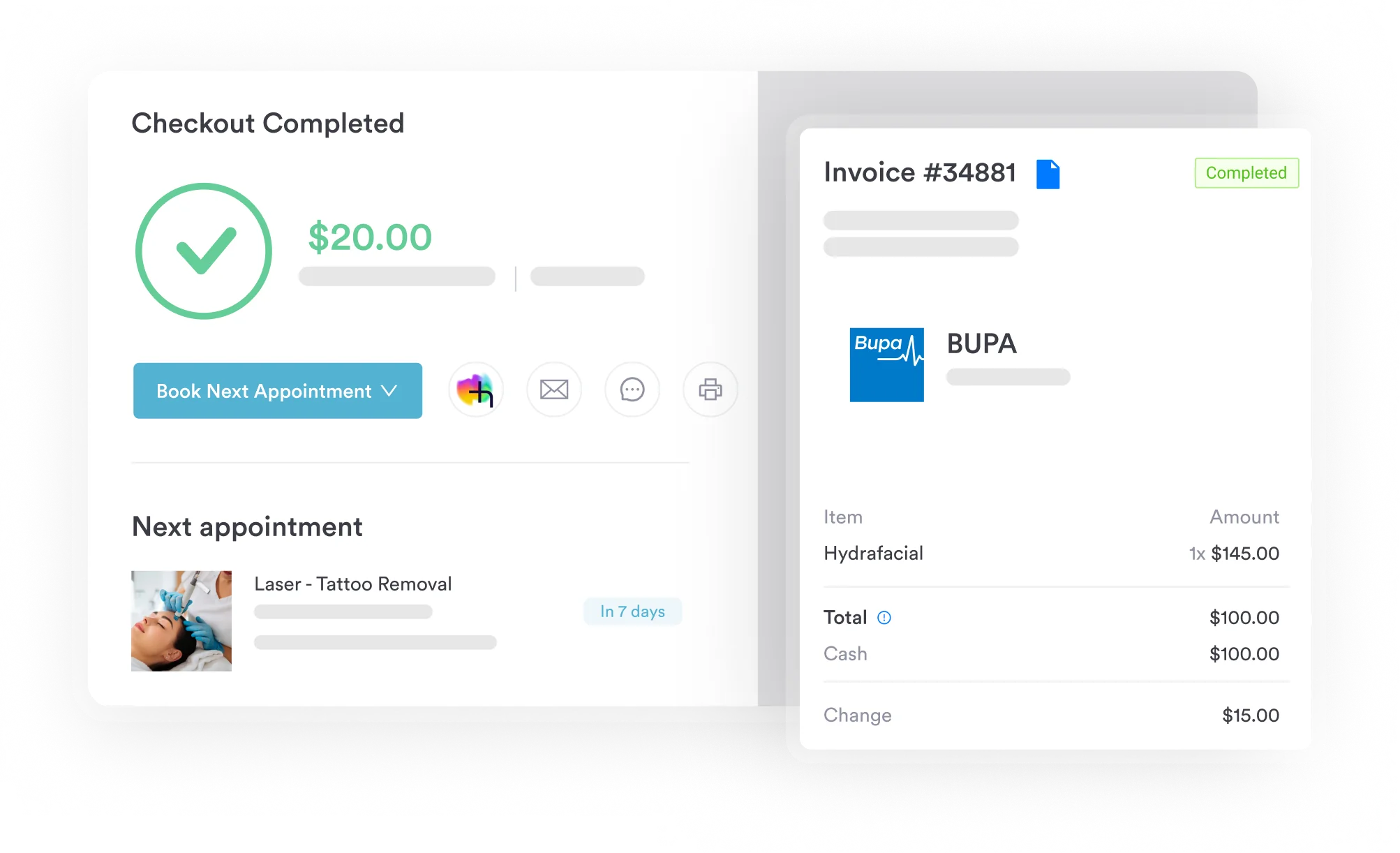

Pabau links each L9115 claim to the patient’s insurer details, authorization reference and procedure note, then sends it to Healthcode. Your team answers insurer queries from the same record.

Most L9115 queries start before the claim exists. They start in an operation note that doesn’t say what went in, or how it got there.
Settle the code choice at the point of documentation. When the note shows a port, its route and the guidance used, choosing between L9115 and L9180 takes seconds. The diagnosis and authorization then follow from the same record.
The trade-off is a few extra lines in every note, in exchange for fewer queries weeks later. Book a demo to see how Pabau carries a CCSD claim from the procedure note to Healthcode.

Coding a vascular repair instead? CCSD code L7980 covers repair of a wounded major vessel in the abdomen and how to document it.
Billing arterial surgery? CCSD code L6000 explains how to bill endarterectomy of the femoral artery.
Working on dialysis access? CCSD code L7423 covers ligation of an arteriovenous fistula for dialysis, another Chapter 9 Non-specific code.
Repairing a limb artery? CCSD code L6800 explains how to code and document repair of a limb artery.
Billing Bupa patients? Bupa CCSD codes covers how Bupa uses the CCSD schedule and what it checks on a claim.
Both are brands of implanted venous port. CCSD’s L9180 narrative uses Port-a-Cath as its example and names image guidance. Read both narratives before choosing between L9115 and L9180.
L9181 covers removal of a portacath or vasoport unit. It is a separate procedure, so L9115 doesn’t apply when a port comes out.
No. A PICC has no reservoir under the skin. XR917 covers a peripherally inserted central venous catheter placed under X-ray guidance.
No. CCSD codes serve UK private medical insurance. NHS hospitals record procedures with OPCS-4 codes instead.
Bupa places L9115 in fee category INTER 5, the same as L9180. Your payment depends on your recognition agreement, so check Bupa’s code search.