EHR ROI: How to calculate and maximize your return
EHR ROI is the financial return a practice earns on its electronic health record...

Last Updated: Oct 15, 2026
A financial agreement is the form a patient signs before treatment to confirm what they’ll pay and when. It also says what happens if a bill goes unpaid. Billing disputes often start with a term nobody wrote down, like who covers a denied claim. A signed agreement settles that before the first visit.
Our free template already covers insurance responsibility, copays, card-on-file rules and collections. It leaves out late fees, cancellations and refunds, so you’ll add those yourself. Below, you’ll see what the form contains, how to adapt it, a worked example, and a checklist to run before you send it.
A ready-to-use form covering payment terms, insurance and copay responsibility, card-on-file and collection terms, with a patient signature field. Add your own late-fee, cancellation and refund clauses before you use it.
Download template
A financial agreement puts payment terms in writing before any treatment begins.
The template covers insurance responsibility, copays, a card on file and two 90-day collection clauses.
Late-fee, cancellation and refund terms aren’t in the form, so you add them before use.
Replace the sample practice name and check each clause against how your front desk works.
Electronic signatures on the agreement are generally valid in the US under the ESIGN Act.
A patient financial agreement is the document a practice asks each patient to read and sign before treatment starts. It covers what the patient pays, when payment is due, and what happens to an unpaid balance.
Without one, staff explain policies from memory, and two patients can hear two different answers. A signed agreement fixes that in three ways:
Any practice that bills patients benefits, from private practices to med spas and cosmetic surgery practices. Larger teams gain the most, because several practitioners and front desk staff then work from one document.
Treat the signed copy as sensitive. It often holds personal and insurance details, so store it with the same care as clinical records. The HHS Office for Civil Rights explains how the HIPAA Privacy Rule applies to covered entities.
The download is a base to adapt, not a finished policy. It’s a two-page sample form with fixed payment and collection terms, so read each clause and decide whether it matches how you bill.
The clauses fire at different points in a balance’s life. The timeline below shows when each one applies, including the two separate 90-day clocks that are easy to mix up.
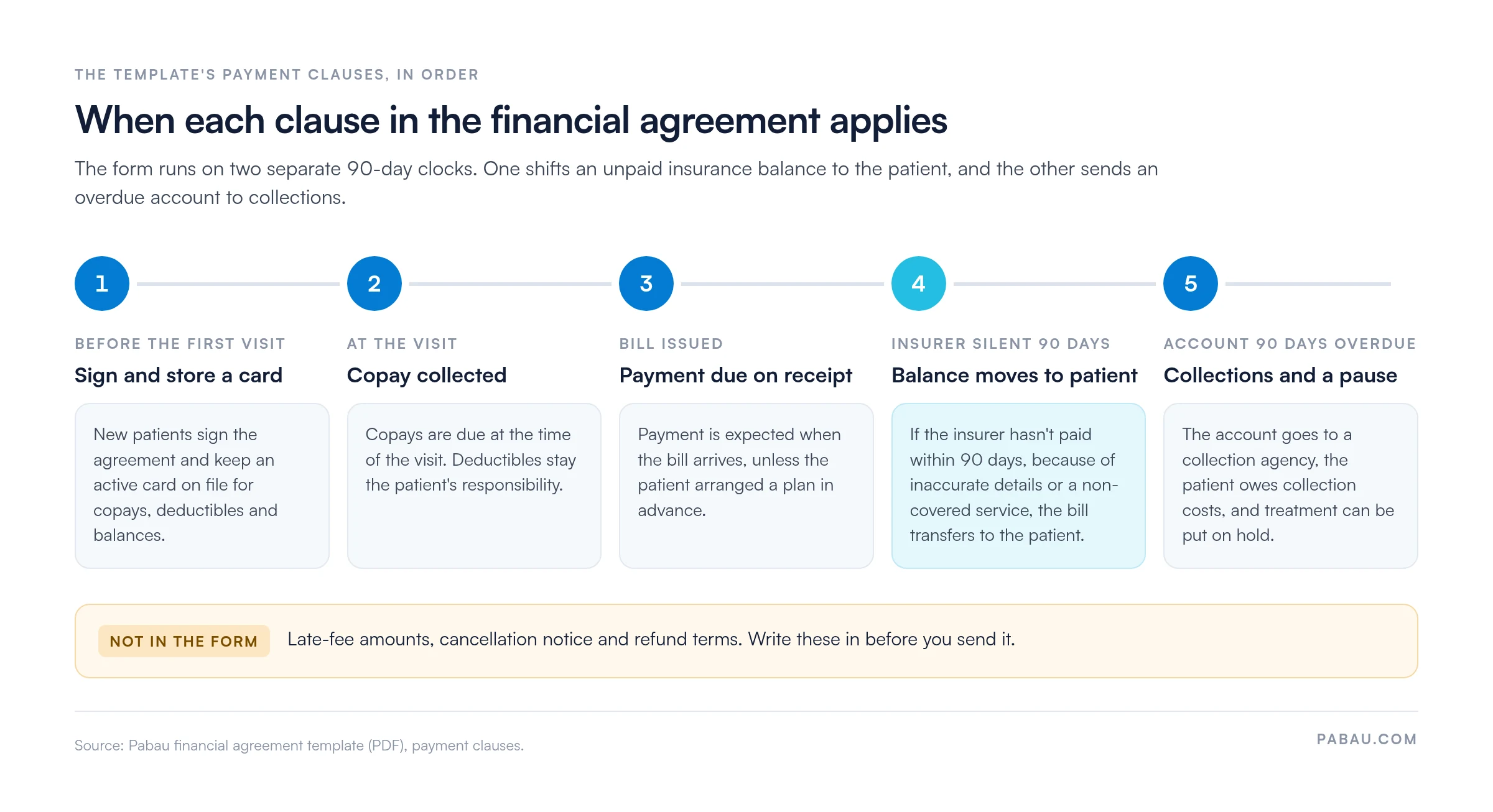
The template makes the patient responsible for any balance the insurer doesn’t pay. Keep that framing. Insurers set their own coverage rules, so neither the form nor your front desk should promise that a treatment will be covered.
The card-on-file clause needs a matching consent record. A credit card authorization form captures the patient’s permission to charge the card, which backs up the clause if a charge is ever disputed.
The form warns that late payers may face “additional fees or charges,” but it never names an amount. It doesn’t mention cancellations or refunds either. Add all three, with figures. A stated amount and deadline leave far less room for argument than “reasonable fees.”
Cancellation terms work best when they match your booking rules. In Pabau, the practice management platform we build, the cancellation policy feature applies one notice window across online bookings. Fee rules vary by state, so have a lawyer review any late-fee or refund wording.
Deposits belong here too. If you take one at booking, state the amount, when it’s due, and whether it’s refundable after a late cancellation.

One more clause to weigh is interest on payment plans. If you charge it, US disclosure rules under Regulation Z may apply, depending on the type of credit. Check the Consumer Financial Protection Bureau’s Regulation Z guidance before adding interest terms.
Once you know what the form leaves out, the edit itself is quick. Work through these steps, then save one approved master copy for the whole team.
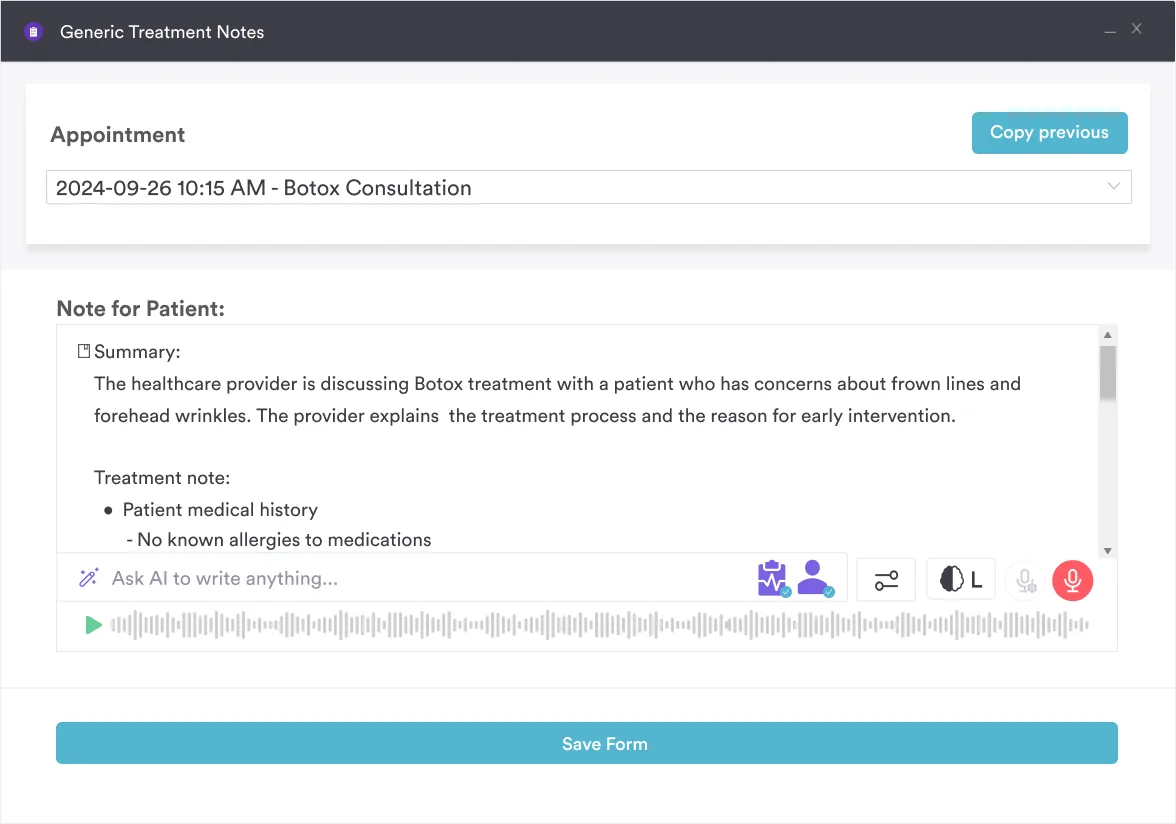
Quoted costs should match the agreement too. Pabau Scribe, our AI scribe, turns the consultation into a structured note. The quote the patient heard then sits in their record, ready to check before they sign.
Audit your current financial paperwork against this template before your next billing cycle. Flag any clause staff cannot explain in one sentence, and replace vague wording with specific amounts and dates. Then ask your legal adviser to confirm the final version, because enforceability depends on your state and on how the document is signed.
Here’s how the clauses play out for one insured patient. They sign the agreement with their intake forms and keep a card on file. At the visit, the front desk takes the copay.
The insurer then rejects part of the claim as a non-covered service. Under the agreement, that portion now sits with the patient. The bill goes out, and payment is due on receipt.
If the account is still unpaid 90 days later, it can go to collections. A reminder sequence before that point keeps the step rare, and our guide to patient collections shows how to set one up. At every stage, staff point to a clause the patient signed instead of arguing from memory.
Before the first patient sees your version, confirm each point below.
A well-written form can still fail if the process around it is loose. Watch for these slips:
Send the agreement with the rest of the intake forms, so patients can read it at home. Staff should answer questions before anyone signs.
In the US, electronic signatures are generally recognized under the federal ESIGN Act. Other countries set their own rules, so check local requirements before relying on e-signatures.
Pabau’s digital forms send the agreement with the intake paperwork and file the signed copy on the patient record. In Pabau GO, our iOS app for practitioners, the pre-appointment checklist shows whether those forms are complete before the patient arrives.
Many practices print the agreement, scan the signed copy, and keep their payment terms in a separate binder. Staff then apply those terms at checkout from memory.
Pabau keeps the signed agreement on the patient record, next to their invoices. Your payment policy lives in the same system, so the wording on the form matches the terms your team applies at checkout. Once the terms are signed, Pabau payment processing collects deposits and balances against them.
Through the Client Portal, patients can also find their forms and records in one place. The result is fewer disputes at the desk, because the terms they signed and the charges they see come from the same system.

See how Pabau sends financial agreements with intake forms, files the signed copy on the patient record, and applies the same terms at checkout.

Start from the terms the template already covers, then write in what it leaves out: late fees, cancellations, refunds and deposits. Most of the work is one careful edit and one legal review.
The payoff shows up at the front desk. When a balance is disputed, staff point to a clause the patient signed instead of explaining policy from memory.
Keep the trade-off in mind, though. Strict terms protect revenue, but they only hold up if your team applies them the same way every time. Book a demo to see how Pabau sends, signs and stores financial agreements alongside the payments they govern.

Need to take deposits before treatment? Deposit management software shows how to collect part payments before a booking is confirmed.
Want a simpler form for one-off payments? Patient payment form template captures billing details, payment method and a signature in one page.
Writing your refund terms? Patient refund policy walks through the clauses a clear refund policy needs.
Taking card payments at the desk? Medical credit card processing explains fees, security and setup for practices that take cards.
Worried about card data security? HIPAA-compliant payment processing explains how to take payments without exposing patient data.
An assignment of benefits lets the insurer pay your practice directly instead of reimbursing the patient. This template doesn’t include one, so add it as a separate clause if you bill insurers for patients.
Usually the parent or legal guardian who is responsible for the bill, often called the guarantor. Record their name and relationship to the patient next to the signature.
Only within the terms the patient signed. This template covers copays, deductibles and account balances as they fall due. Telling the patient before each charge helps avoid disputes.
Yes, a financial agreement can be legally binding when its terms are clear, lawful, and signed by the patient. Enforceability depends on your state, so have a qualified lawyer review your version.
A financial agreement sets the general payment terms for care. A payment plan is a separate schedule for paying one balance over time. If the plan charges interest, US disclosure rules may apply.