Maja Popovska
Referral management software: Track and close every referral
Referral management software in healthcare sends, tracks, and follows up patient...

Last Updated: Oct 26, 2026
Free PDF 1 page, print-ready Clinician-reviewed
A meeting summary is a one-page record of what a meeting decided and who does what next. It keeps the decisions, the owners, and the due dates. It drops the verbatim detail that formal minutes carry.
Summaries are used across healthcare, education, business, and nonprofit teams. In mental health practices, they capture team huddles and treatment planning conferences. Med spas and aesthetic practices use them for staff meetings, training sessions, and operational decisions.
The healthcare sections further down are the part generic templates skip. They cover the patient privacy line, the clinical decisions, and the compliance flags a practice needs on the page.
A ready-to-use template for recording attendees, key decisions, action items with owners and due dates, discussion notes, and follow-up dates. It also carries the healthcare fields for patient privacy, clinical decisions, and compliance.
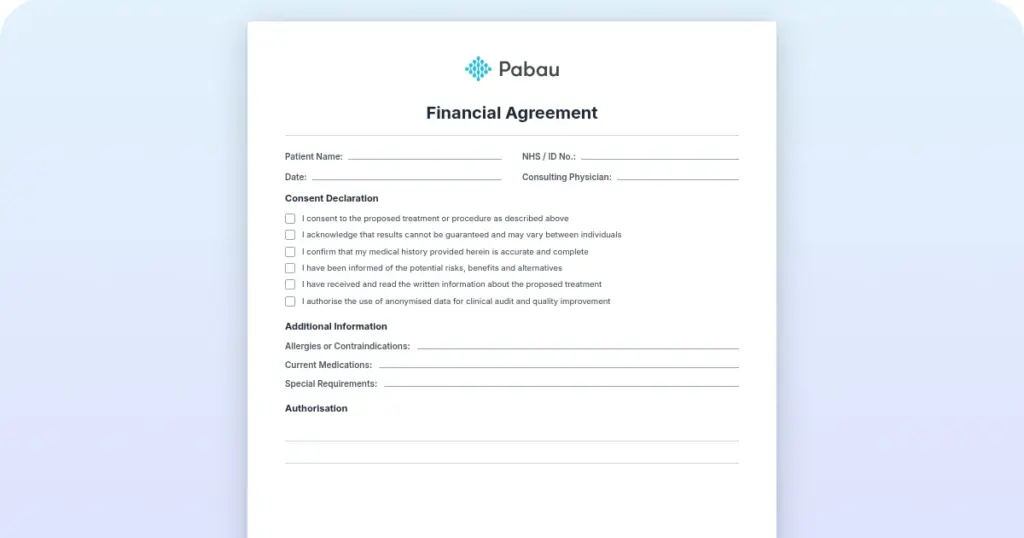
Start from scratch, or upload this PDF or any form you already use, and Pabau's AI Form rebuilds it with tick boxes, text fields and a signature. Attach it to the treatment once, and every patient gets it on time.
AI Form rebuilds the consent, history and aftercare forms you already use. You review each one, then publish.
Patients complete forms on their phone before they arrive, so the front desk stops retyping paper.
Every signed form is versioned and attached to the treatment record, ready when you need it.
Set how long a consent stays valid. Returning patients skip forms they have already signed.
Supports HIPAA and GDPR compliance AES-256 encryption 4.8 on G2 4.7 on Capterra Trusted by 4,000+ practices worldwide

A meeting summary is a short, informal record of what a meeting decided, who owns each action item, and when it is due.
Every summary needs the date, attendees, agenda, decisions, action items with owners and due dates, and a follow-up date.
Write it while the details are fresh, keep it to one page, and send it within 24 hours.
Healthcare teams should add a patient privacy line, clinical decisions, and compliance flags that generic business templates leave out.
Practice management software like Pabau turns those action items into assigned tasks, so follow-up never depends on someone’s memory.
A meeting summary is a brief, informal written record of what was discussed and decided. It records the decisions, the action items, and the next steps. It leaves out the formal structure and verbatim detail of official minutes. Think of it as the follow-up email that reminds everyone what was agreed and who is responsible.
Minutes are a formal record built for governance, and they often run close to verbatim. A summary is short, informal, and written to get work moving. Both cover the same meeting, but they answer to different audiences.
For most practice teams, a summary is the right choice. It is faster to write, easier to read, and focused on action. That suits a team squeezing a huddle between appointments.
Every effective meeting summary covers these core elements:
For patient care coordination meetings, add the clinical context. That means the treatment plans discussed, any compliance notes, and patient identifiers handled under your own privacy rules.
Writing a clear summary is a skill that improves with practice. Five steps get you there.
The file at the top of this page carries every section you need. Here is what each one is for:
Download the file and fill it in using the structure above. It works as a PDF, a Word document, or a Google Doc, so use whichever your team already lives in.
Here is what the finished page looks like for two very different practice meetings.
Meeting: Monthly operations review | Date: August 10, 2026 | Attendees: Manager (Alex), Lead injector (Maya), Receptionist (James), Medical director (Dr. Chen)
Key decisions: Approved new Botox package pricing at $180, down from $200, effective September 1. Approved the purchase of a new before-and-after photography setup. Agreed to trial SMS appointment reminders instead of emails.
Action items: Alex to update pricing in the booking system (owner: Alex, due: August 25). James to test the SMS reminder workflow on 10 patients (owner: James, due: August 20). Maya to brief the team on the new pricing at the next huddle (owner: Maya, due: September 5).
Follow-up: Next meeting September 14, to review SMS adoption rates and patient feedback on the new pricing.
Meeting: Weekly case review | Date: August 7, 2026 | Attendees: Clinical director (Dr. Patel), Therapist A (Sarah), Therapist B (Marcus), Note-taker (Riley)
Key decisions: Approved a stepped care pathway for new ADHD referrals, covering screening, assessment, and treatment planning across three to four weeks. Agreed to use standardized outcome measures on all ongoing cases from September.
Action items: Sarah to draft the ADHD assessment protocol (owner: Sarah, due: August 15). Marcus to collate baseline outcome data for the current caseload (owner: Marcus, due: August 22). Riley to configure AI documentation templates for the new assessment forms (owner: Riley, due: August 30).
Follow-up: Review the outcomes data in two weeks, and adjust the pathway if the numbers call for it.
Practices, med spas, and therapy offices settle operational and clinical questions in the same hour. A template built for a marketing standup has nowhere to put the clinical half, which is where the following sections earn their space.
Clinical decisions also belong in the chart, written up in your standard medical notes format. Keep patient-level handoffs separate as well. An SBAR report is built for that job, so the next clinician gets situation, background, assessment, and recommendation in order.
Our template carries these healthcare fields, so a team can document a decision with the clinical and legal context attached. Practice automation tools can then trigger the follow-up work, which turns an action item into a scheduled task.
Tools like Otter.ai and Zoom’s built-in notes can draft a summary straight from the recording. They label speakers, pull out discussion points, and suggest action items. What they hand back still needs a human read. A tool will happily log “revenue goals discussed” without the target number or the owner’s name.
For practice teams, AI is most useful as a first draft. You record the notes, the tool arranges them into your template, and you add the detail only the room knows. That is the same division of labor practices settle on with an AI receptionist, where software takes the routine and people keep the judgment.
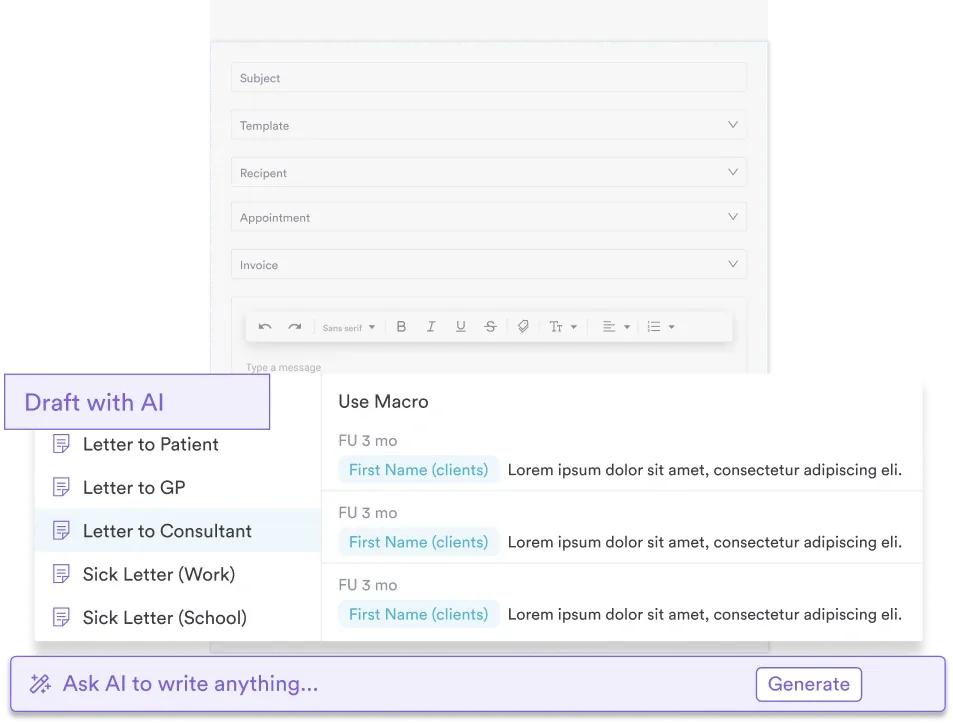
Use AI for the first draft, then check it for accuracy and clinical appropriateness before you send. The summary becomes a shared record, and any error in it travels with the decision.
In most practices the summary goes out by email and the tracking stops there. The owner reads it, copies nothing into a task list, and the item comes back around at the next meeting still unstarted.
Practice management software like Pabau keeps the follow-up in the same place as the work. You assign each action item to a staff member with a due date, and attach the form it needs. Before the next huddle you can see what is still open. Nothing depends on someone remembering.
Team messaging keeps the conversation attached to the task instead of scattering it across personal inboxes. Reporting gives the meeting itself a shared set of numbers, the way Esteem Life Medical Group tracks daily and monthly performance before it decides anything.
The result is a summary that ends in assigned work, with a name and a date against every line of it.

Pabau assigns tasks with owners and due dates, and keeps team management and messaging in one place. You can see what is still open before the next meeting.

The format matters less than the discipline behind it. A summary that puts a name and a date against every decision will hold up, even written in a plain email.
Start with the template above and run it for a month. Cut the sections your team never reads, and keep the healthcare fields. Privacy and compliance decisions are the ones nobody can reconstruct six months later.
Book a demo to see how Pabau turns the action items from your team meetings into tasks with owners and due dates.

Preparing for a tough negotiation? Negotiation worksheet prompts your goals, the other side’s perspective, your strategy, and your follow-up plan.
Hiring a social worker next? Social worker interview questions cover clinical skills, ethical considerations, cultural competence, and professional experience.
Struggling with variable-hours payroll? Healthcare payroll software platforms handle variable hours, commission pay, and overtime compliance for healthcare teams.
Following up on a difficult meeting? Employee counseling form creates a dated record of the issue raised, the requested change, and the response.
Ready to assess a leader’s strengths? Leadership assessment template rates 20 leadership statements across decision-making, team skills, and emotional intelligence.
A meeting summary is an informal written record of the key discussion points, the decisions made, and the action items assigned. Every action item carries an owner and a due date.
A summary focuses on outcomes and action items in an informal style. Minutes are formal, often close to verbatim, and used for governance or legal purposes. Most practice teams only need the summary.
Include the date, attendees, agenda items, key decisions, action items with owners and due dates, discussion highlights, and the next meeting date. Healthcare teams should add a patient privacy line.
One page is ideal and two pages is the limit. Anything longer usually carries detail nobody needed, and a busy practice team will not read it.
Assign a note-taker before the meeting starts. It is often an admin or a junior staff member, and the role can rotate. Pick someone who can listen without leading the discussion.
Yes. Tools like Otter.ai and Zoom’s built-in notes record a meeting and draft a summary from it. They often miss target numbers, owner names, and exact deadlines, so review the draft before sharing.