Maja Popovska
Nutrition plan for gaining muscle: Macros and a sample day
Download your free nutrition intake form template A three-page intake form cover...

Last Updated: Oct 30, 2026
Free PDF 2 pages, print-ready Clinician-reviewed
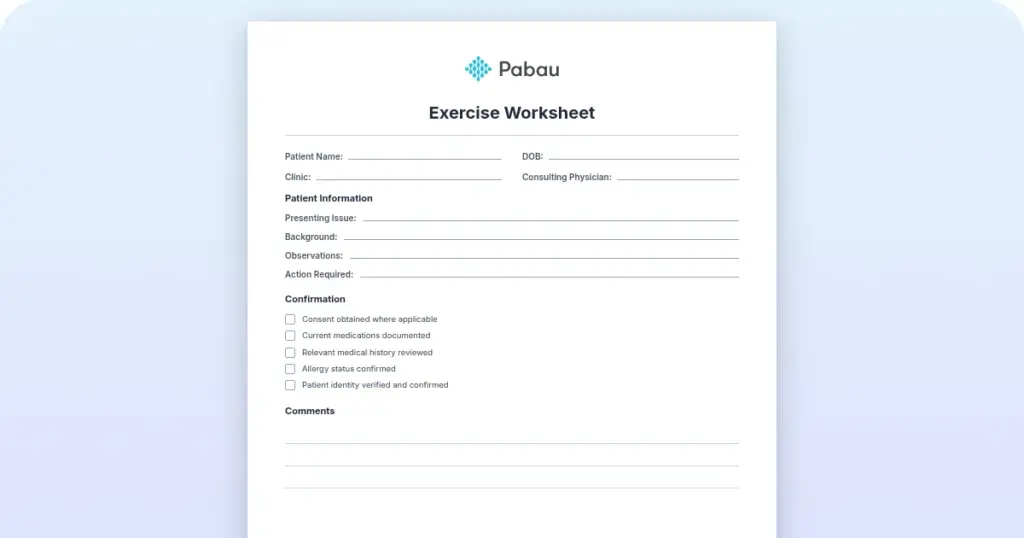
A home exercise program is the set of exercises you prescribe for a patient to complete between visits. The template above gives you every field the program needs, from diagnosis and goals through to sets, reps, precautions, and your signature.
Most free handouts stop at the exercise list. This one doubles as a prescribing record, with space for precautions, pain guidance, and sign-off. That section earns its place the day a patient reports a flare-up and you need to show exactly what you asked them to do.
Adherence is where these programs succeed or fail. Compliance runs as low as 35% when there is no structured follow-up. How you word and deliver the program matters as much as which exercises you choose.
A ready-to-use template with fields for patient details, diagnosis and goals, exercise instructions, sets and reps, frequency, precautions, and clinician sign-off. Print it or fill it in digitally and hand it to the patient before they leave.
Start from scratch, or upload this PDF or any form you already use, and Pabau's AI Form rebuilds it with tick boxes, text fields and a signature. Attach it to the treatment once, and every patient gets it on time.
AI Form rebuilds the consent, history and aftercare forms you already use. You review each one, then publish.
Patients complete forms on their phone before they arrive, so the front desk stops retyping paper.
Every signed form is versioned and attached to the treatment record, ready when you need it.
Set how long a consent stays valid. Returning patients skip forms they have already signed.
Supports HIPAA and GDPR compliance AES-256 encryption 4.8 on G2 4.7 on Capterra Trusted by 4,000+ practices worldwide

A home exercise program (HEP) is a set of therapeutic exercises a therapist prescribes for a patient to complete at home between visits.
A complete template covers patient details, diagnosis, instructions, sets and reps, frequency, precautions, visual cues, and clinician sign-off.
Adherence decides the outcome, and compliance runs as low as 35% without structured follow-up and clear written instructions.
Practice management software like Pabau delivers the program through digital forms and the patient portal, then follows up with automated reminders.
A home exercise program is a structured set of therapeutic exercises prescribed by a physical therapist, occupational therapist, or other rehabilitation professional. The patient performs it independently at home. Unlike a general workout plan, it is built around one patient’s diagnosis, functional limitations, and clinical goals. The physical therapy EMR software a practice runs on decides how smoothly that plan reaches the patient’s record.
HEPs carry the work between appointments. Face-to-face therapy handles acute needs and hands-on intervention. The program keeps the patient building strength, mobility, and self-management skills in their own environment, which is what prevents re-injury after discharge.
For everything from post-surgical rehabilitation to chronic pain management, the program is often the most useful thing a clinician can prescribe. APTA guidance treats adherence to it as one of the strongest predictors of a good outcome.
Patients who finish their program show faster functional gains and lower re-injury rates than patients who rely on appointments alone. The reason is dose. Spreading therapeutic work across the week delivers a volume that two visits could never match.
Adherence is the limiting factor. Studies of exercise compliance put it between 35% and 65% where there is no structured follow-up and no clear delivery method. Written instructions, visual cues, and digital reminders are what decide whether the patient ever starts.
Standardized fields stop things being missed. They also give the patient everything they need to exercise safely and correctly without you there. Use this checklist to structure the form.
Building the form in digital forms saves you rewriting it for every patient. You can also drop in a patient portal link so the program opens on any device, whenever the patient needs it.

Clinics outgrowing their software often start by reviewing alternatives to Jane App for stronger charting and rehab tools.
Five steps, in this order:
Those parameters are a starting point, and they have to move as the patient gets stronger. For a patient ready to progress past maintenance, a six-week exercise plan shows how sets, reps, and load shift between two-week blocks.
Condition-specific versions speed up prescribing and stop you missing a key exercise for a diagnosis. These are the five you will reach for most.
Shoulder cases need one extra check before you load anything. If the patient reports grinding or clicking under the shoulder blade, run the snapping scapula test first. Adjust the program around what it tells you.
Compression with rotation is how the crank test reproduces the deep catching a torn labrum gives under load. Internal-rotation pain suggests posterior labral involvement, while external-rotation pain suggests anterior, and either result points to an MRI arthrogram.
Non-compliance is the leading reason these programs fail. Six tactics remove most of the friction.
None of this needs equipment. Bodyweight work is often as effective for rehabilitation as loaded movement, which keeps the program open to every patient regardless of budget or home setup.
The staples are planks for the core and glute bridges for the hip and lower back. Add squats for the legs and wall push-ups for the upper body. Single-leg balance work covers proprioception. For resistance, patients can use water bottles, a staircase, or a resistance band if they have one.
A bodyweight program has documented outcomes across post-surgical recovery, chronic pain, and functional mobility. Consistency does the work, not the kit.
Digital delivery is now the default in physical therapy practice management. The table below shows why.
Digital delivery paired with patient engagement strategies raises adherence by 25% to 40% against paper alone. The reminders and the check-ins do most of that work, not the file format.
In most practices the program is retyped for every patient, printed at reception, and then never mentioned again until the next visit. Nothing in the file says what was handed over, and nothing reminds the patient on day three.
Practice management software like Pabau puts that whole sequence in one place. You build the program once as a digital form, save it as a template, and adapt it per patient. It attaches to the patient record, so the precautions and the sign-off sit with the treatment note rather than in a folder somewhere.
The patient opens it in their portal on any device. Automated email and SMS follow-ups then land through the week, with nobody at the front desk chasing. Because every message is logged against the record, you can automate the routine admin and still see exactly what the patient received.
The same setup runs for an occupational therapy practice. You get back the 10 minutes per patient that retyping used to cost. The next appointment then starts with a documented program instead of a guess about what was handed over.

Pabau’s digital forms, patient portal, and automated reminders send each program out and keep it in front of the patient. Every copy stays attached to the clinical record.

The exercises you choose matter less than whether the patient does them. That is the trade-off worth remembering when you are tempted to prescribe eight movements instead of three.
Download the template, fill in the precautions and the sign-off, and hand it over before the patient leaves the room. Then decide how the reminders will reach them, because that decision does more for the outcome than anything else on the page.
Book a demo to see how Pabau sends exercise programs to the patient portal and keeps every copy attached to the clinical record.

Structuring a treatment plan for a new patient? Chiropractic treatment plan guide turns assessment findings into interventions, goals, and re-evaluation timelines.
Investigating symptoms in the shoulder and arm? Eden’s test template records the assessment findings, including the military brace test.
Treating stiffness after a fracture or cast? Elbow stiffness exercises handout covers range of motion, stretching, and strengthening exercises for recovery.
Shoulder symptoms you cannot place? Wright test explains how to screen for thoracic outlet involvement before you load the shoulder.
An effective template includes patient name, diagnosis, clinical goals, exercise names with step-by-step instructions, sets and reps, frequency, precautions, visual diagrams, and clinician sign-off. Together these give the patient everything needed to exercise safely and correctly at home.
Write clear instructions, demonstrate the exercises in the room, set a realistic frequency, make progress visible, send automated reminders, and ask about barriers directly. Digital delivery with reminders raises adherence by 25% to 40% over paper alone.
A typical program is prescribed three to five times a week, for five to 10 minutes a session. Keep the frequency sustainable. Three sessions that happen beat six that never do, so adjust to the patient’s capacity and recovery phase.
No. It complements in-person therapy by holding progress between appointments and building self-management skills. Hands-on treatment addresses the acute problem, and the program at home sustains recovery. Both are needed for the best outcome.
A HEP is built by a clinician around one patient’s diagnosis, functional limitations, and clinical goals. A workout plan is generic and is not prescribed for rehabilitation. A HEP forms part of a treatment plan, with documented outcomes and clinician oversight.
No. Bodyweight movements such as planks, glute bridges, and squats are often as effective as loaded work for rehabilitation. Where you do want resistance, name the household substitutes, such as water bottles or a staircase, so the patient can work with what they have.