HIPAA compliant texting: What you can send patients & how to communicate securely
HIPAA compliant texting is possible when a text holds no protected health inform...

Last Updated: Oct 16, 2026

The Eisenhower Matrix sorts tasks into four quadrants based on urgency and importance, so you can see what actually deserves your time.
Quadrant 1 needs immediate action, but Quadrant 2, the important work that is not urgent, is what actually grows a practice over time.
Delegating Quadrant 3 tasks and eliminating Quadrant 4 habits frees up hours for the strategic work in Quadrant 2.
The free template gives you a blank, ready-to-fill Eisenhower Matrix you can print or complete on screen for your own practice.
A free, ready-to-fill Eisenhower Matrix template with four blank quadrants: Do, Schedule, Delegate, and Eliminate. Print it for a paper planning session, or fill it in on screen and adapt it to your own practice.
Download templateIt’s 9 AM and the task list already has fourteen items on it. Three patients need callbacks, a compliance form is overdue, and the staff review you promised keeps sliding to next week. Reactive work is loud. Strategic work is quiet, so it loses every time you don’t protect it.
The Eisenhower Matrix fixes that by running every task through two questions: is it urgent, and is it important? Sort your list into four quadrants, Do, Schedule, Delegate, Eliminate, and where your time goes stops being a guess.
The Eisenhower Matrix is a time management framework that separates urgent tasks from important ones. President Dwight D. Eisenhower is credited with the idea. Stephen Covey later popularized it in The 7 Habits of Highly Effective People, turning it into four quadrants you can act on.
The problem it solves is universal. Practice teams. Patients need same-day callbacks, prescriptions must be filled, invoices need processing. Yet strategic work like staff development, patient retention, and compliance updates keeps getting pushed to next week, then next month.
Plot every task on a two-by-two grid: urgent or not on one axis, important or not on the other. You’ll see at a glance which tasks deserve your energy, and which should be scheduled, delegated, or dropped.
Every task in a practice falls into one of four categories. Here’s what each quadrant actually means, and how to act on it.
These are fires that must go out today. A patient complication needs immediate attention, a compliance audit notice arrives, or a key team member calls in sick with no coverage for tomorrow. Practice management software that runs on a phone or tablet lets you handle a same-day patient complication without returning to a desk. Comparing options in the best medical practice management software list helps match automation tools to Quadrant 1 needs.
Quadrant 1 demands your personal involvement and a fast response. The risk is spending the whole week here, reacting endlessly. Keep it small by automating routine tasks, so a real emergency doesn’t get lost in the noise.
This quadrant holds the work that moves a practice forward: staff training, patient retention campaigns, refining clinical protocols, long-term planning. None of it screams for attention today, but it decides whether a practice thrives or stalls over the next year.
Covey called this the zone of strategic work. It needs protected time and real focus. Most practitioners struggle here because Quadrant 2 doesn’t demand anything, it invites you to choose. That’s exactly why it holds the highest-value work.
Someone needs this done now, but it doesn’t need your expertise. A patient calls for a test result, staff need expense reimbursement processed, a vendor needs a signature.
Quadrant 3 wastes the most time. These tasks carry urgency, so they feel important, but they interrupt your flow and burn energy that should go to Quadrant 2. Delegate ruthlessly, and train your team to handle it instead of you.
Scrolling social media, sitting in meetings with no clear outcome, or approving decisions a team member could make alone: these are habits, not demands. None of it advances the practice.
Quadrant 4 is pure waste. Name it, and stop. Even small wins here free up hours for the Quadrant 2 work that compounds into real growth.
A task is urgent and it makes me anxious, is that Quadrant 1? Not necessarily. Anxiety isn’t the same as importance. Ask whether missing today would genuinely hurt a patient or the practice. If not, it’s probably Quadrant 3.
Someone keeps overriding my Quadrant 2 block for an “urgent” request, what now? Check whether the request is actually Quadrant 1, or just loud. Most interruptions are Quadrant 3 wearing a Quadrant 1 costume, and they should go to your team, not your calendar.
Using the Eisenhower Matrix is simple, but it takes honest self-assessment. Here’s how to start.
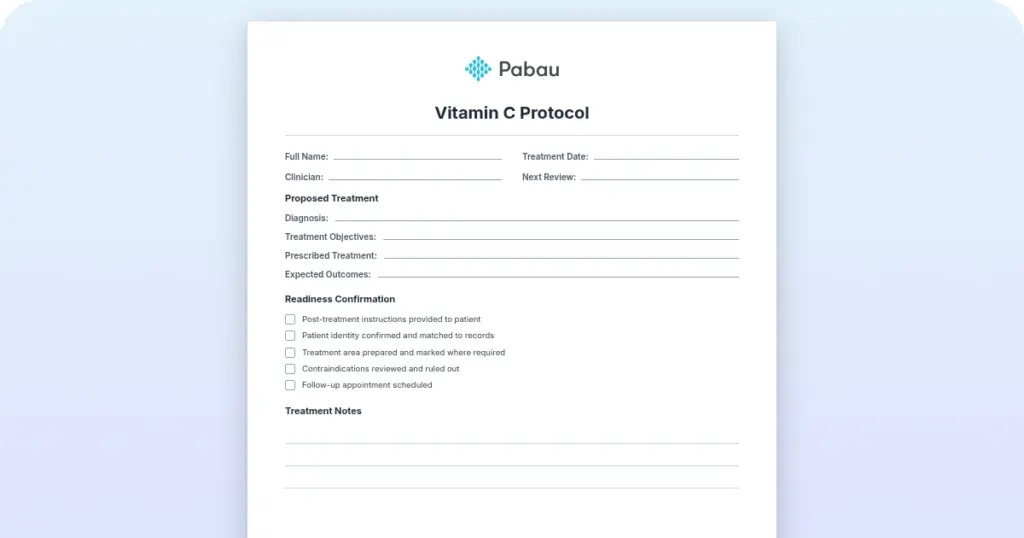
Forms like this work best delivered through patient intake software, completed before the patient reaches the treatment room.
Seeing the matrix applied to real scenarios makes it easier to use.
Take a Monday morning at a four-provider practice. A patient complication and a same-day lab result are Q1, handled immediately. Reviewing last quarter’s retention numbers is Q2, and it gets a blocked hour on Thursday. A vendor chasing a signature is Q3, passed to the office manager. Checking social media between patients is Q4, and it stops today.
Practice owners juggle several domains competing for the same hours: patient care, staff management, compliance, billing, and growth. Here’s how each one typically sorts.
The matrix creates clarity in a chaotic day. You stop feeling guilty about saying no to Quadrant 4 work, because the framework backs that choice. It’s simple enough to teach your whole team, so everyone filters work the same way.
It holds up across healthcare, tech, and small business, because the underlying principle is universal. Clinicians who stick with it notice they get real time back each week. Eliminating Q4 habits and delegating Q3 work, instead of doing it yourself, adds up fast.
Categorizing tasks takes judgment, and judgment varies. One person’s Q2 is another person’s Q3. The matrix doesn’t account for dependencies, since some Q4 tasks unblock Q2 work later. Some Quadrant 1 crises can’t be prevented, which limits how much you can optimize. And the framework assumes you can delegate, which isn’t always true for a solo practitioner.
Most failed attempts share the same handful of mistakes.
Start small. Don’t categorize your whole backlog in one sitting. Pick one week, sort tasks as they arrive, and notice where the time actually goes. Most teams find Quadrant 3 work, the kind someone else should handle, takes up more of the week than they expected.

Practice management software like Pabau brings automated workflows, team management, and reporting into one system, so routine admin doesn’t eat into the time you’ve blocked for Quadrant 2 work. Book a demo to see it in action.

Every practice leader faces the same problem: too many demands, not enough hours. Separating urgent tasks from important ones shows you where to put your energy for the biggest impact on patient care and practice growth.
The framework is simple. The discipline is harder. Practices that protect Quadrant 2 time for staff development, patient retention, and process improvement tend to outpace the ones stuck reacting all day. Download the template above, then book a demo to see how Pabau can help clear Quadrant 3 off your plate.

Choosing an EHR for your practice? ambulatory vs inpatient EHR differences explains the key differences so you don’t pay for capabilities your outpatient practice will never use.
Still treating your EHR as a filing cabinet? EHR benefits for private clinics shares the evidence on how EHRs improve patient care, remote chart access, and medication safety.
Rolling out a new EHR soon? EHR training best practices covers role-based training, a super user program, and 90-day KPIs for a clean go-live.
Budgeting for new EMR software? EMR software cost breakdown breaks down setup fees, data migration, training, and add-ons that push costs well past the subscription price.
Both feel urgent, but Quadrant 2 needs your judgment and Quadrant 3 does not. Ask whether the task truly needs your expertise. If someone else could handle it competently, it belongs in Quadrant 3.
No, it organizes one. Keep your existing to-do list or software for capturing tasks. Then run each item through the matrix to decide what gets your attention first this week.
Batch similar Quadrant 3 tasks into one fixed block instead of handling them as they arrive. It won’t remove the work, but it stops constant interruptions eating into Quadrant 2 time.
Yes. Many practice managers recreate the four quadrants in a shared task board or their practice management software. The whole team can then see and update priorities in real time.
Yes. The template above is a free, blank four-quadrant grid you can print or fill in digitally. Add your own tasks under Do, Schedule, Delegate, and Eliminate to start sorting your week.