Physician credentialing checklist
A physician credentialing checklist lists every license, certificate, verificati...

Last Updated: Oct 23, 2026

A time management worksheet is a structured tool that helps clinicians and healthcare teams audit time use, prioritize tasks, and build sustainable scheduling habits.
Effective worksheets include daily time logs, weekly planners, priority matrices, and goal-setting sections that reduce admin burden and improve patient flow.
Healthcare work creates its own time pressures, including scheduling conflicts, documentation backlogs, and handoffs between clinical and admin staff.
The priority matrix sorts clinical tasks into four quadrants, which decides what gets blocked, batched, delegated, or automated.
Pabau’s scheduling and automation tools turn worksheet findings into workflow changes your practice can run every week.
A printable worksheet with a daily time log, a seven-day planner grid, an urgent-versus-important priority matrix, a time blocking area, and a weekly goal section.
Download templateA time management worksheet is a structured tool for auditing how a working day is actually spent. Clinicians, practice managers, and front-desk staff use it to find the bottlenecks and rebuild the schedule around them.
Unlike a generic to-do list, it combines several focused sections. A daily time log, a priority matrix, a weekly planner, and a goal area sit side by side. Together they show both what you did and where the hours went.
Clinical days resist planning. Appointments overlap, documentation stacks up between visits, and urgent jobs break whatever block you set aside for focused work. The worksheet gives you a week of evidence about where the time goes before you try to change anything.
An effective worksheet contains five sections, each aimed at a different barrier.
Getting value out of the worksheet takes a structured completion process. Follow these five steps.
The worksheet works best as a reflective tool you revisit weekly rather than a one-time exercise. Book a recurring 15-minute Friday review to check whether the blocks held, whether the goal was met, and what needs adjusting.
Healthcare work carries time pressures that general business advice does not cover. Patient contact hours cannot be moved or compressed. Documentation grows through the day, and handoffs between departments create delays nobody can see on a calendar.
A clinical version of the worksheet front-loads the fixed appointments first. Admin time then sits immediately after patient contact, while the details are still fresh. Fifteen-minute buffers between appointments cover note completion and prep for the next patient. Many practices already have buffers built into their patient scheduling software, and the worksheet decides what those buffers are for.
In a larger practice, the worksheet also exposes where handoffs stall. If intake paperwork goes to admin staff for entry, and that entry backs up before it reaches the clinician, the log shows the delay. Decisions about appointment management, staffing, or automation then rest on evidence rather than guesswork.
Three barriers block healthcare professionals from reclaiming their time.
That third barrier is the one the matrix settles. Sorting a week of logged tasks into the four quadrants also tells you what to do with each group.
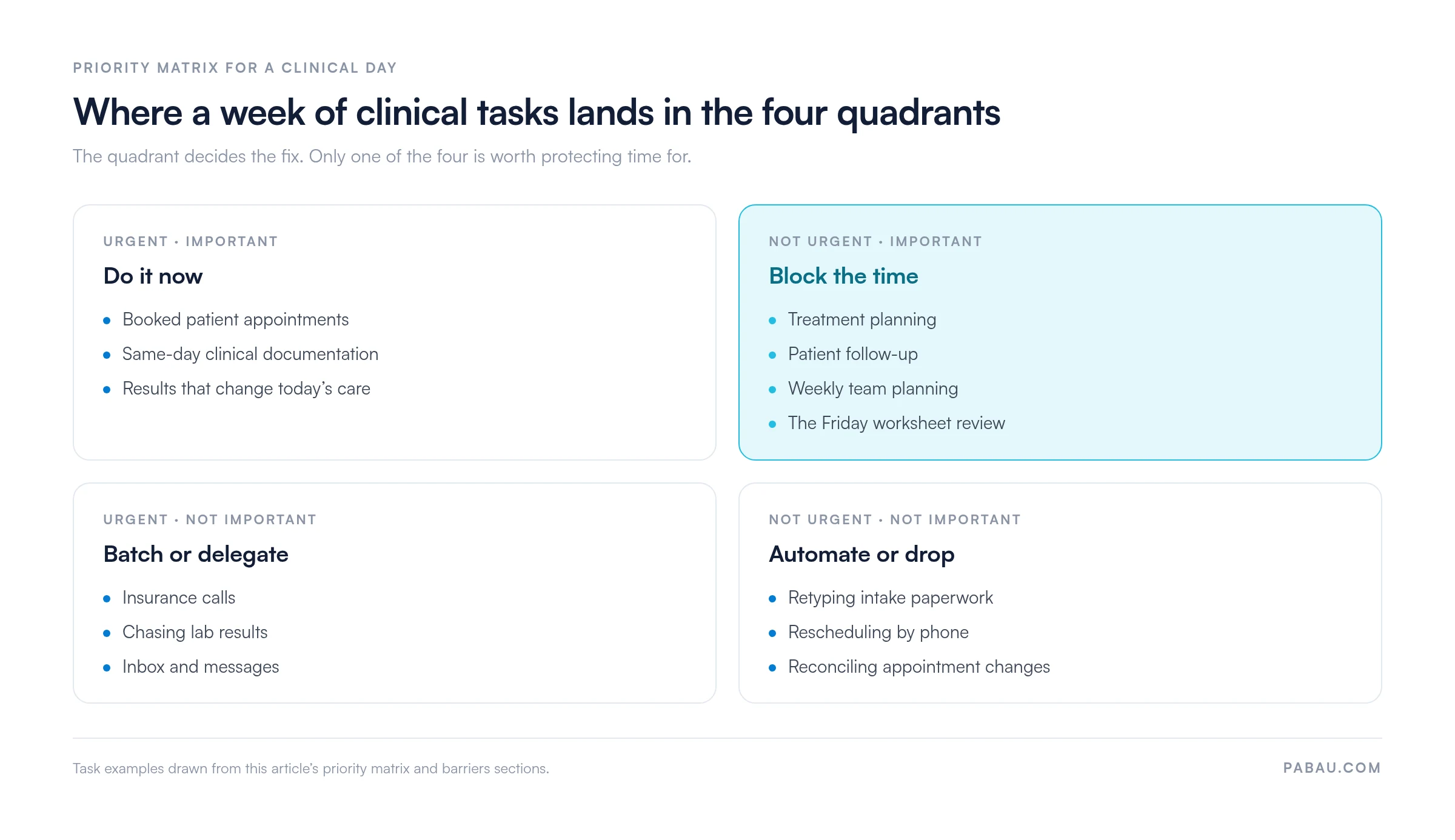
The worksheet does not clear these barriers on its own. It makes them impossible to argue with, and that is where change starts.
Worksheets work best when they sit alongside a few supporting time management strategies.
A paper worksheet uncovers how the week is spent. The next decision is which findings a calendar can fix and which ones need a system change.
Personal habits respond to blocking and batching. Process problems do not. If clinical staff spend 20 minutes a day retyping patient information, digital forms and patient intake software recover that time outright. If admin staff lose hours reconciling appointment changes, letting patients reschedule themselves removes the task.
A practice management app is where those changes stick, because the schedule, the forms, and the reminders all sit in one place. The worksheet finds the lever. The system keeps a hand on it.
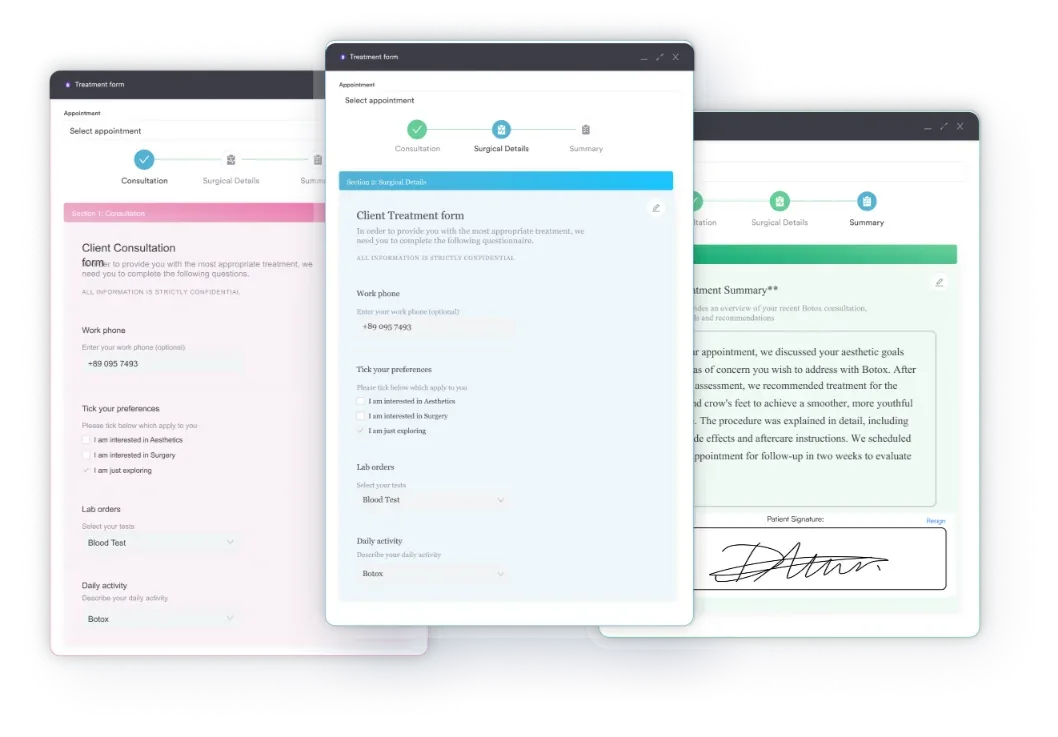
Most practices finish the week’s log with a short list of tasks that eat the day. Intake details get retyped from paper, reschedules arrive by phone, and someone spends the afternoon before clinic chasing confirmations.
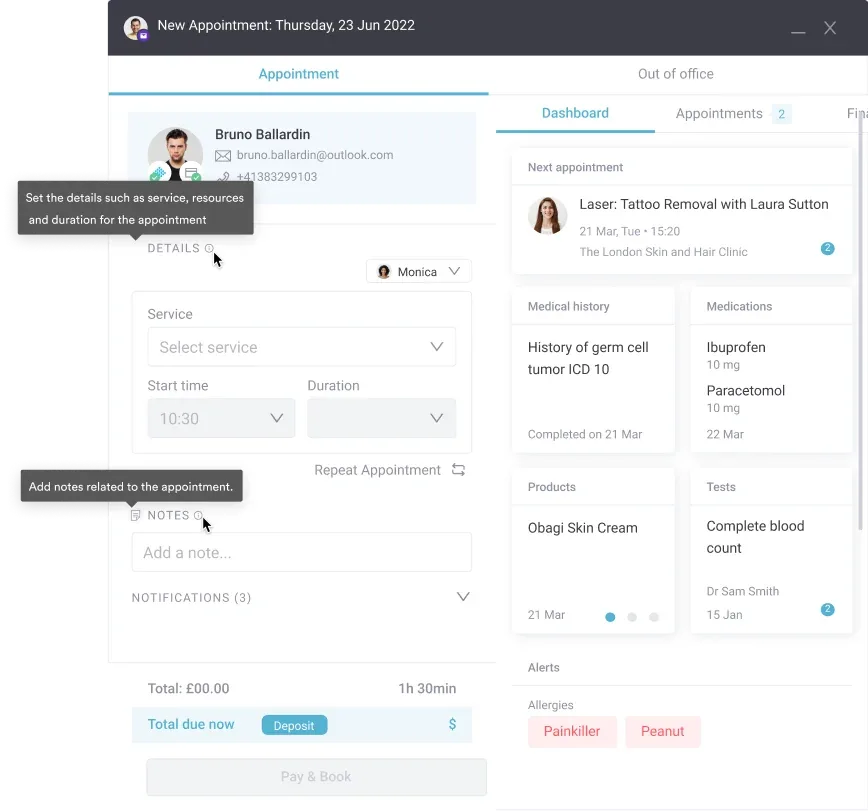
Practice management software like Pabau takes those tasks off the list instead of moving them. Patients book and reschedule through online booking without calling the front desk. Intake and consent forms arrive completed ahead of the appointment. Automated reminders go out on schedule, so nobody loses a morning to the phone.
Staff rotas and treatment rooms sit in the same calendar, so the blocks you protected on paper are visible to the whole team. Reporting then shows whether they held. The outcome is a week that resembles the one you designed, without a manager policing it.

Pabau’s scheduling, digital intake forms, and automated reminders clear the admin your time log exposes. Your protected blocks live on the team calendar instead of a printout.

The worksheet is a diagnostic tool, not a cure. It shows you where your hours went. What you do with that picture is a separate decision, and it is the one that gives time back.
Expect the first week to feel like extra work, because it is. Honest logging costs about five minutes a day, and the temptation to stop arrives around day three. Push through to Friday anyway. A partial log tells you very little, and you will have spent the effort either way.
Then read the log without flinching. Some of what you find is personal habit, and a protected block will fix it. Some of it will not budge. If intake forms sit with admin staff for two days, no amount of personal discipline moves them. That is a process problem, and it needs a process fix.
Fix the habits yourself, and hand the process problems to software. Book a demo to see how Pabau turns a week of worksheet findings into a schedule your practice can hold.

Need to turn your time blocks into an actual staff rota? Practice schedule: Free template gives you a printable grid for mapping coverage, breaks, and admin time across the week.
Losing hours to meetings that go nowhere? Meeting notes template for healthcare teams keeps huddles short by fixing what gets captured and who owns each action.
Worried the time problem is bigger than scheduling? Burnout in healthcare: causes, warning signs, and solutions covers the early signals and what practices can change before staff start leaving.
Clinical time is finite. Better time management improves patient outcomes through preparation and focus. It protects revenue through fewer no-shows and tighter scheduling. It also lowers burnout risk by cutting the work that follows staff home.
Begin with a one-week daily log recording how long each task actually took. Sort those tasks into a priority matrix by urgency and importance. Design your ideal week, pick three blocks to protect, and set one specific goal. Review it every Friday.
Effective worksheets contain five sections. They are a daily time log, a seven-day planner grid, a priority matrix, a time blocking area, and a weekly goal section. The log records what happened, and the other four decide what happens next.
Yes. The time log exposes which tasks you keep pushing to tomorrow. Once the pattern is visible, block the high-resistance work early in the day. Break large tasks into smaller steps with their own slots, then track completion weekly to build momentum.
A time audit is a detailed one-week log of how you spend every hour. You record task names and the duration each one took, never an estimate. Comparing what happened against what you assumed happens shows the switching, the underestimates, and the low-value work that eats the day.