Monika Lazarevska
Nutrition plan for gaining muscle: Macros and a sample day
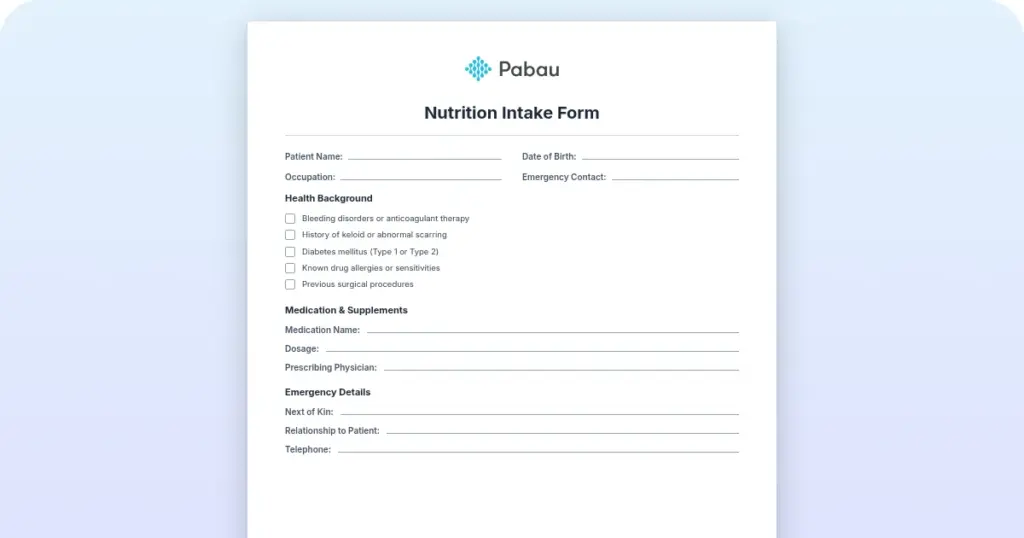
Download your free nutrition intake form template A three-page intake form cover...

Last Updated: Oct 30, 2026
Free PDF 2 pages, print-ready Clinician-reviewed
A consent form for vaccination proves the patient understood the vaccine’s benefits and risks and agreed to it. Without one, you hold a vaccination record with no evidence of the conversation behind it.
Federal law already makes you hand over a Vaccine Information Statement for most routine vaccines. The form is where you capture that the patient received it, read it, and said yes.
Get the fields right once, and every dose after that is quicker to document and easier to defend. Below you’ll find a free template, what belongs in each block, and how practices run it day to day.
A ready-to-use form covering patient and guardian details, contraindication screening, and the vaccine’s name, lot number, site and date. It closes with a VIS acknowledgment statement and signature blocks for the patient, the clinician, and an optional witness.
Start from scratch, or upload this PDF or any form you already use, and Pabau's AI Form rebuilds it with tick boxes, text fields and a signature. Attach it to the treatment once, and every patient gets it on time.
AI Form rebuilds the consent, history and aftercare forms you already use. You review each one, then publish.
Patients complete forms on their phone before they arrive, so the front desk stops retyping paper.
Every signed form is versioned and attached to the treatment record, ready when you need it.
Set how long a consent stays valid. Returning patients skip forms they have already signed.
Supports HIPAA and GDPR compliance AES-256 encryption 4.8 on G2 4.7 on Capterra Trusted by 4,000+ practices worldwide

A consent form for vaccination records that the patient understood the risks and benefits, then agreed to the dose.
Federal law requires you to give a Vaccine Information Statement before most routine vaccines and to document that you did.
Every form needs patient details, screening questions, the vaccine name and lot number, a consent statement, and signatures.
Egg allergy no longer calls for special precautions with any flu vaccine, so your screening questions should not flag it.
Digital consent attaches the signed form to the patient record with a timestamp, which cuts audit retrieval to seconds.
It proves the patient was told what the vaccine does and what it might do, then agreed to it. The form is a signed agreement between the patient and the person giving the dose. For a minor, a parent or legal guardian signs instead.
One signature does three jobs at once:
That third job is the one with a federal name attached. The Act requires providers to give patients a Vaccine Information Statement (VIS) before certain vaccines, and to record that they did. State health departments then check for that record during facility inspections.
A verbal yes leaves nothing behind. When an inspector or a lawyer asks for evidence a year later, the signed form is the only record that answers.
Five blocks, in this order. The form runs from who the patient is, through what might stop the dose, to what was given and who signed for it. Below, the map shows the whole page at a glance.
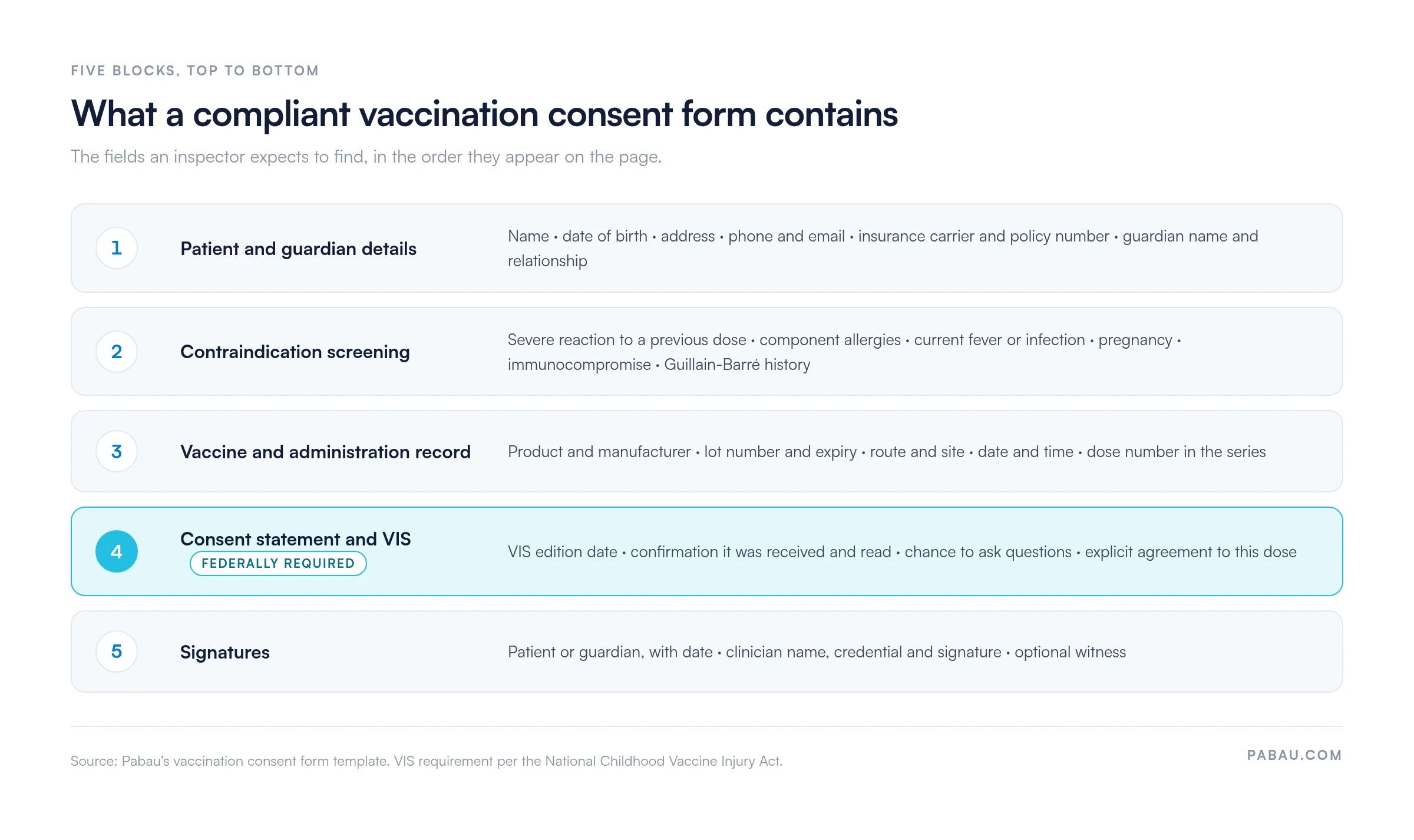
This block links the consent to the right chart and lets you bill for the visit. Collect the patient’s name, date of birth, address, phone number, email, insurance carrier and policy number. For a minor, add the guardian’s name, their relationship to the patient, and a contact number.
Separated parents raise the question of whose signature counts. Our consent form for parents sets out joint custody, sole custody, and the court orders that require both signatures.
Only ask what could stop or delay the dose. Six questions cover almost every routine vaccine:
Leave room under each question for a short note. A yes is rarely a straight no to the vaccine, and the note is what tells the next clinician how the call was made.
The clinician fills this block in at the chair, not afterwards. Record the product and manufacturer, the lot number and expiry date, the route and site, and the date and time. Multi-dose series need the dose number too, written as “dose 2 of 3”.
Lot numbers matter more than they look. If a batch is recalled, that field is how you find every patient who received it.
Write the declaration in plain language the patient can read without help. Something like: “I received and read the Vaccine Information Statement for [vaccine name]. I understand the benefits and risks, I have had the chance to ask questions, and I consent to this vaccine today.”
Add a checkbox for the VIS and a field for its edition date. Editions change, and recording which one the patient read is what makes the acknowledgment specific rather than generic.
Three signature lines finish the form. The patient or guardian signs and dates it, adding their printed name and relationship where a guardian signs. Next comes the clinician, with a printed name and credential such as RN, NP, PA or MD.
A witness line is optional. It is worth using for minors, or for any patient who cannot read or sign for themselves.
A parent, a court-appointed legal guardian, or someone with lawful custody. Your form should name those three categories explicitly, because front-desk staff will otherwise have to guess. Age-of-consent rules vary by state and by vaccine, so check your state health department guidance before you print the form.
Add a field for the signer’s relationship to the patient and a space for a driver’s license or ID number. Verification takes ten seconds at the desk and settles any later question about who authorized the dose. Our consent to treat minor template covers the wider case, where a parent authorizes treatment in advance.
Decide in advance what happens when a minor arrives alone. Some states let older minors consent to certain vaccines themselves, and some do not. Write your answer into practice policy rather than leaving it to whoever is on shift.
Settle the same question for a grandparent or another caregiver who brings the child in. They can approve the dose only when a signed consent form for grandparents is already on file.
Paper works, until you need to find one form among thousands. The patient signs at the desk, the sheet goes in a chart, and someone scans it into the record later that week. Between the signature and the scan, the only copy sits in a tray.
Digital consent removes that stretch entirely. Patients complete and sign the form before arrival, or on a tablet at check-in. The signed copy attaches to their record with a timestamp. A paperless patient intake setup also carries the screening answers forward, so the clinician reads them before the patient sits down.

Practices ask the same legal question every time, and it is settled. The federal Electronic Signatures in Global and National Commerce Act, known as ESIGN, makes an e-signature valid nationwide. Most states back it with the Uniform Electronic Transactions Act, or UETA.
New York is the exception. It never adopted UETA and runs its own Electronic Signatures and Records Act instead. Either way, check your state’s rules on electronic medical consent before you move the workflow across.
Three to ten years, depending on your state. HIPAA sets no minimum retention period for vaccination records, so the number comes from state law and your own policy. Your state immunization program publishes the figure, and often the forms as well. The Texas immunization program is one example of how that guidance is laid out.
Paper forms belong in a locked cabinet in a restricted area. Digital forms belong in secure patient record storage with role-based access and audit logging. Either way, encryption and automatic backups are the baseline, not an upgrade.
Consent to treat is not the same as authorization to share. If a school, an employer or an insurer asks for a vaccination record, that disclosure usually needs its own paperwork. A HIPAA authorization form handles it, and keeping the two documents separate saves an awkward conversation later.
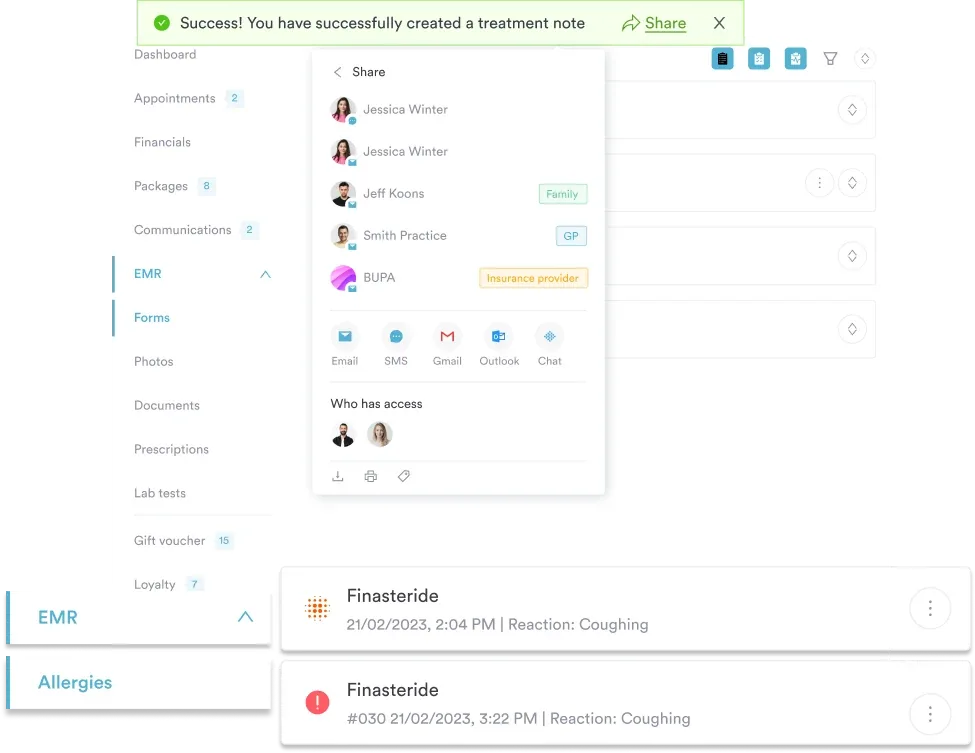
Then there is the log nobody thinks about until they need it. HIPAA expects a record of every time a staff member opens or edits a vaccination record. Practice management software writes that log automatically, down to the device and the timestamp. A filing cabinet cannot tell you who read what.
Step 1. Customize the template. Add your practice name, address and logo. Then add any screening questions your service needs, such as HPV or meningococcal items. Send the draft to your legal or compliance contact before anyone uses it.
Step 2. Pick paper or digital, then commit. Running both means half your consents live in a cabinet and half live in the record. Choose one route and move the whole service onto it.
Step 3. Train the people holding the syringe. Everyone who vaccinates should know which questions to ask, what a yes means, and what goes in each administration field. Twenty minutes in a team meeting is usually enough.
Step 4. Link it to the record. A signed consent should sit with the patient, the appointment and the vaccine entry, not in a folder of its own. Building it into your medical forms workflow stops duplicates and makes retrieval quick.
Step 5. Diarize the review. Set a reminder to archive consents once your retention period expires, and another to reread the form every year. Guidance moves, and a form written three years ago rarely matches current practice.
Run this once, the first time you use the template, and again after any change to it.
This template is an educational starting point, not legal advice. Vaccination consent rules vary by state, by vaccine and by patient age, and they change.
Have your legal counsel or compliance lead review the form against your own state and local requirements before you use it. Your state health department and the CDC publish the current guidance. Responsibility for compliance stays with your practice.
The form is only half the job. Someone still has to get it to the patient, collect it back, and file it against the right record. On paper that is three separate tasks, each with its own chance to go wrong.
Practice management software like Pabau moves that sequence forward. The consent goes out with the appointment reminder, and the patient signs it on their phone. That signed copy lands on the record with a timestamp. Screening answers arrive with it, so the clinician reads them before the patient walks in.
Retention runs from the same record. Each consent stays linked to the visit, the vaccine entry and the clinician who gave the dose. An audit request becomes one search rather than an afternoon in a filing room, and access to each record is logged.

Pabau’s digital forms send the consent with the appointment reminder, then capture the signature and the screening answers against the patient record. Your team stops scanning paper and starts finding consents in one search.

The form itself is the easy part. Download it, add your practice details, and have whoever owns compliance check it against your state’s rules before the first patient signs.
What decides whether it holds up is the habit around it. A form completed the same way by every clinician, every time, is one an inspector can follow. One filled in from memory on a busy Friday is where they stop and start asking questions.
Choose paper or digital on that basis. Digital wins on one practical point. It removes the days where a signature sits in a tray waiting to be scanned. Book a demo to see how Pabau collects vaccination consent, screens the patient, and files both against the record.

Need to document what happens after the dose? Adverse reaction form gives you the fields to record a post-vaccination reaction and what you did about it.
Treating adults for something other than a vaccine? Medical consent form for adults covers general treatment consent with the same signature and witness structure.
Want the whole intake to run before arrival? Patient intake software explains how practices move forms, screening and signatures ahead of the appointment.
Deciding where signed forms should live? Clinical documentation software compares how systems store, index and retrieve completed patient records.
Yes, at any point before the dose is given. Note the withdrawal on the form, have the patient initial it if they will, and record that no vaccine was administered. The signed form stays in the record either way.
Take consent for each dose unless your state allows one form to cover a defined series. The screening answers can change between visits. A patient who was well in March may be pregnant or on immunosuppressants by June.
Not the adult who brought them, unless the parent has signed a standing authorization naming that person. Keep a copy of that authorization with the consent. Without it, phone the parent and document the verbal consent. Record the time and the staff member who took it.
No. A standing order authorizes the nurse to give the vaccine without a patient-specific prescription. It says nothing about what the patient agreed to, so you still hand over the VIS and still collect the signature.
Bring printed forms and printed VIS copies, since venue wifi is unreliable. Number the forms before you leave and reconcile the count when you return. Every form still needs the lot number and the administration site, and both are easy to skip in a queue.