Monika Lazarevska
DASES: Drug Avoidance Self-Efficacy Scale
DASES at a glance and what it measures DASES stands for Drug Avoidance Self-Effi...

2
Last Updated: Oct 29, 2026
Free PDF 2 pages, print-ready Clinician-reviewed
A medical exemption form documents why a patient can't safely meet a health requirement, usually a school or workplace vaccination rule. Reviewers rarely accept vague requests, so the paperwork needs a named clinical reason and a clinician's signature.
This free two-page template handles the patient's half of that job. It collects identifiers, the reason for the request, relevant history, medications and allergies, three signed confirmations, and an office-use log. It has no section for a provider's certification, license number or validity date. The clinician adds those on a letter or the state's form. The rest of this page covers each section, the provider's part, state rules and a checklist to run before you submit.
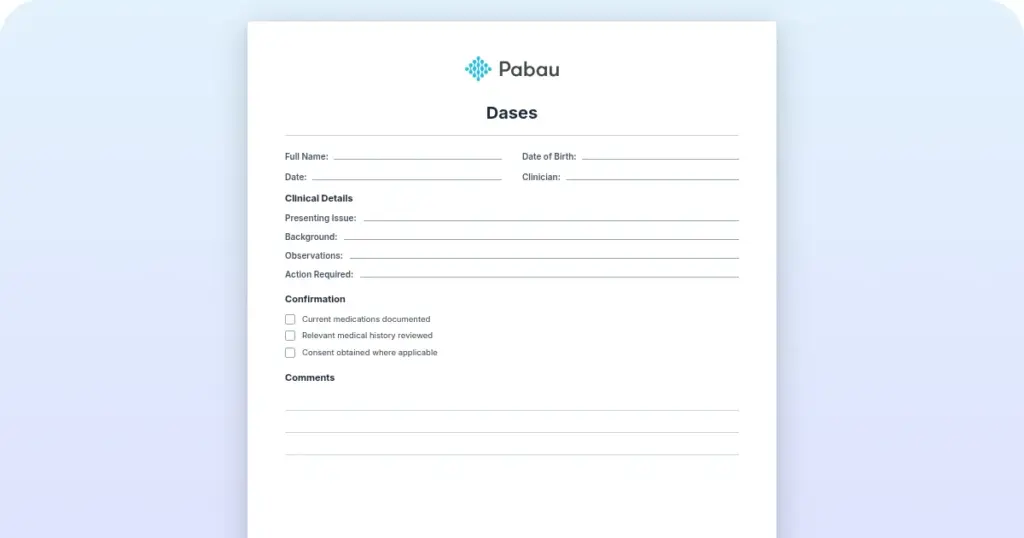
A two-page, patient-completed form for identifiers, emergency contact, the reason for the request, relevant history, medications and allergies. It ends with three patient confirmations, an office-use box, and signature and print-name lines.
Start from scratch, or upload this PDF or any form you already use, and Pabau's AI Form rebuilds it with tick boxes, text fields and a signature. Attach it to the treatment once, and every patient gets it on time.
AI Form rebuilds the consent, history and aftercare forms you already use. You review each one, then publish.
Patients complete forms on their phone before they arrive, so the front desk stops retyping paper.
Every signed form is versioned and attached to the treatment record, ready when you need it.
Set how long a consent stays valid. Returning patients skip forms they have already signed.
Supports HIPAA and GDPR compliance AES-256 encryption 4.8 on G2 4.7 on Capterra Trusted by 4,000+ practices worldwide

A medical exemption form records why a patient can’t safely meet a requirement, most often a school or workplace vaccination rule.
This free template covers the patient’s side: identifiers, the reason for the request, history, medications, allergies, confirmations and a signature.
The PDF has no provider certification, license number or validity date, so the clinician adds these on a signed letter or state form.
Some states require their own exemption form, so check with the receiving organization before you use a custom template.
Store signed exemption paperwork as protected health information in an access-controlled patient record, with a reminder before it expires.
A medical exemption form documents why a patient can’t safely receive a particular vaccine or meet a similar health requirement. The patient makes the request, and a licensed clinician backs it by naming the contraindication and signing.
A school, employer or health department then treats that paperwork as evidence. That’s why a vague note such as “not suitable” rarely gets through. A named contraindication with clinical detail usually does.
Requests tend to come from three places. Each has its own reviewer, its own deadline and, often, its own form.
The template is a two-page form that the patient, or a parent, fills in to request an exemption. It opens with a plain instruction to complete every section, because incomplete forms may delay processing.
The first block asks for the patient’s name, date of birth, record or MRN number, and address. It also has lines for phone, email, an emergency contact, and that contact’s relationship and phone number.
The emergency contact lines aren’t relevant to an exemption request, so tell patients they can leave them blank. Your team processes the form, so a blank there won’t slow the request.
Ask the patient to write their full legal name exactly as it appears on the school or employer record. A name that doesn’t match is a common reason for a request to bounce back.
Next, the patient answers four prompts in their own words.
The patient ticks three statements. They confirm the information is accurate and complete, and they agree to tell the practice if it changes.
The third tick confirms they’ve read the privacy notice, so keep your notice of privacy practices to hand. The patient then signs and dates the form, and page 2 carries a print-name line.
The PDF has no parent or guardian field. For a child, the parent enters the child’s details at the top. They then sign, print their own name and write “parent” or “guardian” beside it.
A staff box records who received the form, the date, the action taken and a reference number. Fill it in on the day the request arrives, and you’ll always know where each one stands.
The PDF prints its date fields as dd / mm / yyyy. US schools and employers read dates month first, so 04/03/2026 could be misread. Ask patients and staff to write the month as a word, such as March 4, 2026.
The template captures the patient’s side of the request only. It has no field for a contraindication, provider credentials, a license number, a provider signature or a validity date.
Most schools, employers and health departments expect those details too. The split looks like this, and the provider items are general guidance beyond the PDF.
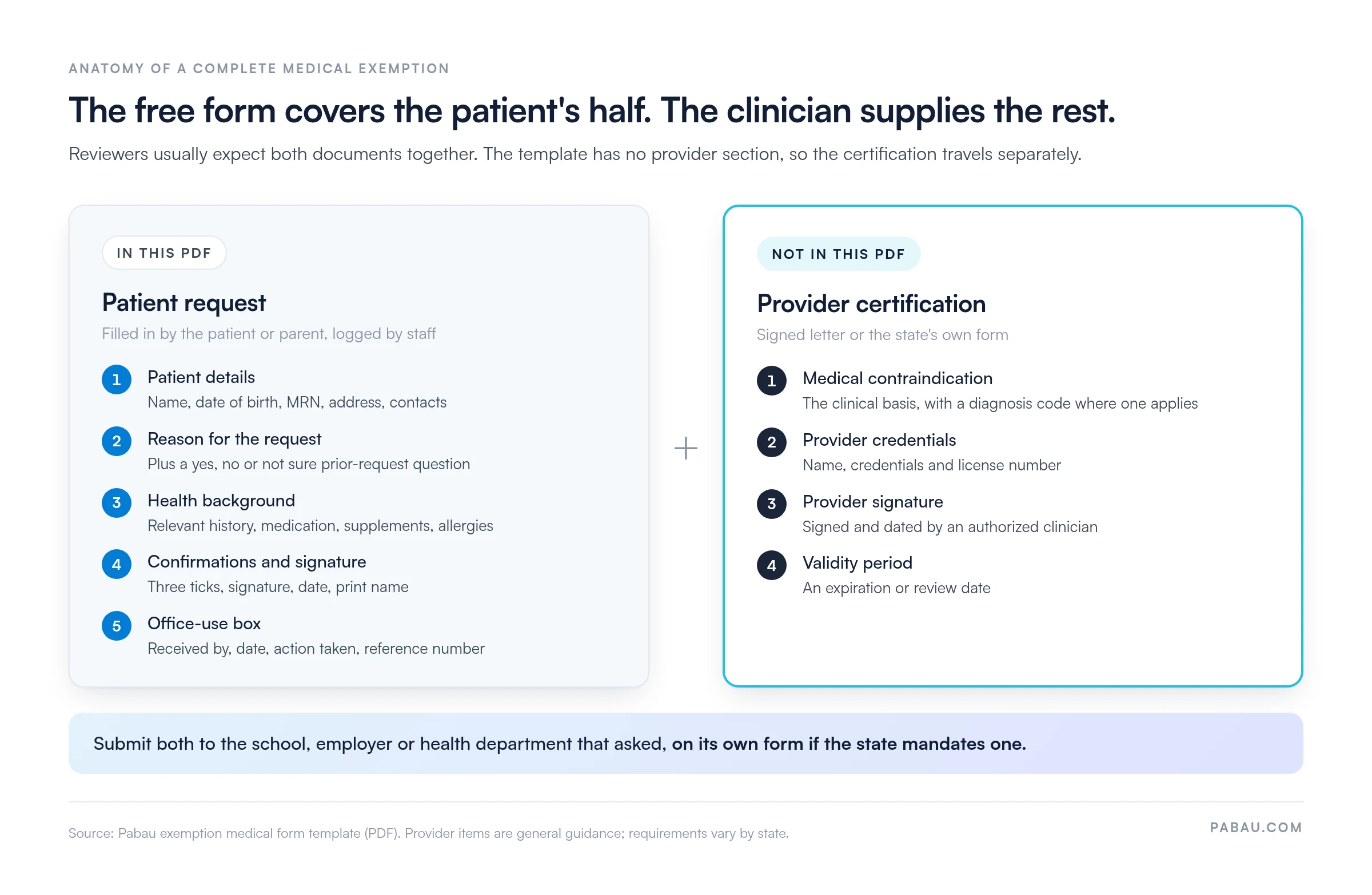
The clinician supplies those items on a signed provider letter or on the state’s own form.
State the contraindication plainly. Where a diagnosis code applies, include it, then explain briefly why the vaccine is unsafe for this patient.
Here’s an example. A parent requests an exemption because their child had anaphylaxis after a previous dose. The patient form records the reaction under relevant history and lists the allergy. The clinician’s letter then names the contraindication, the vaccine it covers, and whether it’s permanent.
Who may sign depends on state law and scope of practice. Licensed physicians are the most widely accepted signatories, and some states also accept nurse practitioners and physician assistants. Confirm your state’s rule before the certification goes out.
Some exemptions last a single school year, while others are open-ended. Write the exact validity period on the certification, so the reviewer doesn’t have to guess.
A medical exemption rests on a clinical contraindication assessed by a provider. A religious exemption rests on a personal belief, and the patient or parent usually completes it. Many states accept medical exemptions even where they no longer allow religious ones.
Many states publish their own immunization exemption form, and some insist it replaces any custom document. Use this table as a list of rules to check, rather than a current list of requirements.
Several states have changed their exemption rules recently, so confirm the current law before you submit.
The CDC’s guidance on vaccine contraindications sets the clinical framework most states build on. The form itself, however, is governed by state and local rules.
Healthcare facilities handle staff exemptions more strictly, because vaccination is often a condition of employment. Facility policies usually send each request to occupational health for review before anyone accepts it.
Use the same core fields for staff as for patients, then add the role, the facility and the reviewer’s name. A staff member who declines for a non-medical reason signs a vaccination declination form instead.
The patient fills in most of the PDF, and your front desk completes the office box. Meanwhile, the clinician’s certification travels on its own document.
Most rejected requests fail on paperwork rather than medicine. A two-minute check at the front desk catches the usual problems.
If a request still comes back, the cause is usually one of three mistakes. Either the reason was vague, the wrong person signed, or the state wanted its own form.
Exemption forms contain protected health information, so they fall under the HHS HIPAA Privacy Rule for covered entities. File the signed copy in the patient’s record, never in a shared drive or an email thread.
That advice covers your practice’s copy, but HIPAA doesn’t follow the form everywhere. Once a school holds it, the form usually becomes part of the education record under FERPA. An employer that holds it must keep it confidential under the ADA, in a medical file separate from personnel files.
Practice managers, physicians, nurse practitioners and school health staff all handle exemption paperwork. When every request arrives with the same details, history and confirmations, your team makes fewer follow-up calls. Auditors also get one consistent document to review across patients and staff.
Audit your exemption files once a quarter. Check that each file holds the signed patient form and the clinician’s certification, with its clinical basis and validity date. Flag any exemption past its expiry without a review. Fixing issues in batches is far quicker than correcting them when a school or employer asks for proof.
Many practices still print a PDF like this one, have the patient sign it, then scan it into a shared folder. The clinician’s letter ends up somewhere else, and nobody tracks when the exemption expires.
Pabau, the all-in-one practice management system we build, lets you send the request through its patient intake software before the visit. The patient completes and signs it on their own device. Their answers then file straight into their patient record.
You can store the clinician’s certification in the same record. So when an auditor asks, your team can show the request, the decision and the dates in one place.
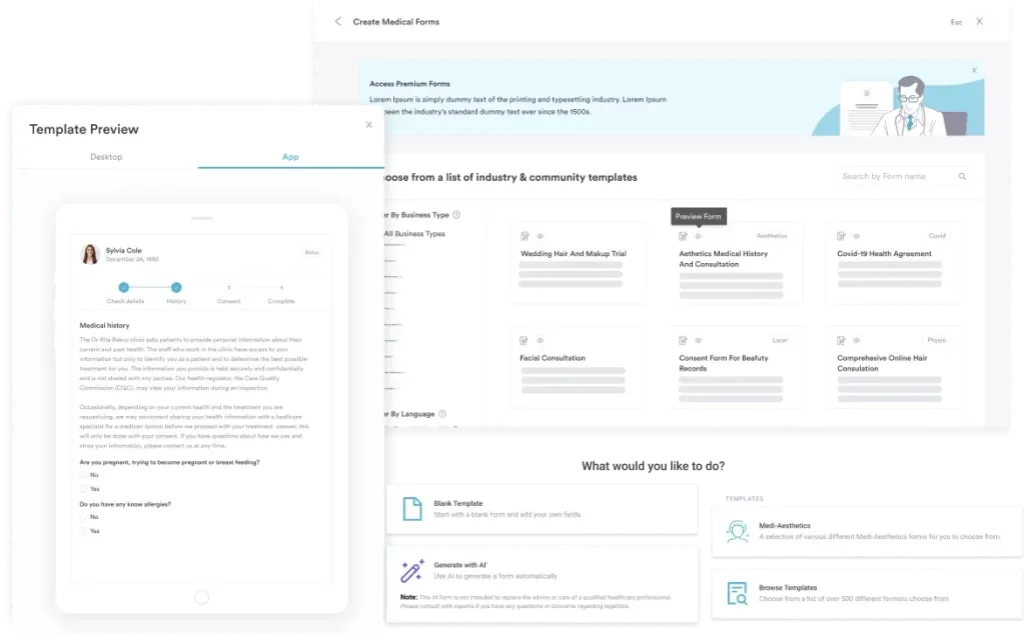

See how digital forms and secure patient records help your team collect, store, and retrieve exemption paperwork without chasing paper.

Treat a medical exemption as two documents, and you’ll avoid most rejections. The patient’s form tells the reviewer who is asking and why, while the clinician’s certification proves it.
Start with the receiving organization. If its state mandates a form, use that one. Otherwise, pair this template with a signed provider letter that carries an end date.
Book a demo to see how Pabau keeps each exemption request, certification and renewal date together in the patient’s record.

Need a structured record for each exemption? Medical records management shows where each signed form sits in the patient file.
Building your wider intake pack? Sample patient intake form gives you a full new-patient questionnaire to adapt.
Collecting consent before a vaccine instead? Consent form for vaccination covers the paperwork for patients who go ahead.
Writing the clinician’s side of a fitness decision? Medical clearance letter shows how to structure a signed provider letter.
Unsure what your privacy notice should say? Questionnaire privacy statement explains how to tell patients how their answers are used.
The CDC treats a severe allergic reaction, such as anaphylaxis, to a previous dose or a vaccine component as a contraindication. Severe immunodeficiency and pregnancy rule out live vaccines such as MMR and varicella. A precaution differs: the vaccine isn’t ruled out, but the clinician weighs the risks and often defers it. Many temporary exemptions rest on a precaution, such as a moderate or severe acute illness.
Yes. A temporary exemption covers a condition that will pass, such as pregnancy for live vaccines or a course of chemotherapy. The certification should state an end date, and the patient can be vaccinated once the reason no longer applies.
Under the Americans with Disabilities Act, employers must consider a reasonable accommodation for a disability-related exemption. They can refuse one that causes undue hardship or a direct threat to safety, so the outcome depends on the role and the risk.
Yes. A school or health department can reject an exemption that lacks a recognized contraindication, uses the wrong form, or carries an ineligible signature. California, for example, reviews medical exemptions through its state health department.
Often, yes. Both serve the same purpose, but some organizations want a state form while others accept a provider letter with the same clinical detail.