CPT code 93503: Swan-Ganz catheter billing and modifiers
CPT code 93503: Official descriptor and procedure overview In the AMA CPT code s...

Last Updated: Oct 23, 2026

A POS for medical practice goes beyond card processing: it handles deposits, packages, retail sales, and recurring membership billing from a single interface.
HIPAA compliance and a signed Business Associate Agreement (BAA) are non-negotiable for any payment system that stores patient-identifiable billing data.
Standalone POS terminals require manual reconciliation with your EHR; integrated systems eliminate that double-entry entirely.
Pabau embeds payment collection directly inside the clinical workflow, so invoices, appointment records, and patient notes stay linked in one place.
Most practice owners underestimate what their payment setup really costs: not in transaction fees, but in staff time. Minutes spent switching between a card terminal, a scheduling system, and a billing spreadsheet add up across every appointment. A purpose-built medical POS system removes that overhead by connecting payment collection directly to the clinical record.
This guide covers what a medical POS system actually does, the compliance requirements you cannot skip, the features worth paying for, and how the leading healthcare POS solutions differ, so you can choose between a standalone terminal and an all-in-one platform.
A retail POS processes transactions. It connects payment collection to appointment records, invoices, consent forms, and patient history.
When a patient checks out after a dermal filler treatment, the system should automatically generate an itemized invoice, apply any prepaid package credits, collect the balance, and update the clinical record, all without staff touching three separate tools.
There is also a second meaning of “POS” that trips up new billers. The Centers for Medicare and Medicaid Services (CMS) defines Place of Service codes as two-digit codes on professional claims that show where a service was provided. POS 11 (Office) typically carries higher reimbursement than facility-based settings because the provider covers overhead costs directly.
Other settings have their own codes, such as POS 22 for an on-campus outpatient hospital or POS 32 for a nursing facility. These are billing codes, not hardware.
The same field appears on durable medical equipment claims. A DMEPOS line such as HCPCS code L1652 carries the place of service alongside the diagnosis codes and the rendering provider NPI. Leave any of those blank and an automatic edit delays or denies payment.
Understanding the difference matters for practices that bill both insurance and private-pay patients from the same front desk.
For private-pay and aesthetics-focused clinics, the payment-processing meaning of POS dominates. The core job is to collect money accurately, record it against the right patient and service, and do so without creating manual reconciliation work at the end of the day.
Two regulatory frameworks govern how healthcare POS systems collect and store payment data. Confusing them is a common and expensive mistake.
HIPAA (the Health Insurance Portability and Accountability Act) covers the handling of protected health information (PHI). When a POS system stores patient-identifiable billing data, it is processing PHI, which is what makes HIPAA-compliant payment processing a requirement rather than a nice-to-have.
That means any payment processor you use must sign a Business Associate Agreement (BAA), a legal document confirming they will handle PHI in compliance with HIPAA requirements.
This is not optional. Using a payment processor without a BAA when PHI is involved is a HIPAA violation, regardless of whether a breach occurs. The HHS Office for Civil Rights enforces these requirements. For more detail on how this applies specifically to practice management software.
Separately, the PCI Security Standards Council maintains the Payment Card Industry Data Security Standard (PCI DSS), which applies to any business accepting card payments. PCI DSS compliance is about protecting cardholder data, not patient health data.
Most modern payment processors handle PCI DSS compliance on your behalf through tokenization, but you should confirm this before signing a contract. HIPAA-compliant credit card processing still has to meet PCI DSS separately: the two frameworks protect different data, and neither substitutes for the other.
Med spas and aesthetic clinics often ask whether they need full HIPAA compliance. The short answer: any practice collecting, storing, or transmitting individually identifiable health information almost certainly does. When payment data is linked to patient records, the HIPAA obligation extends to your payment system.
Not every POS system is built for clinical environments. These are the features that separate a healthcare-grade solution from a general-purpose retail terminal.
Features like membership billing and deposit collection are particularly valuable for aesthetics and wellness practices, where recurring revenue models are common.

Pabau connects invoicing, package credits, retail sales, and card payments to your clinical workflow, so your front desk never has to touch three systems to check a patient out.

Specialty practices comparing the best medical practice management tools should weigh how each handles their specific code set.
A standalone card terminal processes a payment. An integrated medical practice POS does something more useful: it ties the payment to the appointment, the treatment, the clinician, and the patient record simultaneously. Here is what that looks like in practice.
With a disconnected system, a receptionist typically closes an appointment in the scheduling tool, generates an invoice in a billing module, processes payment on a separate terminal, and then manually marks the invoice as paid. Four steps, three systems, roughly four minutes per patient checkout.
In a busy practice running 40 appointments a day, that adds up to over two and a half hours of administrative overhead every day.
An integrated platform collapses these into a single confirmation screen. The appointment closes, the invoice generates from the service record, payment is collected, and the record updates. Staff handle one screen, not four. Learn more about how streamlined transaction management reduces front-desk overhead.
When payments are siloed from appointment data, revenue reports require manual cross-referencing. Which treatments are most profitable? Which clinicians generate the most retail sales? Which membership tier has the highest renewal rate? None of these questions are answerable from a standalone terminal’s transaction log.
Integrated payment reconciliation links every transaction to the appointment and service it corresponds to, making these reports a single dashboard query rather than a spreadsheet exercise.
A patient receiving a HydraFacial might also purchase a vitamin C serum at checkout. A properly integrated POS for medical practice handles both on the same invoice: the clinical service with any applicable package credits, and the retail product with its own SKU and inventory deduction. Splitting these across separate receipts creates confusion for patients and reconciliation headaches for finance. A clearinghouse submission report arrives before the payer remittance, and it is the first place a format problem shows. Claim submission, eligibility and remittance are three stages, and medical claims software carries a claim across all three.
Run a monthly audit of your split-payment transactions: cases where a patient paid partly by package credit and partly by card. These are the most common source of reconciliation errors in clinics that use separate POS and billing tools. An integrated system timestamps both sides of the transaction automatically, so your end-of-month close takes minutes, not hours.
For most practice owners comparing healthcare POS solutions, the bigger decision is whether to bolt a standalone payment tool onto their existing stack.
| Consideration | Standalone POS (e.g. Square, Clover) | Integrated platform (e.g. Pabau) |
|---|---|---|
| Setup cost | Lower upfront hardware cost | Single subscription covers payments and clinical tools |
| HIPAA / BAA | Available from select processors (verify before signing) | Built into the platform’s compliance posture |
| Reconciliation | Manual export and cross-reference required | Automatic: payment links to appointment and record |
| Membership and packages | Requires third-party add-on or manual tracking | Native recurring billing and credit tracking |
| Retail + clinical billing | Separate receipt systems | Single invoice covers services and retail |
| Reporting | Transaction logs only; no clinical context | Revenue by clinician, service, and location |
Standalone POS tools like Square for Healthcare and Clover have legitimate use cases, particularly for single-provider practices that are not yet ready to invest in a full practice management platform. Square will sign a BAA and supports contactless payments out of the box. But as a practice grows, the manual reconciliation burden grows with it.
For practices that already run scheduling, clinical notes, and inventory through a platform, adding a separate POS creates exactly the kind of double-entry problem that integrated solutions are designed to eliminate. The best integrated payment processing tools for practices are those embedded directly in the practice management layer, not wired to it via API.
Practices that mainly need help with insurance claims and revenue cycle work face a different problem than payment collection. Dedicated medical billing software platforms handle that side instead.
Medical spa and aesthetic clinics in particular benefit from this model. The combination of high-value treatments, retail product sales, membership revenue, and deposit management means the average checkout involves more line items than a standard GP appointment.
A POS for medical practice built into medical spa software handles all of these from one screen, without a separate terminal, separate login, or separate end-of-day process.
Managing retail inventory alongside service billing is another advantage of integration. Every product sold at checkout automatically reduces stock levels, so reorder triggers fire before you run out, not after.
The American Medical Association consistently identifies operational efficiency and staff workload as primary concerns for independent and group practices. Reducing the number of systems front-desk staff must manage directly addresses both.
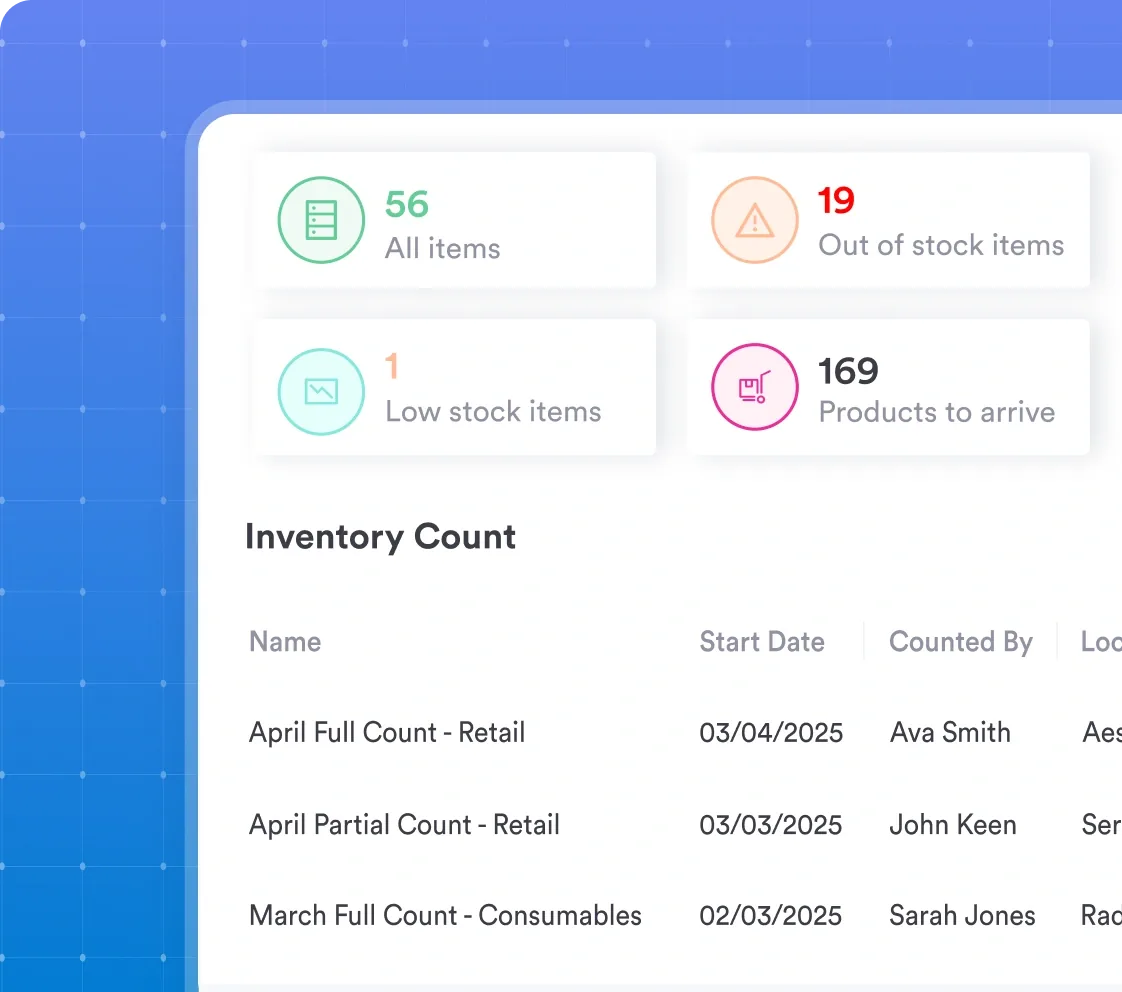
Choosing the best POS for medical practice comes down to one question: do you want a payment tool that sits beside your clinical system, or one built into it? Standalone terminals solve the transaction problem. Integrated platforms solve the workflow problem, and for growing practices, the workflow problem is the more expensive one.
Pabau’s payment processing connects invoices, deposits, package credits, retail sales, and membership billing directly to your appointment and patient record. No reconciliation exports, no context switching, no end-of-day manual balancing. To see it in action, watch Pabau Pay collect deposits, package credits, and membership billing in one checkout.

Billing a malignant lesion excision instead? CPT code 11621 guide CPT code 11621 covers malignant lesion excision of 0.6 to 1.0 cm on the scalp, neck, hands, or feet.
Billing the mid-tier facial excision code? CPT Code 11642 guide CPT Code 11642 covers excision of a malignant facial lesion measuring 1.1 to 2.0 cm, including margins.
Billing a nail bed repair instead? CPT Code 11760 guide CPT Code 11760 covers surgical repair of a damaged or lacerated nail bed.
A POS system in a medical practice is a payment and billing platform that collects patient payments, generates invoices, tracks deposits and package credits, and records transactions against the patient’s clinical record. Unlike a retail terminal, a medical practice POS connects payment data to appointment history, making reconciliation and revenue reporting accurate without manual cross-referencing.
Yes, any POS system that stores or processes patient-identifiable billing data must comply with HIPAA and the vendor must sign a Business Associate Agreement (BAA). Using a non-compliant processor when PHI is involved is a HIPAA violation regardless of whether a data breach occurs.
A POS system handles the payment collection side: card processing, invoicing, deposits, and receipts. Medical billing software manages insurance claim submission, coding, payer adjudication, and revenue cycle management. In practices that bill insurance and collect patient co-pays, the two functions are often handled by separate modules within an integrated platform.
POS 11 is the CMS Place of Service code for “Office,” indicating a service was delivered in a private office setting. It generally carries higher reimbursement rates than facility-based codes because the provider bears overhead costs directly. This is a billing code submitted on professional claims, not a payment terminal or software category.
POS 22 is the CMS Place of Service code for “On Campus-Outpatient Hospital,” used when a service is delivered in a hospital’s on-campus outpatient department rather than a private office, which is POS 11. Like POS 11, it is a two-digit code entered on professional claims, not a payment terminal or software category. Services billed under POS 22 are usually reimbursed at the lower facility rate, because the hospital bills separately for the facility overhead.
POS 23 is the CMS Place of Service code for “Emergency Room – Hospital,” used when a service is delivered in a hospital’s emergency department. POS 24 is the code for “Ambulatory Surgical Center,” used for procedures performed in a Medicare-participating surgical center rather than a hospital or private office. Both are billing codes entered on professional claims, not payment terminals or software categories.
POS 31 is the CMS code for “Skilled Nursing Facility,” used when a Medicare Part A patient receives inpatient skilled nursing care. POS 32 is the code for “Nursing Facility,” used for residents who need custodial or long-term care rather than the skilled nursing level covered under POS 31.
POS 52 is the CMS code for “Psychiatric Facility – Partial Hospitalization,” used for structured, short-term psychiatric treatment programs that do not require a full inpatient admission. Behavioral health organizations use it most often to bill day-program services.
Square for Healthcare offers HIPAA compliance and will sign a BAA, making it usable for practices that need basic card processing and invoicing. Clover has healthcare-specific configurations available. Both are viable for simpler setups, but neither natively integrates with clinical notes, appointment scheduling, or package credit tracking, which means manual reconciliation remains necessary as the practice grows.