CPT Code 62284: Injection procedure for myelography
CPT Code 62284: official descriptor and procedure overview The American Medical ...

Last Updated: Oct 19, 2026
G7402 is the CCSD code for open formation of ileostomy. The surgeon brings a loop or the end of the ileum through an open abdominal incision to form a stoma.
The code sits in Chapter 11 of the CCSD Schedule, in the jejunum/ileum section. Bupa grades it MAJOR 3 in its February 2026 schedule. Claims go to UK insurers through Healthcode, and most need pre-authorization first.
Let Pabau's smart automation suggest the right codes, reduce claim denials, and keep your practice compliant—effortlessly.
Automate repetitive tasks and focus on what matters most—your patients.
Reduce coding errors and ensure compliance with the latest regulations.
Clean claims, fewer denials, and faster reimbursements.
Powerful insights and reporting to help your practice thrive.
HIPAA compliant SOC 2 certified GDPR-compliant Trusted by 4,000+ clinics worldwide

CCSD code G7402 is open formation of an ileostomy, a Chapter 11 abdominal procedure that Bupa grades MAJOR 3.
Bill the laparoscopic operation as G7403, and don’t add G7402 when a resection code already includes the stoma.
Plan on pre-authorization for every G7402 case, and confirm the policy terms in each insurer’s portal.
Most rejections trace back to a missing authorization number, lapsed recognition, or an op note that doesn’t match the code.
Claims reach UK insurers through Healthcode, so the invoice details must match the clinical record exactly.
CCSD code G7402 is the UK private-billing code for open formation of an ileostomy. The surgeon brings a loop or the end of the ileum through an abdominal incision to form a stoma. Insurers pay it as a surgical fee, billed through Healthcode.
G7402 sits in Chapter 11 of the CCSD Schedule, which covers the abdomen, in the jejunum/ileum section. Bupa’s February 2026 schedule places it in the MAJOR 3 band. Neighboring codes sit in our CCSD procedure codes library.
G7402 pays for one operation: forming the ileostomy through an open incision. Loop and end ileostomies both fall under it when the approach is open. Other work on the same day usually needs its own code, or no code at all.
Resection is where claims slip. CCSD lists several bowel resection and proctocolectomy codes as combinations it won’t accept with G7402. G6080 is one of them, because its descriptor already allows for a stoma.
Insurers can add their own bundling rules on top of the CCSD baseline. Check the CCSD technical guide and the insurer’s schedule before you rely on any row above.
A G7402 claim stands or falls on the op note. Write it before the invoice goes out, never after a query arrives. The note has to show an open approach, because the laparoscopic operation carries a different code.
Build the record in this order:
Run these six checks before the invoice leaves the practice. Each one maps to a common rejection reason.
Yes, plan on it. An ileostomy is a major inpatient operation, and UK insurers expect authorization before surgery. The exact rules sit in each policy, so confirm them for every patient.
The Bupa procedure fee schedule and each insurer’s portal show what applies to the code.
Insurer rules change when schedules update. Check the live portal each time, not last year’s PDF.
Every major UK private medical insurer (PMI) uses CCSD codes, so G7402 is billable to all of them in principle. Payment on a given claim turns on three questions:
The Bupa code search tool and the AXA Health specialist forms portal show fees and conditions per code. Our Bupa CCSD codes reference explains how Bupa grades and pays procedures.
The Vitality fee finder and the Aviva fee schedule also list fees by CCSD code. Fees change every year, so check the current schedule before you raise an invoice.
Check your recognition status with each insurer once a year. A lapsed recognition can turn a G7402 claim that used to pay into a rejection, even when the coding is right.
Ileostomy codes come in a tight family, and picking the nearest-looking one is how claims go wrong. Billing a bigger operation than you did is upcoding. Billing a smaller one loses income you earned.
Surgeons moving from NHS work feel this most. OPCS-4 conventions don’t map one-to-one onto CCSD, so a familiar NHS code can lead you to the wrong private one. The laparoscopic version, G7403, is the most common mix-up.
Bands come from Bupa’s February 2026 schedule. CCSD lists G7403, G7512, G7513, G7530 and G6080 as unacceptable combinations with G7402, so don’t bill them together. When in doubt, check the descriptor in the current schedule at ccsd.org.uk.
G7402 rejections fall into six causes. Start with the reason code on the Healthcode remittance, match it below, then apply the fix.
Each insurer sets its own time limit for claims and resubmissions. Check that limit and log every rejection date, so none lapses.
Healthcode is the clearinghouse UK private practices use to send CCSD-coded invoices to insurers. The chart below shows the five stages, and what stops a claim at each one.
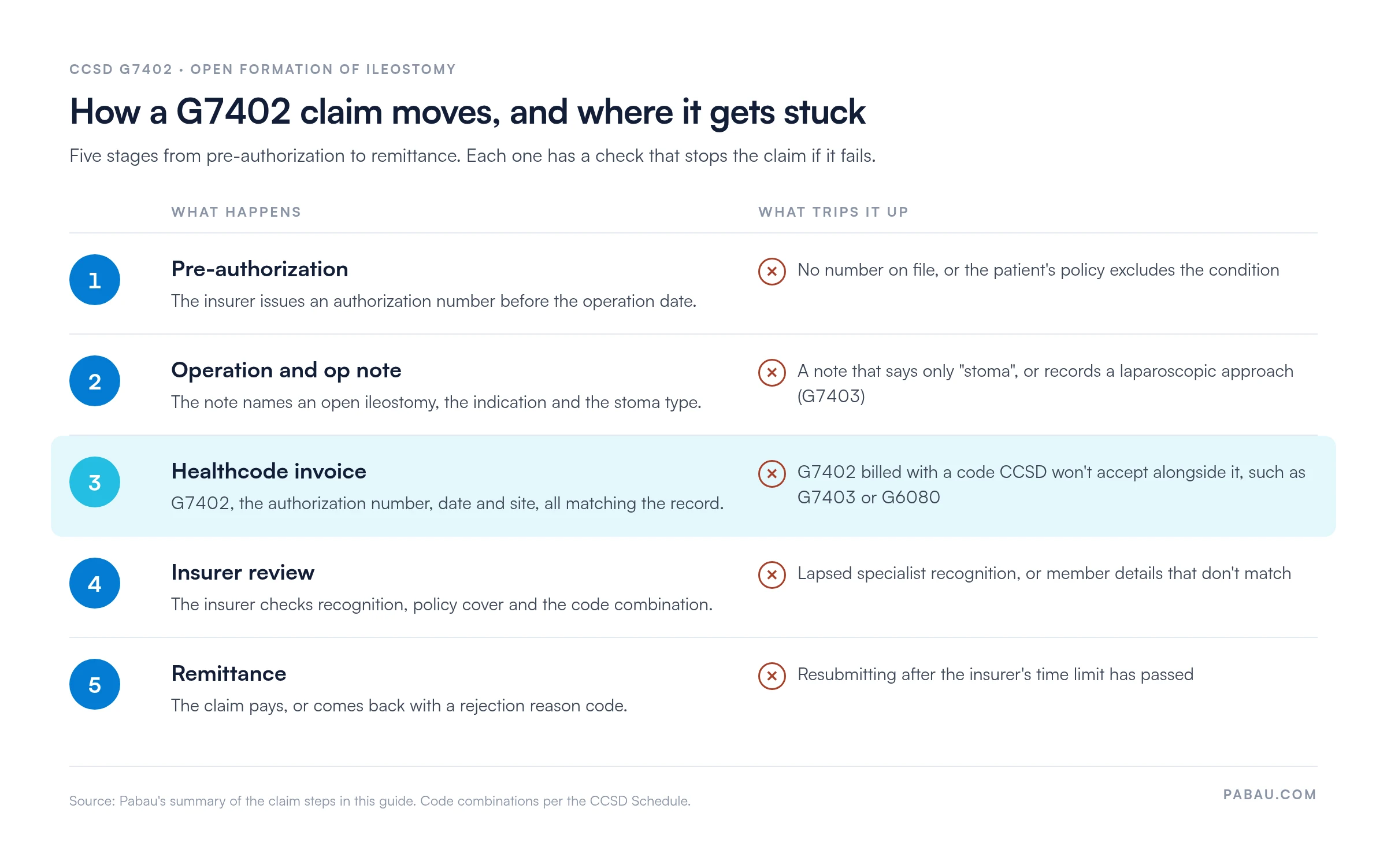
Payment times vary by insurer. A clean claim has every field complete, a recognized surgeon and an authorization on file. Those three checks remove the most common reasons a claim comes back.
In many surgical practices, a secretary rekeys operation details into the Healthcode portal. The authorization number sits in an email thread, and the op note lives in another system. Each handoff is a chance for the invoice and the record to disagree.
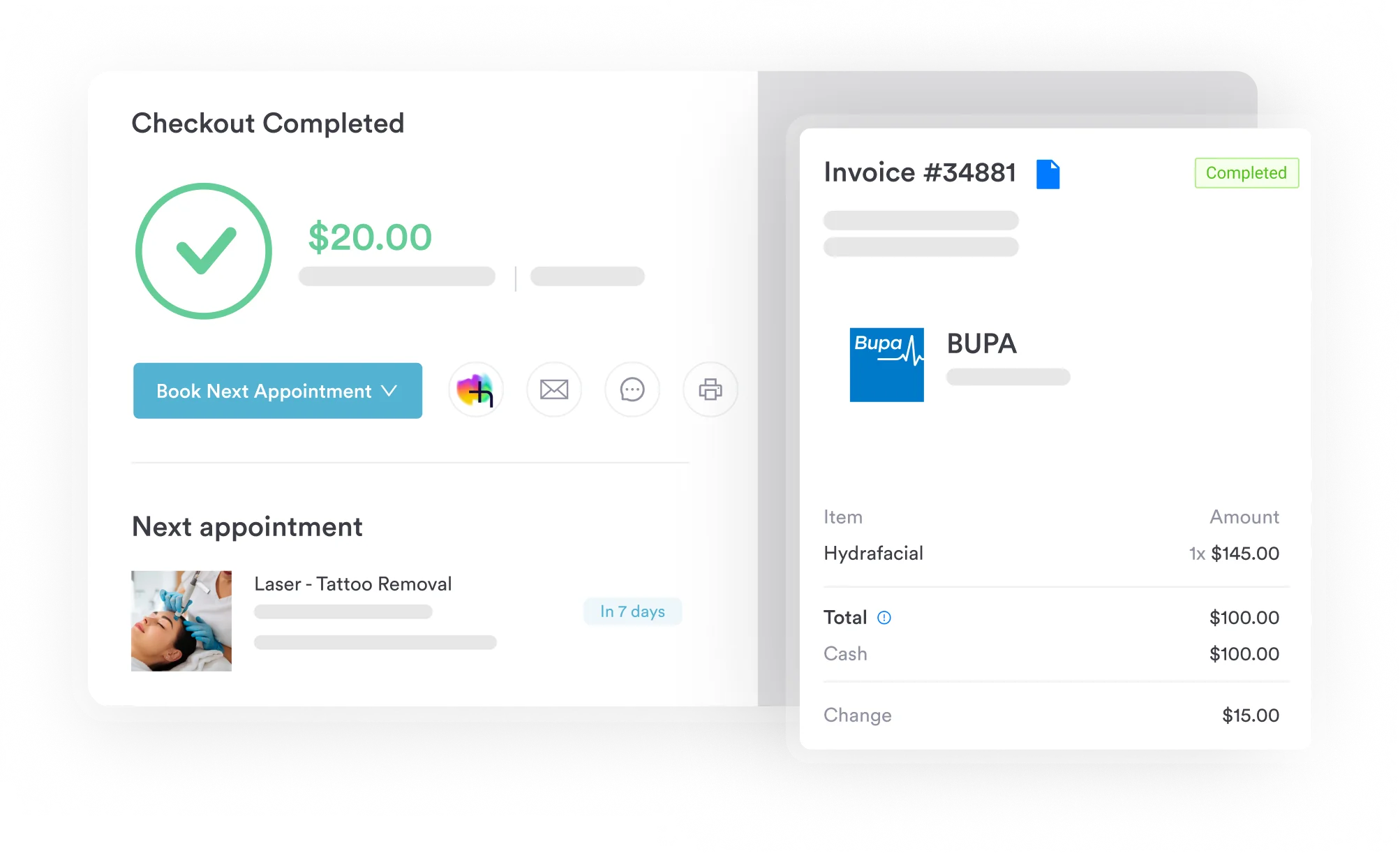
Pabau, the practice management platform we build, keeps those pieces on one patient record. The op note, consent form and authorization number sit together, and the invoice is created from the procedure entry. Our medical billing software then sends it to Healthcode.
For hospital-based surgeons billing several CCSD codes per episode, that means fewer portal logins and fewer queries back from insurers.

Pabau creates Healthcode invoices from the procedure entry and keeps the op note, consent form and authorization number on the patient record.

G7402 pays cleanly when three things line up before surgery. You need recognition with the insurer, an authorization number, and an op note that says open ileostomy. Get those right and the rest of the claim is data entry.
The trap worth remembering is the combination rule. If the stoma came with a resection, the resection code usually carries it, and G7402 on top invites a rejection. Check the op note against the code family before every invoice.
Want fewer claims bouncing back from Healthcode? Book a demo to see how Pabau turns a surgical op note into an insurer-ready invoice.

Did the whole operation run laparoscopically? CCSD code G7403 covers the keyhole ileostomy and how it differs from G7402.
Was the stoma formed during a resection? CCSD code G6080 explains the laparoscopic small bowel resection code that already allows for a stoma.
Billing a jejunostomy instead? CCSD code G6000 covers open formation of jejunostomy, the next code up the small bowel.
Removing a segment of jejunum? CCSD code G5810 walks through billing an excision of jejunum to UK insurers.
Want Bupa’s bands and fees in one place? Bupa CCSD codes explains how Bupa grades and pays CCSD procedure codes.
Send a Healthcode invoice for open formation of ileostomy with G7402 in the procedure field. Add the authorization number and an operation date that matches the op note. Both insurers pay only surgeons they recognize, so confirm your status first.
Usually, when the policy covers the underlying condition. UK private medical insurance generally covers acute conditions and can exclude chronic or pre-existing ones. The insurer confirms cover for each patient at pre-authorization.
Bupa grades each code by complexity, from MINOR through INTER, MAJOR and MAJOR+ to CMO, each with numbered levels. Each band links to a set fee in Bupa’s schedule. MAJOR 3 sits mid-range in the MAJOR grade, the same band as G7403.
Only the operating surgeon bills G7402. Where an insurer pays an assistant’s fee, the assistant claims it under that insurer’s own rules, not as a second G7402. Check each insurer’s terms before the operation.
Read the rejection reason on the Healthcode remittance first. If it’s a fixable error, correct it and send the invoice as a resubmission. If you disagree with the decision, contact the insurer’s provider services with the op note and authorization number.