HCPCS Code L0472: Hyperextension TLSO billing guide
HCPCS code L0472: Official descriptor and device definition HCPCS code L0472 des...

Last Updated: Nov 5, 2026
G0640 is the CCSD code for closure of bypass of oesophagus, the operation that closes or reverses an existing esophageal bypass. UK private medical insurers use it to pay the consultant, and it sits in Chapter 8 of the CCSD schedule, under Oesophagus.
The most important billing fact is that G0640 can't share a claim with G0500, the bypass it closes, or with G0740 for a ruptured esophagus. Get the code, the operative note and the preauthorization number to agree, and the claim goes through cleanly. This guide covers documentation, insurer rules, a pre-submission checklist and common mistakes.
Let Pabau's smart automation suggest the right codes, reduce claim denials, and keep your practice compliant—effortlessly.
Automate repetitive tasks and focus on what matters most—your patients.
Reduce coding errors and ensure compliance with the latest regulations.
Clean claims, fewer denials, and faster reimbursements.
Powerful insights and reporting to help your practice thrive.
HIPAA compliant SOC 2 certified GDPR-compliant Trusted by 4,000+ clinics worldwide

CCSD code G0640 is “Closure of bypass of oesophagus”, the code for closing or reversing an existing esophageal bypass.
G0640 can’t share a claim with G0500, the bypass it closes, or with G0740 for repair of a ruptured esophagus.
Bupa, AXA Health and Vitality belong to the CCSD Group, but each insurer sets its own fees and preauthorization rules.
A clean claim pairs an operative note that matches the descriptor with an ICD-10 diagnosis and the preauthorization number.
Pabau pre-fills claims and checks required fields such as membership and preauthorization numbers before sending via Healthcode.
CCSD code G0640 is the code for “Closure of bypass of oesophagus” on the schedule UK private medical insurers use to pay consultants. It covers the operation that closes, or reverses, an esophageal bypass made at an earlier operation. The code sits in Chapter 8 of the CCSD schedule, under Oesophagus.
CCSD stands for Clinical Coding and Schedule Development. The CCSD Group, whose members include Aviva, AXA Health, Bupa and Vitality, maintains the codes and their descriptors. Descriptors do change, so check the current wording at ccsd.org.uk before you bill.
Private and NHS work use different systems. NHS episodes are coded in OPCS-4, while claims to private insurers use CCSD codes. If you work in both settings, code each episode in the right system, or the insurer will reject it. Our guide to CCSD codes for consultants explains how the wider schedule fits together.
Here are the facts worth keeping next to your coding screen:
G0640 pays the surgeon for the closure itself. Anesthesia, the assistant surgeon and the follow-up visit each go on their own line. Insurers differ on how those lines are coded, so check before you add them.
Bundling rules differ between Bupa, AXA Health, Vitality and smaller insurers. Check the insurer’s own schedule before you add any secondary code to a G0640 claim.
The CCSD schedule lists codes that are unacceptable alongside G0640. Two matter most in practice, because they describe the same organ at different stages.
G0500 is the bypass itself. If the bypass was made at an earlier operation, only G0640 belongs on today’s claim. G0740 is repair of a ruptured esophagus, a different operation with its own descriptor. Removing a lesion from the same organ is a separate operation, billed under CCSD code G1400 for a thoracoscopic excision.
An open excision of the same lesion, rather than a thoracoscopic one, is billed under G0400.
CCSD also treats the oesophagectomy codes as unacceptable combinations with G0640. G0260, the endoscopically assisted oesophagectomy code, is one of them.
The test is simple. Does the descriptor match what the operative note says was done? If it doesn’t, the code is wrong, however close the fees look.
Insurers judge a claim against the clinical notes, not the code alone. Thin documentation is one of the most common reasons a G0640 claim is queried.
The consultant owns the record, and the billing team builds the claim from it. A G0640 claim usually needs these five items:
Dictate the operative report straight after the operation, while the details are fresh. Notes written days later are more likely to miss a detail the insurer asks about. A structured template captures the same data points on every G0640 episode.
Bupa, AXA Health and Vitality are members of the CCSD Group and bill from its schedule. For other insurers, confirm whether they use the CCSD schedule before you send a claim.
Our Bupa CCSD codes guide explains how Bupa structures its CCSD billing. The table below shows where to confirm G0640 with each insurer.
Consultant recognition matters as much as the code. If the insurer doesn’t recognize the consultant, the claim fails even when G0640 is on its schedule. So check recognition before you see a patient under a new insurer, not at billing.
Whether G0640 needs preauthorization depends on the insurer and, sometimes, the patient’s policy. No single rule covers every UK insurer, so check each time.
Skipping this step is expensive. Most insurers decline a claim that lacks a required preauthorization reference, and retrospective approval isn’t guaranteed. Keep the written approval in the episode record.
Log the preauthorization number against the booking before you confirm the appointment. That way the reference is already on file when the claim is built, and a missing one is easy to spot.
There’s no national tariff for G0640. Each insurer sets its own benefit for the code, while CCSD maintains the codes and descriptors, not the fees.
Benefits change, so check the current figure with each insurer rather than relying on last year’s. The Healix fee schedule is one insurer table you can search by CCSD code.
Put fee information in writing. Insurer provider terms and consultant fee-transparency requirements expect the shortfall to be disclosed in writing before treatment. That way the patient knows what they’ll owe before the operation.
The path is the same whether you send the claim through Healthcode, an insurer portal or practice software. The six checkpoints below are where claims stall.
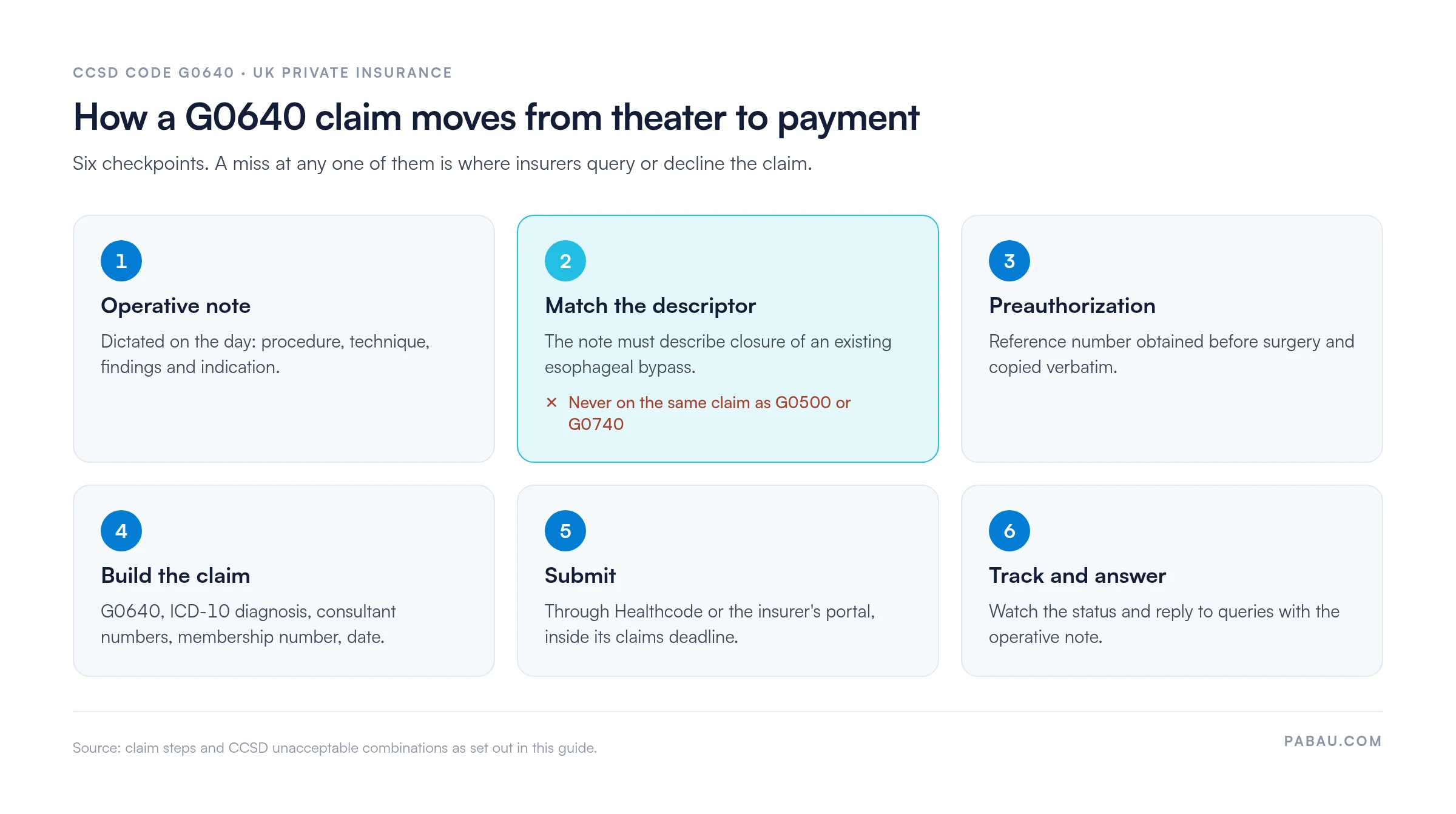
Run through this list before the claim leaves the practice. Each line maps to a common reason for a decline.
Most declines are preventable. These are the usual causes, with the fix for each.
A short insurer-specific checklist inside your billing workflow catches most of these before submission.
Many practices still build each insurer claim by hand. Someone copies the membership number, the preauthorization reference and the consultant details from three different places. One typo sends the claim back.
Pabau, the practice management platform we build, includes private practice claims software that pre-fills each claim from the patient record. It checks required fields such as membership and preauthorization numbers before the claim can be sent. The claim then goes to the insurer through Healthcode.
The result is fewer claims bounced back for a missing number, and less time spent chasing them.
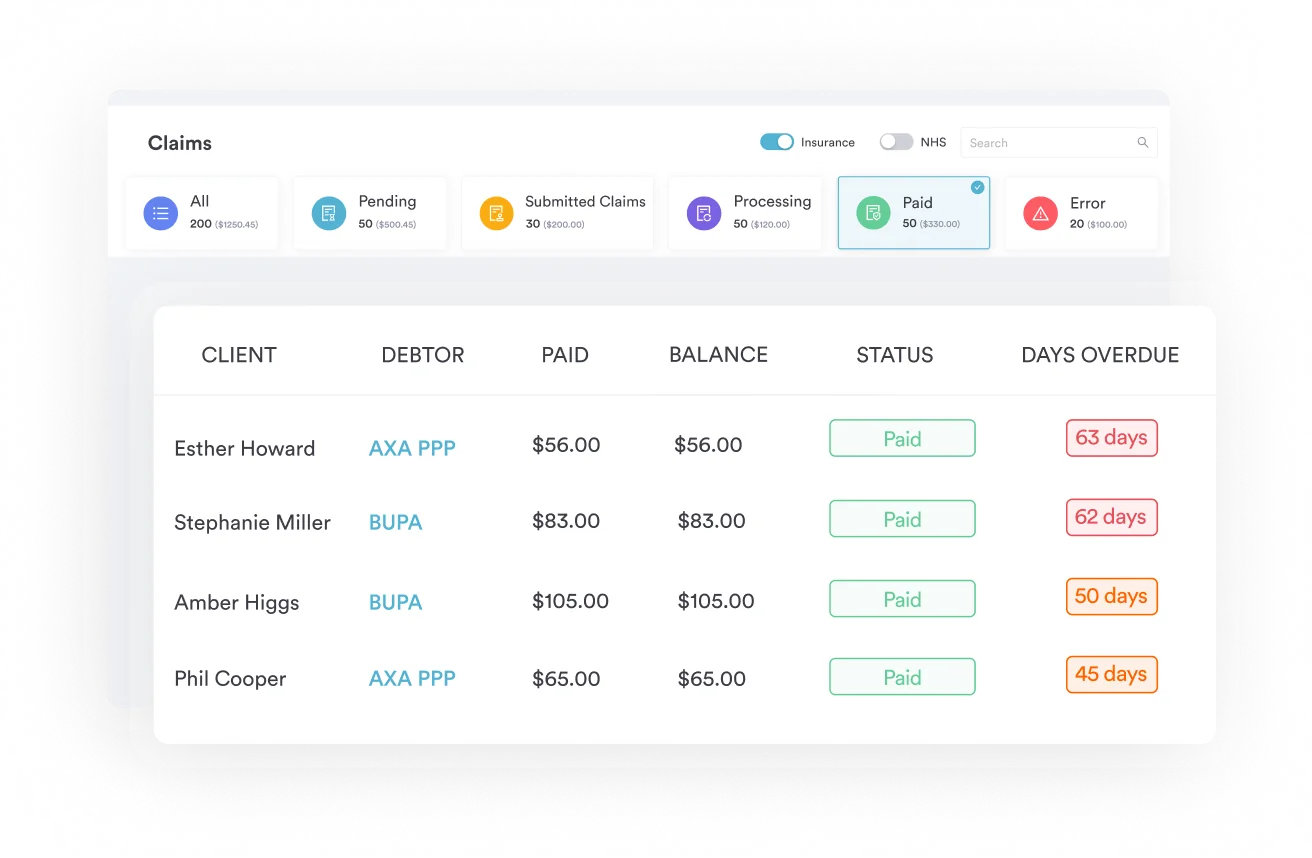

Pabau pre-fills claims from the patient record and checks required fields such as membership and preauthorization numbers before sending via Healthcode.

G0640 is one of the easier CCSD codes to get right, as long as the paperwork tells one story. The operative note should describe closing an existing bypass, and G0500 and G0740 stay off the claim.
The trade-off is a few minutes at booking. Checking preauthorization and recognition then is far quicker than appealing a declined claim later.
If your team still re-keys those details for every insurer claim, that’s the step to fix first. Book a demo to see how Pabau pre-fills and checks your CCSD claims before they reach the insurer.

Billing a Bupa patient? Bupa CCSD codes guide explains how Bupa structures its CCSD schedule and what to confirm before you claim.
Was the esophagus repaired instead? CCSD code G0740 covers repair of a ruptured esophagus, the code most often confused with G0640.
Coding endoscopic work on the esophagus? CCSD code 0632G walks through billing for endoscopic dilatation of the esophagus.
Treating esophageal varices? CCSD code G1440 explains billing for injection sclerotherapy of esophageal varices.
Billing reflux surgery? CCSD code G2430 covers transabdominal antireflux operations and their claim requirements.
The CCSD Group maintains it. CCSD stands for Clinical Coding and Schedule Development, and its members include Aviva, AXA Health, Bupa and Vitality. The group sets the codes and their descriptors. Each insurer still sets its own fees and claim rules.
There isn’t one fixed pairing. The diagnosis depends on why the bypass is being closed, so code the reason the consultant documents for the operation. The NHS Classifications Browser helps you find the ICD-10 code for that condition.
Don’t force the closest code. The CCSD website has a code request form for procedures the schedule doesn’t cover yet. Until a code exists, ask the insurer how it wants the procedure billed, and get the answer in writing.
Start with the decline reason on the insurer’s portal or remittance. Fix the cause, such as a missing preauthorization number, and resubmit. If the insurer questions the clinical need, send the operative note with a covering letter from the consultant.