Treatment summary
A treatment summary is a written record of what care was delivered during an epi...

3
Last Updated: Oct 16, 2026

A telehealth consent form is the document a patient signs before a remote visit, covering the benefits, limits, and risks of virtual care.
State law and professional standards are what require informed consent for telehealth, while CMS separately requires it to be documented for Medicare billing.
Eight elements belong in every form: services offered, technology risks, privacy limits, patient rights, alternatives, emergency steps, prescribing limits, and record storage.
Sending the form 24 to 48 hours ahead and confirming understanding on the call beats chasing a signature mid-appointment.
Practice management software like Pabau sends the form before the visit, captures the signature, and files it against the patient record.
A ready-to-use form with patient details, service limits, technology risks, privacy protections, patient rights, and a signature block. Add your practice name and your state’s wording, and it is ready to send.
Download templateA telehealth consent form is the document a patient signs before a virtual visit begins. Most practices credit HIPAA for that requirement. The duty comes from state law and professional standards instead, and CMS layers on a separate rule for Medicare billing.
Below you get a free template plus the eight elements every form should carry. There is also a workflow for collecting consent before the visit, not during it.
The form records that a patient understood the benefits, limits, and risks of a remote visit before it went ahead. Virtual care carries risks an in-person appointment does not. Video freezes, home WiFi is rarely secure, and no clinician can palpate an abdomen through a screen.
Signed properly, the form does three jobs at once:
Where the form lives matters as much as what it says. Attach it to the appointment inside your telehealth software and the signature travels with the visit record. Keep it in a shared drive and somebody has to go hunting during an audit.
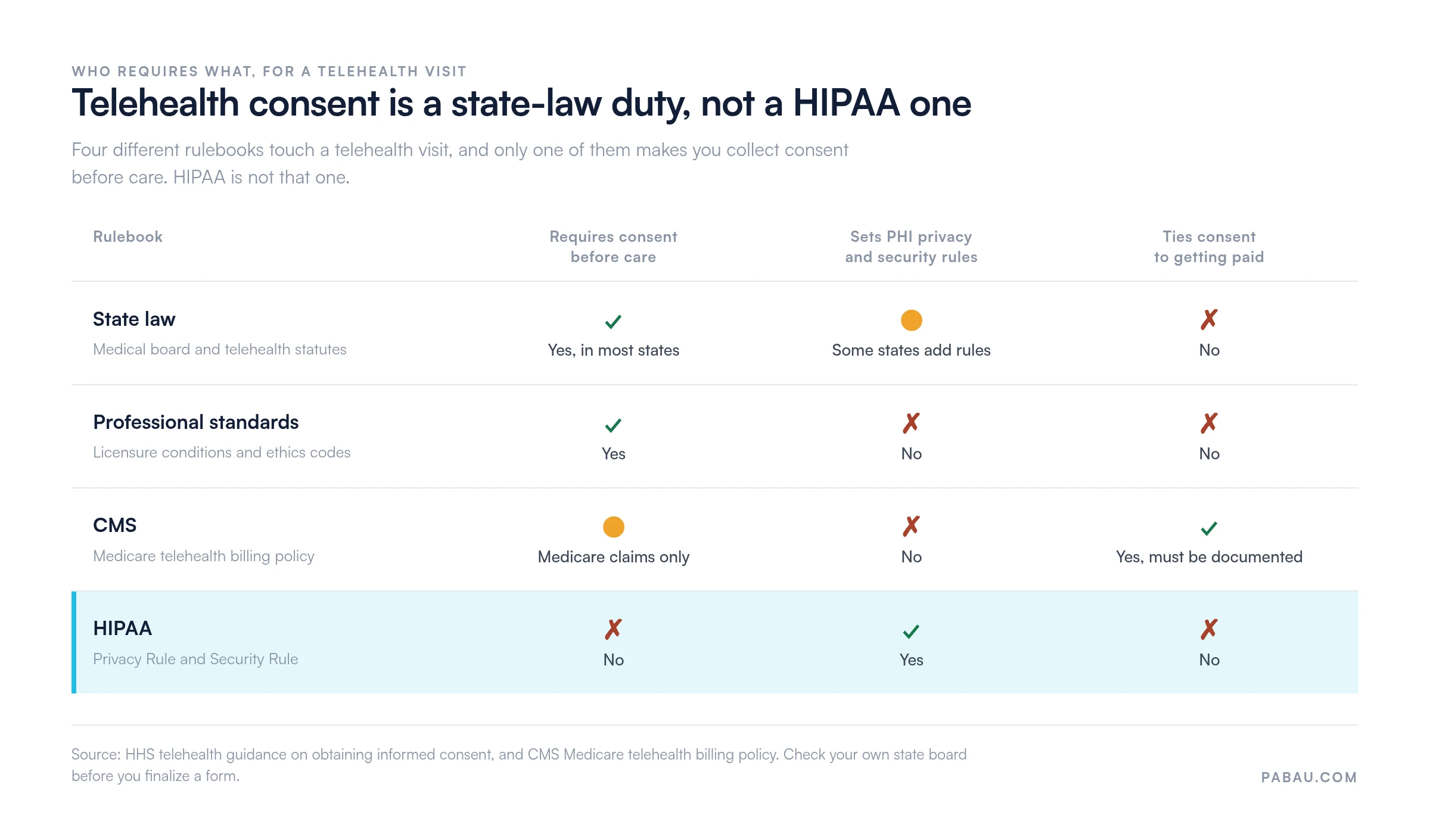
State law requires informed consent for a telehealth visit, backed by the professional standards your license sits under. HIPAA does not create that duty.
HIPAA governs how you protect and disclose protected health information, known as PHI, which is a separate obligation.
CMS sits in a third place. For Medicare telehealth claims, consent has to be obtained and documented, so the requirement attaches to payment rather than to treatment. Miss that step and the claim is exposed, even where your state board would have been satisfied.
The table below sorts out which rulebook asks for what.
HHS puts it plainly: most states want a patient’s official informed consent before you treat them remotely. Its guidance on obtaining informed consent is the clearest federal summary available, and it is free to read.
Whatever your specialty, the same eight items belong in the document. Leave one out and you have paperwork that will not hold up in an audit.
The privacy item usually needs a second document behind it. A signed HIPAA authorization form covers disclosures that consent alone does not, so most practices keep both on file.
For care delivered in the room, a general medical consent form handles the same ground without the technology clauses.
No two states run consent the same way. Some want a signed document. Others accept verbal consent as long as you note it in the chart. A few dictate exact wording, and most leave the drafting to you.
California, Texas, Florida, and New York sit at the stricter end. Treating patients across state lines leaves you two options. Build a version per state, or build one master form that meets the toughest rule you are exposed to.
Where the patient sits during the call is usually what decides the rules, not where you sit. Confirm the detail with your state board or a healthcare attorney before you finalize the wording. Thirty minutes of legal review costs less than a board complaint.
Send the form ahead of the appointment, then confirm understanding at the start of the call. A signature on its own is thin evidence. What protects you is a record that the patient read the form, understood it, and had a chance to ask questions.
That last step is the one practices skip. A signature sitting in an inbox is not documentation, and it is the first item an auditor asks to see.
Consent forms usually come back for small errors rather than for legal substance. Run this check before the template reaches a patient:
Two mistakes turn up more than any others. First, a form that still names the telehealth platform a practice dropped a year ago. Second, consent collected once and never renewed, which some states and payers will not accept.
Confidentiality carries more weight in therapy and psychiatry, so those forms run longer. Three additions matter most.
Many behavioral health forms also fold in session frequency, cancellation terms, and after-hours crisis instructions. One document is easier for a patient to absorb than four.
Legal phrasing is what makes consent forms fail. A patient who signs without understanding has not given informed consent, whatever the signature block says.
AHRQ published an easy-to-understand telehealth consent form built on plain language rules: short sentences, everyday words, worked examples. The swap looks like this.
Rather than “technological infrastructure vulnerabilities may result in data breach incidents”, write “your home WiFi may not be encrypted, so we cannot promise complete privacy”.
Then translate the form into the languages your patients speak. Have a native speaker or a professional service check the result. A machine translation of a legal document is a liability rather than a shortcut.
The template above is a starting point, not a finished document. Six changes turn it into yours:
Then store the approved version in one place and train reception on the workflow. The habits that get forms completed before appointments apply here too: send early, chase once, and make the document signable on a phone.
A PDF consent form means printing, emailing, chasing, and filing by hand. Practice management software like Pabau folds all of that into one automated step. The patient gets a notification before the appointment, opens the form on their phone, and signs it there.
The signed document then attaches itself to the patient record with a timestamp and an audit trail. Pabau’s patient intake software collects consent alongside medical history and insurance details, so a new patient completes one flow instead of three.
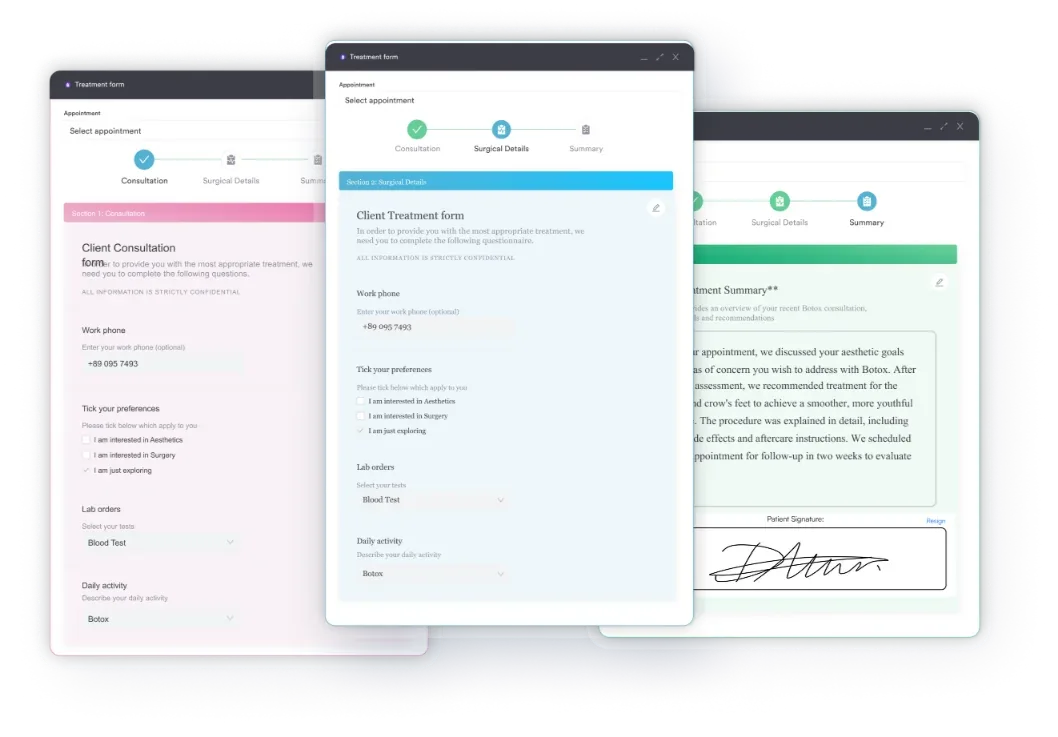
Reminders go out on whatever schedule you set, and any form left unsigned gets flagged to reception before the visit. So the “lost form” phone call on the morning of the appointment stops happening.
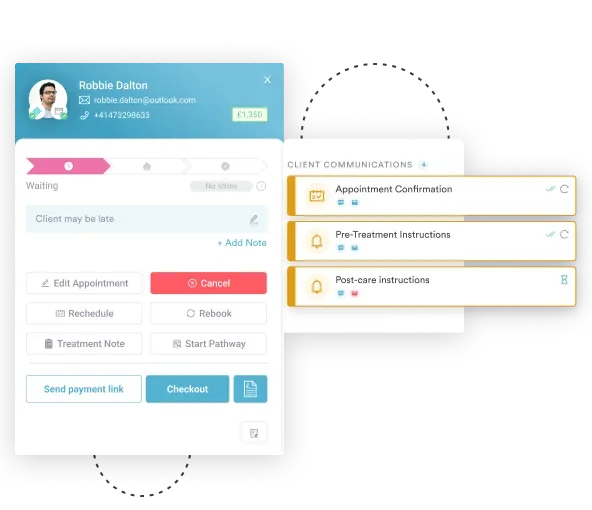
For practices running consultations remotely, the consent form, the video visit, and the clinical note all sit in one record. There is no export step and no second filing job.

Pabau sends the consent form before the appointment, captures the e-signature, and files it against the patient record with a timestamp. Reception stops chasing paperwork on the morning of the visit.

Getting a telehealth consent form right starts with knowing who is asking for it. Draft to your state board and your professional standards first. Add the CMS documentation step if you bill Medicare, and treat HIPAA as the privacy layer underneath.
The template above gets you most of the way. What it cannot do is chase signatures, and that is where consent usually breaks down in practice. A form the patient never opened protects neither of you.
Fix the delivery and the paperwork stops being a problem worth thinking about. Book a demo to see how Pabau sends, signs, and files telehealth consent forms without anyone chasing them.

Treating a patient under 18 remotely? Consent to treat minor form sets out who can sign and what a guardian has to acknowledge.
Need to release records to another provider? Authorization for release of confidential information covers the disclosure paperwork consent forms leave out.
Moving intake off paper? Best patient intake software for private practices compares the tools that collect consent and history in one flow.
Rebuilding your documentation stack? Best clinical documentation software for practices looks at where notes, forms, and consent records live together.
In most states, yes. Informed consent for telehealth comes from state law and the professional standards your license sits under, not from HIPAA. CMS adds a separate rule: consent must be documented to bill Medicare telehealth. Check your own state board, because format and wording requirements vary.
In many states, yes, as long as you record it in the chart. Those rules come from state law and CMS policy rather than HIPAA. Written or e-signed consent is still safer, because it creates an audit trail and settles later disputes about what was disclosed.
Usually not. Most practices collect consent once, before the first telehealth visit, then renew it periodically or when the service changes. Some states and payers want it confirmed verbally at the start of each session, so check both before you set a policy.
A parent or legal guardian signs in most cases. Several states let minors consent on their own for specific care, such as mental health or reproductive services. Build a guardian signature block into the form, and note which adult signed and their relationship to the patient.
Where the patient sits at the time of the visit usually decides which rules apply, licensure included. A patient who travels can put you outside your license without either of you noticing. Ask where they are at the start of every telehealth appointment.